

Your Browsing History
- Free 30-day Returns
$139.99

Meet Your Seller

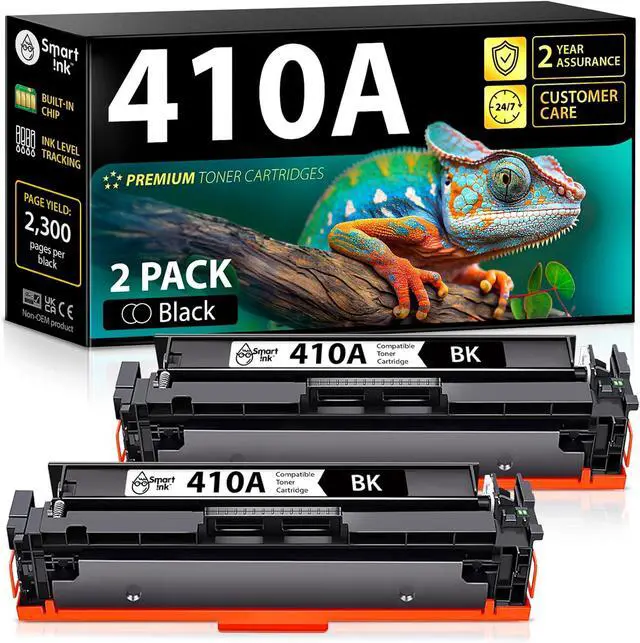





Smart Ink Compatible 410A Toner Cartridge 2 Black Combo Replacement for HP 410A HP 410X CF410A CF411A CF412A CF413A to use with Color LaserJet Pro MFP M477fnw M452nw M452dn M477fdw M477fdn M452dw
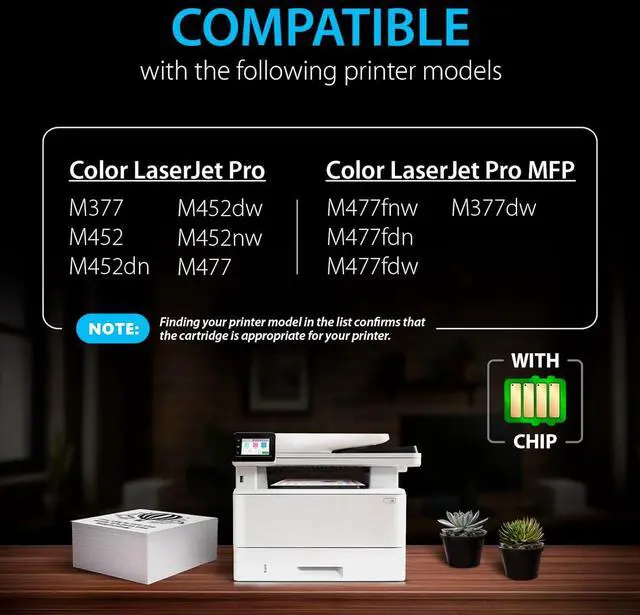
- Compatible with HP Color LaserJet Pro M377, M452, M452dn, M452dw, M452nw, M477, Color LaserJet Pro M477fnw, M477fdn, M477fdw, M377dw printers. Ideal replacement for HP 410A toner cartridge and supported models like MFP M477fnw toner
- Package Contents: 2 x 410A Black toner (2 cartridges in total), 1 x User Guideline, 1 x Warranty Certificate. All-in-one replacement for HP 410A toner cartridges 2 pack solution
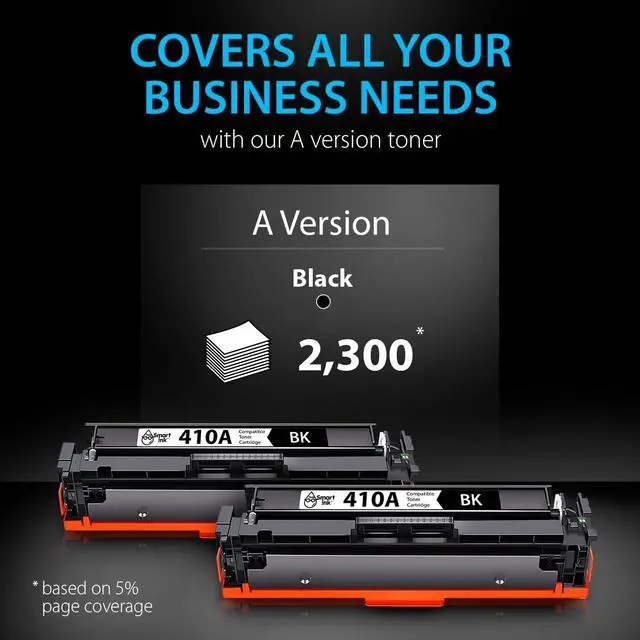
- Print More with A Version: Up to 2300 pages per A Black. Reliable replacement for HP 410A black toner cartridge
- Customer Care 24/7: We provide exceptional Customer Live Support daily (even on holidays). We help users of Smart Ink replacement for HP 410 toner cartridge navigate setup and usage with confidence. Call or write to us if you need manufacturer support
- Built-in Smart Chip: No additional adjustments during installation are needed because the Smart Ink produces toner 410 cartridges with a new built-in chip. Works seamlessly as a replacement for HP LaserJet 410A black ink
+
+
Overview
Specs
Reviews

Any questions? Our AI mode will help you find out quickly.
Try me now
At Smart Ink, we strictly control the printer's firmware updates to provide you the most up-to-date version of the chip. That's why your printer will always work with our cartridges, no matter what firmware version you have.
Color LaserJet Pro MFP M477fnw M477fdn M477fdw M377dw Gently shake the new toner cartridge from side to side 5-6 times to evenly distribute the toner inside the cartridge
Carefully remove the orange protective caps from the edge of the toner cartridge, then remove the protective cap from the roller
Pull out the protective sealing tape from the inside of the toner cartridge
Insert the toner cartridge into the correct slot in the drawer, and close the front cover
100% TONER RECOGNITION Smart Ink 410A is for your quality printing WORK WITH HP: STEP 1: STEP 2: STEP 3: STEP 4:
Color LaserJet Pro MFP M477fnw M477fdn M477fdw M377dw Gently shake the new toner cartridge from side to side 5-6 times to evenly distribute the toner inside the cartridge
Carefully remove the orange protective caps from the edge of the toner cartridge, then remove the protective cap from the roller
Pull out the protective sealing tape from the inside of the toner cartridge
Insert the toner cartridge into the correct slot in the drawer, and close the front cover
100% TONER RECOGNITION Smart Ink 410A is for your quality printing WORK WITH HP: STEP 1: STEP 2: STEP 3: STEP 4:
Warranty & Returns
Warranty, Returns, And Additional Information
Warranty
- Please contact the Seller directly for warranty information. Warranty information may also be found on the Manufacturer's website.
- CONTACT
Return Policies
- Return for refund within: 30 days
- Return for replacement within: 45 days
- This item is covered by Ali Wangwang E-commerce Limited Return Policy
Manufacturer Contact Info
- For a directory of all our manufacturers, please click below.
- Manufacturers Directory
LOADING...