

Your Browsing History
Best Sellers
- $198.99
- + FREE SHIPPING

Meet Your Seller

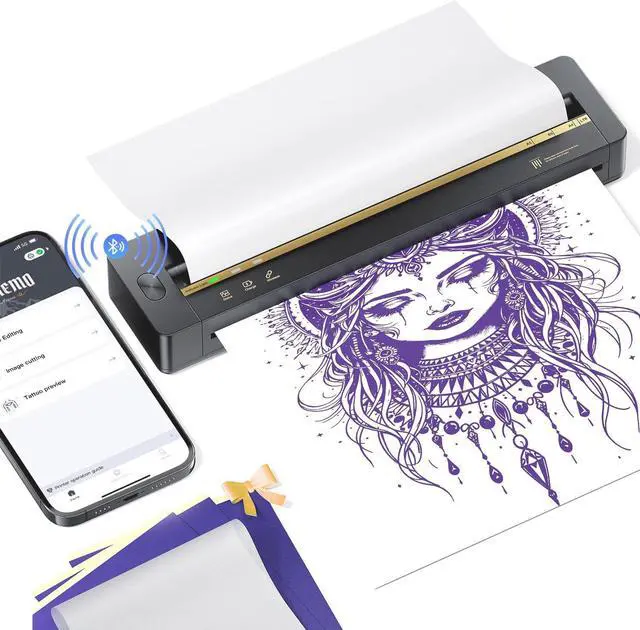


TATTMUSE A88U New Bluetooth Tattoo Stencil Printer, Thermal Wireless Stencil Printer for Tattooing, Tattoo Transfer Machine with 5PCS Transfer Papers, Compatible with Phone, Tablet, PC, Black
- Smart APP: A88U tattoo printer's APP offers 800+ tattoo designs, fonts and powerful editing tools. The editing tools include line art conversion, tattoo preview, large image splitting, anti-wrinkle, AI image-to-image generation, AI text-to-image generation, AI background removal etc. (Note: Some premium features and additional design resources require a paid subscription, but the core functionality remains fully accessible.)
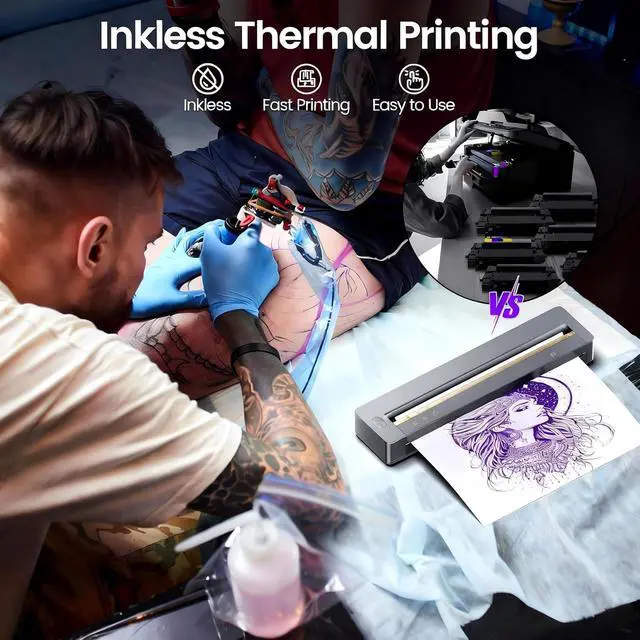
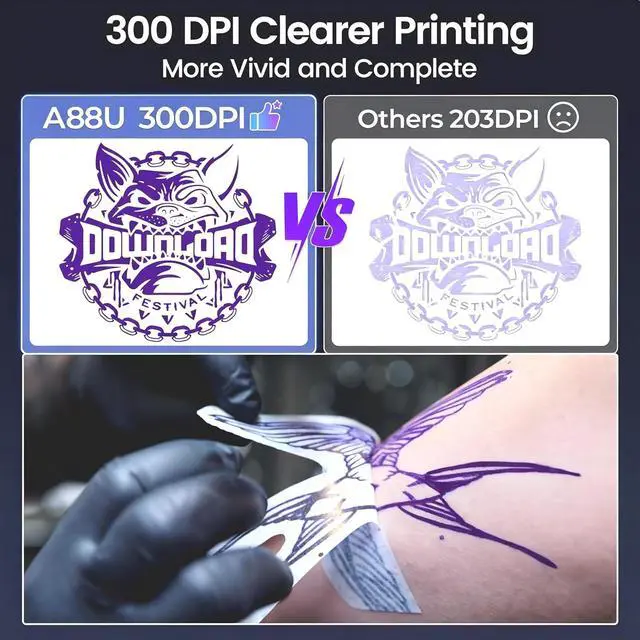
- 300DPI High-Definition Printing: A88U tattoo stencil printer, equipped with an upgraded printhead and firmware, delivers professional-grade print clarity. It precisely reproduces both fine-line designs and intricate patterns. This thermal printer is ink-free and comes with 5 sheets of high-quality tattoo transfer paper to get you started effortlessly
- Broad Compatibility: A88U stencil printer can connect to tablets, smartphones and computers. It pairs with phones and tablets via Bluetooth and connects to computers using a USB Type-C cable. It is compatible with A
+
+
Overview
Specs
Reviews

Any questions? Our AI mode will help you find out quickly.
Try me now
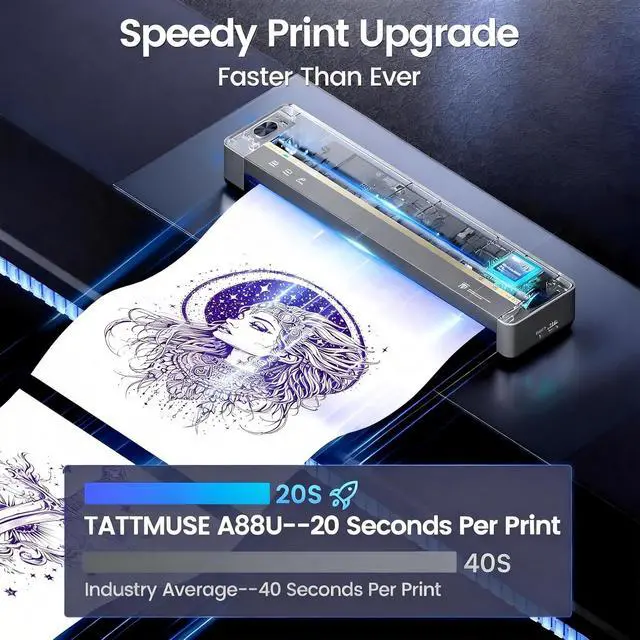
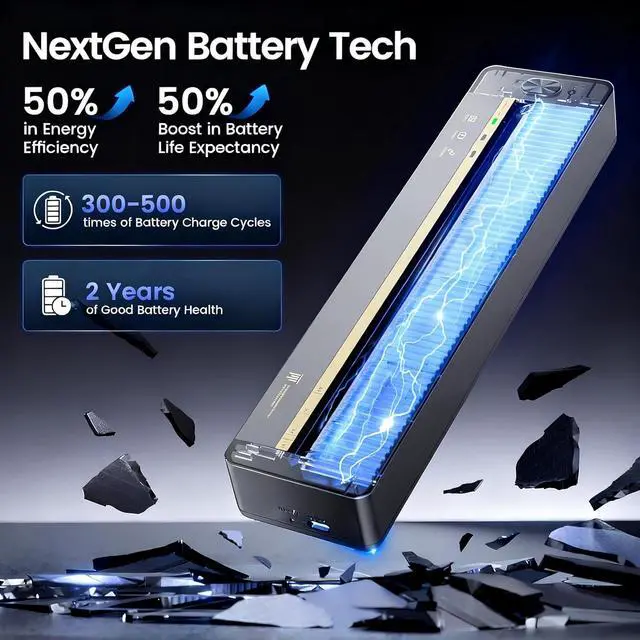
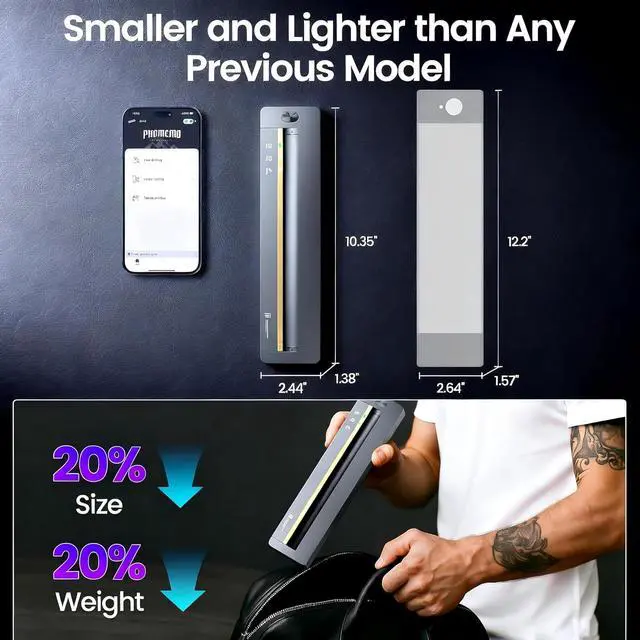
1App with 7 Smart Function2Faster & Farther Blutooth32025 Upgrade Chip4NextGen Battery tech5Wider Compatibility1300DPI Ultra-Clear Print2Anti-wrinkle Tech3Speedy Print Upgrade4Smaller & Lighter5Long-lating Power Standby How to solve the problem that my cell phone cannot connect to Bluetooth?
1. Try to restart the printer and your cell phone.
2. Please make sure the Bluetooth function is turned on.
3. Please connect the printer in the app, not in the phone settings.
4. Please try reinstalling the app or using another phone.
Is the transfer performed by placing the tattoo transfer paper directly on the skin?
No. Before the transfer, we need to wipe the skin with alcohol to remove the oil from the skin. Then, transfer tattoo cream is applied to the skin and finally the design is placed on it for transfer.
What size tattoo transfer paper does TATTMUSE Tattoo Printer support?
The maximum size of tattoo transfer paper supported by TATTMUSE Wireless tattoo printers is US letter paper size (8.5 "x 11"). Please note that our tattoo printer does not support thermal paper.
What are the differences between TATTMUSE tattoo printer and other tattoo printers?
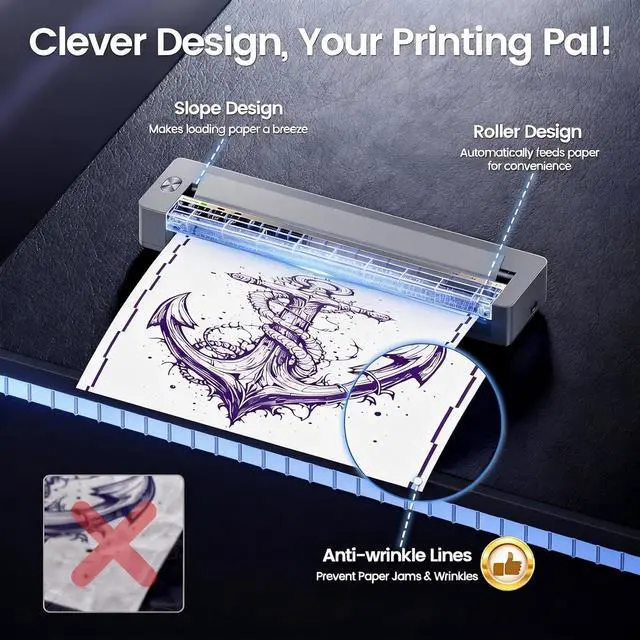
TATTMUSE tattoo stencil printer has the most advanced wrinkle resistant printing technology, and the upgraded body structure results in less noise during printing.
tattoo stencil pinter tattoo stencil printer Steps to Set up the Printer and Tips to Get Clearer Tattoo Stencils on Skin What should I do if my printer jams or rolls paper?
How to solve the problem that my cell phone cannot connect to Bluetooth?
Is the transfer performed by placing the tattoo transfer paper directly on the skin?
What size tattoo transfer paper does TATTMUSE Tattoo Printer support?
What are the differences between TATTMUSE tattoo printer and other tattoo printers?
1. Try to restart the printer and your cell phone.
2. Please make sure the Bluetooth function is turned on.
3. Please connect the printer in the app, not in the phone settings.
4. Please try reinstalling the app or using another phone.
Is the transfer performed by placing the tattoo transfer paper directly on the skin?
No. Before the transfer, we need to wipe the skin with alcohol to remove the oil from the skin. Then, transfer tattoo cream is applied to the skin and finally the design is placed on it for transfer.
What size tattoo transfer paper does TATTMUSE Tattoo Printer support?
The maximum size of tattoo transfer paper supported by TATTMUSE Wireless tattoo printers is US letter paper size (8.5 "x 11"). Please note that our tattoo printer does not support thermal paper.
What are the differences between TATTMUSE tattoo printer and other tattoo printers?
TATTMUSE tattoo stencil printer has the most advanced wrinkle resistant printing technology, and the upgraded body structure results in less noise during printing.
tattoo stencil pinter tattoo stencil printer Steps to Set up the Printer and Tips to Get Clearer Tattoo Stencils on Skin What should I do if my printer jams or rolls paper?
How to solve the problem that my cell phone cannot connect to Bluetooth?
Is the transfer performed by placing the tattoo transfer paper directly on the skin?
What size tattoo transfer paper does TATTMUSE Tattoo Printer support?
What are the differences between TATTMUSE tattoo printer and other tattoo printers?
Warranty & Returns
Warranty, Returns, And Additional Information
Warranty
- Please contact the Seller directly for warranty information. Warranty information may also be found on the Manufacturer's website.
- CONTACT
Return Policies
- Return for refund within: 30 days
- Return for replacement within: non-replaceable
- This item is covered by Zyngear Return Policy
Manufacturer Contact Info
- For a directory of all our manufacturers, please click below.
- Manufacturers Directory
LOADING...
LOADING...