Your Browsing History
- Free 30-day Returns
$90.99
Meet Your Seller
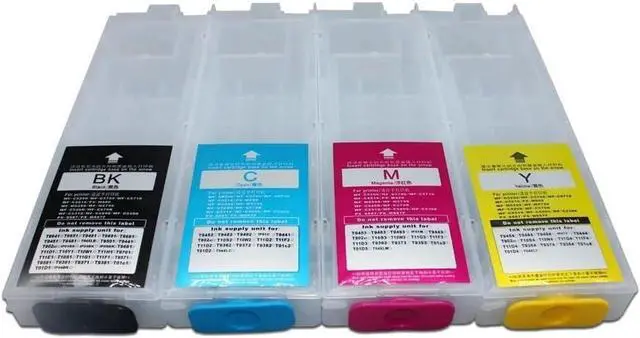
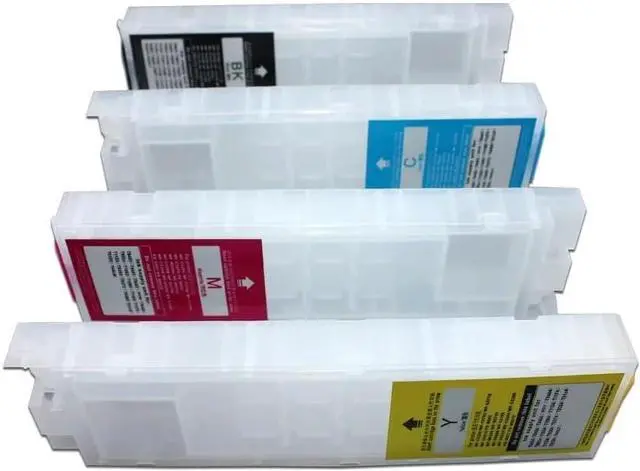
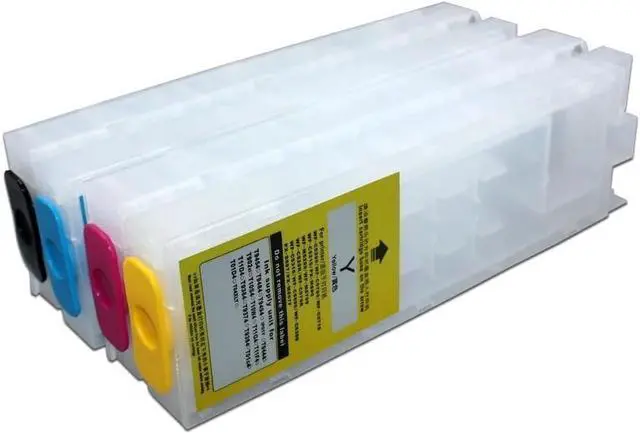
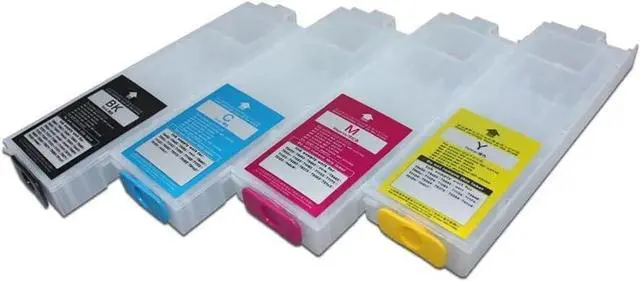
Printing Remanufactured T10Y T10W Empty Refillable Ink T10Y T10W Workforce Pro Expression Workforce Pro WF-C5390 WF-C5890 WF-C5810 WF-C5310 Printer Regular Or Sublimation No Chips
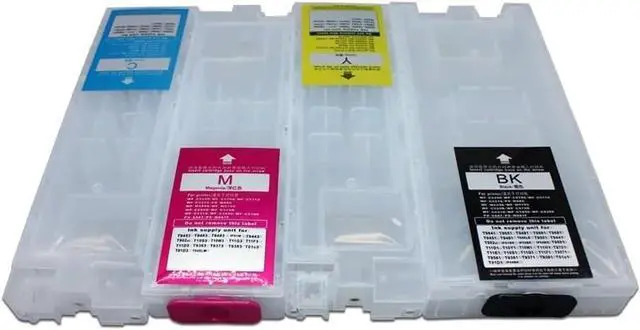
- Packaging content: 4 empty ink cartridges+4 empty ink cartridges with 4 color markings and 4 ink injection tools, no chips
- Compatible with multiple printers: Compatible with WF-C5390 WF-C5890 WF-C5810 WF-C5310 and other models. Please confirm your printer model before purchasing.
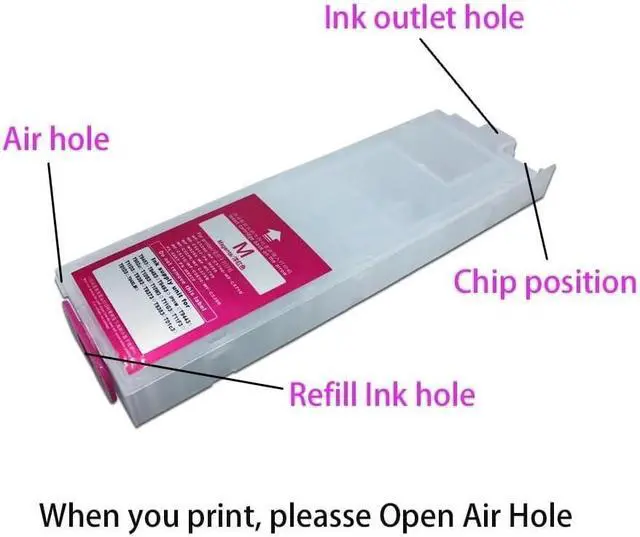
- Transparent shell, clear and visible remaining ink: The ink cartridge adopts a transparent design, making it easy to observe the remaining ink level, more accurate ink injection, and avoiding waste.
- Simple troubleshooting: If the printer prompts "Non genuine ink", select "Yes" to continue using. If it displays' Ink cartridge empty ', simply replace the chip and refill the ink. Can't print ink? Shake the ink cartridge 4-5 times, reinstall and ensure it is installed properly.
- Usage precautions: It is recommended to reserve 10% space when injecting ink to prevent overflow. When using a new printer for the first time, it is necessary to initialize it with the original ink cartridge. Do not upgrade the printer
+
+
Overview
Specs
Reviews
Any questions? Our AI beta will help you find out quickly.
Try me now
Packaging content: 4 empty ink cartridges+4 empty ink cartridges with 4 color markings and 4 ink injection tools, no chips
Compatible with multiple printers: Compatible with WF-C5390 WF-C5890 WF-C5810 WF-C5310 and other models. Please confirm your printer model before purchasing.
Transparent shell, clear and visible remaining ink: The ink cartridge adopts a transparent design, making it easy to observe the remaining ink level, more accurate ink injection, and avoiding waste.
Simple troubleshooting: If the printer prompts "Non genuine ink", select "Yes" to continue using. If it displays' Ink cartridge empty ', simply replace the chip and refill the ink. Can't print ink? Shake the ink cartridge 4-5 times, reinstall and ensure it is installed properly.
Usage precautions: It is recommended to reserve 10% space when injecting ink to prevent overflow. When using a new printer for the first time, it is necessary to initialize it with the original ink cartridge. Do not upgrade the printer firmware to avoid affecting ink cartridge recognition.

Compatible with multiple printers: Compatible with WF-C5390 WF-C5890 WF-C5810 WF-C5310 and other models. Please confirm your printer model before purchasing.
Transparent shell, clear and visible remaining ink: The ink cartridge adopts a transparent design, making it easy to observe the remaining ink level, more accurate ink injection, and avoiding waste.
Simple troubleshooting: If the printer prompts "Non genuine ink", select "Yes" to continue using. If it displays' Ink cartridge empty ', simply replace the chip and refill the ink. Can't print ink? Shake the ink cartridge 4-5 times, reinstall and ensure it is installed properly.
Usage precautions: It is recommended to reserve 10% space when injecting ink to prevent overflow. When using a new printer for the first time, it is necessary to initialize it with the original ink cartridge. Do not upgrade the printer firmware to avoid affecting ink cartridge recognition.
Warranty & Returns
Warranty, Returns, And Additional Information
Warranty
- Please contact the Seller directly for warranty information. Warranty information may also be found on the Manufacturer's website.
- CONTACT
Return Policies
- Return for refund within: 30 days
- Return for replacement within: 45 days
- This item is covered by Ali Wangwang E-commerce Limited Return Policy
Manufacturer Contact Info
- For a directory of all our manufacturers, please click below.
- Manufacturers Directory
LOADING...