

Your Browsing History
- Free 30-day Returns
$108.99

Meet Your Seller

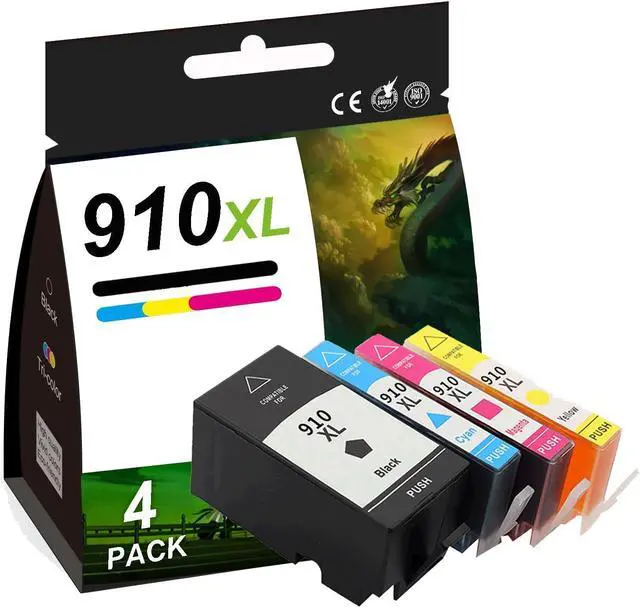



910XL Remanufactured Ink Cartridges for HP 910 Ink Cartridges Combo Pack for Officejet Pro 8020, 8022, 8024, 8025, 8028, 8031, 8033, 8034, 8035 Printers, 4 Pack (Black, Tri-Color)
- Color Contains: 910XL ink cartridges black and color combo pack (Black, Cyan, Magenta, Yellow)
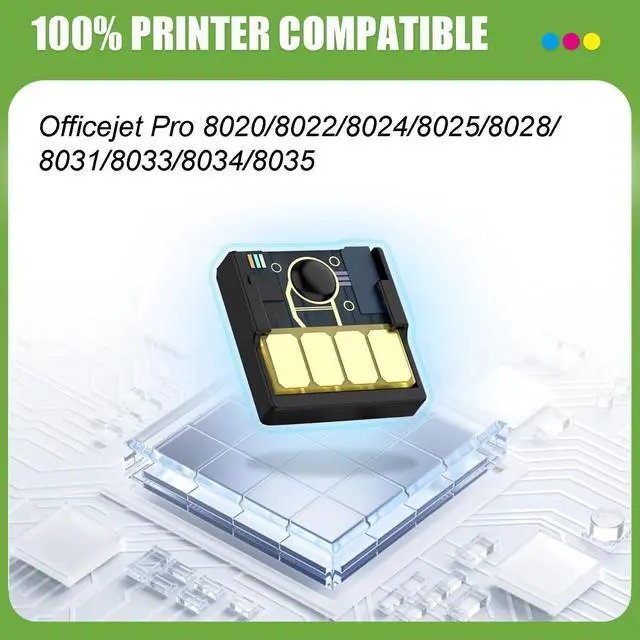
- Compatible for HP910XL Cartridge: for HP Officejet Pro Officejet Pro 8020, 8022, 8024, 8025, 8028, 8031, 8033, 8034, 8035
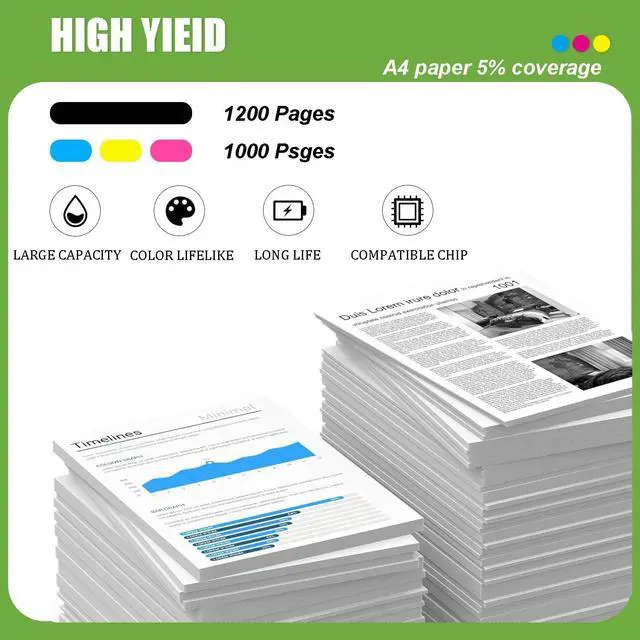
- High Yield: Up to 1200 pages per 910xl black and 1000 pages per 910xl color ink cartridges at 5% coverage on A4 paper, reliable printing in your home or office
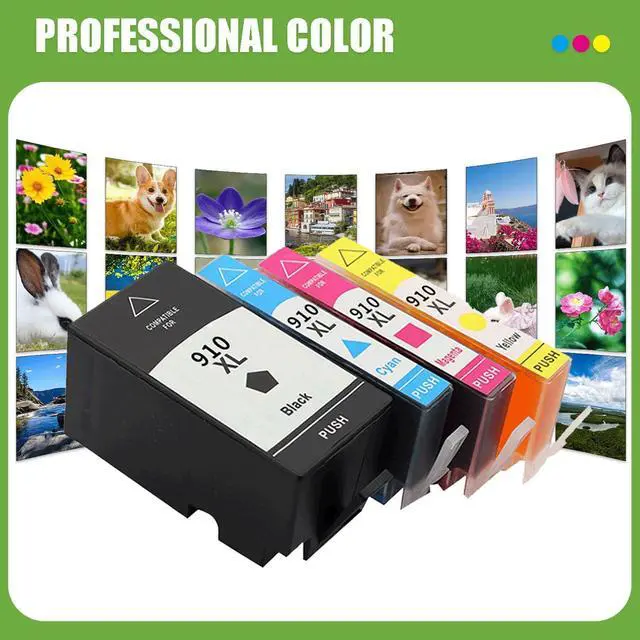
- Superior Print Quality: Prints consistently and delivers outstanding results with crisp fonts and lifelike images, ensuring crisp text and vivid, vibrant colors
- Outstanding Chip: Equipped with smart chips, making them fully compatible, easy to recognize and allowing you to accurately track ink levels
+
+
Overview
Specs
Reviews

Any questions? Our AI mode will help you find out quickly.
Try me now
About Products:
Compatible Ink Cartridge: for HP 910 XL ink cartridges
Compatible Printer Series: for HP Officejet Pro Officejet Pro 8020, 8022, 8024, 8025, 8028, 8031, 8033, 8034, 8035 printer
Why Choose Us?
1. Brilliant printing
2. Large print volume
3. Good compatibility, easy to replacement and work
4. Printing smoothly and working efficiently
5. Smart chips
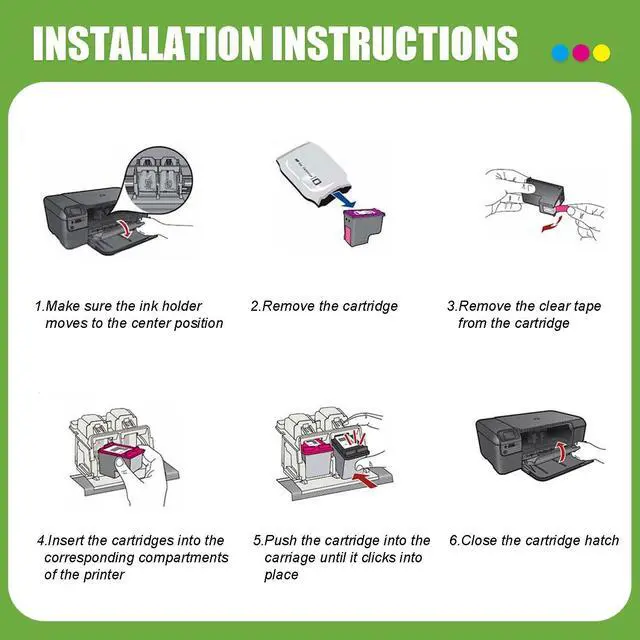
Installation Method:
1. When the printer is turned on, open the front cover of the printer and press the ink button
2. Return the ink cartridge to the replacement ink cartridge position
3. Open the ink cartridge cover
4. Remove the ink cartridge
5. Push the ink cartridge downward until it is in place.
6. Close the box cover and printer cover
7. After the above operations are completed, press the ink button on the printer and all the ink cartridge replacement processes will be completed
Warm Tips:
1. Please confirm your printer model before ordering our ink cartridges
2. Please do not tear off the ink outlet sealing film manually, and puncture it directly on the machine
3. Please note that if prompted with a non-original message, simply click OK or Continue to proceed and start using the cartridge
Sincere Service:
If you have a problem, please contact us directly, we will reply to your message within 12 hours and provide a solution to solve your problem. Have a good life
Compatible Ink Cartridge: for HP 910 XL ink cartridges
Compatible Printer Series: for HP Officejet Pro Officejet Pro 8020, 8022, 8024, 8025, 8028, 8031, 8033, 8034, 8035 printer
Why Choose Us?
1. Brilliant printing
2. Large print volume
3. Good compatibility, easy to replacement and work
4. Printing smoothly and working efficiently
5. Smart chips
Installation Method:
1. When the printer is turned on, open the front cover of the printer and press the ink button
2. Return the ink cartridge to the replacement ink cartridge position
3. Open the ink cartridge cover
4. Remove the ink cartridge
5. Push the ink cartridge downward until it is in place.
6. Close the box cover and printer cover
7. After the above operations are completed, press the ink button on the printer and all the ink cartridge replacement processes will be completed
Warm Tips:
1. Please confirm your printer model before ordering our ink cartridges
2. Please do not tear off the ink outlet sealing film manually, and puncture it directly on the machine
3. Please note that if prompted with a non-original message, simply click OK or Continue to proceed and start using the cartridge
Sincere Service:
If you have a problem, please contact us directly, we will reply to your message within 12 hours and provide a solution to solve your problem. Have a good life
Warranty & Returns
Warranty, Returns, And Additional Information
Warranty
- Please contact the Seller directly for warranty information. Warranty information may also be found on the Manufacturer's website.
- CONTACT
Return Policies
- Return for refund within: 30 days
- Return for replacement within: 45 days
- This item is covered by Ali Wangwang E-commerce Limited Return Policy
Manufacturer Contact Info
- For a directory of all our manufacturers, please click below.
- Manufacturers Directory
LOADING...