• $86.99
  • Free 30-day Returns
  • Shipped by LionTech Direct

    Price alert
    Shop it at NeweggBusiness.

    Meet Your Seller

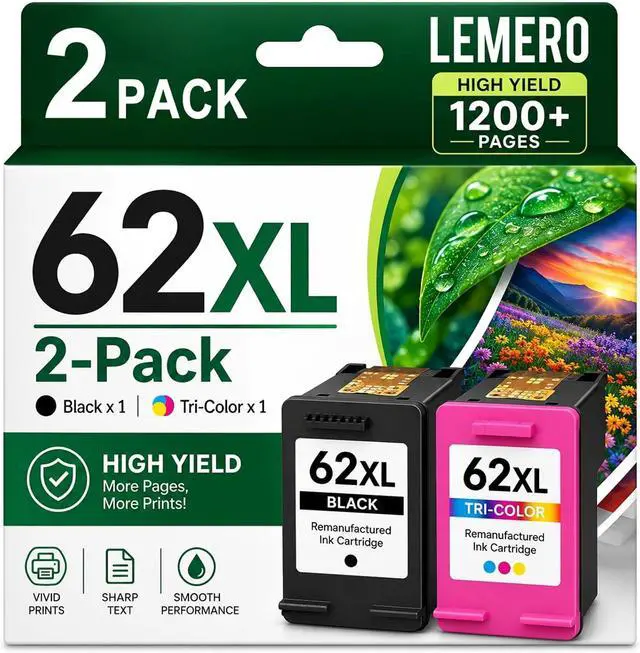
    Remanufactured 62XL Ink Cartridges Black and Color Replacement for HP 62XL

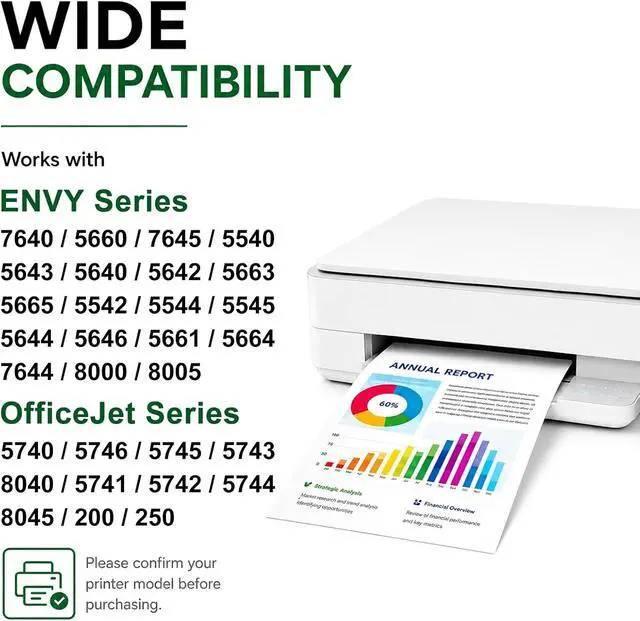
    • use with Envy 7640 5660 5540 7645 5746 OfficeJet 250 200 5740 Mobile Printer for HP Ink 62 Ink Cartridge Combo Pack
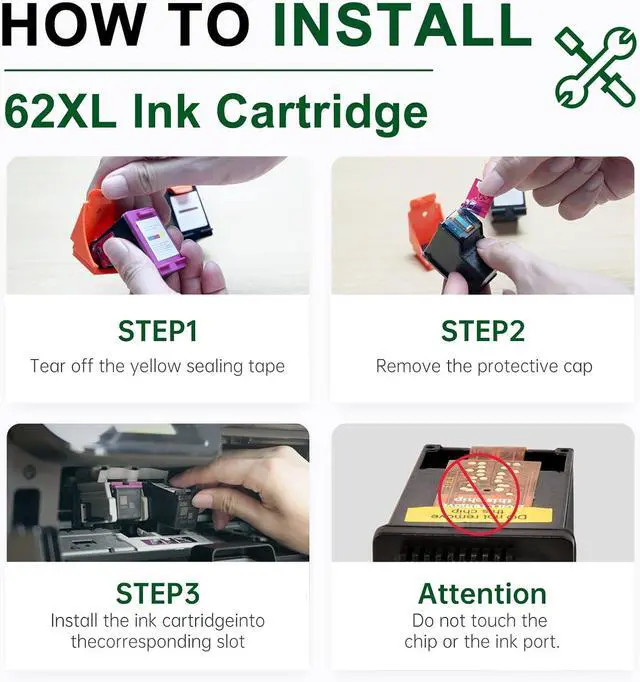
    • Package Inclusion: This LEMERO for HP 62XL Ink Cartridges Combo Pack comes with everything you need to start printing. It includes 1 x 62XL Black Ink Cartridge, 1 x 62XL Tri-Color Ink Cartridge (Cyan/Magenta/Yellow), and 1 x User Guide for easy setup and operation.
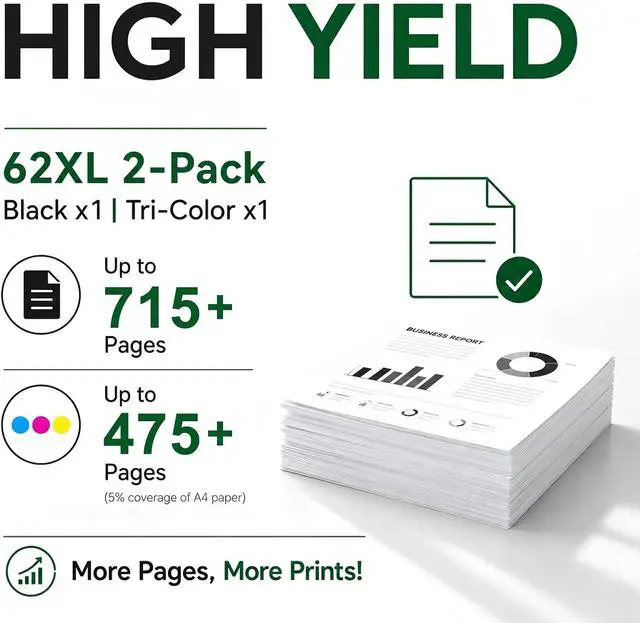
    • High-Yield Printing Power: The 62xl ink cartridges black and color offers long-lasting performance. With the 62xl ink cartridges black delivering up to 715 pages and the 62xl ink cartridges color providing up to 475 pages, its built for high-volume printing, cutting down on replacement frequency and maximizing your efficiency.
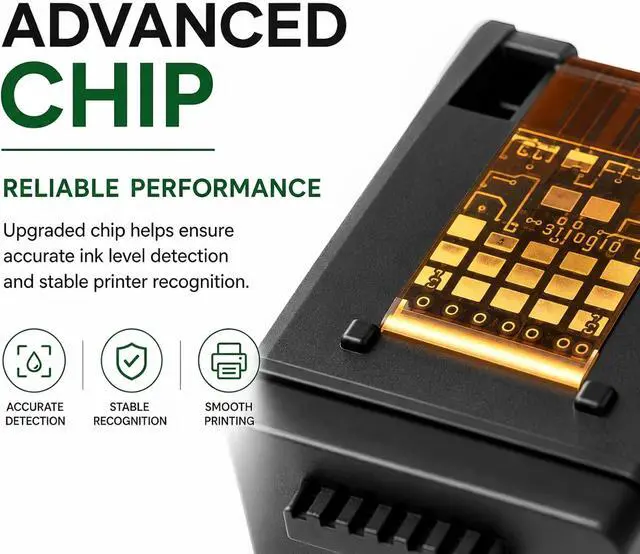
    • Broad Compatibility: These 62xl ink cartridges black and color feature an advanced intelligent chip and are compatible with a wide range of printers, including models for HP ENVY Series such as 5540, 5541, 5542, 5543, 5544, 5545, 5547, 5548, 5549, 5640, 5642, 5643, 5644, 5646, 5660,
    +
    +
    Overview
    Specs
    Reviews
    avatar

    Any questions? Our AI mode will help you find out quickly.

    What should I do if my printer displays "Non-HP Cartridge", "Incompatible", or "Cartridge Error"?
    This is a standard notice when using premium compatible cartridges. Simply click "OK", "Continue", or "Dismiss" on your printer screen or computer to resume printing.

    Do these cartridges show real-time ink levels, or will they constantly report "Low Ink"?
    They display full, accurate ink levels! Thanks to our high-compatibility chips, your printer will accurately read the remaining ink from the moment you install them, giving you reliable status updates so you never run out of ink unexpectedly.

    How do I fix print quality issues like streaks, faint text, or missing colors?
    Minor ink dry-up at the nozzle can occasionally happen during transit or storage. Try these quick fixes:Run 12 "Clean Printhead" cycles through your printer's Tools / Maintenance menu.

    How can I prevent printer firmware updates from blocking compatible cartridges?
    We recommend disabling "Automatic Firmware Updates" on your printer. Go to your printer screen: Settings > Printer Maintenance > Update Settings > select Turn Off Auto-Update.This ensures long-term uninterrupted use of cost-effective cartridges.

    What should I do if my printer displays "Non-HP Cartridge", "Incompatible", or "Cartridge Error"?
    Do these cartridges show real-time ink levels, or will they constantly report "Low Ink"?
    How do I fix print quality issues like streaks, faint text, or missing colors?
    How can I prevent printer firmware updates from blocking compatible cartridges?

    Warranty & Returns

    Warranty, Returns, And Additional Information

    Warranty

    • Please contact the Seller directly for warranty information. Warranty information may also be found on the Manufacturer's website.
    • CONTACT

    Return Policies

    Manufacturer Contact Info

    LOADING...