• $409.99
  • Free 30-day Returns
  • Price alert
    Shop it at NeweggBusiness.

    Meet Your Seller

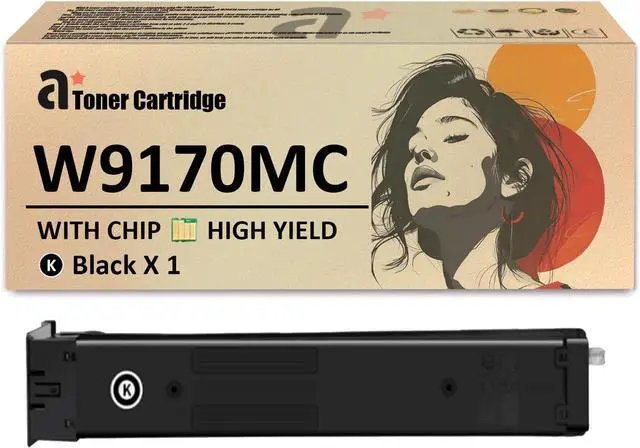
    Ennovor W9170MC Black Toner Cartridge Replacement for HP W9170MC Toner Cartridge Compatible for HP Color Laserjet Managed MFP E87740dn E87750dn E87760dn E87770dn E87740z Printers, 1 Pack

    • Compatible PrintersThe W9170MC toner cartridges compatible for HP Color LaserJet Managed MFP E87740dn E87750dn E87760dn E87770dn Flow MFP E87740z E87750z E87760z E87770Z printers
    • Product Contents1 pack of black W9170MC toner cartridge for HP printers
    • High Yield50,000 pages per W9170MC black toner cartridge & 45,000 pages per W9061MC cyan, W9063MC magenta and W9062MC yellow toner at 5% coverage of A4 paper
    • Effortless Printing ExcellencePrint high-quality photos and documents effortlessly with our W9170MC toner cartridge for HP. Easily Install and safe for your printer, it delivers crisp resolution and clear layering for all your printing needs
    • After Sales ServiceIf you have questions, please contact us at any time via the 'Contact Seller' on your order,and we will give you a satisfactory solution within 24 hours
    +
    +
    Overview
    Specs
    Reviews
    avatar

    Any questions? Our AI beta will help you find out quickly.

    Compatibility:
    The W9170MC toner cartridge replaces the W9170MC(black), W9171MC(cyan), W9173MC(magenta), and W9172MC(yellow) toner cartridges for HP printers.
    Compatible for HP Color LaserJet Managed MFP E87740dn E87750dn E87760dn E87770dn Flow MFP E87740z E87750z E87760z E87770Z printers.


    W9170MC toner cartridge set includes:
    1 pack of W9170MC black toner cartridge


    Advantages of the W9170MC toner cartridges:
    High-quality toner ensures efficient printing with vibrant colors and clear fonts.
    Consistent higher print quality without blemishes, ensuring reliability from start to finish.
    Prevents paper jams, providing protection for your printer and ensuring smooth operation.


    Convenient Installation:
    Gently shake the new W9170MC toner cartridge from side to side 2-3 times to distribute it evenly.
    Remove the toner cartridge protective cover.
    Insert the toner cartridge into the correct position in the printer.


    Warm Tips:
    Toner cartridge models may vary by region. Please double-check your toner cartridge and printer model, and send us detailed information via email or our website.
    Avoid touching the toner cartridge chip for the best printing performance.
    If you experience issues with your purchased toner cartridge, please contact us promptly. We'll help resolve the problem within 24 hours.

    Warranty & Returns

    Warranty, Returns, And Additional Information

    Warranty

    • Please contact the Seller directly for warranty information. Warranty information may also be found on the Manufacturer's website.
    • CONTACT

    Return Policies

    Manufacturer Contact Info

    LOADING...