• $162.99
  • Free 30-day Returns
  • Price alert
    Shop it at NeweggBusiness.

    Meet Your Seller

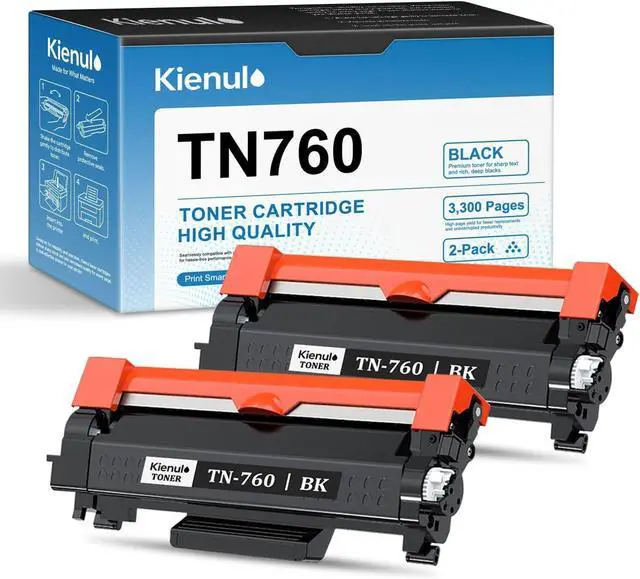
    Ennovor TN760 High Yield Toner Cartridge 2-Pack,TN-760 Black Toner Replacement for Brother HL-L2350DW HL-L2390DW HL-L2395DW HL-L2370DW MFC-L2710DW MFC-L2750DW DCP-L2550DW Printer

    • Package Contents: 2 Pack TN-760 Black Toner Cartridge
    • High Page Yield: Each black toner cartridge yields up to 3,300 pages at 5% coverage (A4), delivering consistent performance for all your printing needs
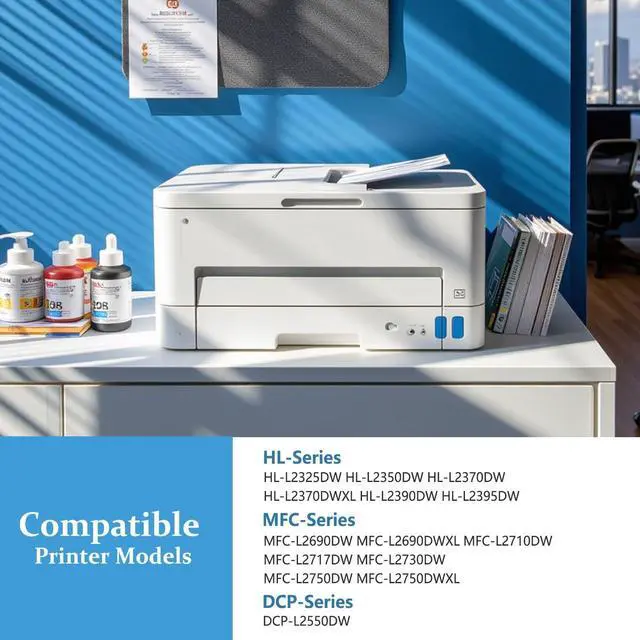
    • Compatible Printer Models: MFC-L2750DW HL-L2390DW MFC-L2710DW HL-L2350DW HL-L2395DW HL-L2370DW HL-L2370DWXL DCP-L2550DW MFC-L2690DW MFC-L2717DW MFC-L2730DW MFC-L2750DWXL Printer
    • Crisp & Clear Output: Enjoy sharp text and deep black prints from the first page to the last, perfect for documents, forms, and business use
    • Kienul TN760 toner cartridges are built with premium materials and strict quality control to ensure reliable performance and long-lasting results. Every print is sharp, consistent, and professional, just the way it should be
    +
    +
    Overview
    Reviews
    avatar

    Any questions? Our AI beta will help you find out quickly.

    Product Model
    TN760 Black Toner Cartridge.

    Compatibility
    DCP-L2550DW
    HL-L2350DW
    HL-L2370DW
    HL-L2370DW XL
    HL-L2390DW
    HL-L2395DW
    MFC-L2710DW
    MFC-L2750DW
    MFC-L2750DW XL
    MFC-L2730DW
    MFC-L2717DW
    MFC-L2690DW

    Professional print results
    Whether you're printing contracts, reports, or schoolwork, Kienul toner delivers sharp lines,
    solid fills, and clean text, page after page. Expect crisp, professional results with every print.

    High quality materials, quality assurance
    Made with premium toner powder and high-quality components, cartridges deliver smooth
    operation and consistent output from start to finish.

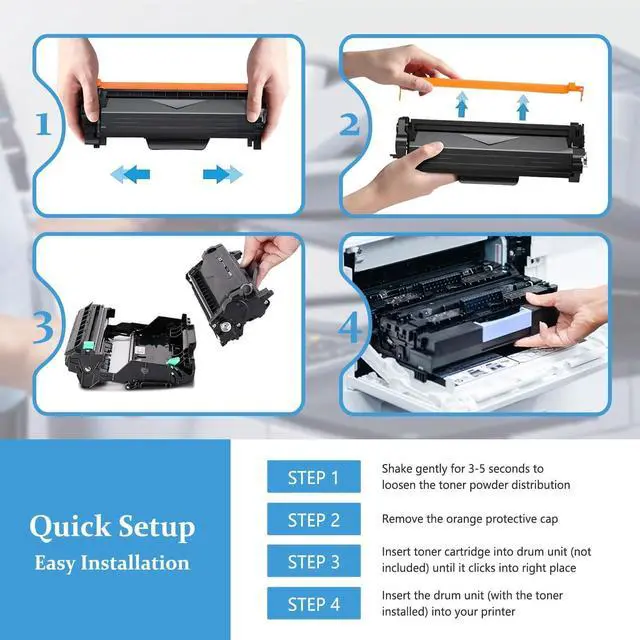
    Installation Instructions
    1.Turn off the printer and open the front cover.
    2.Remove the drum unit and used toner cartridge.
    3.Unpack the new toner cartridge.
    4.Gently shake the cartridge side to side to distribute the toner evenly.
    5.Insert the new toner cartridge into the drum unit until it clicks into place.
    6.Reinstall the drum unit into the printer and close the front cover.
    7.Turn the printer back on you're ready to print!

    Warranty & Returns

    Warranty, Returns, And Additional Information

    Warranty

    • Please contact the Seller directly for warranty information. Warranty information may also be found on the Manufacturer's website.
    • CONTACT

    Return Policies

    Manufacturer Contact Info

    LOADING...