• $317.99
  • Free 30-day Returns
  • Price alert
    Shop it at NeweggBusiness.

    Meet Your Seller

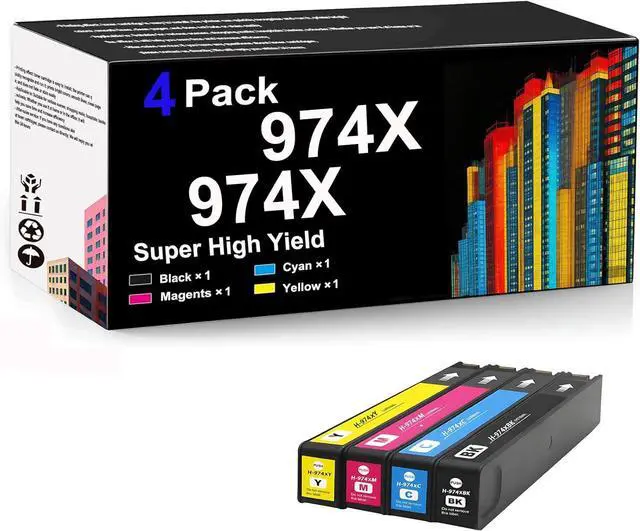
    Ennovor 974X Black and 974X Color for HP Ink Cartridge Compatible Replacement for 974X for HP OfficeJet Pro 352dw MFP 377dw Pro 452dw MFP 477dw 577dw 552dw P55250dw MFP Ink Cartridges,Combo Pack*1

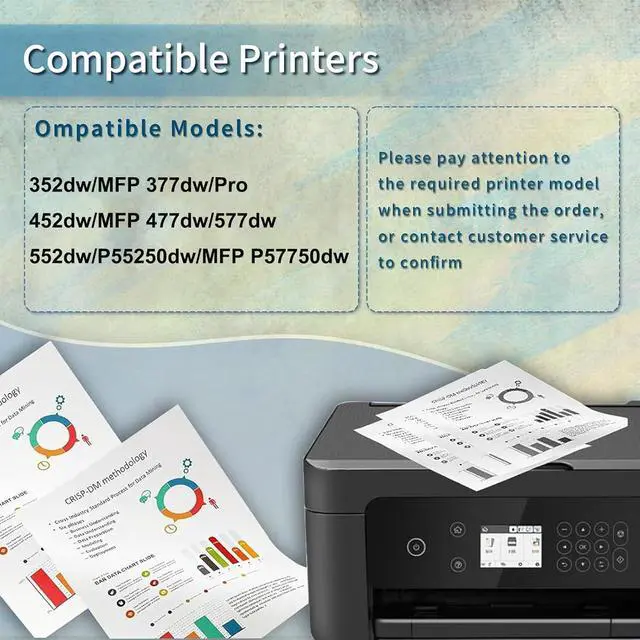
    • Product Model: 974X for HP 352dw MFP 377dw Pro 452dw MFP 477dw 577dw 552dw P55250dw MFP P57750dw printer
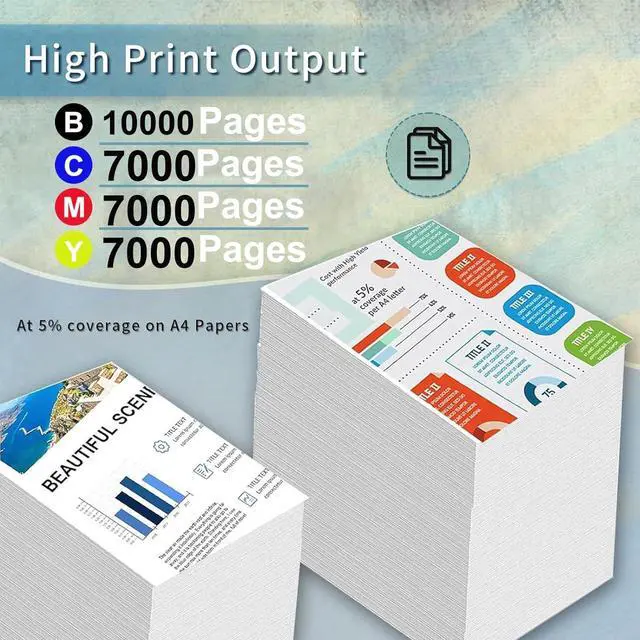
    • Real High Yield: 10000 pages per 974X Great black ink cartridge, 7000 pages for 974X color,ink cartridge at 5 percentage coverage on A4 paper.
    • After sales: 974X Ink Cartridge provides you with exceptional prints, tested and stable to ensure crisp text and bright, vivid colors, and if you have questions, our team will get back to you within 24 hours Provide you with satisfactory solutions
    • Package Contents: Option 1: 974X (B/C/M/Y) set*1, Option 2: 974X (B/C/M/Y) set*2.
    • Superior performance:Use 974X compatible cartridges to cost less Better compatibility High chip recognition good leak resistance.
    +
    +
    Overview
    Reviews
    avatar

    Any questions? Our AI beta will help you find out quickly.

    Product Description
    Be applicable:for HP 974X OfficeJet Pro 352dw MFP 377dw Pro 452dw MFP 477dw 577dw 552dw P55250dw MFP P57750dw Ink Cartridges
    Why choose us?
    1.Our ink cartridges useLatest upgraded chips the equipped chips and advanced anti-clogging nozzles to prevent clogging.
    2.To ensure that text and graphics are clear and sharp, print the color results you want on the paper.
    3.And we The ink cartridges have high color saturation - good leak resistance - good compatibility - convenient and affordable,
    suitable for daily use in office, school, work and home printing

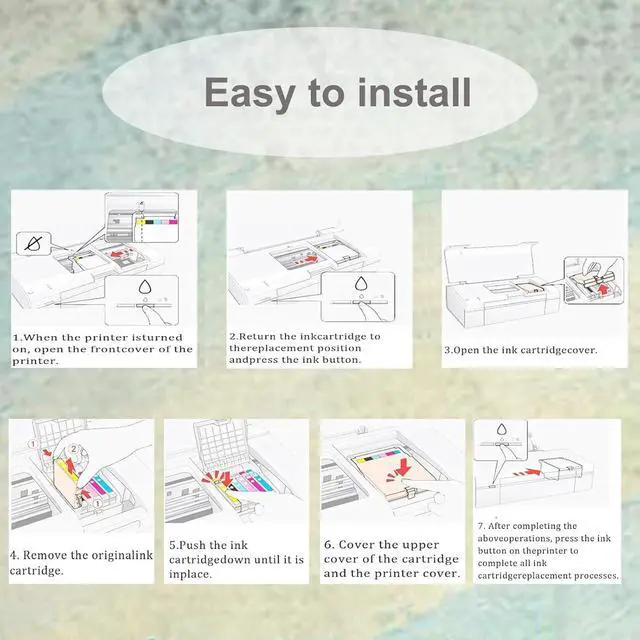
    Installation steps:
    1. After the printer is turned on, open the front cover of the printer and press the ink button.
    2. Put the ink cartridge back to the replacement cartridge position.
    3. Open the ink cartridge cover
    4. Take out the original ink cartridge
    5. Push the ink cartridge down into place
    6. Close the box cover and the printer cover
    7. After the above operations are completed, press the ink button on the printer to complete all the ink cartridge replacement processes.

    Notice:Please check to confirm the ink printer model and ink cartridge model before purchasing.

    Warm Tips:
    1.Make sure not to touch the chip on the ink cartridge for best performance.
    2.Please note that if a non-original message prompt appears, just click "OK" or "Continue" to continue and start using the cartridge.

    Warranty & Returns

    Warranty, Returns, And Additional Information

    Warranty

    • Please contact the Seller directly for warranty information. Warranty information may also be found on the Manufacturer's website.
    • CONTACT

    Return Policies

    Manufacturer Contact Info

    LOADING...