• $286.99
  • Free 30-day Returns
  • Price alert
    Shop it at NeweggBusiness.

    Meet Your Seller

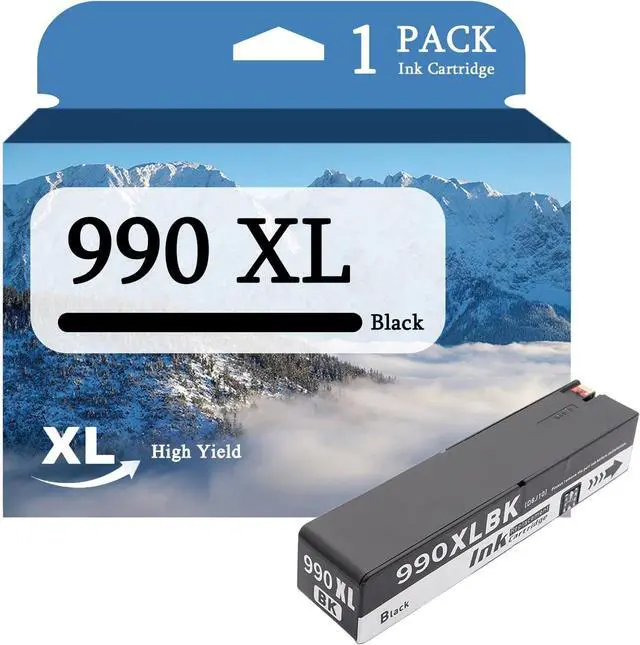
    Ennovor 990XL Ink Cartridges Compatible for HP 990 Ink Cartridges Black Cyan Magenta Yellow for HP PageWide Pro 774dn 774dns 779dn 779dns 755dn Printers,Black

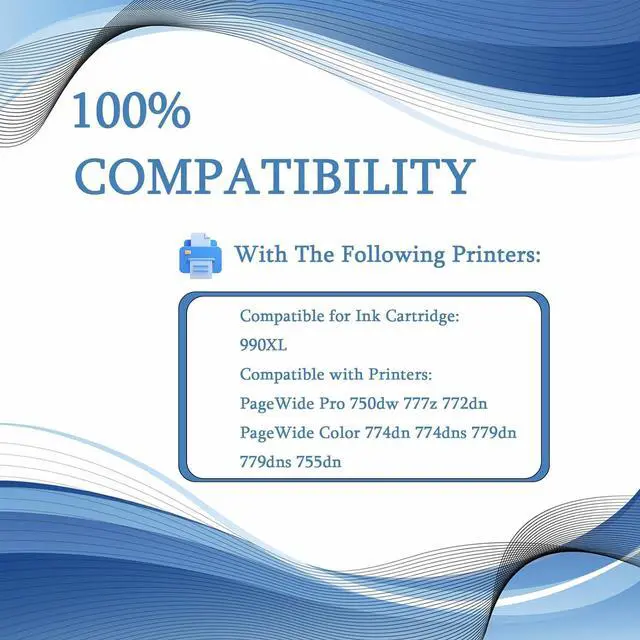
    • Compatible With Printers: 990XL Ink Cartridges Compatible for HP PageWide Pro 750dw 777z MFP 772dn PageWide Color MFP 774dn 774dns779dn 779dns 755dn Printers
    • Color Contains: 990XL Ink Cartridges (Black Cyan Magenta Yellow)
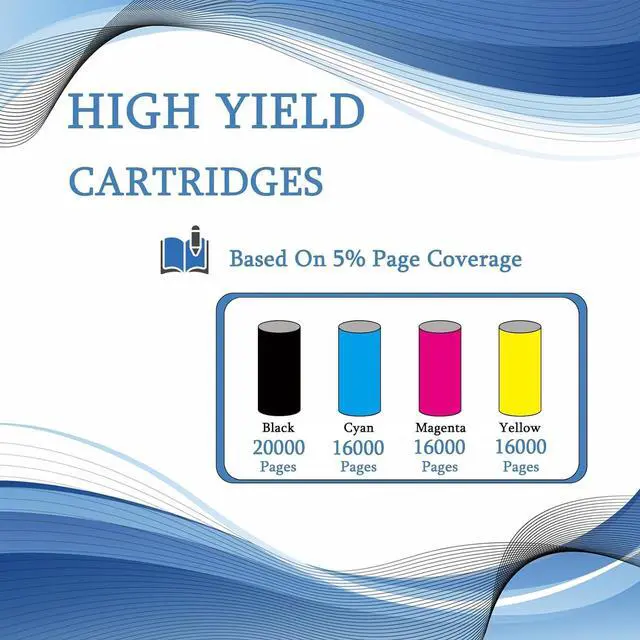
    • Higher Capacity: 990XL Ink Cartridges with its higher ink capacity, Black Ink Cartridges up to 20000+ Pages ; Color Ink Cartridges up to 16000+ Pages; (With 5% coverage on A4 paper)
    • Before Purchasing: Please pay attention to the requiredprintermodelwhen submitting the order, or contactcustomerservice for confirmation,to make sure the Ink Cartridges perfectly matches the printer
    • Service: 990XL Ink Cartridges provides you with exceptional prints, tested and stable to ensure crisp text and bright, vivid colors, our team will get back to you within 24 hours
    +
    +
    Overview
    Reviews
    avatar

    Any questions? Our AI beta will help you find out quickly.

    Product Introduction:

    Ink Cartridges: Compatible for HP 990XL Ink Cartridges
    Compatible Printers: Compatible for HP PageWide Pro 750dw 777z MFP 772dn PageWide Color MFP 774dn 774dns779dn 779dns 755dn Printers
    Higher Capacity And Print More With XL: Black Ink Cartridges up to 20000+ Pages ; Color Ink Cartridges up to 16000+ Pages; (With 5% coverage on A4 paper)

    Warm Tips:

    Please confirm your printer model before ordering our Ink Cartridges.
    Since the models vary in different regions, please confirm your Ink Cartridges model and printer model and send them to us.
    Please note that if prompted with a non-original message, simply click 'OK' or 'Continue' to proceed and start using the Ink Cartridges.

    Advantages:

    Brilliant printing
    Large print volume
    Good compatibility, easy to install and use
    Printing smoothly and working efficiently
    Smart chips

    Installation Method:

    1. When the printer is turned on, open the front cover of the printer and press the ink button.
    2. Return the Ink Cartridges to the replacement Ink Cartridges position.
    3. Open the Ink Cartridges cover.
    4. Remove the Ink Cartridges.
    5. Push the Ink Cartridges downward until it is in place.
    6. Close the box cover and printer cover.
    7. After the above operations are completed, press the ink button on the printer and all the Ink Cartridges replacement processes will be completed.

    Sincere Service:

    If you have questions, please contact us directly, we guarantee to reply to your message within 24 hours and provide solutions to solve your problem.

    Warranty & Returns

    Warranty, Returns, And Additional Information

    Warranty

    • Please contact the Seller directly for warranty information. Warranty information may also be found on the Manufacturer's website.
    • CONTACT

    Return Policies

    Manufacturer Contact Info

    LOADING...