• $103.99
  • Free 30-day Returns
  • Price alert
    Shop it at NeweggBusiness.

    Meet Your Seller

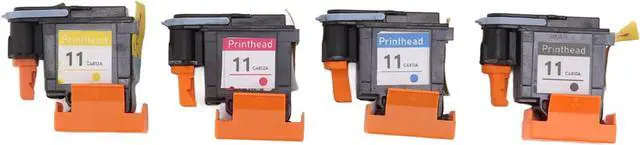
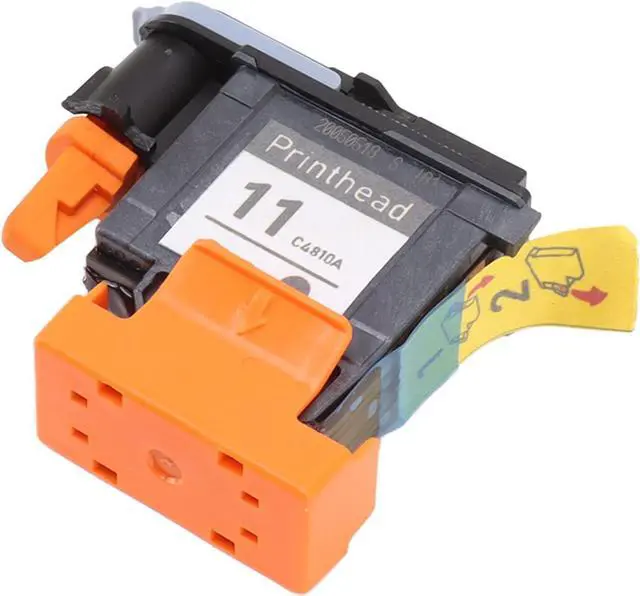
    Printhead, 4 Pcs Printhead Printer Head Print Head Replacement Kit Print Head Replacement Magenta Black Cyan Yellow Print Head Replacement for HP Designjet 100 110 111 500 510 800 813 850, 100 pr

    • INK COLORS: The package includes four printheads with bright, clear ink colors of magenta (M), black (K), cyan (C) and yellow (Y). The printheads must use suitable inks, and dye and pigment inks cannot be mixed.
    • STABLE AND RELIABLE: The printhead replacement part are stable and reliable, suitable for replacing your parts. It's a printhead worth having and replacing. Make sure the printer is working properly before installing a new printhead, otherwise the motherboard may go bad and cause the printer to refuse to print.
    • ADVANTAGE: The Hp designjet printheads have clear resolution, strong layering, good compatibility and nice printing. Print clearly and in vivid colors to make your life more colorful.
    • DURABLE MATERIAL: Printhead for Hp 11 is made of advanced ABS material, light weight, small size, high hardness, not easy to change, strict production process, performance through strict repetition and testing to ensure long-term use. Let you have a better using experience.
    • APPLICABLE
    +
    +
    Overview
    Specs
    Reviews
    avatar

    Any questions? Our AI beta will help you find out quickly.

    Specification:
    Item Type: Printhead
    Material: ABS
    Ink Color: Magenta(M), Black(K), Cyan(C) and Yellow(Y)
    Applicable Printer Model:
    Replacement for HP Designjet 100 110 111 500 510 800 813 850
    Package List:
    4 x Printhead
    Note:
    If the printer is not compatible, there are generally the following reasons:
    1. The ink cartridge is not the original can not identify the print head, need to replace the ink cartridge.
    2. If the metal contacts of the ink cartridge or printhead are dirty, wipe the metal contacts of the ink cartridge and pen holder with a clean, soft cloth or an alcohol cotton ball to dry naturally and then insert them back for testing.
    3. If it is still not recognized, you can restore the printer to factory Settings and reset the print head.
    Help others learn more about this product by uploading a video!

    Warranty & Returns

    Warranty, Returns, And Additional Information

    Warranty

    • Please contact the Seller directly for warranty information. Warranty information may also be found on the Manufacturer's website.
    • CONTACT

    Return Policies

    Manufacturer Contact Info

    LOADING...