• $99.99
  • Free 30-day Returns
  • Price alert
    Shop it at NeweggBusiness.

    Meet Your Seller

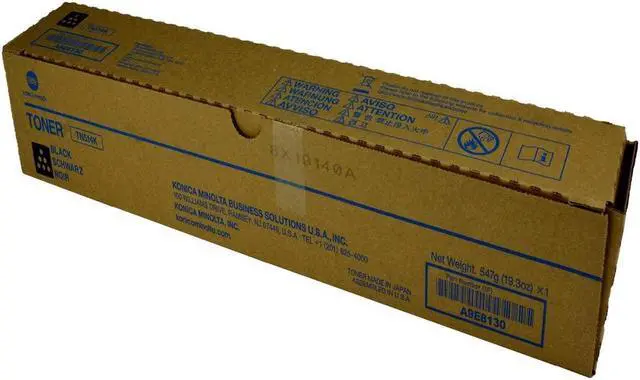
    Ennovor OEM Konica Minolta TN514K, A9E8130, Black Toner, 28,000 Pages, BIZHUB C458, BIZHUB C558, BIZHUB C658

    • All compatible toner cartridge replacements for A9E8130, TN-514K are tested with industry quality control processes to ensure compatibility with your printer along with sharp text, bold Blacks, and crisp graphics
    • Estimated Page Yield: 28,000 pages per Yellow A9E8130, TN-514K toner cartridge (depends on printer and usage)
    • HIGH QUALITY: Refined premium toner cartridge and high-quality accessories to deliver stability and smooth printing result.
    • All toner cartridges and Drums have a 100% Satisfaction guarantee. Print more and pay less based on 5% coverage.
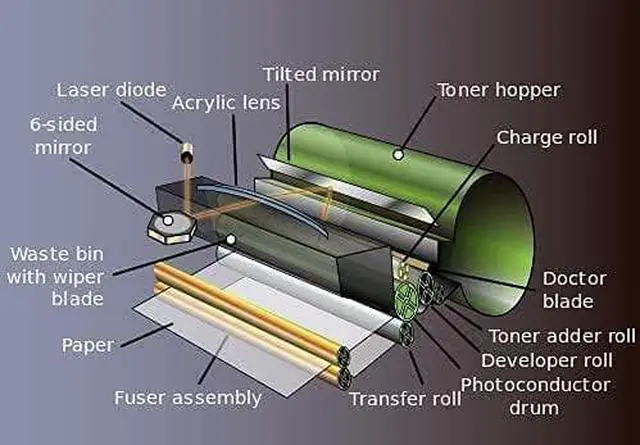
    • Step-1 Shake the toner from side to side for 3-5 seconds to make toner well-distributed. · Step-2 Pull off the seal tape from side of the toner. · Step-3 Remove orange protective cover from toner. · Step-4 Insert toner cartridges into drum unit (not included) until it clicks into right place. · Step-5 Insert the drum unit (with the toner installed) into your printer.

    +
    +
    Overview
    Specs
    Reviews
    avatar

    Any questions? Our AI beta will help you find out quickly.

    All compatible toner cartridge replacements for A9E8130, TN-514K are tested with industry quality control processes to ensure compatibility with your printer along with sharp text, bold Blacks, and crisp graphics
    Estimated Page Yield: 28,000 pages per Yellow A9E8130, TN-514K toner cartridge (depends on printer and usage)
    HIGH QUALITY: Refined premium toner cartridge and high-quality accessories to deliver stability and smooth printing result.
    All toner cartridges and Drums have a 100% Satisfaction guarantee. Print more and pay less based on 5% coverage.
    Step-1 Shake the toner from side to side for 3-5 seconds to make toner well-distributed. · Step-2 Pull off the seal tape from side of the toner. · Step-3 Remove orange protective cover from toner. · Step-4 Insert toner cartridges into drum unit (not included) until it clicks into right place. · Step-5 Insert the drum unit (with the toner installed) into your printer.

    Warranty & Returns

    Warranty, Returns, And Additional Information

    Warranty

    • Please contact the Seller directly for warranty information. Warranty information may also be found on the Manufacturer's website.
    • CONTACT

    Return Policies

    Manufacturer Contact Info

    LOADING...