• $234.99
  • Free 30-day Returns
  • Price alert
    Shop it at NeweggBusiness.

    Meet Your Seller

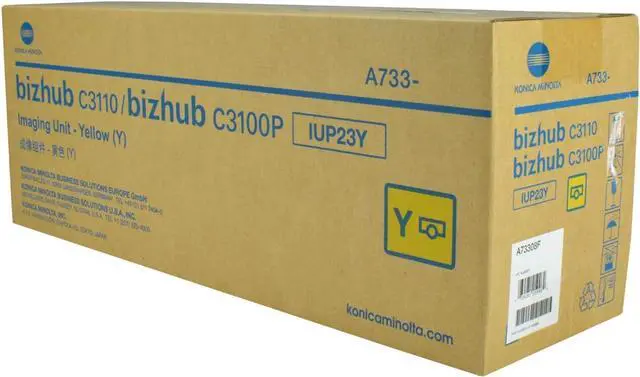
    Ennovor OEM Konica Minolta IUP23Y, A73308F, Yellow Imaging Unit, 30,000 Pages, BIZHUB C3100P, BIZHUB C3110

    • All compatible toner cartridge replacements for A73308F, IUP23Y are tested with industry quality control processes to ensure compatibility with your printer along with sharp text, bold Blacks, and crisp graphics
    • Estimated Page Yield: 30,000 pages per Yellow A73308F, IUP23Y Drum Unit (depends on printer and usage)
    • HIGH QUALITY: Refined premium toner cartridge and high-quality accessories to deliver stability and smooth printing result.
    • All toner cartridges and Drums have a 100% Satisfaction guarantee. Print more and pay less based on 5% coverage.
    • Step-1 Shake the toner from side to side for 3-5 seconds to make toner well-distributed. · Step-2 Pull off the seal tape from side of the toner. · Step-3 Remove orange protective cover from toner. · Step-4 Insert toner cartridges into drum unit (not included) until it clicks into right place. · Step-5 Insert the drum unit (with the toner installed) into your printer.

    +
    +
    Overview
    Specs
    Reviews
    avatar

    Any questions? Our AI beta will help you find out quickly.

    All compatible toner cartridge replacements for A73308F, IUP23Y are tested with industry quality control processes to ensure compatibility with your printer along with sharp text, bold Blacks, and crisp graphics
    Estimated Page Yield: 30,000 pages per Yellow A73308F, IUP23Y Drum Unit (depends on printer and usage)
    HIGH QUALITY: Refined premium toner cartridge and high-quality accessories to deliver stability and smooth printing result.
    All toner cartridges and Drums have a 100% Satisfaction guarantee. Print more and pay less based on 5% coverage.
    Step-1 Shake the toner from side to side for 3-5 seconds to make toner well-distributed. · Step-2 Pull off the seal tape from side of the toner. · Step-3 Remove orange protective cover from toner. · Step-4 Insert toner cartridges into drum unit (not included) until it clicks into right place. · Step-5 Insert the drum unit (with the toner installed) into your printer.

    Warranty & Returns

    Warranty, Returns, And Additional Information

    Warranty

    • Please contact the Seller directly for warranty information. Warranty information may also be found on the Manufacturer's website.
    • CONTACT

    Return Policies

    Manufacturer Contact Info

    LOADING...