

Your Browsing History
- Free 30-day Returns
$211.99

Meet Your Seller

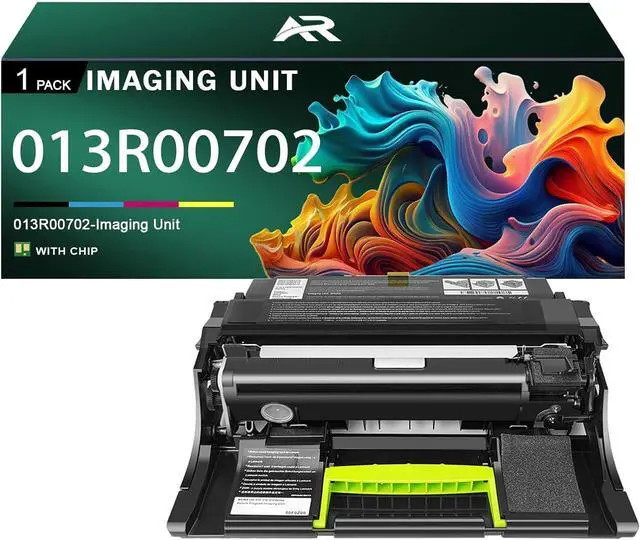






013R00702 Imaging Unit Compatible for Xerox 013R00702 Drum Unit Work for Xerox B410 VersaLink B415 Printer
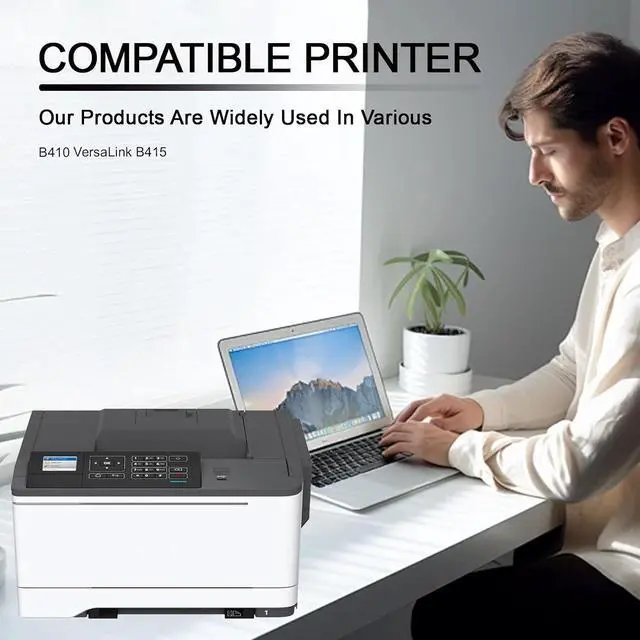
- Compatible Printer: For Xerox B410 VersaLink B415 Printers
- Package Contents1 Pack 013R00702 black drum unit
- Paper Yield013R00702 black can print up to 75000 pages,these page yields at 5% coverage of A4 paper
- Excellent Quality013R00702 Drum Unit is easy to install,no color fading, no ink leakage,no clogging. Imaging Drum provide you with a smooth printing experience and help improve office efficiency
- Sales Service:Please feel free to use this product. Should you encounter any issues, you may contact us at any time, and we will promptly provide a solution
+
+
Overview
Specs
Reviews

Any questions? Our AI mode will help you find out quickly.
Try me now
About Products
Compatible for Xerox 013R00702 Imaging Unit.
Compatible printer: Compatible for Xerox B410 VersaLink B415 printers.
Number of pages: Up to 75000 pages 013R00702 Black Imaging Unit 75000 pages, with a coverage rate of 5% of A4 page
Package Contents
1 013R00702 black Imaging Unit
Advantage
Excellent quality, HD printing.
Large printing volume, affordable and durable.
Good compatibility, easy to install and use
Imaging Unit makes printing smoother and work more efficient
Suitable for various places, such as companies, schools, families, etc.
Installation method
Shake it left and right several times to distribute the toner evenly
Remove the sealing strip in the direction of the arrow to avoid damage.
Load the printer and place the Imaging Unit correctly into the printer.
Ability:
Since models vary in different regions, please send us your old Imaging Unit model and printer model.
Make sure not to touch the Imaging Unit chip for optimal performance.
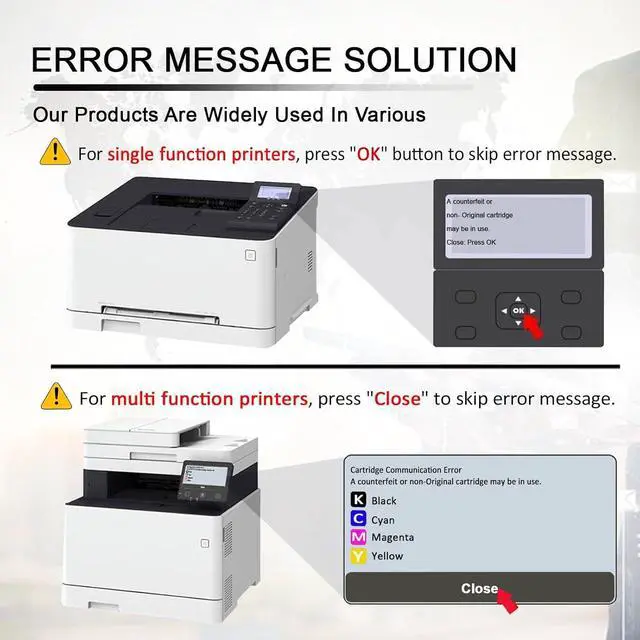
Please note that if the non-genuine message appears, just click "OK" or "Continue" to continue and start using the cartridge.
Compatible for Xerox 013R00702 Imaging Unit.
Compatible printer: Compatible for Xerox B410 VersaLink B415 printers.
Number of pages: Up to 75000 pages 013R00702 Black Imaging Unit 75000 pages, with a coverage rate of 5% of A4 page
Package Contents
1 013R00702 black Imaging Unit
Advantage
Excellent quality, HD printing.
Large printing volume, affordable and durable.
Good compatibility, easy to install and use
Imaging Unit makes printing smoother and work more efficient
Suitable for various places, such as companies, schools, families, etc.
Installation method
Shake it left and right several times to distribute the toner evenly
Remove the sealing strip in the direction of the arrow to avoid damage.
Load the printer and place the Imaging Unit correctly into the printer.
Ability:
Since models vary in different regions, please send us your old Imaging Unit model and printer model.
Make sure not to touch the Imaging Unit chip for optimal performance.
Please note that if the non-genuine message appears, just click "OK" or "Continue" to continue and start using the cartridge.
Warranty & Returns
Warranty, Returns, And Additional Information
Warranty
- Please contact the Seller directly for warranty information. Warranty information may also be found on the Manufacturer's website.
- CONTACT
Return Policies
- Return for refund within: 30 days
- Return for replacement within: 30 days
- This item is covered by XinjintongLimited Return Policy
Manufacturer Contact Info
- For a directory of all our manufacturers, please click below.
- Manufacturers Directory
LOADING...