• $126.99
  • Free 30-day Returns
  • Price alert
    Shop it at NeweggBusiness.

    Meet Your Seller

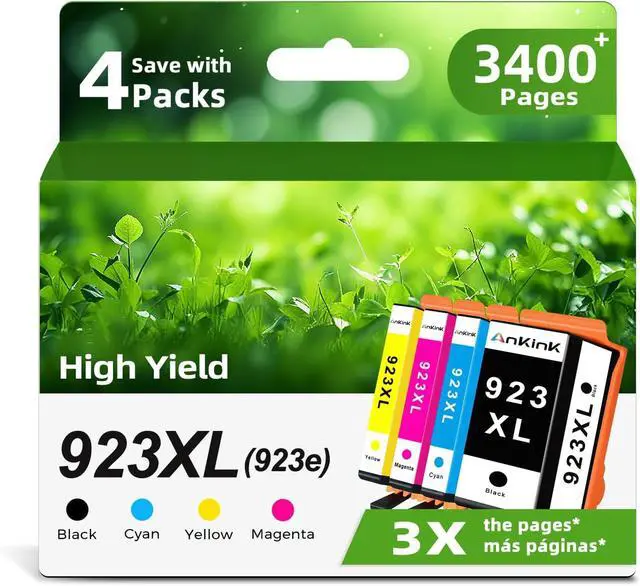
    Ankink 923e 923XL Ink Cartridges Combo Pack Replacement for HP 923 XL Compatible for Printers Officejet Pro 8120 8120e 8125e 8130e 8135e 8138e 8139e Black Color(Cyan Yellow Magenta) 4 Pack

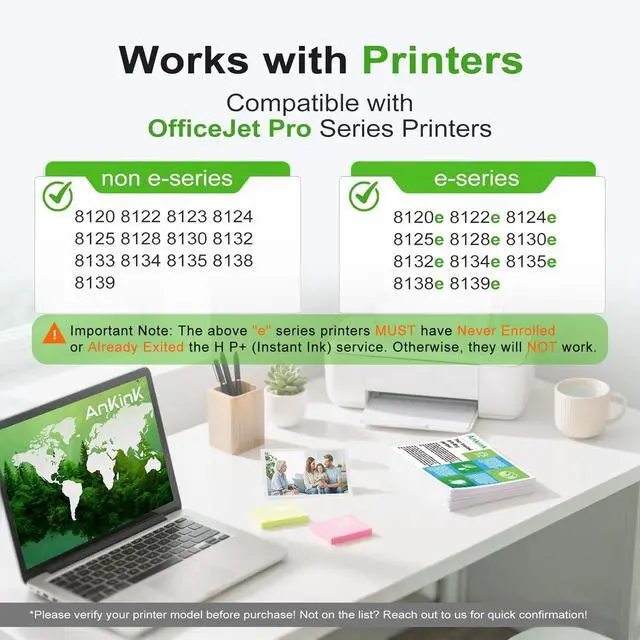
    • Important Note: If you are using any of the "*e" series printers, you MUST confirm that your printer has Never Enrolled or has Already Exited the H P+(Instant Ink) service. Otherwise, Our Ankink 923XL(923e) ink cartridges will NOT work
    • Compatible with OfficeJet Pro Series Printers: 8120 8122 8123 8124 8125 8128 8130 8132 8133 8134 8135 8138 8139
    • Compatible with OfficeJet Pro Series Printers: 8120e 8122e 8124e 8125e 8128e 8130e 8132e 8134e 8135e 8138e 8139e
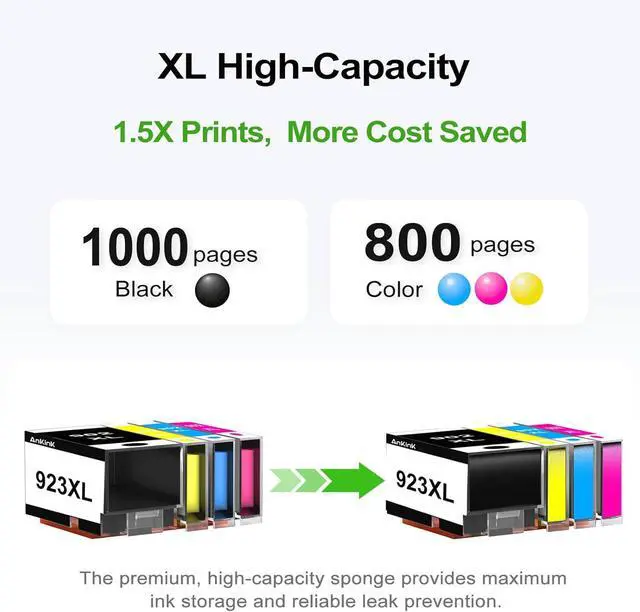
    • High Pages Yield: Up to 1000 pages for 923XL Black cartridge and 800 pages for each 923XL Cyan, Magenta, and Yellow cartridge. The actual number of printed pages may vary depending on the printing content and mode
    • Package Contents: This 923e 923XL set includes 4 ink cartridges (Black, Cyan, Magenta, Yellow). We provide compatible ink cartridge sets for various printer models to suit your individual printing needs
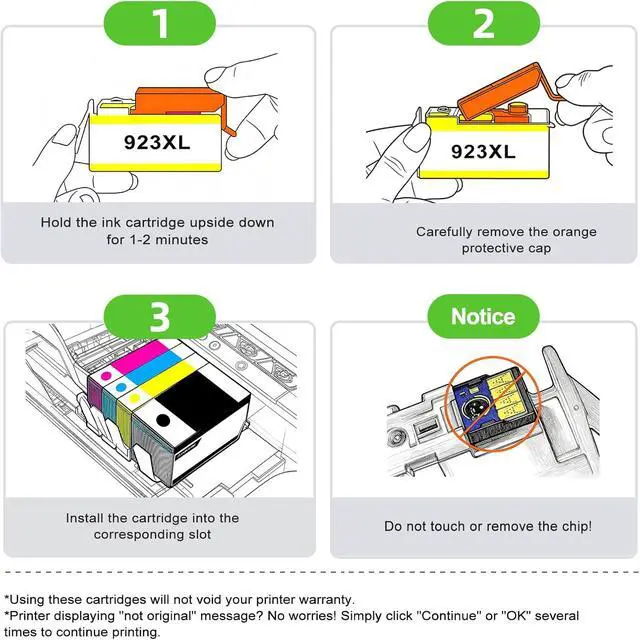
    • Troubleshooting Steps:1.Take the cartridge out and use a cleaning wipe to gently rub over the chip several times. 2.
    +
    +
    Overview
    Specs
    Reviews
    avatar

    Any questions? Our AI beta will help you find out quickly.

    Important Note: If you are using any of the "*e" series printers, you MUST confirm that your printer has Never Enrolled or has Already Exited the H P+(Instant Ink) service. Otherwise, Our Ankink 923XL(923e) ink cartridges will NOT work
    Compatible with OfficeJet Pro Series Printers: 8120 8122 8123 8124 8125 8128 8130 8132 8133 8134 8135 8138 8139
    Compatible with OfficeJet Pro Series Printers: 8120e 8122e 8124e 8125e 8128e 8130e 8132e 8134e 8135e 8138e 8139e
    High Pages Yield: Up to 1000 pages for 923XL Black cartridge and 800 pages for each 923XL Cyan, Magenta, and Yellow cartridge. The actual number of printed pages may vary depending on the printing content and mode
    Package Contents: This 923e 923XL set includes 4 ink cartridges (Black, Cyan, Magenta, Yellow). We provide compatible ink cartridge sets for various printer models to suit your individual printing needs
    Troubleshooting Steps:1.Take the cartridge out and use a cleaning wipe to gently rub over the chip several times. 2.Reinstall the cartridge in the printer and turn the printer off with the cartridge installed. 3.Unplug the printer and leave everything off for 2 minutes. 4.Turn on the printer and attempt to print again. 5.If the printer still displays an error message after repeating the above steps (Step02-Step 04) 2 to 5 times,please contact Customer Service

    Warranty & Returns

    Warranty, Returns, And Additional Information

    Warranty

    • Please contact the Seller directly for warranty information. Warranty information may also be found on the Manufacturer's website.
    • CONTACT

    Return Policies

    Manufacturer Contact Info

    LOADING...