

Your Browsing History
- Free 30-day Returns
$306.99

Meet Your Seller

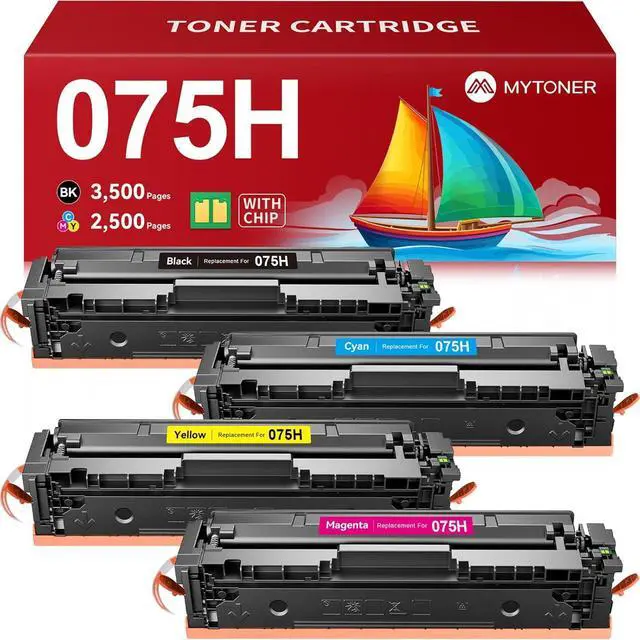


MYTONER 075H Toner Cartridge Set Compatible Replacement for Canon 075 075H High Capacity Toner Cartridge for imageCLASS MF665Cdw MF663Cdw MF662Cdw LBP647Cdw LBP646Cdw MF660C LBP640C Printer (4 Pack)
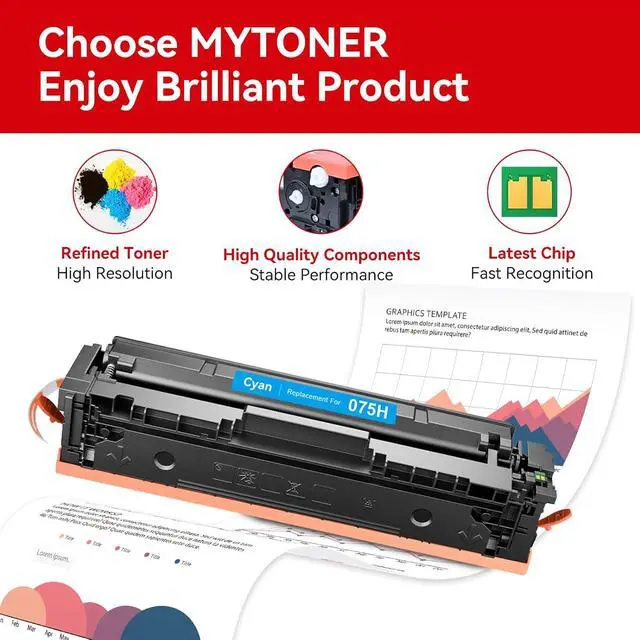
- Package Contents: 4-Pack 075H High Capacity Toner Set includes 1 Black, 1 Cyan, 1 Magenta, and 1 Yellow cartridge. The full-color set perfectly matches needs, whether your printing is black-and-white dominant or high-frequency color
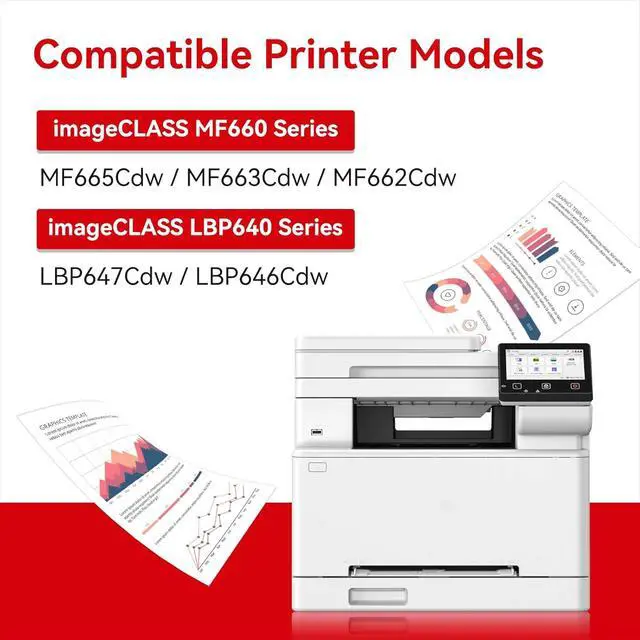
- Printer Compatibility: 075 075H toner cartridges are exclusively designed for Canon Color imageCLASS MF660C and LBP640C series printers, perfectly compatible with MF665Cdw MF663Cdw MF662Cdw LBP647Cdw and LBP646Cdw printers
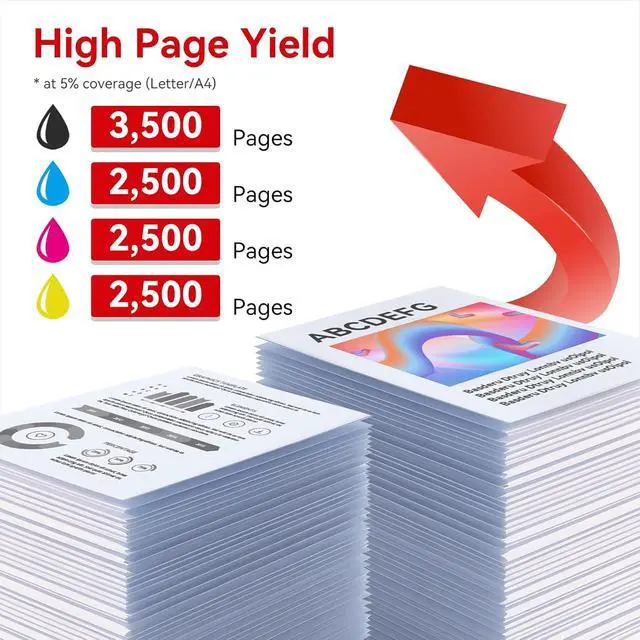
- High Page Yield: The 075H black toner cartridge prints up to 3,500 pages, while each 075H color (cyan/magenta/yellow) cartridge prints up to 2,500 pages (based on Letter/A4 paper at 5% coverage). Ideal for heavy, high-frequency printing, it significantly reduces per-page costs and minimizes the hassle of frequent replacements
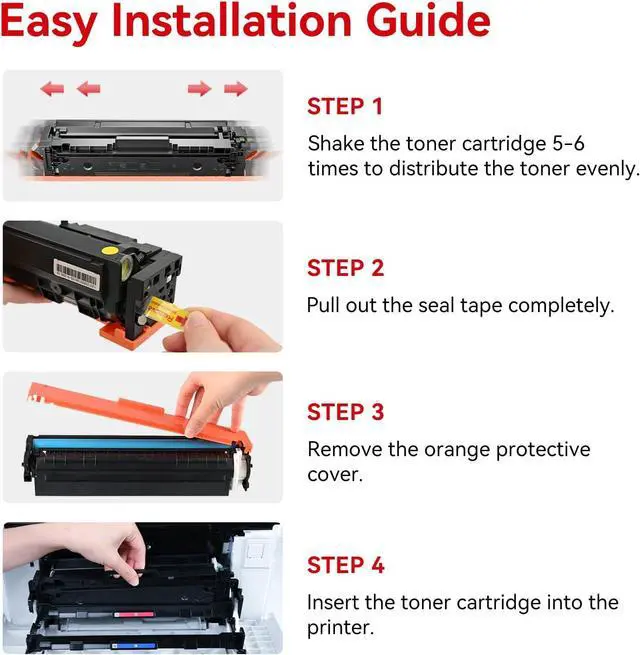
- Easy Installation: MYTONER 075 075H toner cartridge set comes with a pre-installed chip, enabling quick, tool-free installation. The built-in chip also supports real-time monitoring of remaining toner levels, pre
+
+
Overview
Specs
Reviews

Any questions? Our AI mode will help you find out quickly.
Try me now
What should I do if a serial number conflict error pops up when I switch to the second 075H toner from the same batch?
When you use up the first cartridge and switch to the second one of the same batch, a serial number conflict error may occur. You can easily resolve this problem by turning the printer off and then back on to switch the serial number.
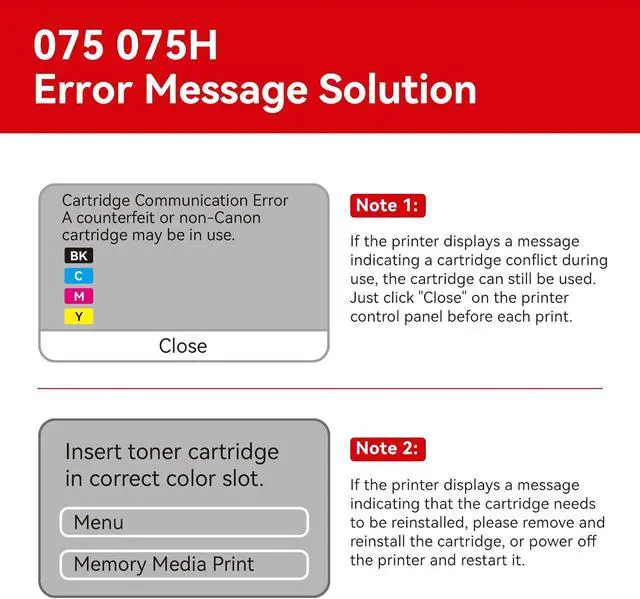
Why does a printer prompt "Insert toner cartridge in correct color slot", and how to resolve it?
First, remove the cartridge and reinsert it firmly. If the prompt persists, power off the printer completely, wait briefly, then restart it. This usually resolves the slot reminder issue.
Why does a printer display "Cartridge Communication Error (non-Canon cartridge)", and how to resolve it?
This error may occur with the 075H cartridge. The cartridge is still usableclick "Close" on the printer control panel before each print. Contact the seller for replacement or return if the issue persists.
Which printers are compatible with the 075/075H toner cartridges?
The 075/075H toner cartridges are exclusively designed for Canon Color imageCLASS MF660C and LBP640C series printers, including models MF665Cdw, MF663Cdw, MF662Cdw, LBP647Cdw and LBP646Cdw.
075 075H Toner Cartridge Installation Guide Does the 075H toner cartridge chip have an upgrade issue?
What should I do if a serial number conflict error pops up when I switch to the second 075H toner from the same batch?
Why does a printer prompt "Insert toner cartridge in correct color slot", and how to resolve it?
Why does a printer display "Cartridge Communication Error (non-Canon cartridge)", and how to resolve it?
Which printers are compatible with the 075/075H toner cartridges?
When you use up the first cartridge and switch to the second one of the same batch, a serial number conflict error may occur. You can easily resolve this problem by turning the printer off and then back on to switch the serial number.
Why does a printer prompt "Insert toner cartridge in correct color slot", and how to resolve it?
First, remove the cartridge and reinsert it firmly. If the prompt persists, power off the printer completely, wait briefly, then restart it. This usually resolves the slot reminder issue.
Why does a printer display "Cartridge Communication Error (non-Canon cartridge)", and how to resolve it?
This error may occur with the 075H cartridge. The cartridge is still usableclick "Close" on the printer control panel before each print. Contact the seller for replacement or return if the issue persists.
Which printers are compatible with the 075/075H toner cartridges?
The 075/075H toner cartridges are exclusively designed for Canon Color imageCLASS MF660C and LBP640C series printers, including models MF665Cdw, MF663Cdw, MF662Cdw, LBP647Cdw and LBP646Cdw.
075 075H Toner Cartridge Installation Guide Does the 075H toner cartridge chip have an upgrade issue?
What should I do if a serial number conflict error pops up when I switch to the second 075H toner from the same batch?
Why does a printer prompt "Insert toner cartridge in correct color slot", and how to resolve it?
Why does a printer display "Cartridge Communication Error (non-Canon cartridge)", and how to resolve it?
Which printers are compatible with the 075/075H toner cartridges?
Warranty & Returns
Warranty, Returns, And Additional Information
Warranty
- Please contact the Seller directly for warranty information. Warranty information may also be found on the Manufacturer's website.
- CONTACT
Return Policies
- Return for refund within: 30 days
- Return for replacement within: 30 days
- This item is covered by XinjintongLimited Return Policy
Manufacturer Contact Info
- For a directory of all our manufacturers, please click below.
- Manufacturers Directory
LOADING...