

Your Browsing History


Meet Your Seller





Visit JUSTCOLOR Store
FOLLOW
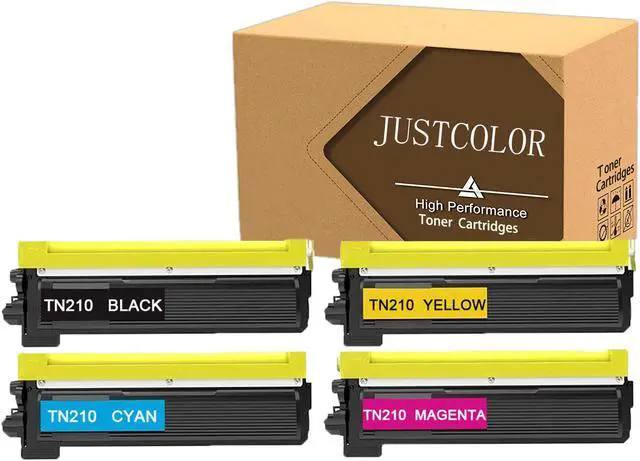
JUSTCOLOR Compatible Toner Cartridge Replacement for Brother TN210 TN-210 for Brother HL-3040CN HL-3070CW HL-3075CW MFC-9010CN MFC-9320CW MFC-9325CW DCP-9010CN (Black,Cyan,Magenta,Yellow, 4-Pack)
- JUSTCOLOR compatible toner cartridges replacement for Brother TN210 TN-210 are manufactured in an ISO 9001 & ISO14001 certified facility. All Toner Cartridges are engineered to produce superb results.
- Package includes: 1 x TN210 Black, 1 x TN210 Cyan, 1 x TN210 Magenta, 1 x TN210 Yellow (Total 4 Pack)
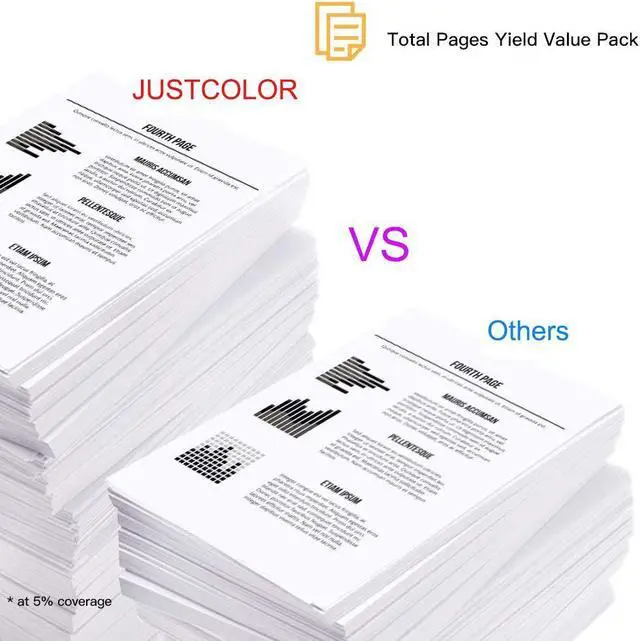
- Page Yield: Black is 2,200 pages per cartridge and Color is 1,400 Pages per cartridge at 5% coverage.
- Compatible Printers: For Brother DCP-9010CN, HL-3040CN, HL-3045CN, HL-3070CW, HL-3075CW, MFC-9010CN, MFC-9120CN, MFC-9125CN, MFC-9320CW, MFC-9325CW Laser Printer.
- Warranty: 12 months limited Warranty & 100% Quality Satisfaction Guarantee. If you have any issues, please contact us for troubleshooting, replacement or refund.
+
+
Overview
Specs
Reviews

Any questions? Our AI beta will help you find out quickly.
Try me now
COMPATIBILITY PRINTER:
Brother HL-3040CN Printer
Brother HL-3070CW Printer
Brother HL-3045CN Printer
Brother HL-3075CW Printer
Brother MFC-9010CN Printer
Brother MFC-9120CW Printer
Brother MFC-9320CW Printer
Brother MFC-9125CN Printer
Brother MFC-9325CW Printer
Brother DCP-9010CN Printer
Installation Instruction:
1. Before use, shake the new toner cartridge horizontally for several times to make sure the toner powder is well distributed.
2. Pull out the black paper cover out of the toner cartridge's body in the direction of the arrow shown.
3. Pull out the sealing tape at a slow and constant speed as to prevent the tape from breaking midway.
4. Carefully install the new toner cartridge into your printer and you are all set to print.
Brother HL-3040CN Printer
Brother HL-3070CW Printer
Brother HL-3045CN Printer
Brother HL-3075CW Printer
Brother MFC-9010CN Printer
Brother MFC-9120CW Printer
Brother MFC-9320CW Printer
Brother MFC-9125CN Printer
Brother MFC-9325CW Printer
Brother DCP-9010CN Printer
Installation Instruction:
1. Before use, shake the new toner cartridge horizontally for several times to make sure the toner powder is well distributed.
2. Pull out the black paper cover out of the toner cartridge's body in the direction of the arrow shown.
3. Pull out the sealing tape at a slow and constant speed as to prevent the tape from breaking midway.
4. Carefully install the new toner cartridge into your printer and you are all set to print.
Warranty & Returns
Warranty, Returns, And Additional Information
Warranty
- Please contact the Seller directly for warranty information. Warranty information may also be found on the Manufacturer's website.
- CONTACT
Return Policies
- Return for refund within: 30 days
- Return for replacement within: 30 days
- This item is covered by JUSTCOLOR Return Policy
Manufacturer Contact Info
- For a directory of all our manufacturers, please click below.
- Manufacturers Directory
LOADING...