

Your Browsing History

Meet Your Seller
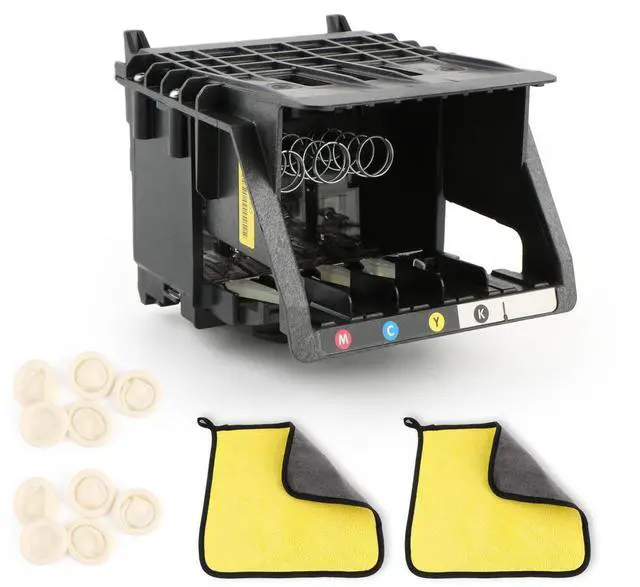
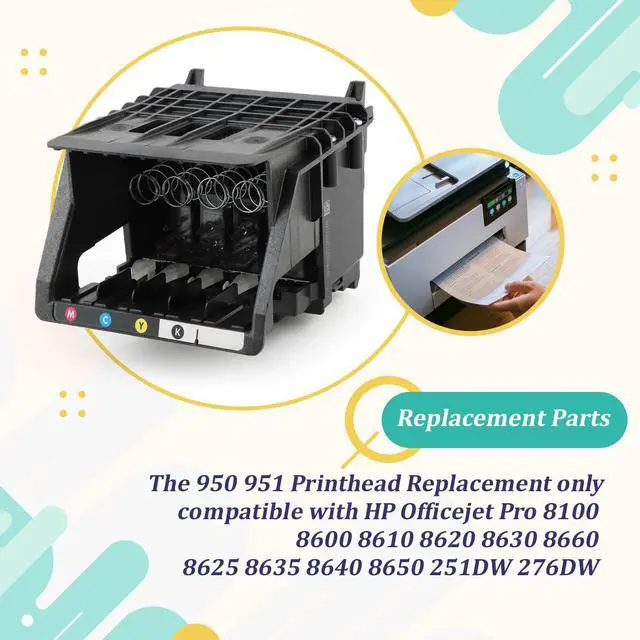
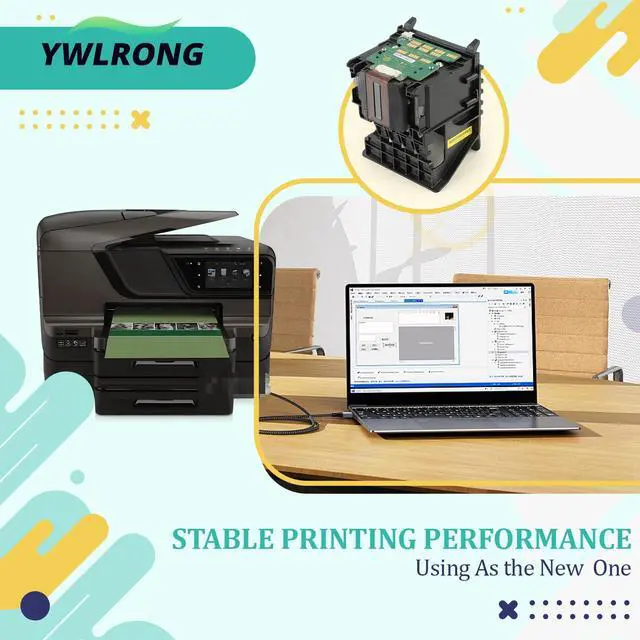
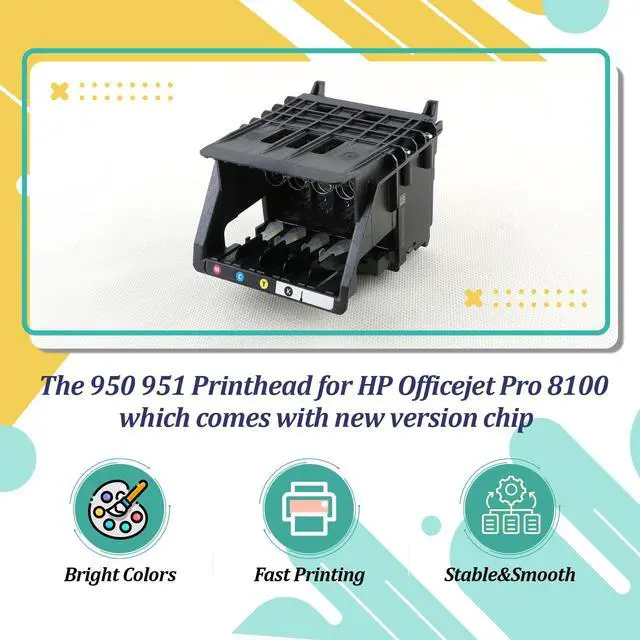


951 950 Printhead Replacement for HP Officejet Pro 8610 8600 Printhead for HP Officejet Pro 8100 8620 8630 8660 8625 8635 8640 8650 251DW 276DW Printer Replacement Accessories (with Chip)
Limited time offer, ends 09/18 By Tecinhblissu
- Compatibility: This 950/951 printhead replacement is designed for HP Officejet Pro 8100, 8600, 8610, 8620, 8630, 8660, 8625, 8635, 8640, 8650, 251DW, and 276DW printers. Please verify your printer model is correct. Chip Details: The printhead for the HP Officejet Pro 8600 includes a new version chip, is compatible with the printer, does not need resetting, and provides enhanced stability. Avoid contact with the chip during installation. Quality: The printhead for the HP Officejet Pro 8610 is constructed from quality materials with precise design. It is ready for use right after installation, delivering clear printing, accurate recognition, and stable, smooth performance. Printed output is vibrant in color with no color variation. Cleaning tools are provided to assist with printer maintenance. Installation Preparation: 1. Before replacing the 950 printhead for the HP Officejet Pro 8600, make sure the ink tank valve is shut. Open the valve after replacement prior to normal operation. 2. Handle the surface of the new printhead carefully. Dropping it may cause damage and make it inoperative. 3. Confirm the mainboard is working correctly. 4. Check that the ink cartridge contains adequate ink. Post-Installation Check: After installing the 950 printhead for the HP Officejet Pro 8610, it might contain a small amount of air from shipping, which can delay initial printing. This is typical; printing will continue after the air is purged. First, clean the printhead (ensure the ink cart
+
+
Overview
Specs
Reviews

Any questions? Our AI mode will help you find out quickly.
Try me now
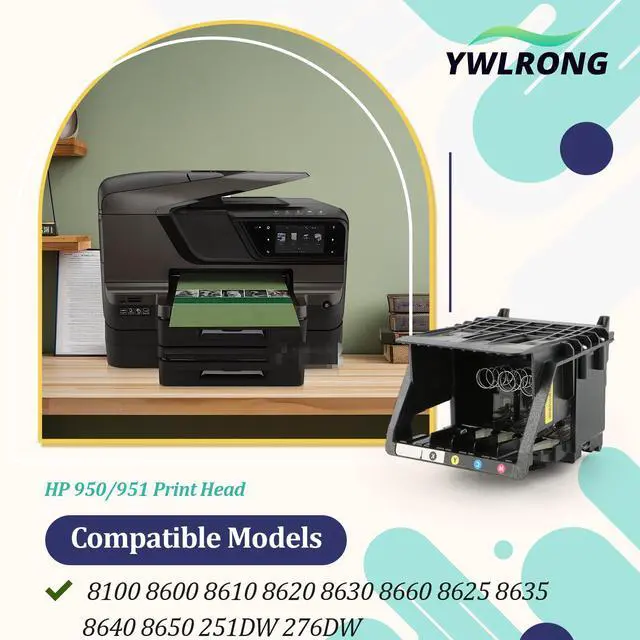
Compatibility: This 950/951 printhead replacement is designed for HP Officejet Pro 8100, 8600, 8610, 8620, 8630, 8660, 8625, 8635, 8640, 8650, 251DW, and 276DW printers.
Please verify your printer model is correct.
Chip
Avoid contact with the chip during installation.
Quality: The printhead for the HP Officejet Pro 8610 is constructed from quality materials with precise design.
It is ready for use right after installation, delivering clear printing, accurate recognition, and stable, smooth performance.
Printed output is vibrant in color with no color variation.
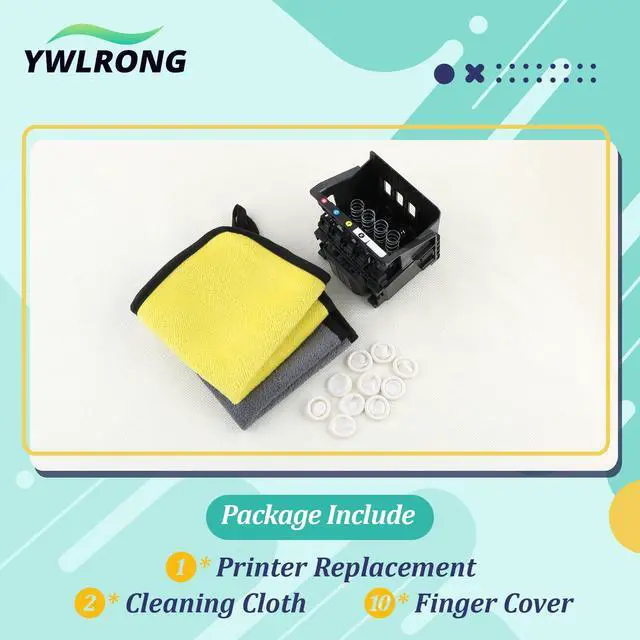
Cleaning tools are provided to assist with printer maintenance.
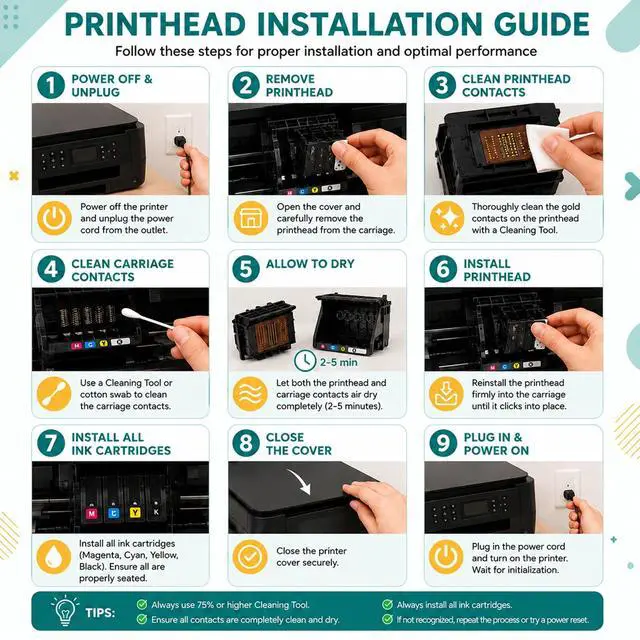
Installation Preparation:
1.
Before replacing the 950 printhead for the HP Officejet Pro 8600, make sure the ink tank valve is shut.
Open the valve after replacement prior to normal operation.
2.
Handle the surface of the new printhead carefully.
Dropping it may cause damage and make it inoperative.
3.
Confirm the mainboard is working correctly.
4.
Check that the ink cartridge contains adequate ink.
Post-Installation Check: After installing the 950 printhead for the HP Officejet Pro 8610, it might contain a small amount of air from shipping, which can delay initial printing.
This is typical; printing will continue after the air is purged.
First, clean the printhead (ensure the ink cartridge has enough ink) and check if the air is fully removed.
A printhead that successfully prints three complete test pages is considered normal and ready for regular use
Please verify your printer model is correct.
Chip
Details
: The printhead for the HP Officejet Pro 8600 includes a new version chip, is compatible with the printer, does not need resetting, and provides enhanced stability.Avoid contact with the chip during installation.
Quality: The printhead for the HP Officejet Pro 8610 is constructed from quality materials with precise design.
It is ready for use right after installation, delivering clear printing, accurate recognition, and stable, smooth performance.
Printed output is vibrant in color with no color variation.
Cleaning tools are provided to assist with printer maintenance.
Installation Preparation:
1.
Before replacing the 950 printhead for the HP Officejet Pro 8600, make sure the ink tank valve is shut.
Open the valve after replacement prior to normal operation.
2.
Handle the surface of the new printhead carefully.
Dropping it may cause damage and make it inoperative.
3.
Confirm the mainboard is working correctly.
4.
Check that the ink cartridge contains adequate ink.
Post-Installation Check: After installing the 950 printhead for the HP Officejet Pro 8610, it might contain a small amount of air from shipping, which can delay initial printing.
This is typical; printing will continue after the air is purged.
First, clean the printhead (ensure the ink cartridge has enough ink) and check if the air is fully removed.
A printhead that successfully prints three complete test pages is considered normal and ready for regular use
Warranty & Returns
Warranty, Returns, And Additional Information
Warranty
- Please contact the Seller directly for warranty information. Warranty information may also be found on the Manufacturer's website.
- CONTACT
Return Policies
- Return for refund within: 30 days
- Return for replacement within: 30 days
- This item is covered by Tecinhblissu Return Policy
Manufacturer Contact Info
- For a directory of all our manufacturers, please click below.
- Manufacturers Directory
LOADING...