

Your Browsing History

Meet Your Seller

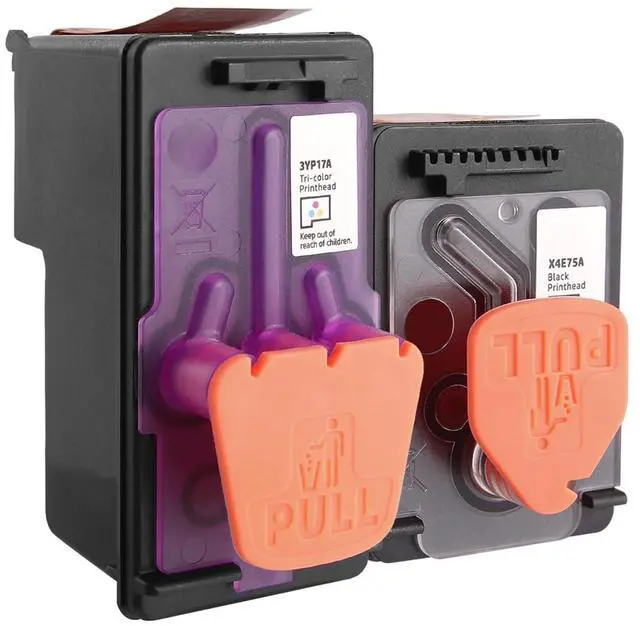
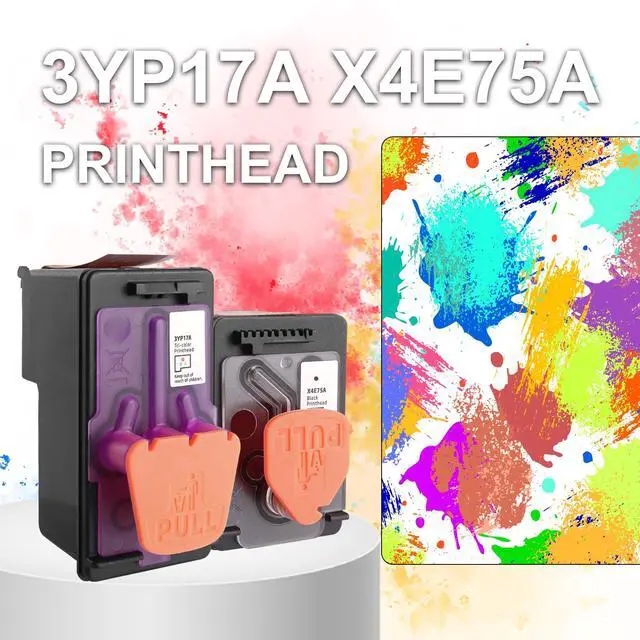




3YP17A X4E75A Ink Cartridge Printhead for 6000 7000 7300 7600 Series Printer
Limited time offer, ends 09/18 By Tecinhblissu
- Complete Printhead Combo: 1 X4E75A Black Print Head + 1 3YP17A Tri-Color Print Head, a brand-new full set replacement for HP Smart Tank series printers. This set is ONLY Compatible With HP Printer Models: Smart Tank 6000, 6001, 7000, 7001, 7300, 7301, 7600, 7602, 660, 670, 720, 725, 750, 790, 795. It is NOT Compatible with printers using the M0H50A printhead: GT5810, GT5820, Smart Tank 310, 410, 508, 518. Please verify your printer model before purchase to ensure compatibility. High Page Yield: Up to 10,000 pages for both black and tri-color at 5% coverage. The upgraded chip enables real-time ink level display. Critical Pre-installation Tip: Completely remove the transparent protective film covering the gold contact points prior to installation. A film that is not removed may cause an "unrecognized printhead" or "damaged contacts" error on HP 7602 and all supported printers. Install evenly until it clicks and locks into place for simple plug-and-play installation. If your 7602 printer shows a recognition failure after installation: 1. Wipe the printhead metal contacts with a dry cloth. 2. Reinstall the printhead firmly. 3. Disconnect the printer power for 60 seconds to reset it
+
+
Overview
Specs
Reviews

Any questions? Our AI mode will help you find out quickly.
Try me now
Complete Printhead Combo: 1 X4E75A Black Print Head + 1 3YP17A Tri-Color Print Head, a brand-new full set replacement for HP Smart Tank series printers. This set is ONLY Compatible With
HP Printer Models: Smart Tank 6000, 6001, 7000, 7001, 7300, 7301, 7600, 7602, 660, 670, 720, 725, 750, 790,
795. It is NOT Compatible with printers using the
M0H50A printhead: GT5810, GT5820, Smart Tank 310, 410, 508,
518. Please verify your printer model before purchase to ensure compatibility.
High Page Yield: Up to 10, 000 pages for both black and tri-color at 5% coverage. The upgraded chip enables real-time ink level display.
Critical Pre-installation Tip: Completely remove the transparent protective film covering the gold contact points prior to installation. A film that is not removed may cause an "unrecognized printhead" or "damaged contacts" error on HP 7602 and all supported printers. Install evenly until it clicks and locks into place for simple plug-and-play installation. If your 7602 printer shows a recognition failure after installation:
1. Wipe the printhead metal contacts with a dry cloth.
2. Reinstall the printhead firmly.
3. Disconnect the printer power for 60 seconds to reset it
HP Printer Models: Smart Tank 6000, 6001, 7000, 7001, 7300, 7301, 7600, 7602, 660, 670, 720, 725, 750, 790,
795. It is NOT Compatible with printers using the
M0H50A printhead: GT5810, GT5820, Smart Tank 310, 410, 508,
518. Please verify your printer model before purchase to ensure compatibility.
High Page Yield: Up to 10, 000 pages for both black and tri-color at 5% coverage. The upgraded chip enables real-time ink level display.
Critical Pre-installation Tip: Completely remove the transparent protective film covering the gold contact points prior to installation. A film that is not removed may cause an "unrecognized printhead" or "damaged contacts" error on HP 7602 and all supported printers. Install evenly until it clicks and locks into place for simple plug-and-play installation. If your 7602 printer shows a recognition failure after installation:
1. Wipe the printhead metal contacts with a dry cloth.
2. Reinstall the printhead firmly.
3. Disconnect the printer power for 60 seconds to reset it
Warranty & Returns
Warranty, Returns, And Additional Information
Warranty
- Please contact the Seller directly for warranty information. Warranty information may also be found on the Manufacturer's website.
- CONTACT
Return Policies
- Return for refund within: 30 days
- Return for replacement within: 30 days
- This item is covered by Tecinhblissu Return Policy
Manufacturer Contact Info
- For a directory of all our manufacturers, please click below.
- Manufacturers Directory
LOADING...