

Your Browsing History

Meet Your Seller


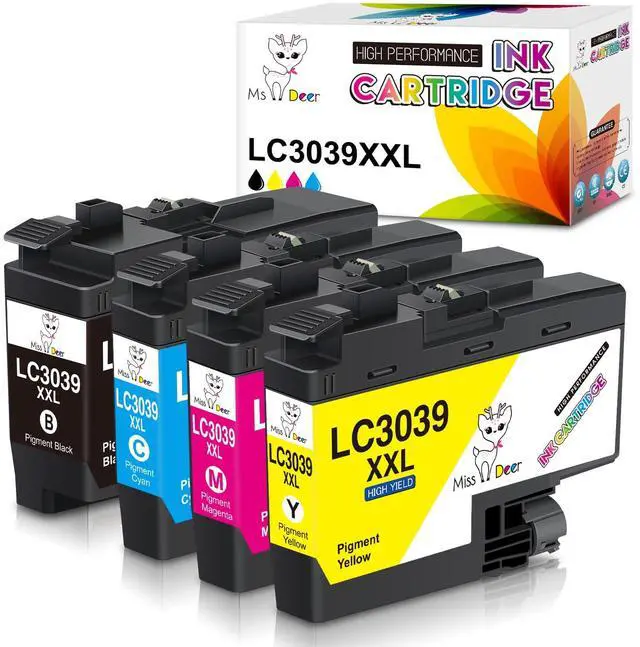




LC3039 XXL BK/C/M/Y Ink Cartridges | Compatible for Brother LC3039 XXL LC-3039BK LC3037,Work for Brother MFC-J5945DW MFC-J6945DW MFC-J5845DW MFC-J6545DW,4 Pack
Limited time offer, ends 09/17 By CoreComp Shop
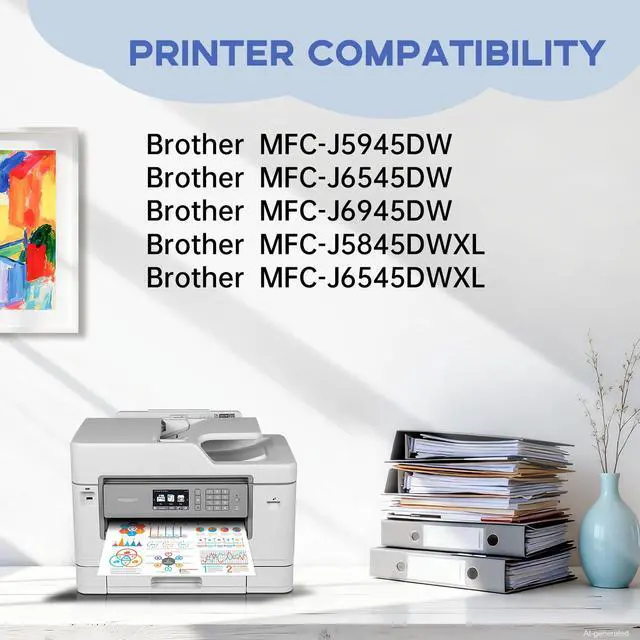
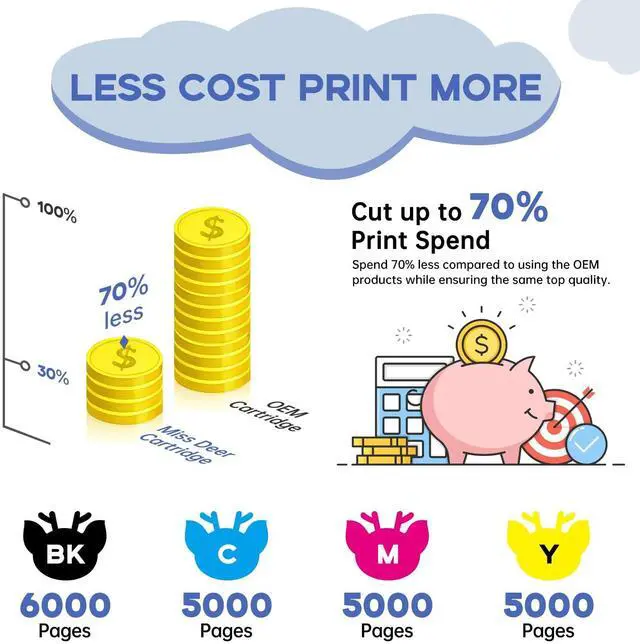
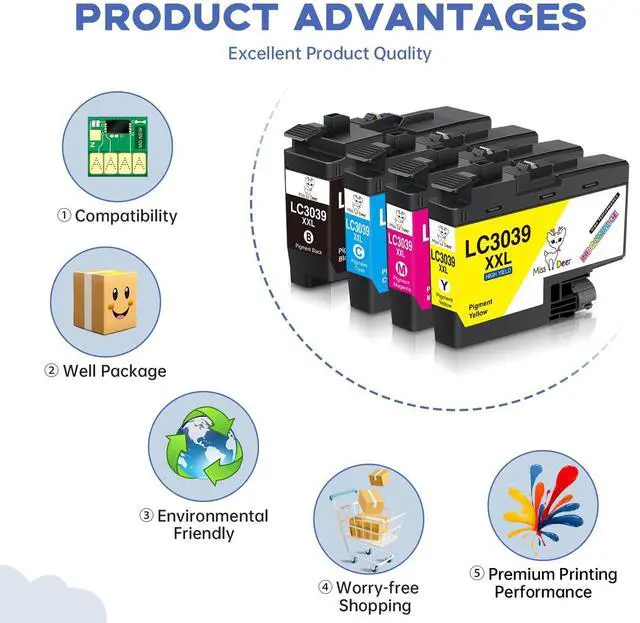
- Package Contents: 4-pack replacement ink for Brother LC3039, LC3039XXL, LC3037, LC3037XXL ink cartridges (1 Black, 1 Cyan, 1 Magenta, 1 Yellow). Fully compatible with: Brother MFC-J5945DW, MFC-J5845DW, MFC-J5845DW XL, MFC-J6545DW, MFC-J6545DW XL, MFC-J6945DW inkjet all-in-one printers. High Page Yield: Approximately 6,000 pages per LC3039bk black cartridge and 5,000 pages per LC3039 tri-color ink cartridge (at 5% coverage of A4/Letter paper). Features: Latest chip version, quick identification, vibrant printing, eco-friendly material. The ink has undergone strict quality control before leaving the factory and has obtained ISO9001 and MSDS certification. Notes: 1. Remove the yellow "PULL" label before installing the cartridge. 2. Ignore the printer's ink level "?" reminder; it will not affect cartridge functionality
+
+
Overview
Specs
Reviews

Any questions? Our AI mode will help you find out quickly.
Try me now
Package Contents: 4-pack replacement ink for Brother LC3039, LC3039XXL, LC3037, LC3037XXL ink cartridges (1 Black, 1 Cyan, 1 Magenta, 1 Yellow).
Fully compatible with: Brother MFC-J5945DW, MFC-J5845DW, MFC-J5845DW XL, MFC-J6545DW, MFC-J6545DW XL, MFC-J6945DW inkjet all-in-one printers.
High Page Yield: Approximately 6, 000 pages per LC3039bk black cartridge and 5, 000 pages per LC3039 tri-color ink cartridge (at 5% coverage of A4/Letter paper).
Features: Latest chip version, quick identification, vibrant printing, eco-friendly material. The ink has undergone strict quality control before leaving the factory and has obtained ISO9001 and MSDS certification.
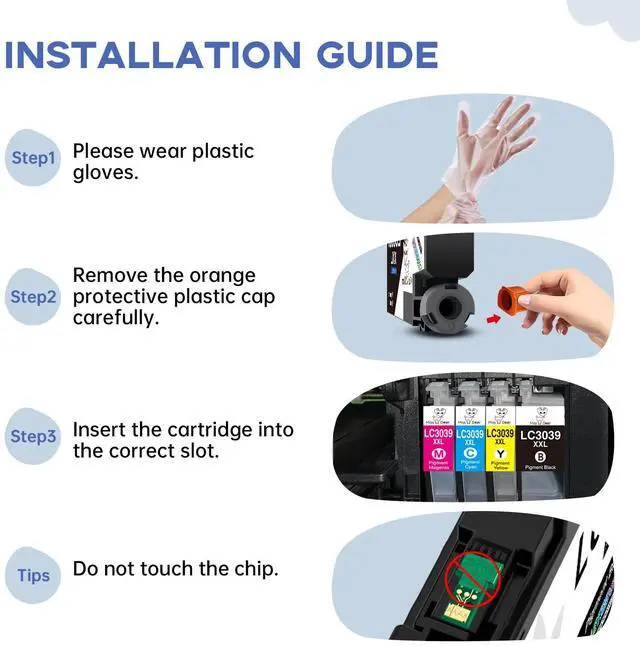
Notes: 1. Remove the yellow "PULL" label before installing the cartridge. 2. Ignore the printer's ink level "? " reminder; it will not affect cartridge functionality
Fully compatible with: Brother MFC-J5945DW, MFC-J5845DW, MFC-J5845DW XL, MFC-J6545DW, MFC-J6545DW XL, MFC-J6945DW inkjet all-in-one printers.
High Page Yield: Approximately 6, 000 pages per LC3039bk black cartridge and 5, 000 pages per LC3039 tri-color ink cartridge (at 5% coverage of A4/Letter paper).
Features: Latest chip version, quick identification, vibrant printing, eco-friendly material. The ink has undergone strict quality control before leaving the factory and has obtained ISO9001 and MSDS certification.
Notes: 1. Remove the yellow "PULL" label before installing the cartridge. 2. Ignore the printer's ink level "? " reminder; it will not affect cartridge functionality
Warranty & Returns
Warranty, Returns, And Additional Information
Warranty
- Please contact the Seller directly for warranty information. Warranty information may also be found on the Manufacturer's website.
- CONTACT
Return Policies
- Return for refund within: 30 days
- Return for replacement within: 30 days
- This item is covered by CoreComp Shop Return Policy
Manufacturer Contact Info
- For a directory of all our manufacturers, please click below.
- Manufacturers Directory
LOADING...