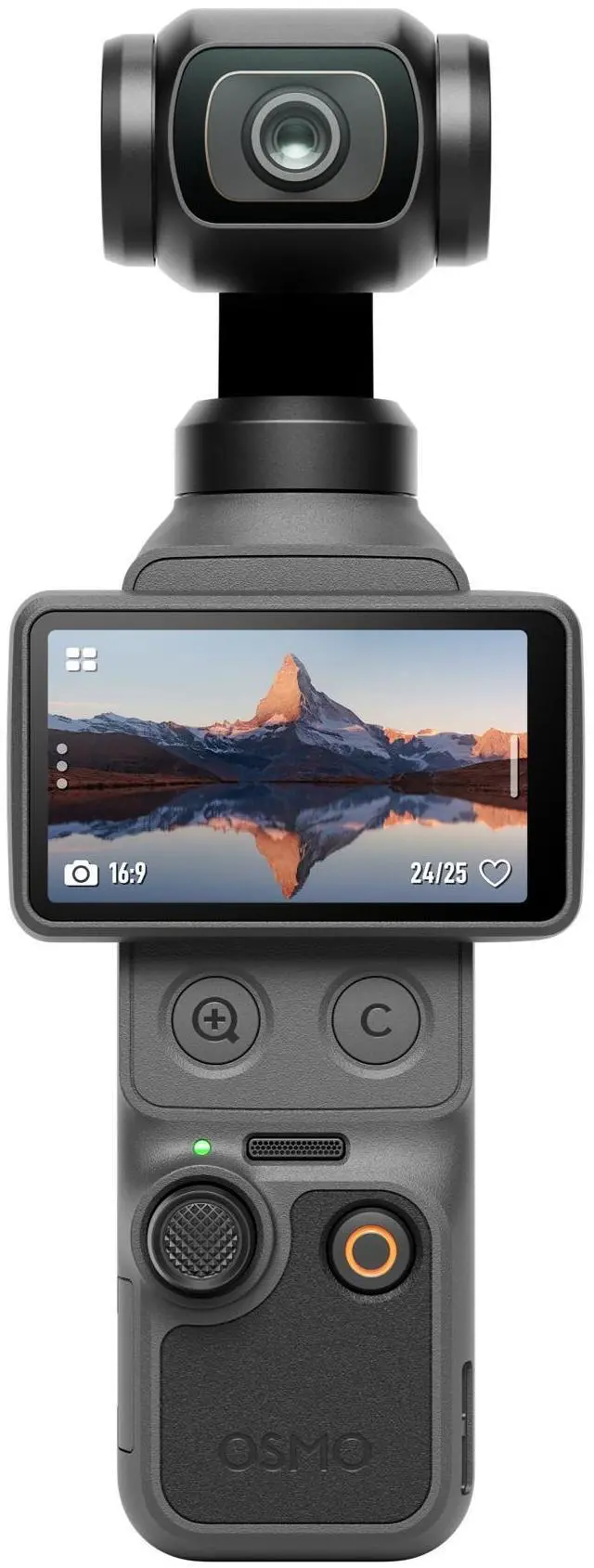
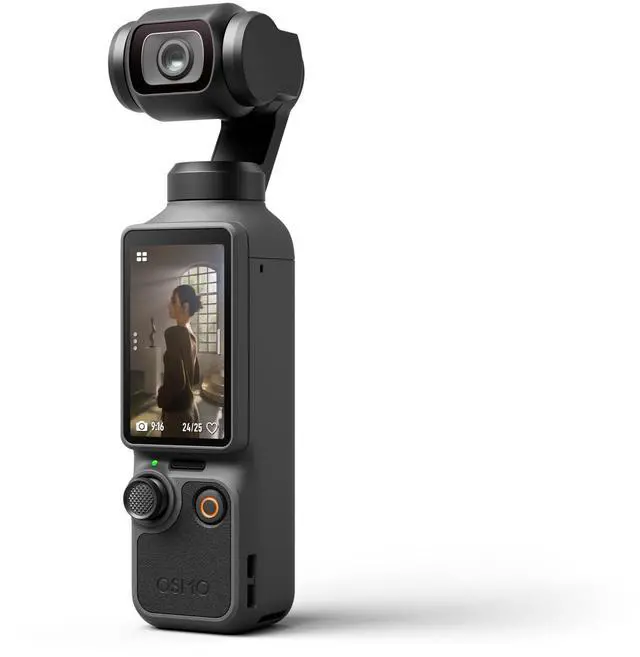
Lets Answer Your QuestionsWhat are the functions of the two new physical buttons on Osmo Pocket 4?- Osmo Pocket 4 adds two new physical buttons under the touchscreen: a Zoom button and a Custom button.
- Zoom button:
- Press to switch between 1× zoom and 2× zoom. If the current zoom is 1×, you can press to switch to 2×. If the current zoom is another value, you can press to switch back to 1×.
- Press twice to switch to 4× zoom.
- Custom button:
- Press and hold to activate the custom preset features, including Switch Gimbal Mode, Photo/Video, Quick Capture, Switch C1/C2, C1 Quick Capture, Rotate Gimbal, Recenter Gimbal, Enable/Disable Gimbal Lock, Enable/Disable Fill Light, Follow/FPV, and so on.
What is the usage of the new Subject Management feature on Osmo Pocket 4?- On the Subject Management page, you can register and manage up to three subjects, which can be the same person if needed. Once registration is complete, you can enable the Registered Subjects Only gesture control option.
- When the Registered Subject Priority focus mode is on, Osmo Pocket 4 prioritizes focusing on the registered subject.
- When the Spotlight Follow tracking mode is on, Osmo Pocket 4 quickly tracks the registered subject.
How long can Osmo Pocket 4 record when using its built-in storage?- Osmo Pocket 4 has 107 GB of built-in storage. At the standard bitrate, it can record and save up to approximately 600 minutes of 1080p/24fps video or 220 minutes of 4K/60fps video.
What are the effective ranges for gesture control and subject tracking on Osmo Pocket 4?- Effective range for gesture control:
- 1× zoom: 0.5 m to 5 m
- 2× zoom: 1 m to 7 m
- Effective range for subject tracking:
- 1× zoom: up to 10 m
What Timelapse modes are available on Osmo Pocket 4? What parameters can be customized?- There are three modes: Hyperlapse, Timelapse, and Motionlapse.
- In Hyperlapse mode, you can set the resolution, frame rate, and speed.
- In Timelapse mode, you can set the resolution, frame rate, interval, and duration.
- In Motionlapse mode, you can set the resolution, frame rate, interval, duration, and waypoints.
What is Osmo Pocket 4's D-Log color profile?- D-Log is designed to capture a wide dynamic range from the sensor, and colors are distributed evenly so the bright and dark parts of the video have greater fidelity and clarity. It is not a LUT but a lower-contrast video with a flat color profile, which is great for expanding post-processing options.
What are the main differences between Osmo Pocket 4 and Osmo Pocket 3?- Osmo Pocket 4 offers significant improvements in imaging quality, intelligent shooting, and operation experience. The main improvements include:
- 1. Superior imaging quality:
- - Osmo Pocket 4 features a powerful 1-inch CMOS sensor for stunning 4K/240fps footage [1], clean night shots, and vivid landscape captures. With 14 stops of dynamic range [2] and 10-bit D-Log color profile [3], it delivers cinematic depth and rich detail in every frame.
- - The in-camera Beautify feature [4] allows you to adjust skin smoothness, brightness, and tone. You can also choose from diverse film tones [4] to easily recreate classic styles and capture pro-level cinematic videos, or use the Fill Light and the Black Mist Filter [5] for more beautification.
- 2. Smarter capture experience:
- - Osmo Pocket 4 supports ActiveTrack 7.0, enabling subject tracking at up to 4× zoom[6]. It can lock onto a variety of subjects, including people, cars, motorcycles, cats, dogs, and stationary objects, making it easy to capture every exciting moment effortlessly.
- - The new Gesture Control feature [7] allows you to start/stop recording, take photos, and activate ActiveTrack through a single gesture, making solo content creation easier.
- - Intelligent autofocus keeps your subject sharp. Enable Subject Lock Tracking [8] to automatically lock onto and track your subject; simply tap a detection box on the screen to switch focus subjects. Alternatively, use Registered Subject Priority [8] to prioritize focusing on a pre-registered subject.
- 3. More efficient operation:
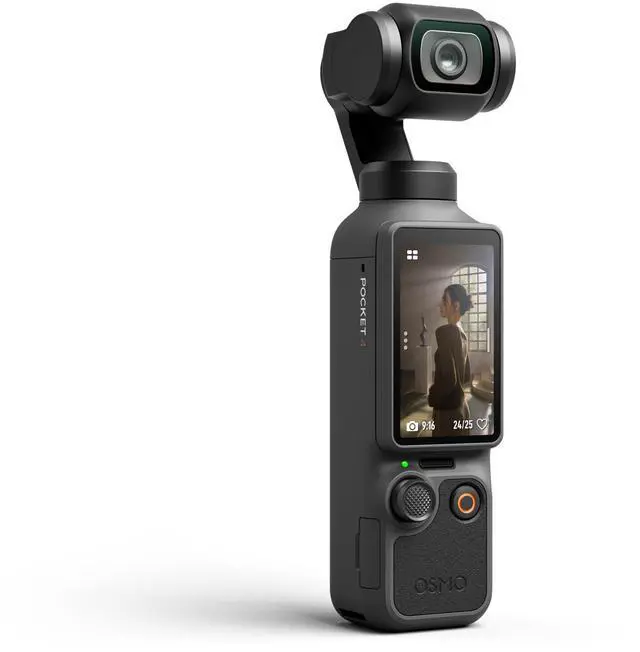
- - Two new physical buttons are added under the touchscreen for you to switch the zoom or customize frequently used features.
- - 107 GB of built-in storage, Wi-Fi 6 wireless transfer, and wired transfer via USB-C (USB 3.1) cable at up to 800 MB/s ensure fast and convenient file management.
- - The 5D joystick allows you to adjust the gimbal's rotational speed and zoom speed, making camera movement flexible.
- - New accessories cover lighting, audio recording, operating time, and portability, supporting every creative setup.
- 1. 4K/240fps video recording is only supported in Slow Motion mode.
- 2. In both Normal and D-Log color profiles, the maximum dynamic range reaches 14 stops. In Slow Motion mode, the actual dynamic range may be lower than 14 stops.
- 3. The 10-bit D-Log color profile is only supported in normal Video mode.
- 4. Film Tone and Beautify are only available in Video mode and cannot be used simultaneously. When Film Tone is enabled, the Beautify settings are unavailable. If Beautify is already enabled, switching to Film Tone mode will disable the beautify effect.
- 5. Sold separately or as part of a combo.
- 6. ActiveTrack is not supported in Panorama, Timelapse, Motionlapse, SpinShot modes, or when the gimbal is in FPV mode and the device is held horizontally. For optimal tracking performance, use in well-lit environments. ActiveTrack updates are available via the DJI Mimo app. Please contact DJI Support for details.
- 7. The effective range for Gesture Control is 0.5 to 5 m at 1× zoom and 1 to 7 m at 2× zoom. To control ActiveTrack or recording, use the specific gestures (Palm or V-Sign) and avoid covering your head with your hand. The effective distance may change with future firmware updates.
- 8. Subject Lock Tracking and Registered Subject Priority are supported in Video and Photo Pro modes, as well as in Hyperlapse mode. They are not available in Panorama, Timelapse, or Motionlapse modes.
How do I export photos and videos from Osmo Pocket 4?- 1. Connect to the DJI Mimo app and download the content to your smartphone.
- 2. Insert the microSD card from Osmo Pocket 4 into a computer.
- 3. Connect to a computer or an OTG-supported smartphone through a USB-C cable (USB 3.1).
Is the App Glamour Effects feature available both in photo and video modes?- The App Glamour Effects feature is available only in Video and Low-Light modes, not available in Photo or other modes.
- Before recording, enable App Glamour Effects on Osmo Pocket 4. After recording, export the footage using the DJI Mimo app to apply glamour effects, where you can also adjust various glamour effects parameters before exporting.
- The App Glamour Effects feature supports adjusting up to 4K/60fps videos. However, depending on their processing performance, some smartphone models only support exporting 1080p/30fps videos.
Is the in-camera Beautify feature available both in photo and video modes?- The in-camera Beautify feature is only available in Video mode, not available in Photo or other modes. Once enabled, you can adjust the intensity of skin smoothness, brightness, and tone according to your preference.
- The Film Tone and Beautify features cannot be used simultaneously. When Film Tone is enabled, the Beautify settings are unavailable. If Beautify is already enabled, switching to Film Tone mode will disable the beautify effect.
Is Osmo Pocket 4's 1-inch sensor the same as Osmo Pocket 3?- No. Osmo Pocket 4 features an all-new 1-inch stacked CMOS sensor that delivers improved imaging quality, supports up to 4K/240fps slow-motion recording, and offers enhanced overall performance.
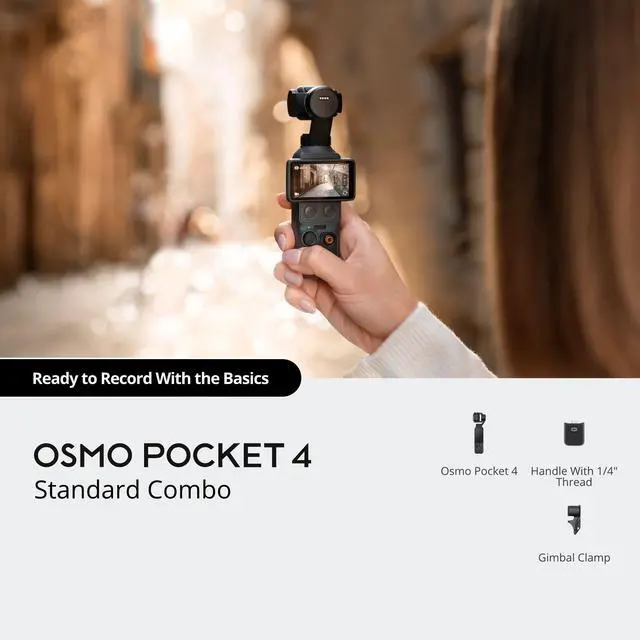
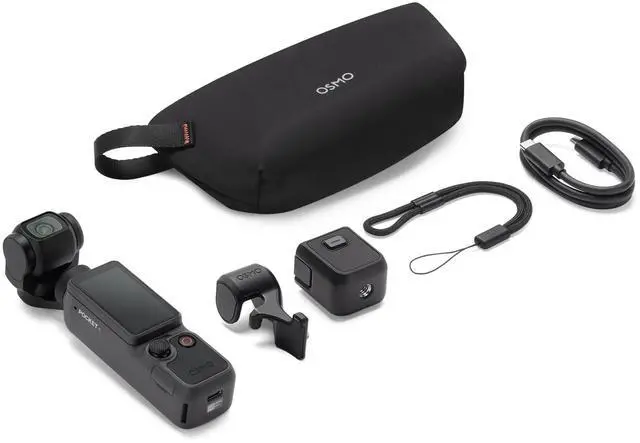
What accessories does Osmo Pocket 4 support?- Osmo Pocket 4 supports the following accessories: Handle With 1/4 Thread, Battery Handle, DJI Mic 3 Transmitter, Wide-Angle Lens, Mini Tripod, Black Mist Filter, Expansion Adapter, Magnetic ND Filter Set, Carrying Bag, Protective Cover, USB-C to USB-C PD Cable (USB 3.1), Fill Light, and Gimbal Clamp, among others.
- Some accessories are sold separately or as part of a combo.
What is the power consumption of the Osmo Pocket 4 Fill Light? How does installing the Fill Light affect Osmo Pocket 4's operating time?- At medium brightness, the Fill Light consumes 0.35 W of power. The operating time for 1080p/24fps video is up to 210 minutes* (reduced by approximately 30 minutes).
- At high brightness, the Fill Light consumes 0.55 W of power. The operating time for 1080p/24fps video is up to 186 minutes* (reduced by approximately 54 minutes).
- Without the Fill Light, the operating time for 1080p/24fps video is up to 240 minutes*.
- * Tested at room temperature of 25° C (77° F) and 1080p/24fps (16:9), with Wi-Fi off and screen off. The data is for reference only.
Which channels are involved in Osmo Pocket 4's OsmoAudio four-channel output? Which channels are the internal dual channels?- Osmo Pocket 4 supports connecting two transmitters for audio recording. When at least one DJI Mic transmitter is connected, recorded video files automatically contain two audio tracks with a total of four channels:
- Audio Track 1 (Transmitter Audio):
- With 1 DJI Mic transmitter: The Left and Right channels record the same audio from the transmitter.
- With 2 DJI Mic transmitters: The Left and Right channels record audio from the two transmitters separately (e.g., Left for DJI Mic Transmitter 1, Right for DJI Mic Transmitter 2).
- Audio Track 2 (Built-in Stereo):
- This track records the Left and Right channels from the cameras built-in microphone array. It is synchronized within the video file and is typically used for ambient sound.
- When no DJI Mic transmitter is connected, the video plays the camera's built-in audio. When a DJI Mic transmitter is connected, playback defaults to the audio recorded by the transmitter.
Can Osmo Pocket 4 be connected to Bluetooth or Wi-Fi?- Yes.
Is Osmo Pocket 4 waterproof?- No.
Guarantee of Authenticity
All products sold by us are 100% authentic and original. Under no circumstances do we handle, distribute, or sell counterfeit goods. Every item undergoes strict inspection by our professional appraisal team prior to shipment.
For US Buyers Import Duty & Tax Policy
Import duties and taxes are already included in the product price or shipping cost. Shipments to the United States are processed under Delivered Duty Paid (DDP) terms, meaning all import-related fees are prepaid. No extra charges will be requested upon delivery.
Order Processing
Orders are fulfilled in the sequence they are received.
Please double-check product configurations before placing your order, as different options include distinct accessories and components.
Usage & Performance Notes
Flight time and transmission distance may vary based on weather conditions, operating environment, and actual usage scenarios.
Please review and comply with local drone regulations in your region before use.
Language Declaration
This product is originally designed for the Chinese market.
The user manual and default device menu are provided in Chinese.
However, the system language can be manually switched to English.
If you have any questions about compatibility or settings, please contact us before purchasing.
Warranty & After-Sales Service
- The official warranty is only valid within Mainland China.
- Free repair services are not provided outside of China.
- For buyers in the U.S. and other countries, local DJI service centers will only offer paid repair services.
- DJI Care Refresh plans cannot be activated outside of China.
Important Purchase Terms
This product is brand new, factory-sealed, and unopened.
Every DJI product is shipped in its original, unopened factory packaging. To ensure your rights and interests, please carefully verify the model upon receipt of the package to confirm it matches your order before opening or using the product.
Any problems that arise after opening must be handled by the local DJI service center in the buyers country. This product is directly purchased from the official DJI store and is guaranteed to be 100% genuine.
Before making the purchase, please make sure to carefully review all the information.