Your Browsing History
- Free 45-day Returns
$37.17
Ships from China.
Sold by PeakCircuit Technology
Shipped by PeakCircuit Technology
Meet Your Seller
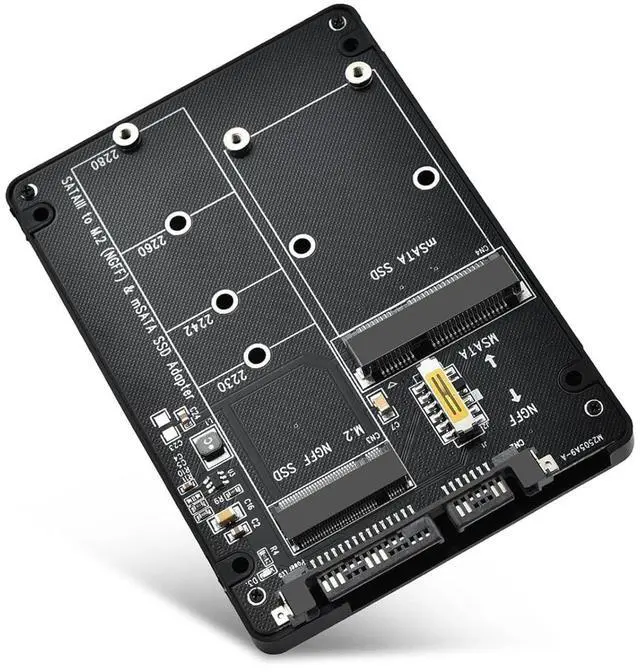
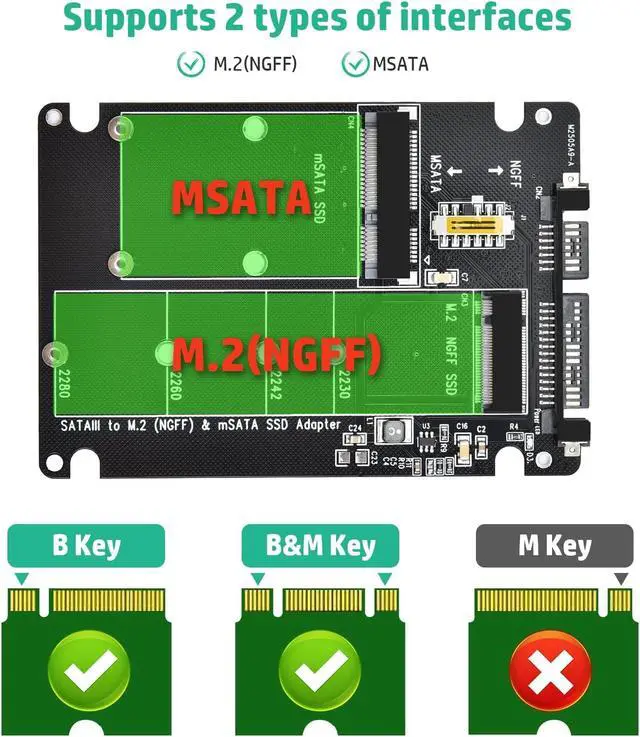
ELUTENG M.2 to SATA Adapter - 2 in 1 Converter for MSATA/M.2 NGFF SSD to 2.5" SATA III, Supports B&M Key, Not for M Key
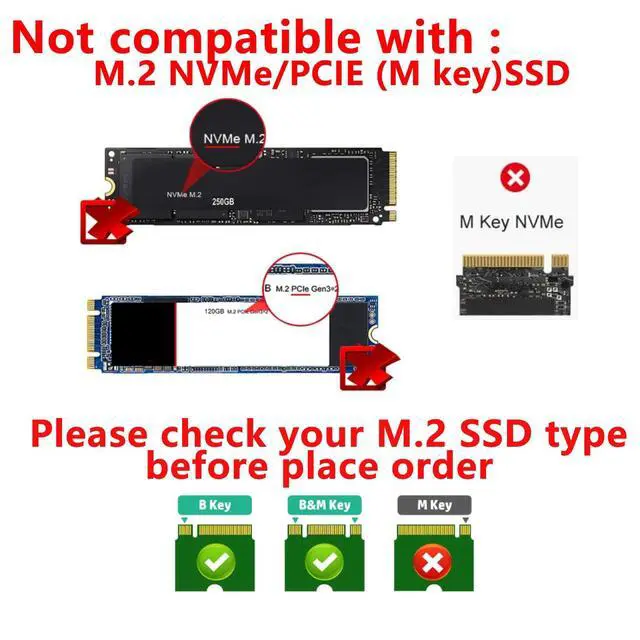
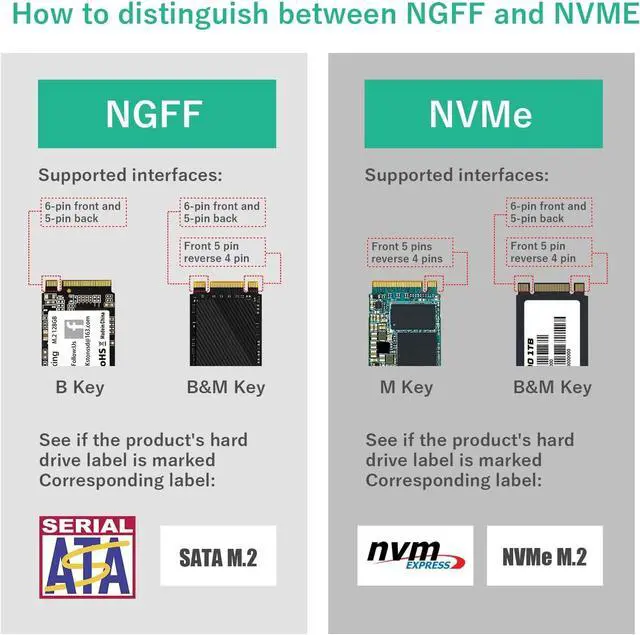
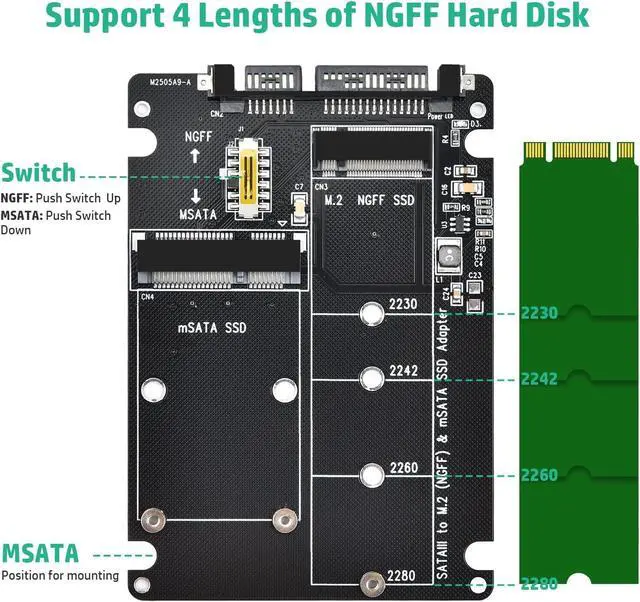
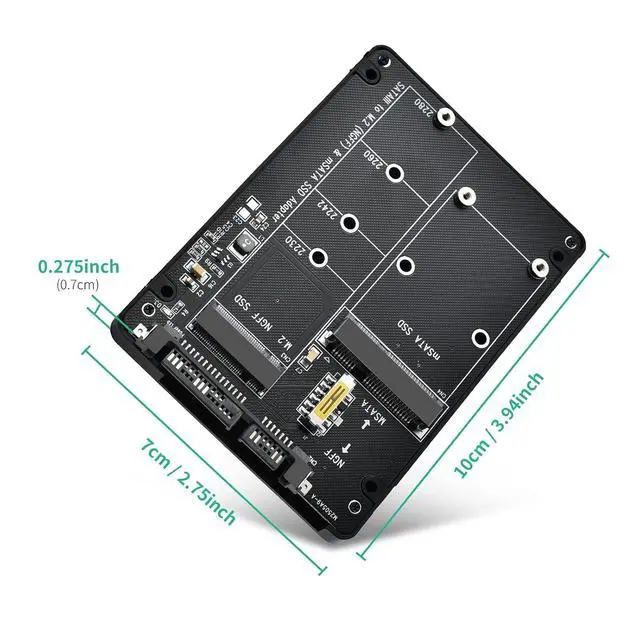
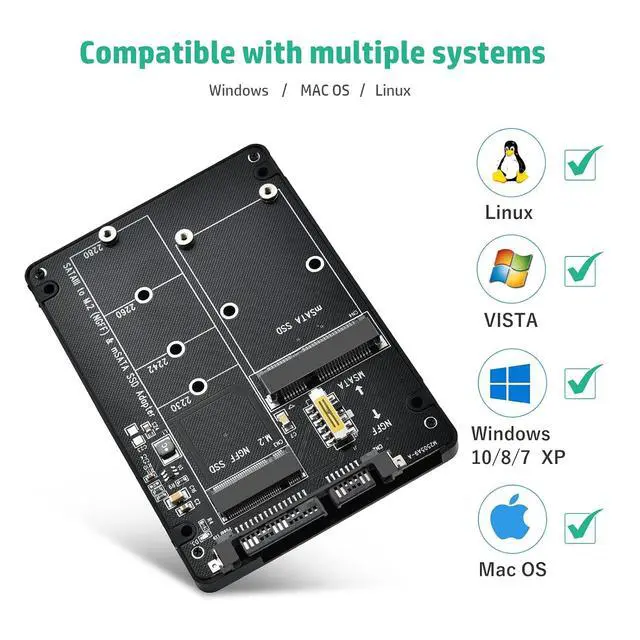
- NoticeNOT COMPATIBLE with WD SN770/SN 850X/SN 580, Samsung 980/990 PRO/970 EVO, Crucial P3/P3 Plus/T500, Kingston NV2, TEAMGROUP MP44L.; Support M.2 SATA/NGFF and MSATA to SATA Note: not for NVME/PCIE(M key) SSD. If you are not sure if your ssd is suitable for this product, please contact us.; Not for M.2 NVME/PCIE SSDBefore purchasing, please check your SSD label, if it prints PCIE, NVME, this adapter will not support. Only for B key/B&M key SSD.; How to useNote: Two hard disks cannot work at the same time. Toggle the switch up when reading NGFF HDD, toggle the switch down when reading MSATA HDD.; Compact Hard Drive CasingDissipates heat quickly, drop and wear resistant to reduce impact. Small size and easy to carry.; 4TB large CapacityThis M.2 sata to sata adapter up to 4TB SSD can be installed. backward compatible with 2TB/1TB/512GB/256GB/128GB, read speed: 500MB/s (This data is for reference only). Compatible with Windows 7/8/10/11/Mac OS / Linux systems.; If the new hard drive is not recognized, follow these 4 steps: Format & partition first: Right-click This PC Manage Disk Management New Simple Volume, then follow the prompts. Power check: Use rear USB ports on desktops / built-in ports on laptops to avoid insufficient power. Encryption check: The drive must be unencrypted; this device cannot decode encrypted drives. Compatibility check: If still unrecognized, use brand-name SSDs. Poor compatibility requires replacing the drive or device.

+
+
Overview
Specs
Reviews
Any questions? Our AI beta will help you find out quickly.
Try me now
NoticeNOT COMPATIBLE with WD SN770/SN 850X/SN 580, Samsung 980/990 PRO/970 EVO, Crucial P3/P3 Plus/T500, Kingston NV2, TEAMGROUP MP44L.; Support M. 2 SATA/NGFF and MSATA to
SATA Note: not for NVME/PCIE (M key) SSD. If you are not sure if your ssd is suitable for this product, please contact us.; Not for M. 2 NVME/PCIE SSD
Before purchasing, please check your SSD label, if it prints PCIE, NVME, this adapter will not support. Only for B key/B&M key SSD.;
How to useNote: Two hard disks cannot work at the same time. Toggle the switch up when reading NGFF HDD, toggle the switch down when reading MSATA HDD.; Compact Hard Drive CasingDissipates heat quickly, drop and wear resistant to reduce impact. Small size and easy to carry.; 4TB large CapacityThis M. 2 sata to sata adapter up to 4TB SSD can be installed. backward compatible with 2TB/1TB/512GB/256GB/128GB, read
speed: 500MB/s (This data is for reference only). Compatible with Windows 7/8/10/11/Mac OS / Linux systems.; If the new hard drive is not recognized, follow
these 4 steps: Format
& partition first: Right-click This PC Manage Disk Management New Simple Volume, then follow the prompts.
Power check: Use rear USB ports on desktops / built-in ports on laptops to avoid insufficient power.
Encryption check: The drive must be unencrypted; this device cannot decode encrypted drives.
Compatibility check: If still unrecognized, use brand-name SSDs. Poor compatibility requires replacing the drive or device.
SATA Note: not for NVME/PCIE (M key) SSD. If you are not sure if your ssd is suitable for this product, please contact us.; Not for M. 2 NVME/PCIE SSD
Before purchasing, please check your SSD label, if it prints PCIE, NVME, this adapter will not support. Only for B key/B&M key SSD.;
How to useNote: Two hard disks cannot work at the same time. Toggle the switch up when reading NGFF HDD, toggle the switch down when reading MSATA HDD.; Compact Hard Drive CasingDissipates heat quickly, drop and wear resistant to reduce impact. Small size and easy to carry.; 4TB large CapacityThis M. 2 sata to sata adapter up to 4TB SSD can be installed. backward compatible with 2TB/1TB/512GB/256GB/128GB, read
speed: 500MB/s (This data is for reference only). Compatible with Windows 7/8/10/11/Mac OS / Linux systems.; If the new hard drive is not recognized, follow
these 4 steps: Format
& partition first: Right-click This PC Manage Disk Management New Simple Volume, then follow the prompts.
Power check: Use rear USB ports on desktops / built-in ports on laptops to avoid insufficient power.
Encryption check: The drive must be unencrypted; this device cannot decode encrypted drives.
Compatibility check: If still unrecognized, use brand-name SSDs. Poor compatibility requires replacing the drive or device.
Warranty & Returns
Warranty, Returns, And Additional Information
Warranty
- Please contact the Seller directly for warranty information. Warranty information may also be found on the Manufacturer's website.
- CONTACT
Return Policies
- Return for refund within: 45 days
- Return for replacement within: 30 days
- This item is covered by PeakCircuit Technology Return Policy
Manufacturer Contact Info
- For a directory of all our manufacturers, please click below.
- Manufacturers Directory
LOADING...