




 here!
here!
I’m your shopping assistant for PC builds, upgrades, and everything tech.
Got questions? Ask away!
Start a conversation
here!
I’m your shopping assistant for PC builds, upgrades, and everything tech.
Got questions? Ask away!
Start a conversationShipped by Hebei XG Technology Co., Ltd.



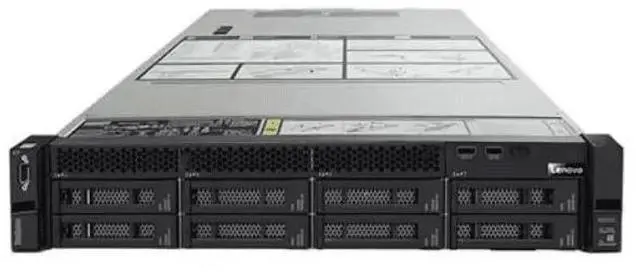
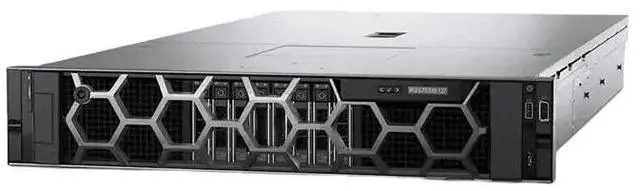



Any questions? Ask CelesteSM will help you find out quickly.
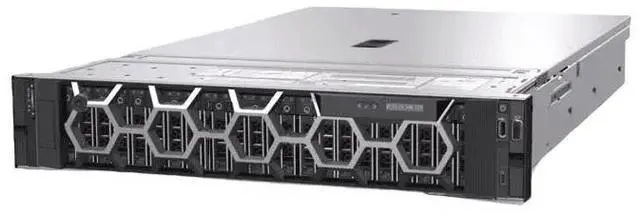
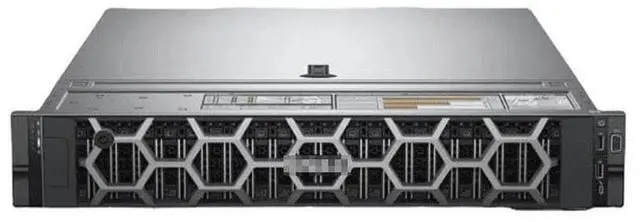
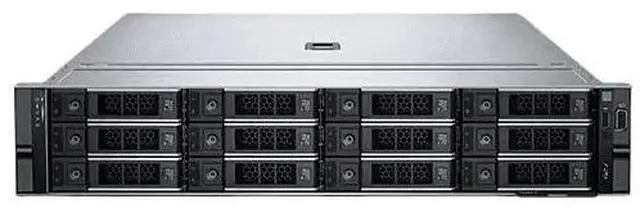
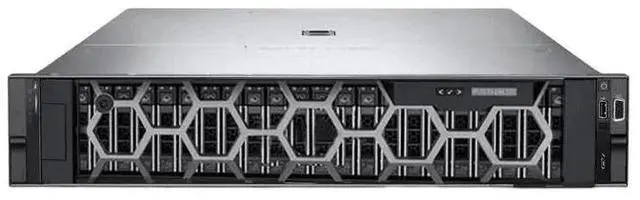
1. 2U Form - factor:The 2U design of the Dell R740 makes it suitable for space - saving rack - mounting in data centers.
2. 8 x 3.5 - inch Bays:With 8 bays for 3.5 - inch drives, it offers ample storage expansion options.
3. Single Heatsink:Comes with 1 heatsink to help with heat dissipation during operation.
4. Bare - bone Configuration:Lacks CPU, internal components, disks, cards, and power supply, allowing for full customization.
5. Versatile Server Base:Serves as a versatile base for building a server tailored to specific needs.
The Dell PowerEdge R740 barebone is a 2U rack server chassis with one heatsink and no CPU, storage, cards, internal components, or power supply, making it best for IT teams, system builders, and data center users who want a customizable foundation for a tailored server build.
| Attribute | Value |
|---|---|
| Best For | System integrators and data center administrators building 2U rack servers who need a barebone chassis to customize components and complete a server build (add CPUs, memory, storage, power supplies, and expansion cards) |
| Chassis And Form Factor | 2U rack-mount barebone chassis designed for space-saving rack deployments in data centers |
| Configuration And Contents | Barebone configuration — ships without CPU, internal components, disks, expansion cards, or power supply; includes one heatsink for cooling |
| Customization And Intended Use | Serves as a versatile base for building a server tailored to specific needs, enabling installation of customer-supplied components to complete the system |
Q: Should I choose a Dell PowerEdge R740 barebone or an R640 barebone?
A: Choose the R740 barebone when you want a 2U platform with more room for expansion, more PCIe capacity, and larger local storage options. Dell positions the R740 for application performance and VDI/cloud workloads, while the R640 is positioned for dense 1U deployments. In practice, the R640 makes more sense when rack density is the priority; the R740 makes more sense when you expect to add more drives, cards, or broader I/O later.
Q: Is an R740 barebone a better fit than an R740xd for a custom server build?
A: Choose the standard R740 barebone when you want a flexible general-purpose 2U server base and do not need the storage-heavy design of the R740xd. Choose the R740xd when the build is centered on maximum drive density, software-defined storage, or a large local disk footprint. Dell positions the R740 for application performance and the R740xd for scalable storage performance, so the better option depends on whether compute flexibility or storage density matters more in the final build.
Q: Should I buy an older Dell R730 or move to an R740 barebone instead?
A: Choose the R740 barebone if you want a newer platform for a fresh build with 2nd Gen Intel Xeon Scalable support, higher memory speeds, and a broader modernization path for current enterprise parts. The R730 still fits cost-sensitive rebuilds, but it is based on the older Xeon E5-2600 v4 generation. For buyers starting from a barebone chassis and sourcing parts separately, the R740 is usually the stronger long-term base, while the R730 mainly makes sense when minimizing upfront component cost is the priority.
Q: Is it worth choosing a newer R750 over an R740 barebone?
A: Choose the R750 if you want a newer generation platform with 3rd Gen Intel Xeon Scalable support, PCIe Gen 4, more memory slots, and broader NVMe capability. Choose the R740 when you want a proven 14th Gen Dell platform and do not need the newer I/O standard or expanded memory footprint. The R750 is the better fit for modernization and faster storage expansion, while the R740 remains a practical option for cost-controlled builds using widely available previous-generation parts.
Q: Should I use an R740 barebone or a rack workstation like the Dell Precision R7920 for GPU-focused use?
A: Choose the R740 barebone when you want a server-first platform for infrastructure roles such as virtualization, lab environments, or general rack deployment. Choose a rack workstation like the Precision R7920 when the system will be configured more like a workstation for GPU-centric or mixed workstation/server use. Community discussions often describe the two platforms as closely related in hardware terms, but the buying decision usually comes down to intended role: server deployment and remote management habits favor the R740, while workstation-style GPU usage can favor the R7920.
Q: Does this barebone server include everything needed to power on and run?
A: No. This Dell R740 listing is a true barebone chassis, not a ready-to-run server. Based on the product data, it does not include a CPU, power supply, storage, add-in cards, or other internal components, and it includes only one heatsink. In practical terms, buyers should expect to source the remaining required server parts before deployment.
Q: Who is this Dell R740 barebone most suitable for?
A: It is most suitable for experienced IT buyers, refurbishers, or businesses that want to build or restore a rack server around a known platform. The main value is customization: you start with the 2U chassis and add the exact processors, memory, storage, power supplies, and cards you need. It is not a simple plug-and-play option for general buyers.
Q: Is this a good choice if I want full control over the server build?
A: Yes, if customization is the priority. This configuration gives you a 2U Dell R740 base with minimal included hardware, which is useful when you want to choose your own compute, storage, and expansion parts. The trade-off is that setup is more complex, parts compatibility must be verified, and total build cost can rise once missing components are added.
Q: Is this a good fit for first-time server buyers or home users who want something simple?
A: Usually no. Because this unit ships without core internal parts, it is better suited to buyers who already understand server assembly, component sourcing, and deployment requirements. First-time buyers looking for a simple setup will likely find the missing hardware, installation work, and validation steps to be a significant trade-off.
Q: What is the main trade-off of buying this barebone R740 instead of a more complete server configuration?
A: The main trade-off is flexibility versus convenience. This barebone format gives you more control over the final server specification, but it also means more work before the system is usable. Buyers must budget for the missing core parts, confirm hardware compatibility, and handle assembly or integration themselves.
Q: Who is a Dell R740 barebone like this actually suitable for?
A: This listing is mainly suitable for experienced server buyers, homelab users, or IT teams that already have compatible parts or a clear rebuild plan. Because it includes no CPU, no power supply, no drives, and no internal cards, it is best treated as a chassis-and-board starting point rather than a ready-to-run server.
Q: Is this worth buying if I want a cheap server build?
A: It can be worth buying only if the base price is very low and you already understand the total rebuild cost. Community discussion around barebone R740 systems repeatedly focuses on missing essentials such as CPUs, fans, risers, RAID, NIC, and power supplies. For a buyer starting from scratch, the final cost can rise quickly enough that a more complete R740 or even an older generation server may be the better value.
Q: What are the main trade-offs of buying this barebone version instead of a more complete R740?
A: The main trade-off is flexibility versus total effort and risk. A barebone unit gives you control over the final build, but you must source critical parts yourself and confirm compatibility. It also carries more uncertainty because missing items like fan assemblies, risers, storage controllers, or PSUs can prevent easy testing and add time, cost, and troubleshooting work.
Q: Is this a good choice for a homelab or virtualization project?
A: It can be a good homelab base if you specifically want an enterprise 2U platform and already plan to add CPUs, memory, storage, and power. Reddit and YouTube discussions around the R740 commonly frame it as a homelab, TrueNAS, Unraid, or virtualization platform, but those use cases assume a working, properly equipped configuration. In barebone form, it is not the simple option.
Q: Is this a good option for beginners?
A: Usually no. A beginner is likely to face too many missing-part decisions at once, including CPU selection, cooling, fans, storage controller, power supplies, and other internal components. This kind of listing makes more sense for buyers who already know the R740 parts ecosystem or already have donor parts on hand.


