




 here!
here!
I’m your shopping assistant for PC builds, upgrades, and everything tech.
Got questions? Ask away!
Start a conversation
here!
I’m your shopping assistant for PC builds, upgrades, and everything tech.
Got questions? Ask away!
Start a conversationShipped by Hebei XG Technology Co., Ltd.






Any questions? Ask CelesteSM will help you find out quickly.
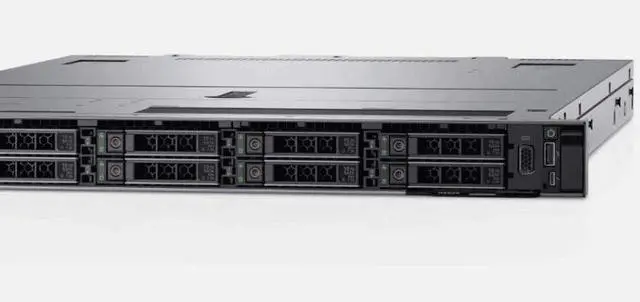
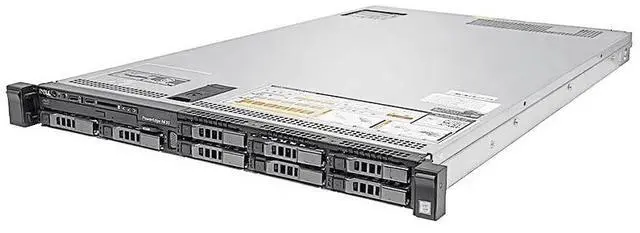
- Brand new original Dell R640 1U barebone, in stock for immediate shipment
- Fully customizable: freely match CPU, RAM, PSU, HDD & PCIe cards per your business needs
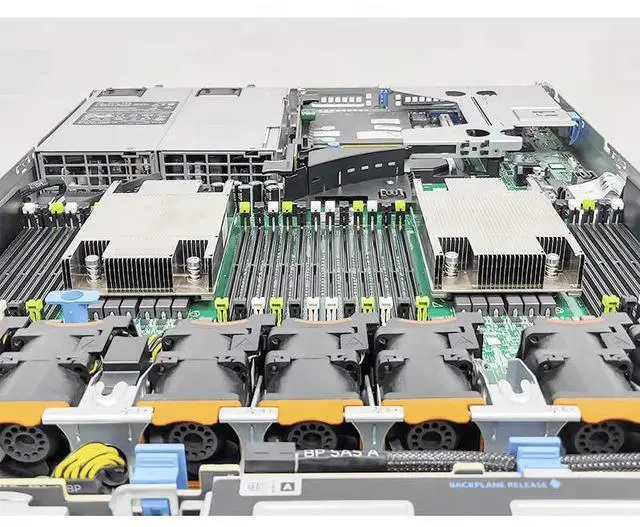
- Enterprise-grade R640 chassis with complete original cooling heatsink pre-installed
- Supports dual Intel Xeon scalable CPUs & abundant DDR4 memory expansion slots
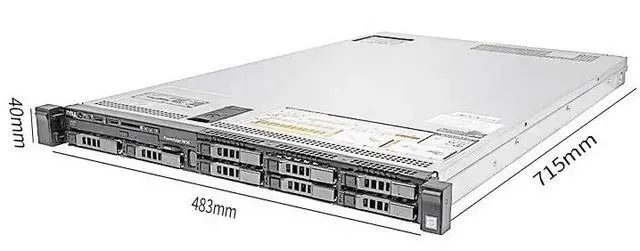
- Compact 1U rack design, ideal for virtualization, NAS, IDC and home lab construction
The Dell R640 1U Server Barebone is a new rack server chassis platform for IT teams, system integrators, and data center buyers who want to build or refresh a 1U server with their own CPU, memory, storage, power supplies, and expansion components.
| Attribute | Value |
|---|---|
| Best For | System integrators and datacenter technicians assembling a 1U Dell R640 rack server from a barebone chassis; intended for buyers who will supply and install CPU, memory, storage, add-in cards, and power supply |
| Chassis And Form Factor | 1U rack-mount Dell R640 barebone chassis; includes one heatsink |
| Configuration And Missing Components | Sold as a barebone system — no CPU, 0GB RAM, no HDD, no add-on card, no power supply |
| Model Identifiers | Dell R640 (1U server barebone) |
Q: Should I choose the Dell PowerEdge R640 barebone or a PowerEdge R740 for a new build?
A: Choose the PowerEdge R640 if your priority is compute density in 1U, especially for virtualization, general application hosting, or NVMe-focused builds in limited rack space. Dell positions the R640 for dense scale-out computing, and its spec sheet supports up to two 2nd Gen Intel Xeon Scalable CPUs, 24 DIMM slots, and up to 10 NVMe drives in a 1U chassis. Choose the R740 instead when you need a roomier 2U platform for broader expansion, more drive capacity, or easier GPU accommodation. Community discussions and comparison videos consistently frame R640 as the denser option and R740 as the more expansion-friendly option.
Q: Is the Dell PowerEdge R640 a better fit than the older PowerEdge R630?
A: Yes, the R640 is the better fit when you want a newer 1U platform with newer Xeon Scalable CPUs, higher memory ceilings, newer management, and more modern storage options. Dell's comparison matrix shows the R640 moves from the R630's Xeon E5-2600 v4 platform to up to two 2nd Gen Intel Xeon Scalable processors, adds iDRAC9, supports BOSS boot storage, and expands networking options up to 25GbE. The R630 can still make sense for lower-cost legacy deployments, but the R640 is the stronger choice for longer upgrade runway and newer enterprise features.
Q: Should I buy this R640 barebone or move up to a PowerEdge R650?
A: Choose this R640 barebone if you want a lower-cost entry into a proven 1U enterprise platform and you are comfortable building around 14th Gen Dell hardware. Move up to the R650 if you want a newer platform with 3rd Gen Intel Xeon Scalable support, 32 DIMM slots instead of 24, and PCIe Gen4 expansion. Dell's R650 documentation also shows similar 1U drive flexibility with up to 10 front 2.5-inch SAS, SATA, or NVMe drives, so the main reason to move up is newer CPU, memory, and I/O generation rather than a major change in form factor.
Q: Is a 1U R640 better than a larger 2U server if I want GPU or storage expansion?
A: A 1U R640 is better when rack density and compact deployment matter more than maximum expansion. It is well suited to dense virtualization and application workloads, and Dell supports substantial NVMe and memory capacity within 1U. A larger 2U server is the better choice when your build depends on more drive bays, larger GPUs, or easier internal expansion. Review coverage and community guidance repeatedly treat the R640 as a compact performance platform and 2U alternatives as the better path for storage-heavy or accelerator-heavy builds.
Q: Who is this barebone Dell R640 suitable for?
A: This listing is best for IT buyers, lab builders, and refurbishers who already plan to supply their own CPU, memory, storage, power supplies, and any needed expansion parts. It is not a ready-to-run server. Because the product is sold with no CPU, 0GB RAM, no HDD, no add-on card, and no power supply, the buyer should expect to complete the hardware configuration before deployment.
Q: Does this server include enough parts to power on and use right away?
A: No. This is a barebone chassis, not a complete working configuration. Based on the listing, it does not include a CPU, RAM, storage drives, add-on card, or power supply. In practical terms, most buyers should assume additional core parts are required before the system can be tested, configured, and put into service.
Q: Is this a good choice for someone building a custom server configuration?
A: Yes, if the goal is to build a custom R640 from the ground up and you already know which compatible parts you need. A barebone listing like this gives flexibility, but the trade-off is higher setup effort and more responsibility for part matching, installation, and validation. It is a practical fit for controlled rebuilds and lab projects, but less suitable for buyers who want a turnkey deployment.
Q: What are the main trade-offs of buying this barebone version?
A: The main benefit is configuration flexibility: you can choose your own processor, memory, storage, and expansion path. The main trade-offs are added cost beyond the base unit, longer time to complete the build, and a higher risk of compatibility or missing-part issues if the planned components are not already on hand. For many buyers, the decision comes down to whether customization matters more than convenience.
Q: Should a buyer assume storage can be added later without extra planning?
A: No. Storage upgrades on a diskless or partially configured server often require more than just drives. Depending on the exact chassis and internal layout, buyers may also need supporting parts such as drive carriers, backplane-related hardware, cables, or a storage controller. This makes it important to confirm the intended storage path before purchase.
Q: Is this Dell R640 barebone worth buying if I want a low-cost homelab server?
A: It can be worth buying if you already have compatible parts or want to choose your own build, but a barebone R640 is not automatically the cheapest path. This listing includes no CPU, no RAM, no drives, no add-on card, and no power supply, so the total cost depends heavily on the parts you still need to source. Community discussions repeatedly frame barebone R640 systems as good value only when the buyer understands the full build cost and is comfortable sourcing enterprise parts separately.
Q: Who is a barebone Dell R640 best suited for?
A: A barebone R640 is best suited for experienced homelab users, IT admins, and buyers who already own server parts or are comfortable sourcing CPUs, ECC RAM, storage, and power supplies. It is less suitable for first-time buyers who want a ready-to-run system, because this unit is missing the core components required to power on and be deployed.
Q: Is this a good choice for Proxmox or virtualization?
A: Yes, the R640 platform is commonly discussed as a good fit for virtualization and homelab workloads, but this specific barebone listing is only a starting point. To use it for Proxmox or VM hosting, you still need to add at minimum a supported CPU, ECC RAM, storage, and power supply. Buyers in community discussions also highlight that storage configuration matters, especially on diskless or partially equipped R640 systems.
Q: What are the main trade-offs of buying this barebone R640 instead of a more complete server?
A: The main trade-off is flexibility versus setup cost and effort. A barebone unit lets you choose your own CPUs, memory, storage, and networking, but it also increases the time, compatibility work, and risk of missing parts. With this listing, the missing power supplies are especially important because they add mandatory cost before the system can even be tested or deployed.
Q: Is the Dell R640 a good fit for home use if noise and power are concerns?
A: Usually no. Repeated community discussion around the R640 notes that 1U servers can be loud and are often a poor fit for buyers who want a quiet home setup. For home lab use in a basement, garage, or dedicated equipment space, it may still make sense, but it is generally not the best choice for a quiet room or simple NAS replacement.


