




 here!
here!
I’m your shopping assistant for PC builds, upgrades, and everything tech.
Got questions? Ask away!
Start a conversation
here!
I’m your shopping assistant for PC builds, upgrades, and everything tech.
Got questions? Ask away!
Start a conversationShipped by Hebei XG Technology Co., Ltd.



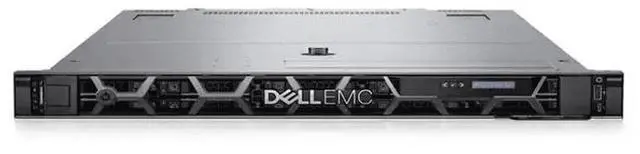

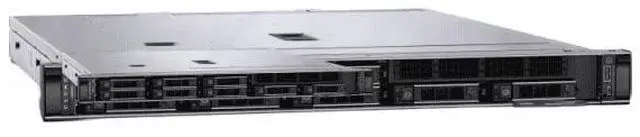
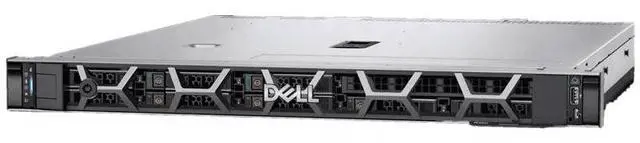
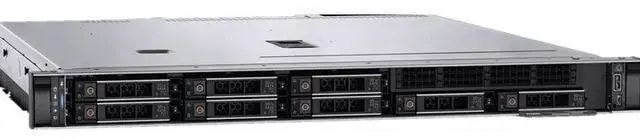




Any questions? Ask CelesteSM will help you find out quickly.
1. Customization Flexibility:The Dell R660XS quasi - system, without pre - installed CPU, memory, RAID card, and power supply, offers users extensive freedom to customize components. You can hand - pick high - performance CPUs, suitable memory modules, advanced RAID cards, and power supplies according to your specific business or computing needs, whether for data - intensive analytics, virtualization, or other applications.
2. Optimized for 2.5 - inch Drives:With 8 2.5 - inch drive bays, it provides flexibility in storage configuration. You can choose high - speed SSDs for low - latency applications or high - capacity HDDs for large - scale data storage, catering to different data management requirements.
3. Ready for High - Performance Computing:The R660XS is designed to support high - end components. Even in its current quasi - system state, it has the potential to deliver outstanding computing performance once the appropriate parts are added, making it suitable for demanding tasks.
4. New and In - Stock Advantage:Being brand - new and in stock, you can start your server building project immediately without waiting. This ensures quick deployment and reduces downtime, enabling you to get your operations up and running promptly.
5. Cost - Effective Solution:The quasi - system setup without pre - installed components allows you to control costs effectively. You can invest in components gradually as your business grows, only purchasing what you need when you need it, making it an economical choice for startups and budget - conscious businesses.
The Dell R660XS Barebone is a new in-stock 1U-class server chassis/configurable system with 8 x 2.5-inch drive bays and no CPU, memory, RAID card, or power supply installed, making it best for IT teams, system integrators, and businesses that want to build a server around their own performance, storage, and budget requirements.
| Attribute | Value |
|---|---|
| Best For | Systems builders and IT teams who need a customizable Dell R660XS barebone for rack deployments that require flexible 2.5-inch drive storage and will supply CPUs, memory, RAID card, and power supplies |
| Model Identifiers | Dell R660XS barebone system (R660XS) — bare chassis intended for component installation |
| Chassis And Drive Bays | Chassis with eight 2.5-inch drive bays, allowing configuration with high-speed SSDs or 2.5-inch HDDs for flexible storage layouts |
| Configuration And Included Components | Barebone configuration — ships without CPU, memory, RAID card, or power supply; all core compute and power components must be provided separately |
| Customization And Use Context | Designed to accept user-selected high-performance CPUs, memory modules, RAID cards and power supplies; suitable for data-intensive analytics, virtualization, or other demanding workloads once populated |
| Availability And Listing | New and in stock with immediate availability; first listed on Newegg June 11, 2026 |
Q: Should I choose the Dell PowerEdge R660xs barebone or the standard PowerEdge R660?
A: Choose the R660xs barebone when you want a lower-feature 1U platform for mainstream virtualization, cloud, scale-out database, or general compute builds and you plan to select your own CPU, memory, storage, RAID, and power configuration. Choose the standard R660 when you need more expansion headroom, including higher CPU ceilings, more memory capacity, more flexible storage layouts, or support for light GPU use. In short: R660xs is the better fit for a cost-controlled, right-sized build; R660 is the better fit for maximum 1U flexibility.
Q: Is the R660xs barebone a better choice than a previous-generation 1U Dell server like the R650?
A: Choose the R660xs barebone if you want a newer platform for a fresh build around 4th- or 5th-generation Intel Xeon Scalable CPUs, DDR5 memory, and newer storage options. A previous-generation model such as the R650 can still make sense if your priority is continuity with older parts or an existing installed base. For new deployments, the R660xs is the more forward-looking platform; for reuse of older components and standards, the older generation may be the more practical match.
Q: Should I buy this 8-bay R660xs barebone or move up to a 2U server like the R760xs?
A: Choose this 8-bay R660xs barebone when 1U density matters and your workload fits a compact dual-socket server with moderate expansion. Move up to a 2U platform such as the R760xs when you want more drive capacity, more PCIe expansion, or a chassis with more room for broader configuration growth. The trade-off is simple: the R660xs favors rack density, while a 2U alternative favors expansion and storage scale.
Q: Is this barebone R660xs a better fit than buying a fully configured server?
A: Choose the barebone R660xs if you already have a planned bill of materials or want to control CPU, memory, RAID, power, and storage choices from the start. Choose a fully configured server if you want faster deployment with validated components and less integration work. The barebone route gives more customization and purchasing flexibility; the preconfigured route reduces build complexity.
Q: Should I choose this R660xs barebone for a compact rack build or use a small workstation or mini PC instead?
A: Choose the R660xs barebone when you need enterprise server features in a rack environment, such as dual-socket scalability, hot-swap drive options, remote management, and data-center-oriented serviceability. Choose a small workstation or mini PC when lower power draw, lower noise, and easier placement matter more than rack density and server-class expandability. The R660xs is built for rack infrastructure first, not for portability or desk-side convenience.
Q: Who is this barebone server suitable for?
A: This model is best for IT buyers, system integrators, and businesses that already know which CPU, memory, storage, RAID, and power configuration they need. It is not a ready-to-run server. Because it ships without CPU, memory, RAID card, or power supply, it fits buyers who want precise control over performance, storage, and budget rather than a turnkey deployment.
Q: Does this server work out of the box?
A: No. This is a barebone system, so it does not operate as a complete server when delivered. You still need to add the core parts needed to make it functional, including at minimum a compatible CPU, memory, storage, power supply, and any RAID hardware you plan to use. Buyers should treat it as a chassis-and-platform starting point, not a finished system.
Q: Is this a good choice if I want maximum configuration control?
A: Yes, if customization is your priority. This barebone format is designed for buyers who want to choose their own processor, memory capacity, storage mix, RAID approach, and power setup. The trade-off is that compatibility planning, part sourcing, assembly, and validation are your responsibility, so it is better for experienced server buyers than first-time users.
Q: Are the 8 x 2.5-inch drive bays a good fit for SSD-focused storage builds?
A: Yes. An 8-bay 2.5-inch layout is well suited to SSD-heavy configurations where buyers care about density, lower latency, and flexible storage tiering. It can also support 2.5-inch hard drives, but the main advantage of this layout is giving you room to build a compact storage setup around smaller drives rather than large-capacity 3.5-inch bays.
Q: Is this a good buy for someone trying to control upfront server costs?
A: It can be, if you already have a build plan. A barebone server lowers the upfront purchase to the core platform and lets you add major components separately, which can help phase spending. The trade-off is that total cost depends on the parts you add later, so it is cost-effective mainly for buyers who can source compatible components efficiently and avoid trial-and-error purchases.
Q: Who is this Dell R660XS barebone system actually suitable for?
A: This barebone R660XS is best for buyers who already know their target CPU, memory, storage, and RAID setup and want to choose those parts themselves. It fits IT teams, labs, and experienced homelab users building a specific virtualization, storage, or business server. It is a weaker fit for first-time buyers who need a ready-to-run system, because this listing does not include CPU, RAM, RAID card, or power supplies.
Q: Is this a good buy if I want a cheap way to build a custom server?
A: It can be a good buy only if you already have a parts plan and understand the full build cost. A barebone chassis lowers the upfront price, but you still need compatible CPUs, memory, storage controller, and power supplies before it is usable. For experienced buyers, that can be cost-efficient. For buyers starting from zero, a more complete R660XS configuration is usually the simpler decision.
Q: What are the main trade-offs of choosing the R660XS instead of a fuller or higher-end server configuration?
A: The main trade-off is flexibility versus completeness. This barebone version gives you control over component choices, but it also shifts compatibility, sourcing, and setup work to the buyer. Discussion around the R660XS also points to it being a more value-focused model than the standard R660, so buyers should expect a practical 1U platform rather than the broadest expansion or highest-end feature set.
Q: Is this a good choice for virtualization or general business workloads?
A: Yes, it can be a good platform for virtualization or general business workloads if you populate it with the right CPUs, memory, and storage. Community discussion around complete R660XS builds commonly centers on Proxmox, Hyper-V, storage, and small-business on-prem use. The decision depends less on the chassis alone and more on whether you are prepared to finish the system with the parts your workload requires.
Q: What should I be careful about before buying this barebone R660XS?
A: Check component compatibility before buying. The most important points are supported CPUs, memory type and capacity, storage backplane and drive type, RAID or HBA needs, and the required Dell power supplies. Community posts also show that storage configuration can be a pain point on the R660XS if the controller and drive setup are not matched correctly.


