




 here!
here!
I’m your shopping assistant for PC builds, upgrades, and everything tech.
Got questions? Ask away!
Start a conversation
here!
I’m your shopping assistant for PC builds, upgrades, and everything tech.
Got questions? Ask away!
Start a conversationShipped by Hebei XG Technology Co., Ltd.






Any questions? Ask CelesteSM will help you find out quickly.
1. Customization Flexibility:With no pre-installed memory and disk, users have the freedom to select the exact components that fit their specific business needs. Whether it's for a small-scale startup's basic data storage or a growing company's more complex computing tasks, the server can be tailored accordingly.
2. Processor Efficiency:The E2414 option provides a reliable and efficient computing performance. It offers a decent balance between power consumption and processing power, making it suitable for a variety of applications such as file serving, basic database operations, and small-business applications.
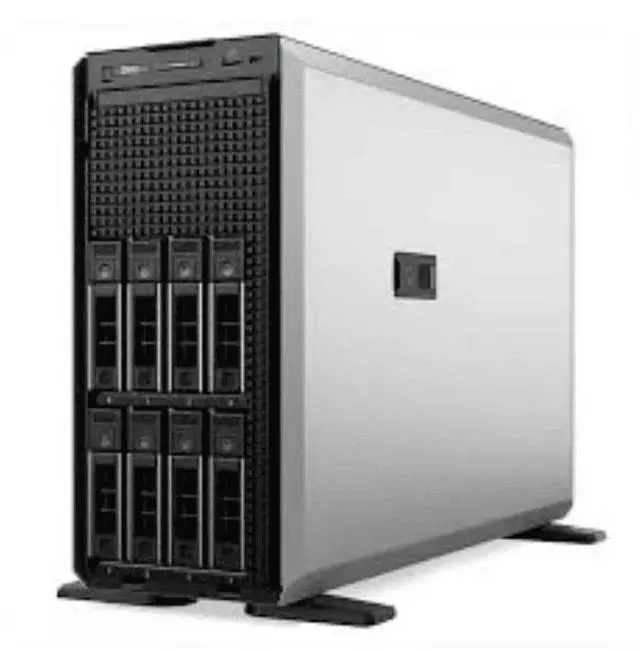
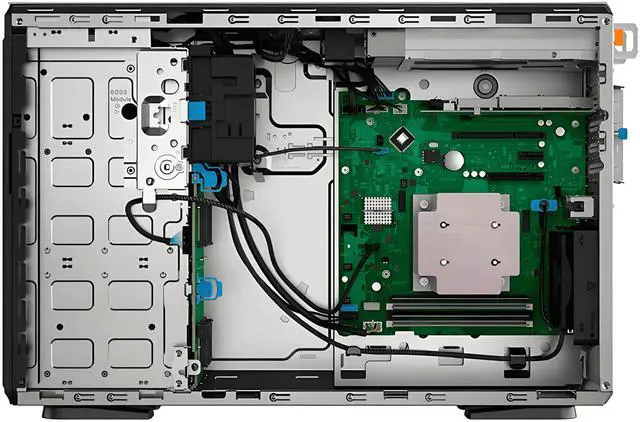
3. Storage Adaptability:The 4 x 3.5-inch drive bays allow for a wide range of storage configurations. Users can choose from high-capacity HDDs for large-scale data storage or high-speed SSDs for faster data access, depending on their requirements.
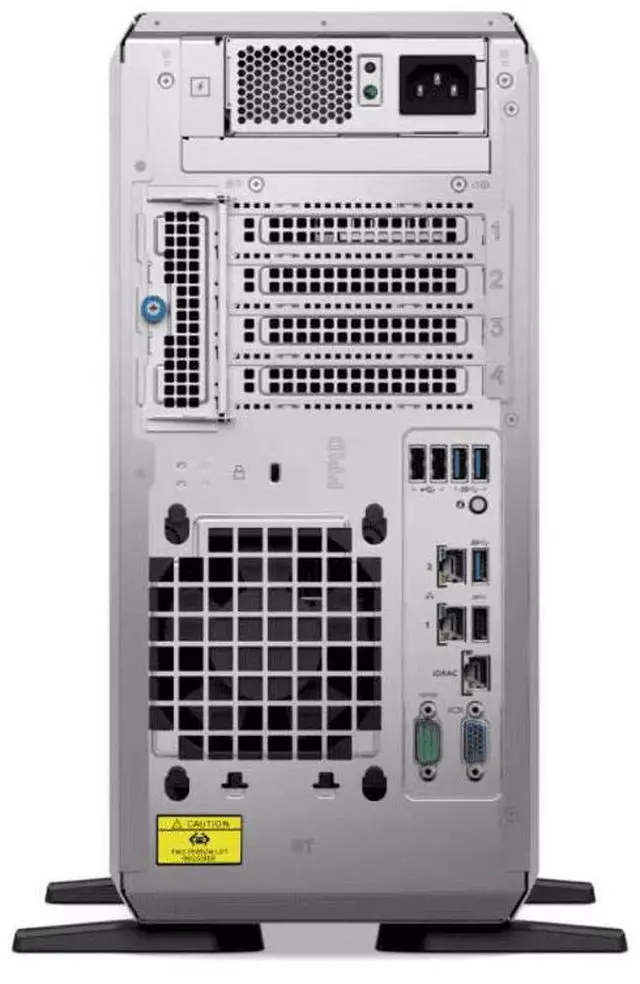
4. Power-Optimized Design:The 450W single power supply is designed to provide stable power while maintaining energy efficiency. This not only ensures reliable operation of the server but also helps in reducing power consumption and operational costs.
5. New and Reliable:Being a brand-new server, it comes with the latest technology and build quality from Dell. You can expect high-quality components and reliable performance right out of the box, providing peace of mind for your business operations.
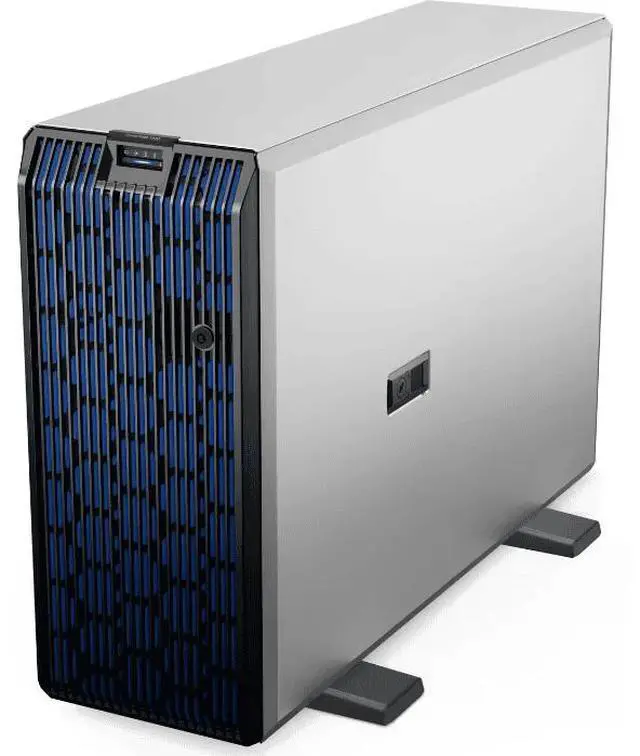
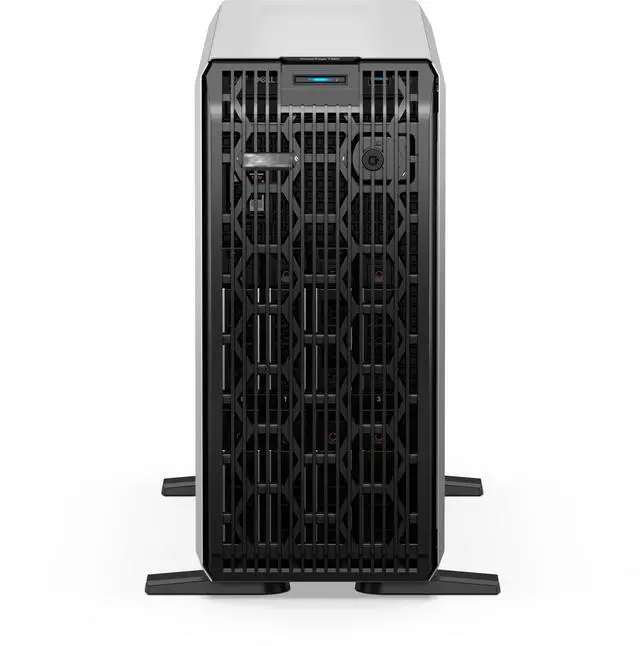
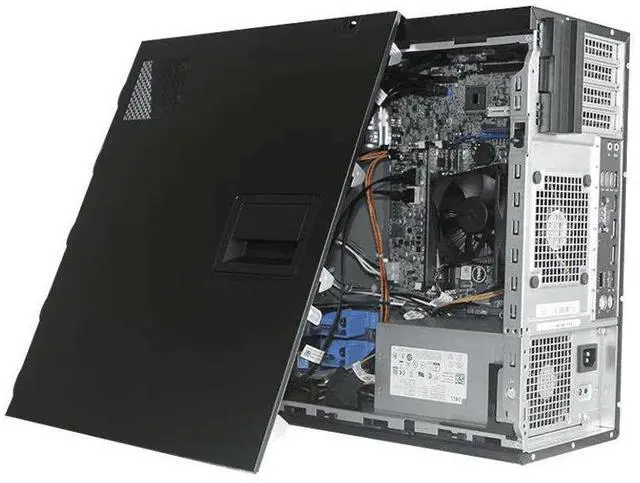
The Dell T360 tower server is a new configurable business server with 4 x 3.5-inch drive bays, an E2414 processor option, and a 450W power supply, making it well suited for small businesses or IT teams that want to choose their own memory and storage for file serving, basic databases, or office infrastructure.
| Attribute | Value |
|---|---|
| Best For | Small businesses and IT teams needing an entry-level tower server for file serving, basic databases, backups, or general-purpose services; suited to buyers who will install their own memory and drives |
| Chassis And Drive Bays | Tower chassis with four 3.5-inch drive bays for flexible configurations using high-capacity HDDs or 3.5-inch-compatible SSDs |
| Processor And Options | E2414 processor option specified for this model |
| Memory And Storage Configuration | Ships without memory or disks — memory and storage must be installed by the purchaser |
| Power And Power Supply | Single 450W power supply (single-PSU configuration) |
| Condition | Brand-new unit |
| Model Identifiers | Dell T360 tower server — E2414 option; 4 × 3.5-inch drive bays; 450W single power supply |
| Category | DELL — Server System |
Q: Should I choose the Dell PowerEdge T360 or Dell PowerEdge T160 for a small business server?
A: Choose the PowerEdge T360 when you expect the server role to grow beyond basic file, print, or branch-office tasks. Dell positions the T160 as a compact first server with up to 3 x 3.5-inch plus 2 x 2.5-inch storage, 2 PCIe slots, and no GPU support, while the T360 is positioned as the more expandable tower with up to 4 PCIe slots, optional GPU support, and substantially larger storage configurations. For a buyer considering this 4-bay T360 listing with no memory or disks, the main advantage is upgrade headroom: it starts lean but fits a broader long-term path than a T160.
Q: Is the Dell PowerEdge T360 a better buy than the previous-generation PowerEdge T350?
A: The PowerEdge T360 is the more current choice if you want a longer upgrade cycle and newer platform features. Dell's current materials show the T360 moving to Xeon E-2400 processors, DDR5 memory, and newer PCIe expansion, and Dell benchmark material reports clear gains over the T350 in web-serving and analytics-style tests. The trade-off is that a used or discounted T350 can still make sense for cost-focused deployments, but the T360 is the better fit when you want the newer platform for fresh deployment rather than a lower-entry-cost previous generation.
Q: When should I buy the Dell PowerEdge T360 instead of a larger Dell PowerEdge T560?
A: Buy the PowerEdge T360 when you need a tower server for SMB workloads that benefit from moderate expansion but do not need dual-socket scale. Dell positions the T360 for growing businesses, virtualization, video surveillance, database, and inference-oriented edge use, while the T560 is aimed at enterprise-class performance with dual Xeon Scalable processors, much higher memory ceilings, more PCIe capacity, and stronger GPU options. In practice, the T360 is the better match for a single-socket deployment with controlled power, cost, and footprint; the T560 is the step up when consolidation, heavier virtualization, or larger analytics workloads are the priority.
Q: Is this barebones Dell T360 configuration better than buying a preconfigured tower server?
A: This barebones T360 is the better choice if you already know your memory, storage, and RAID plan. Because this listing starts with no memory and no disks, it avoids paying for components you may replace and gives you freedom to build around your workload, such as capacity-focused HDD arrays or SSD-first application storage. A preconfigured server is the simpler option when you want faster deployment and validated parts from day one. The decision comes down to deployment style: this T360 is stronger for customization, while a populated system is stronger for convenience.
Q: How does the Dell PowerEdge T360 compare with tower servers like the HPE ProLiant ML30 Gen11 or Lenovo ThinkSystem ST250 V3?
A: The PowerEdge T360 belongs in the same buying conversation as the HPE ProLiant ML30 Gen11 and Lenovo ThinkSystem ST250 V3 because all target SMB or branch deployments with single-socket tower designs. The T360 stands out when you want Dell's current Xeon E platform, up to four PCIe slots including newer expansion support, and a path to GPU-assisted edge workloads. The HPE ML30 Gen11 and Lenovo ST250 V3 are comparable alternatives for buyers already standardized on HPE or Lenovo management ecosystems. In other words, choose the T360 when platform expandability and Dell alignment matter more than cross-vendor consistency.
Q: Who is this tower server suitable for?
A: This configuration is best for small businesses, branch offices, and edge deployments that want a new entry-level tower server they can configure themselves. It fits use cases such as file serving, collaboration, basic database workloads, and general business infrastructure. Because it ships with no memory and no disks, it is better for buyers who already know their RAM, storage, and OS plan than for buyers who want a ready-to-run system.
Q: Does this server come ready to use out of the box?
A: No. This listing is a bare configuration with no memory and no disk installed. Buyers should expect to add compatible ECC DDR5 UDIMM memory, storage drives, and an operating system before deployment. It is a practical choice for IT buyers who want control over the final build, but it adds setup time and compatibility planning.
Q: Can I expand storage later, or is this mainly a fixed setup?
A: It is expandable. This version has 4 front 3.5-inch drive bays, so it can be built gradually for larger local storage over time. That makes it suitable for buyers who want to start with a small storage footprint and add drives later. The trade-off is that you still need to choose the right drives and controller approach for your intended performance and RAID needs.
Q: Is the 450W single power supply enough for normal business use?
A: For a standard entry-level server build focused on business workloads such as file serving, office infrastructure, and basic database tasks, the 450W cabled power supply is generally appropriate. It is less ideal for buyers planning heavier expansion, redundant power, or more demanding add-in hardware, because this listing uses a single non-redundant 450W supply rather than higher-end redundant options.
Q: Is this a good choice if I want quiet office deployment instead of a rack server?
A: Yes, if you need a server for an office or back-room environment and prefer a tower format. The T360 is positioned as an office-friendly tower server with air cooling, so it is better suited to on-site business use than a rack-only setup. Buyers should still expect typical server-class acoustics and management needs, but the form factor is intended for office-side deployment rather than a dedicated rack room.
Q: Who is the Dell T360 most suitable for?
A: The Dell T360 is best suited to small businesses, branch offices, and homelab users who want a tower server with room for multiple 3.5-inch drives and server-grade parts. This specific listing is a barebones configuration with no memory and no disks, so it fits buyers who already know their storage and RAM plan. It is less suitable for buyers who want a ready-to-run system out of the box.
Q: Is this a good choice if I want to customize storage and memory myself?
A: Yes, this listing makes the most sense for buyers who want to choose their own RAM and drives from the start. Because it ships with no memory and no disks, it gives maximum flexibility but also adds setup work, compatibility planning, and extra total cost. If you want a simple deployment, a preconfigured server is the easier choice.
Q: Is the Dell T360 a good fit for a home lab or quiet office?
A: It can be a good fit if you want server features in a tower format rather than a rack server. Community discussion around the T360 often highlights the practical advantage of a tower design for home labs and offices, especially for easier placement and lower perceived noise than typical rack hardware. The trade-off is that it is still much larger and heavier than a mini PC or NAS.
Q: What are the main trade-offs of this barebones T360 listing?
A: The main trade-offs are upfront customization versus convenience. You get four 3.5-inch bays and the freedom to pick your own drives and memory, but you also need to budget for all missing core components before the system is usable. The included 450W single power supply is simpler than a redundant setup, so this configuration is better for cost-sensitive or non-mission-critical use than for buyers who require higher availability.
Q: Is it worth buying for always-on use if power efficiency matters?
A: Only if you specifically need a full tower server. Reddit discussion around the T360 shows that users compare it against mini PCs and other low-power systems because enterprise-style hardware usually draws more power at idle. For always-on home use, the T360 is more justifiable when you need expansion, multiple drives, or server management features; it is less compelling if your priority is the lowest possible power bill.


