









11+ DIY Combination Ideas
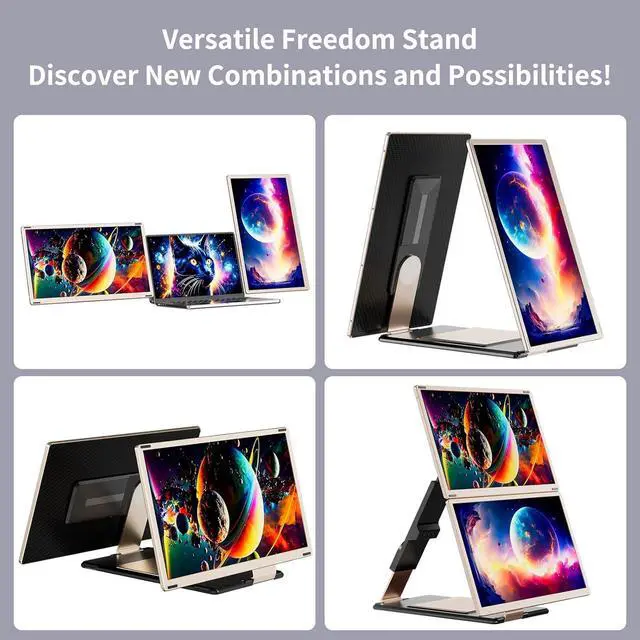
Rotatable screen
Stretchable Bracket


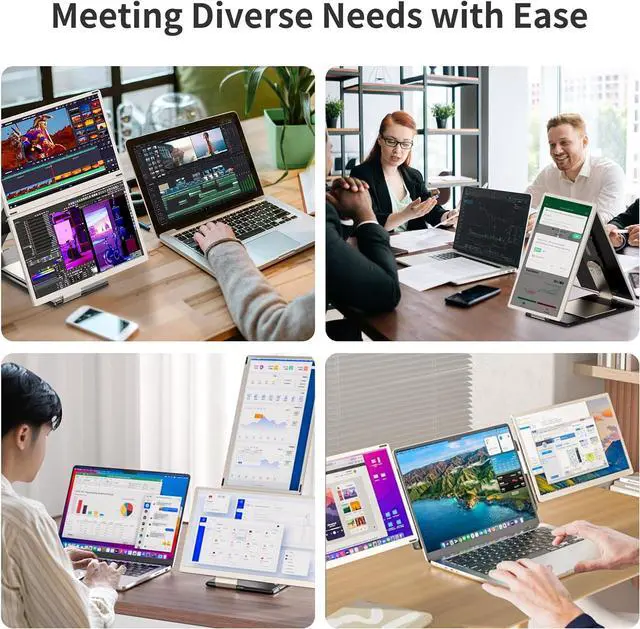
Widely Applicable To Multiple Scenarios And Modes

Work Remotely from Home

Conference Communication

Play games together

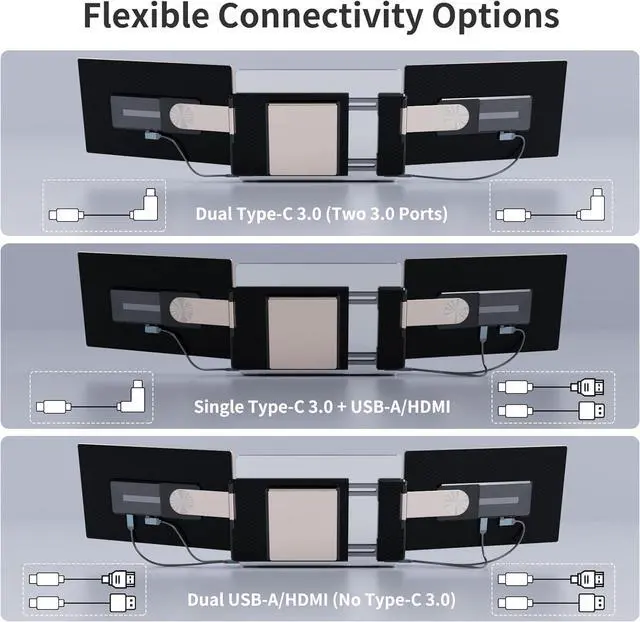
Connection Method 1
Connection Method 2
Connection Method 3
Connection Method 4


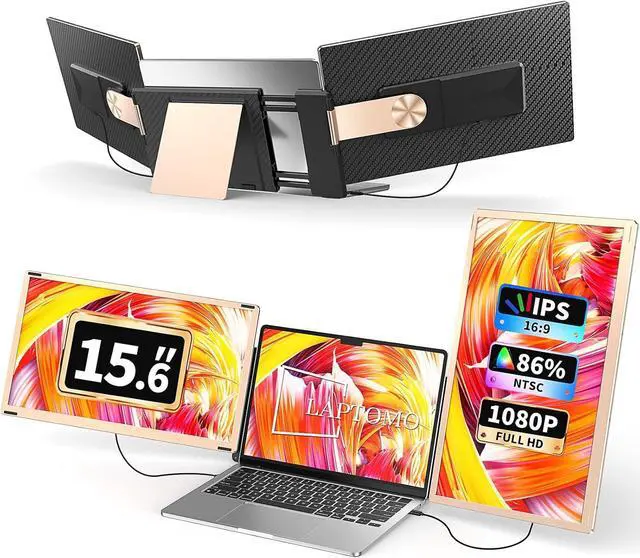
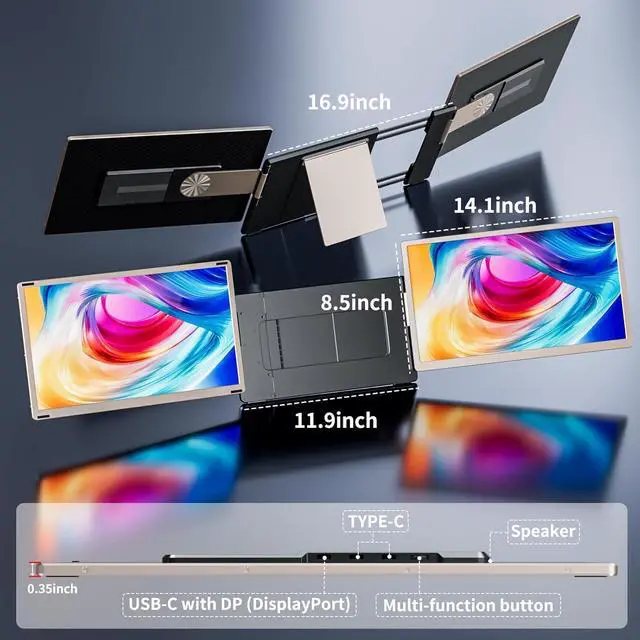
Detachable & Flexible Stand - Upgrade your workspace with this triple laptop screen extender featuring a detachable design that allows each portable monitor to be used independently for business trips, presentations, or remote work. This detachable laptop screen extender supports 11+ DIY display configurations, making it easy to switch between landscape, portrait, stacked, and other layouts. The upgraded stand supports 235° horizontal rotation and 90° vertical adjustment, delivering the perfect viewing angle wherever you work.
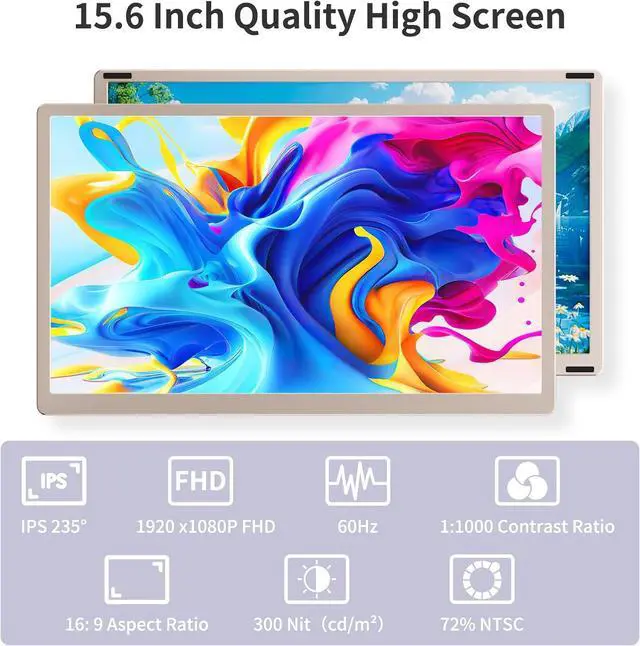
1080P IPS FHD quality - Enjoy stunning visuals on the 15.6-inch portable monitor with Full HD 1920×1080 IPS resolution, 120% sRGB color gamut, 300 nits brightness, 1000:1 contrast ratio, and 60Hz refresh rate for vibrant colors and sharp details. Built-in speakers deliver immersive sound, while low blue light, anti-glare, and flicker-free technology help reduce eye strain, making this portable laptop monitor ideal for work, gaming, streaming, and entertainment.
Triple Screens, Up to 300% Efficiency - Turn your laptop into a powerful triple monitor setup and increase productivity by up to 300%. Open multiple windows simultaneously for coding, stock trading, video editing, data analysis, online meetings, and multitasking without constantly switching tabs. The detachable dual portable monitors can also be shared during presentations, training sessions, or multiplayer gaming, making this laptop screen extender perfect for both work and entertainment.
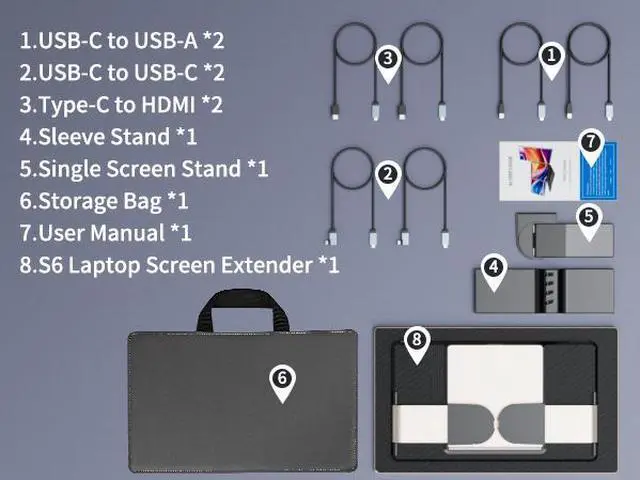
Plug and Play, No Driver Required - Designed for 13" - 16.5" laptops, this triple monitor extender offers true plug-and-play convenience. Simply connect via USB-C, USB-A, or HDMI, and you're ready to work without installing any drivers. Enjoy a quick and hassle-free setup whether you're at home, in the office, or on the go.
Wide Compatibility & Reliable Support - This triple portable monitor is compatible with Windows, macOS, ChromeOS, Android, Linux, DeX, and more, making it an ideal external monitor for laptop across multiple devices. Backed by reliable customer service, our support team is ready to assist you within 24 hours if you have any questions about setup or compatibility, ensuring a smooth and worry-free experience from day one.