

Your Browsing History

Ships from China.


Meet Your Seller

Sponsored Products

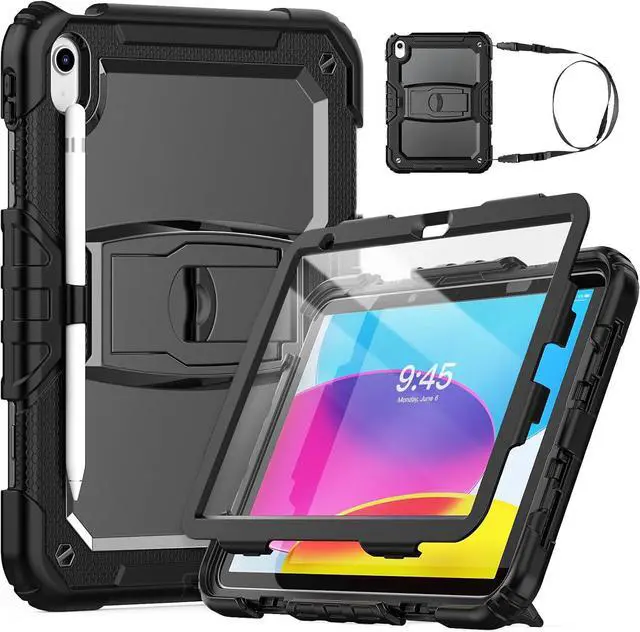
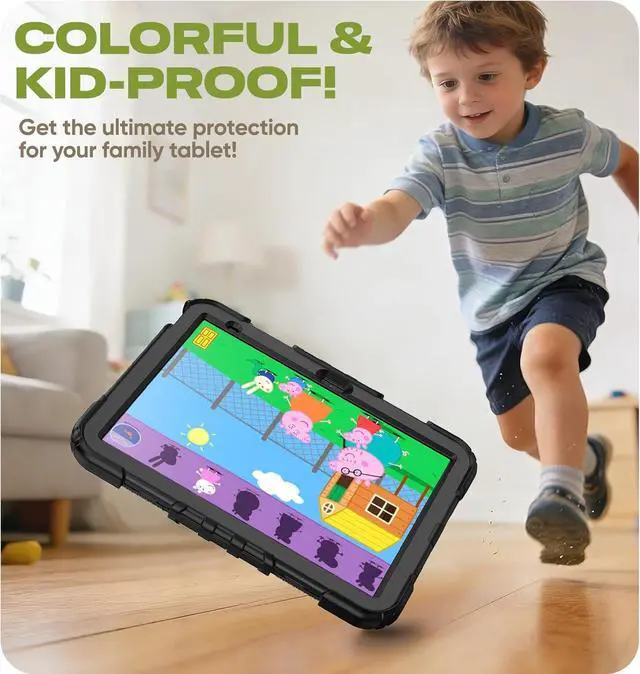
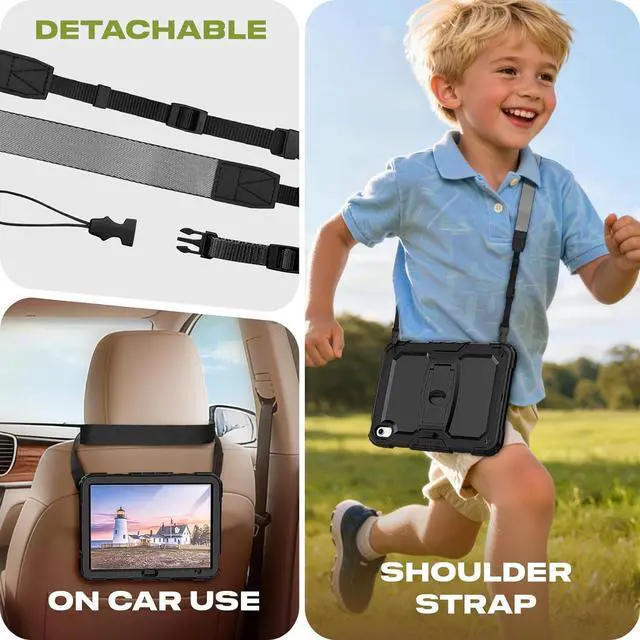


Case for iPad (A16) 11th Generation 11 inch, iPad 10th Gen Case 10.9 inch, Drop Proof with Screen Protector, Pencil Holder, Shoulder Strap, Foldable Stand, Cute iPad Case for Kids, Black
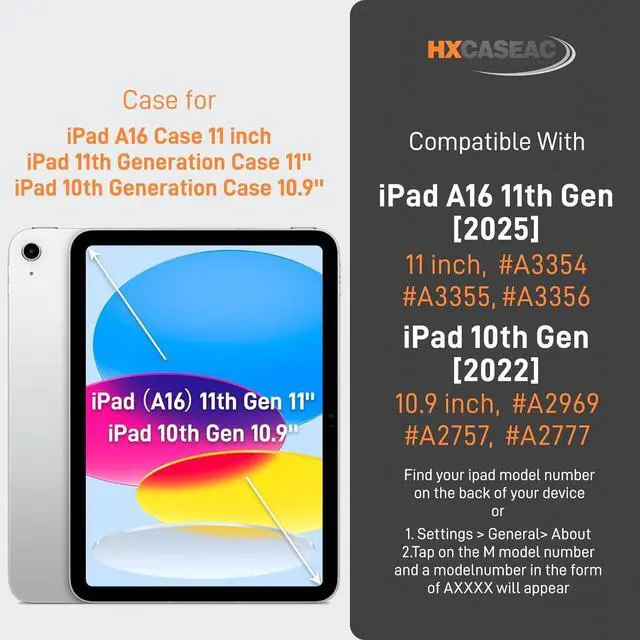
- Fits iPad A16 Case Kids For iPad 11th Generation Case / iPad 10th Generation Case. Model Number : A2696 / A2757 / A2777 / A3354 / A3355 / A3356. The Pencil is NOT included, you can find installation video on this product page.
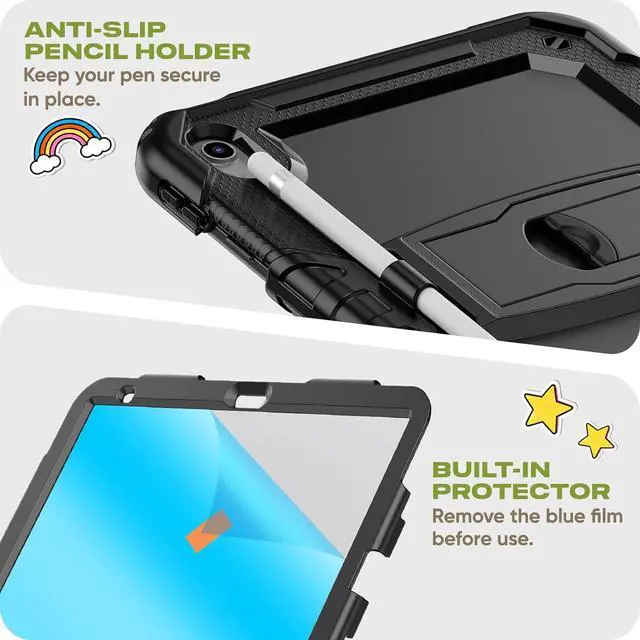
- Strong Protection with Screen Protector Idea for kids, no worries when they play the ipad, our case with high-quality durable material, provide strong protection, keep the ipad 11 safe from SHOCK, DROP, SCRATCHES in daily use, you can use in work, school, travel or anywhere you need.
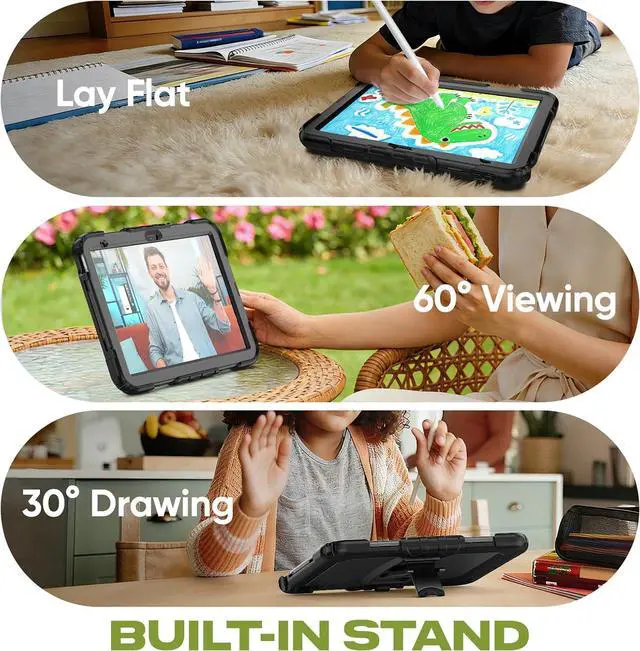
- Foldable Stand Provide viewing and tying angle you need, also the stand is built-in design, you can fold the stand up when not in use, and the tablet can be placed flat if you need.
- Pencil Holder & Precise Cut-outs Allow easy access to all ports and buttons, the Pencil Holder can always keep your pencil secure in place, free take the ipad 11th gen cover around or put it in to your bag.
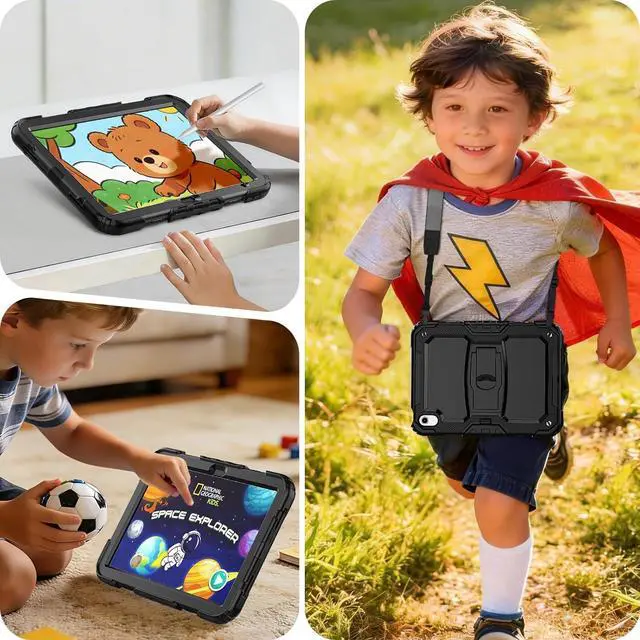
- Multifunctional Carrying Strap Detachable and adjustable shoulder strap, both kids and adults can carry the tablet around. Especially ideal for traveling! Because you can hanging it on the back of the seat during car rides like a TV.
+
+
Overview
Specs
Reviews

Any questions? Our AI mode will help you find out quickly.
Try me now
Easy to install the iPad (A16) / iPad 11th /10th Generation Case For Kids !
- Use the blue tool to take off the [Front Cover] first, detach parts of the [Silicone Layer] from [Back Plastic Shell] and put your tablet into the case.
- Reattach the [Silicone Layer], make sure the silicon align all buttons, test the volume first before put on the front frame.
- Peel off the [Blue Film] and FINAL install the [Front Cover] on the tablet.
Warranty & Returns
Warranty, Returns, And Additional Information
Warranty
- Please contact the Seller directly for warranty information. Warranty information may also be found on the Manufacturer's website.
- CONTACT
Return Policies
- Return for refund within: 30 days
- Return for replacement within: 30 days
- This item is covered by Superior Quality Return Policy
Manufacturer Contact Info
- For a directory of all our manufacturers, please click below.
- Manufacturers Directory
LOADING...