

Your Browsing History
- Free 30-day Returns
$42.00
Ships from China.


Meet Your Seller


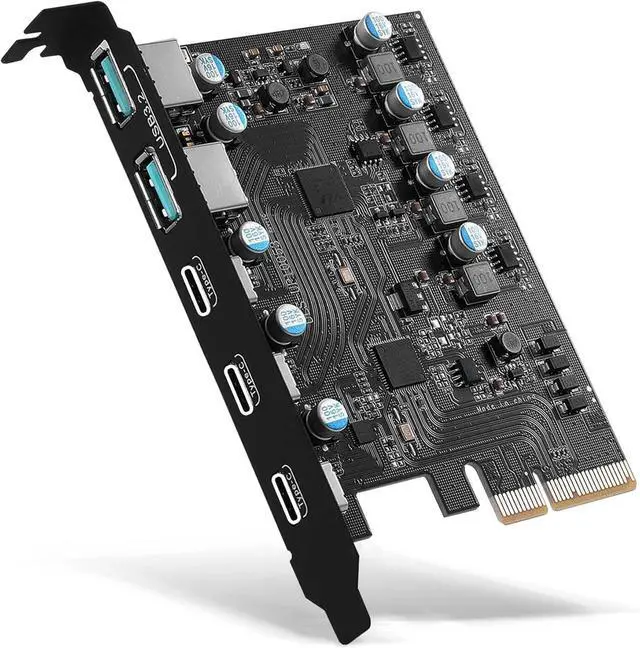

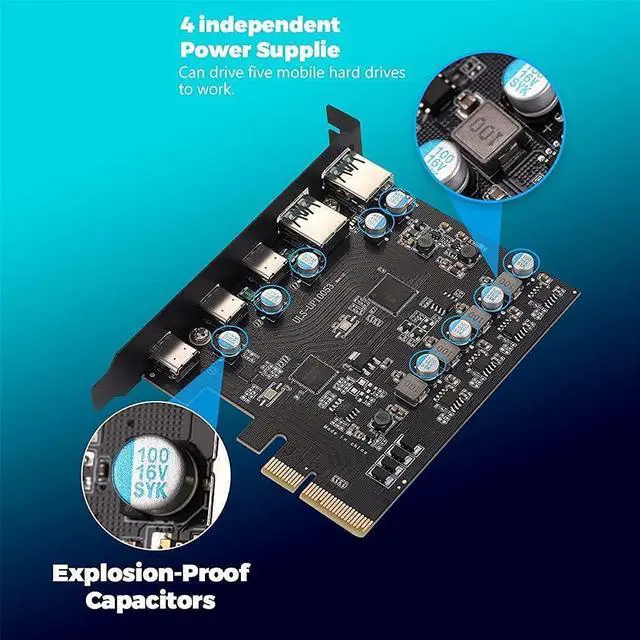


PCIe to USB 3.2/USB 3.1 Gen 2 Card 10Gbps 5-Port (3X USB C -2X Type A) PCI Express Expansion Card PC Internal Hub for Windows 10/8/7 Linux and MAC OS 10.8.2 Above
- Insert the PCIe USB 3.2/USB 3.1 gen 2 card into the PCI Express (4X) slot, you can upgrade desktop computer to 3x USB C and 2x USB A ports.On this basis, make more devices connected to computer systems,such as external hard drive,printer,scanner,tablet,smart phone,USB VR,game controller,etc
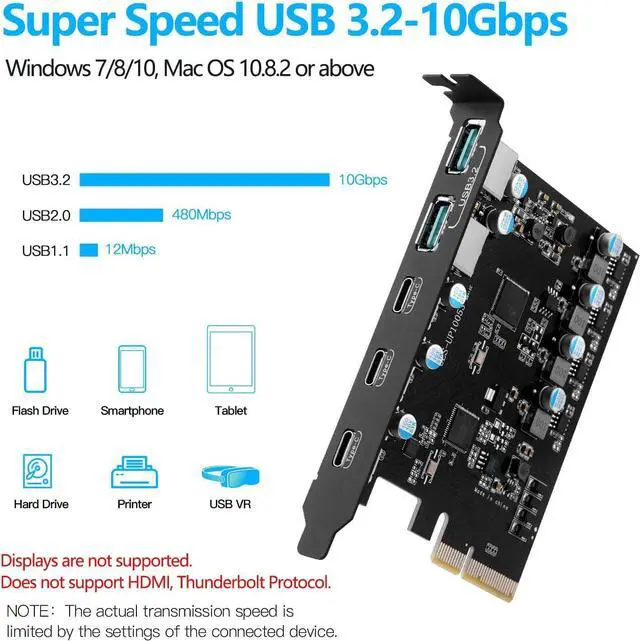
- SuperSpeed USB 3.2: 2 USB Type-C ports and 2 USB Type-A ports share 10Gbps bandwidth, the bottom USB Type-C port exclusive speed 10Gbps bandwidth. External USB device supports data transfer rates of up to 10Gbps when used on its own. This PCIe card is a must-have for external hard drives and ideal for file transfers. (Note: Actual transfer speeds may be limited by the connected device).
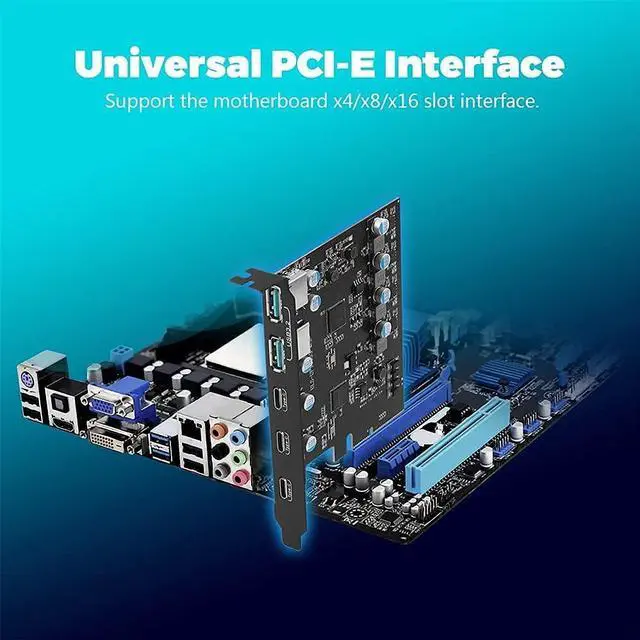
- Extensive compatibility: The card supports PCI Express X4 ,X8,and X16 slots. USB 3.2 ports are backward compatible with 3.0 and 2.0. The operating system is compatible with Windows 7,8,and 10 (32/64-bit) and Mac OS 10.8.2 or higher. When the PCIe usb card is installed,Win 10,Mac OS and Linux don't need a driver, Windows 7 system must install the drive
- Intelligent protection: Each interface has independent insurance,with over-current and short-circuit intelligent protection to protect your computer equipment. In addition, a low-power USB device connection doesn't require an external power supply. Easy to install,The card can be powered directly from the PCIe slot on the motherboard
- What You Get: 1x USB 3.2 PCIE card
+
+
Overview
Specs
Reviews

Any questions? Our AI mode will help you find out quickly.
Try me now
Product description
Introduction:
The PCIe USB 3.2/USB 3.1 Gen 2 card can be connected to the motherboard through a PCI Express (X4) slot, and easily update your old desktop computer to 3 Type C ports and 2 USB 3.2 gen 2 downstream ports. Effectively solve the problem of insufficient Internal USB port on the host.Furthermore ,There will be no loss of connectivity issues like an external usb hub.
Product Advantages:
1. The 5 external USB ports of the PCIE card adopt a stacked layout, which can save the space of the host.
2. Built-in YEELIYA self-powered technology, it is easy to install on the computer, without additional power supply.
3. The USB 3.2 gen 2 port has a speed of 10Gbps bandwidth(2x USB Type-C port and 2x USB Type-A ports share 10Gbps, the remaining 1 USB C port has exclusive use of another 10Gbps ), realizing fast transmission for your USB device; in addition, the PCIe USB card has 3 differently designed USB C ports, supporting type-C devices such as smartphones and tablets for file transfer.
Note: ALT DP, HDMI, VGA display video monitor conversion function is not supported.
Installing and using this PCIE card may require some additional tuition, please download (10053-Use Manual) from the product page (Product Guides and Documentation) for proper installation procedures.
Before making a choice, please read the (NOTE) and (Warm Note) at the end of the pa
Safe and StableEach USB port is equipped with explosion-proof capacitors and insurance components, with over-current stable voltage function, which is easier to protect your equipment than the other PCIE card.
Support Windows 10/8/7 / Vista / XP, Linux and Mac OS 10.8.2 (above) operating system, Win 10, Linux and Mac OS 10.8.2 above do not need any driver.
This card has enough USB ports to connect your keyboard, mouse, game controller and USB VR. Get rid of the problem of the computer host internal with fewer USB port, and add unlimited fun to you.
Installation StepsTurn off the computer, unplug the power source, and remove the cover of the computer case
Step 2Find the PCIe slot suitable for pcie usb card.
Insert the card down into the PCI-E slot.
Tighten the screws on the side of the bracket with a screwdriver, put the computer cover back on the computer, and then insert the plug into the socket.
Warm Note:
1. Computer host internal need Available PCI Express x4, x8 or x16 slot.
2. System requirements are Windows XP/7/8/10 operating system and Mac OS 10.8.2 above, 4GB DDR RAM or above.
(Doesn't support MSI/Dell PC series Win 11 system.)
3. Windows 7 / XP system needs to install the driver from the attached CD, or download the driver according to the content of the user manual.
4. Select the interface type that matches the PCIE card, e.g. USB 3.1-A, USB-C. Cord specifications require USB version 3.1 Gen 2 to avoid performance impacts due to speed mismatch. The PCIE card USB A port: 5V-0.9A, USB-C port: 5V-3A, make sure to use 5V-0.9A and 5V-3A cord, and correspond to the corresponding interfaces to avoid the wrong cord from being plugged into the wrong port, resulting in insufficient power supply, so that the device can not work properly.
5. USB terminology: USB 3.2 Gen 2x1 was originally called USB 3.1 Gen 2. Since many motherboard factory have not updated their hardware technology in time, most computer programs will display USB 3.1, but it does not affect the speed.
NOTE :
1.Not compatible with the old version of PCI Express X1 slot.
2. The USB expansion card only supports data transmission, not video signal transmission (DP, HDMI monitor) or Such as USB c Hub hdmi/VGA function conversion.
3.Do not install this PCIE card when the computer is turned on.
4.If the card doesn't work, check whether the PCI-E socket on the motherboard is faulty.
5. Also, for USB 3.2 cards to get USB3.2 SuperSpeed +performance, be sure to use PCI-E 3.0 or higher slots for card installation.
6.The card is For standard-size computers only and doesn't apply to low-profile/mini/half-height PC(didn't come with a half-height bracket).
7.The USB device has a limitation on the throughput/performance of data transfer from the expansion card. In addition, do not plug high power cord/USB to HDMI cord into this USB 3.2 card to avoid unnecessary compatibility issues.
Package Contents:
1 * USB 3.2 PCIE Card
2 * Scre
Warranty & Returns
Warranty, Returns, And Additional Information
Warranty
- Please contact the Seller directly for warranty information. Warranty information may also be found on the Manufacturer's website.
- CONTACT
Return Policies
- Return for refund within: 30 days
- Return for replacement within: 30 days
- This item is covered by Superior Quality Return Policy
Manufacturer Contact Info
- For a directory of all our manufacturers, please click below.
- Manufacturers Directory
LOADING...