


• $28.99
  • Price alert
    Shop it at NeweggBusiness.

    Meet Your Seller

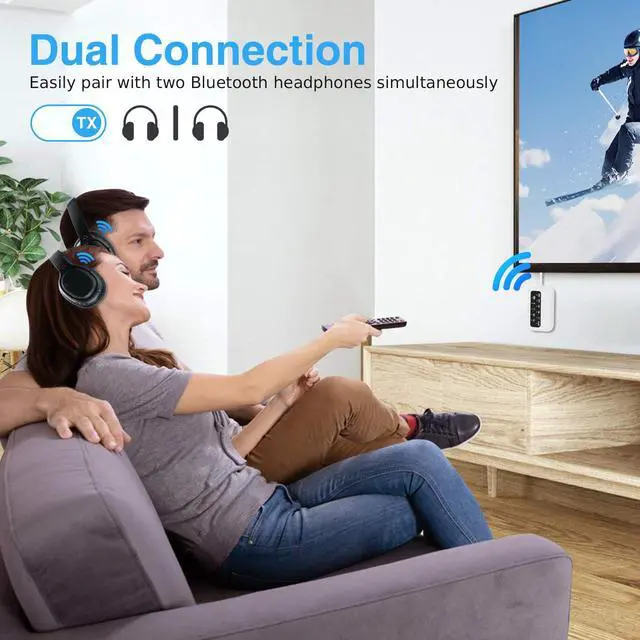
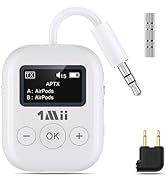
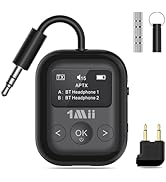
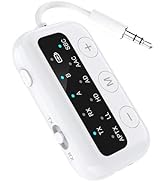
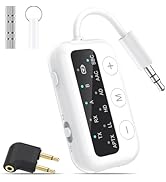
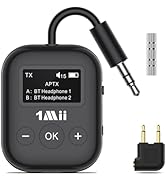
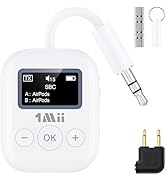
    SafeFly Dot-Bluetooth 5.3 Transmitter Receiver for up 2 Headphones, AptX Low Latency/HD, Plane Travel Essentials, Wireless Audio Bluetooth Airplane Adapter for Flight, TV, Car, PC (White)

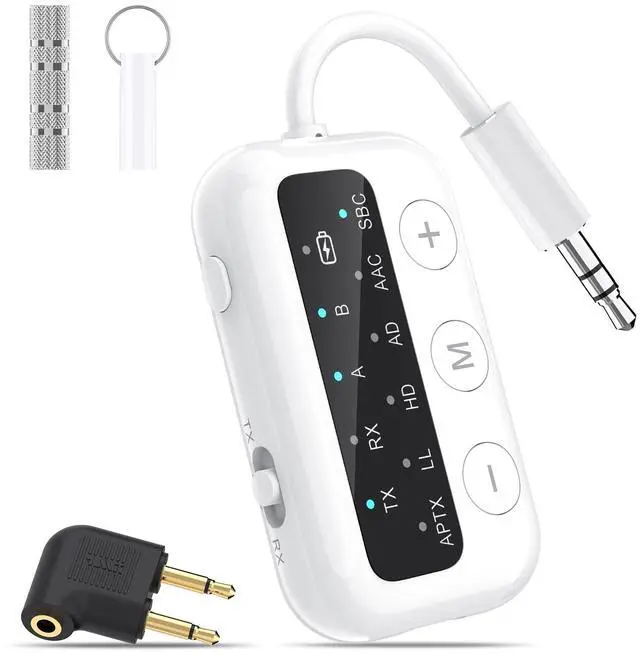
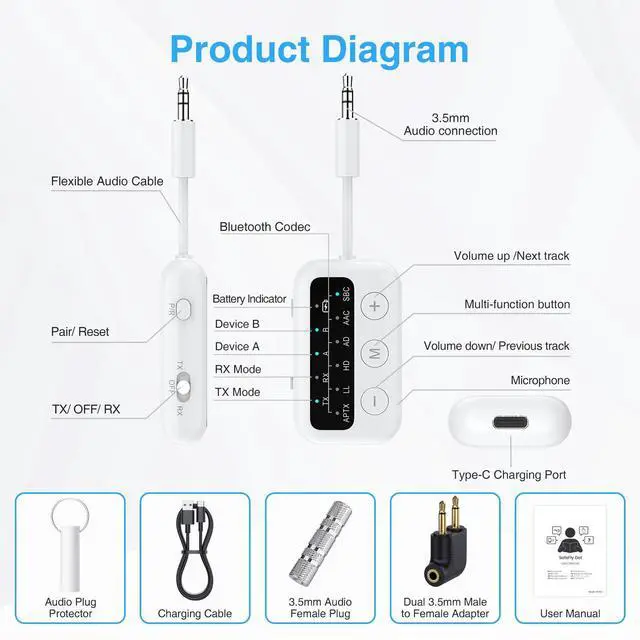
    • Bluetooth 5.3 technology: This Bluetooth adapter features Bluetooth 5.3 technology, supporting 6 decoding formats, including SBC, AAC, aptX, aptX-LL, aptX-HD, and aptX-AD, offering extensive compatibility and an exceptional audio experience.
    • Ease of Use: This airplane bluetooth adapter has a clear and intuitive indicator panel. Through various light effects, you can easily identify the current connection mode/audio format/paired devices/battery level. Furthermore, its lightweight design is very convenient to carry.
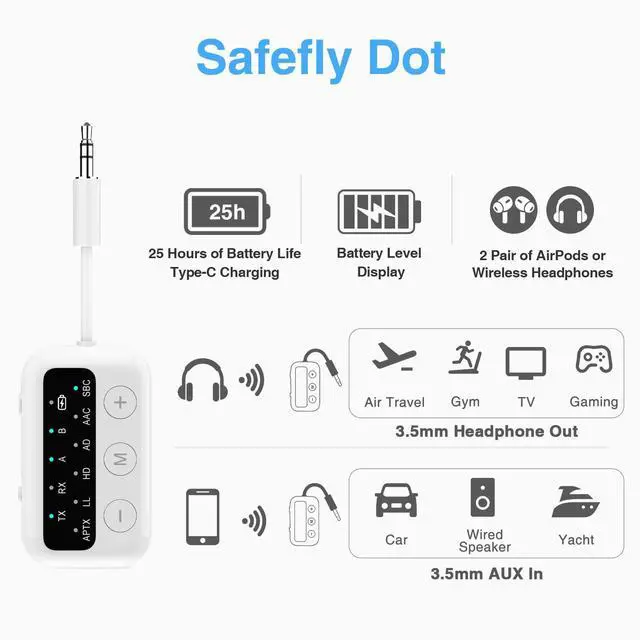
    • 25-hour Battery Life: With just 2 hours charge, enjoy 25 hours of music continuously, perfect for long journeys. If you forget to charge before a flight, simply connect it to a power source using the provided USB-C cable to keep the music going.
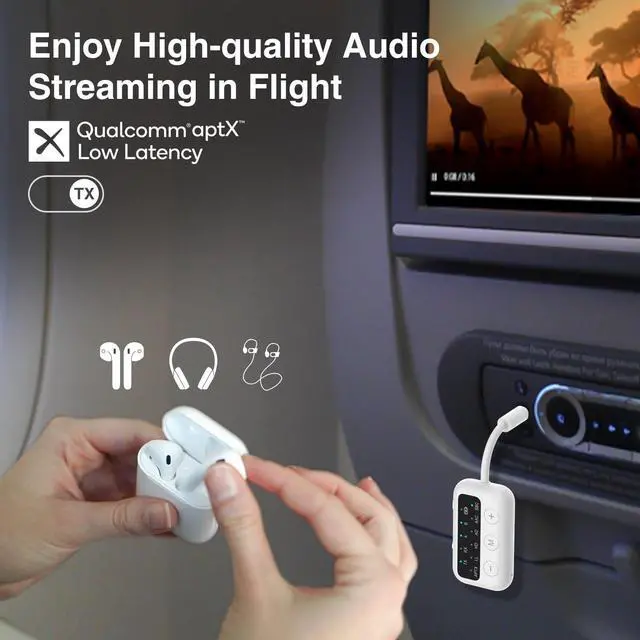
    • Low Latency: Enjoy synchronized audio and video with aptX-LL low latency technology during gaming/binge-watching/video viewing, and savor high-quality music with aptX-HD. Supports aptX LL, HD, and AD for dual-channel stereo output.
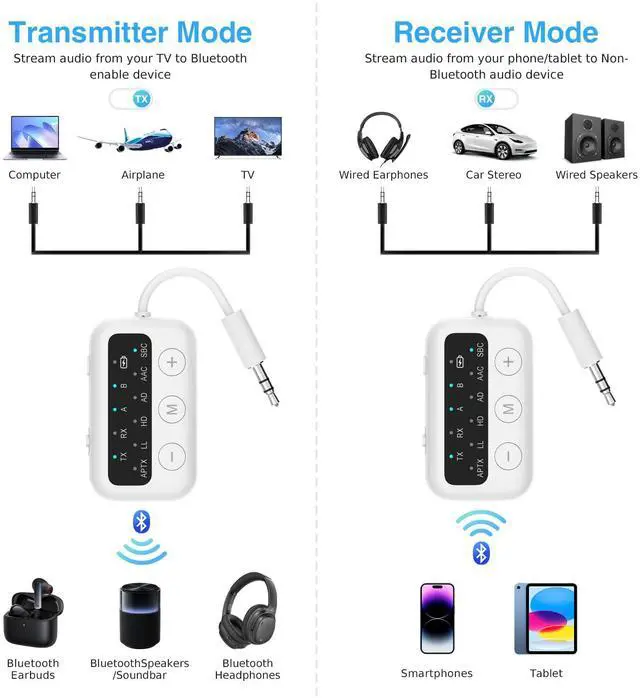
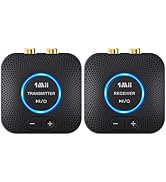
    • 2-in-1 Transmitter Receiver: In TX mode, this Bluetooth transmitter can wirelessly stream audio from non-Bluetooth TVs, computers, and flight devices to Bluetooth headphones or speakers. In RX mode, it connects your smartphone to headphones and speakers via Bluetooth.
    +
    +
    Overview
    Specs
    Reviews
    avatar

    Any questions? Our AI beta will help you find out quickly.

    1Mii SafeFly Dot

    Merchant Video

    In TX mode, the AAC decoding format is not supported;In RX mode, the APTX-LL decoding format is not supported

    bluetooth reeceiver for stereo

    What's in the package?

    5
    Q1: Does it support call functionality?
    A1: The SafeFly Dot has a built-in microphone, and the call function is only available in receive mode; transmit mode does not support call functionality.
    Q2: How to change the audio codec?
    A2: In transmit mode, double-click the "M" button to switch the decoding format. Note: The decoding format can only be switched if the receiving device supports SBC/aptx-LL/aptx-HD/aptx-AD.
    Q3: Why is there still voice delay?
    A3: To achieve low latency in transmit mode, your Bluetooth device must also support aptX-LL.
    Q4: Is it compatible with AirPods?
    A4: Yes, it is compatible with AirPods, but it is not with AirPods Pro Gen 2.
    Q5: How to reset the 1Mii SafeFly Dot?
    A5: Hold the P/R button for 8 seconds to reset the device.
    Q6: How to check the battery level?
    A6: Triple-click the M key, five green flashes represent 100%, four green flashes represent 75%, three green flashes represent 50%, two green flashes represent 25%, and one green flash represents less than 10%.
    Q7: Is it for live music playback?
    A7: The SafeFly Dot is not suitable for live music, instruments, or karaoke. We do not recommend using it on electronic pianos or guitars that require 2.4G audio transmission synchronization.

    1Mii SafeFly Dot

    Merchant Video

    In TX mode, the AAC decoding format is not supported;In RX mode, the APTX-LL decoding format is not supported

    bluetooth reeceiver for stereo

    What's in the package?

    5
    Q1: Does it support call functionality?
    A1: The SafeFly Dot has a built-in microphone, and the call function is only available in receive mode; transmit mode does not support call functionality.
    Q2: How to change the audio codec?
    A2: In transmit mode, double-click the "M" button to switch the decoding format. Note: The decoding format can only be switched if the receiving device supports SBC/aptx-LL/aptx-HD/aptx-AD.
    Q3: Why is there still voice delay?
    A3: To achieve low latency in transmit mode, your Bluetooth device must also support aptX-LL.
    Q4: Is it compatible with AirPods?
    A4: Yes, it is compatible with AirPods, but it is not with AirPods Pro Gen 2.
    Q5: How to reset the 1Mii SafeFly Dot?
    A5: Hold the P/R button for 8 seconds to reset the device.
    Q6: How to check the battery level?
    A6: Triple-click the M key, five green flashes represent 100%, four green flashes represent 75%, three green flashes represent 50%, two green flashes represent 25%, and one green flash represents less than 10%.
    Q7: Is it for live music playback?
    A7: The SafeFly Dot is not suitable for live music, instruments, or karaoke. We do not recommend using it on electronic pianos or guitars that require 2.4G audio transmission synchronization.

    Introducing the Bluetooth Airplane Adaptor, your perfect travel companion that transforms in-flight entertainment by allowing you to connect your Bluetooth headphones or speakers to the airplane's audio system effortlessly. With its compact and lightweight design, this adaptor ensures easy portability, fitting seamlessly into your carry-on luggage. Enjoy high-quality audio with crystal-clear sound, enhancing your movie and music experience. The user-friendly plug-and-play setup requires no complicated installationjust plug it into the in-flight audio jack, pair your device, and youre ready to go. Equipped with a long-lasting rechargeable battery, the adaptor provides hours of uninterrupted listening, making it ideal for long-haul flights. Compatible with most in-flight entertainment systems and Bluetooth devices, the Bluetooth Airplane Adaptor is safety certified and designed to elevate your travel experience, ensuring you stay entertained and connected throughout your journey.


    Product information

    Special Feature Low Latency
    Brand 1Mii
    Connectivity Technology Bluetooth
    Power Source Battery Powered
    Material Acrylonitrile Butadiene Styrene (ABS), Plastic
    Product Dimensions 2.17 x 1.26 x 0.51 inches
    Item Weight 2.39 ounces
    Item model number SafeFly Dot
    Batteries 2 LR44 batteries required. (included)
    Date First Available August 30, 2024
    Manufacturer 1 Mii

    Warranty & Returns

    Warranty, Returns, And Additional Information

    Warranty

    • Please contact the Seller directly for warranty information. Warranty information may also be found on the Manufacturer's website.
    • CONTACT

    Return Policies

    Manufacturer Contact Info

    LOADING...