






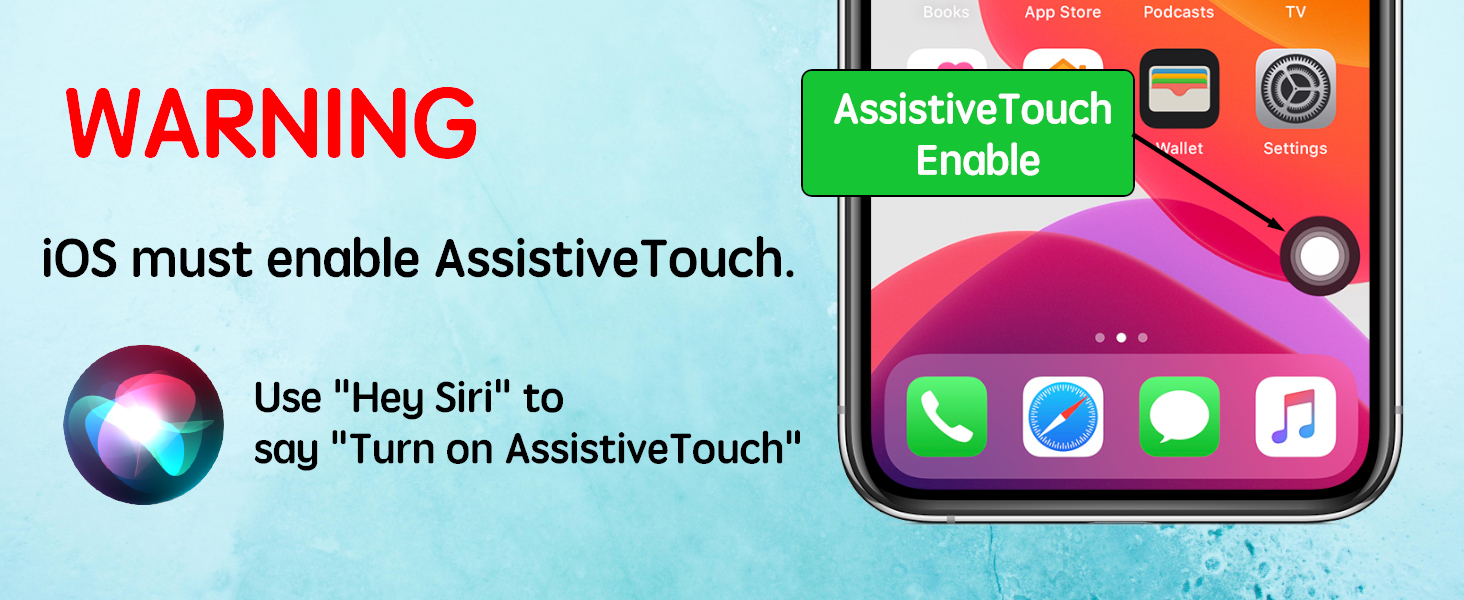
User Siri
Use "Hey Siri" to say "Turn on AssistiveTouch"
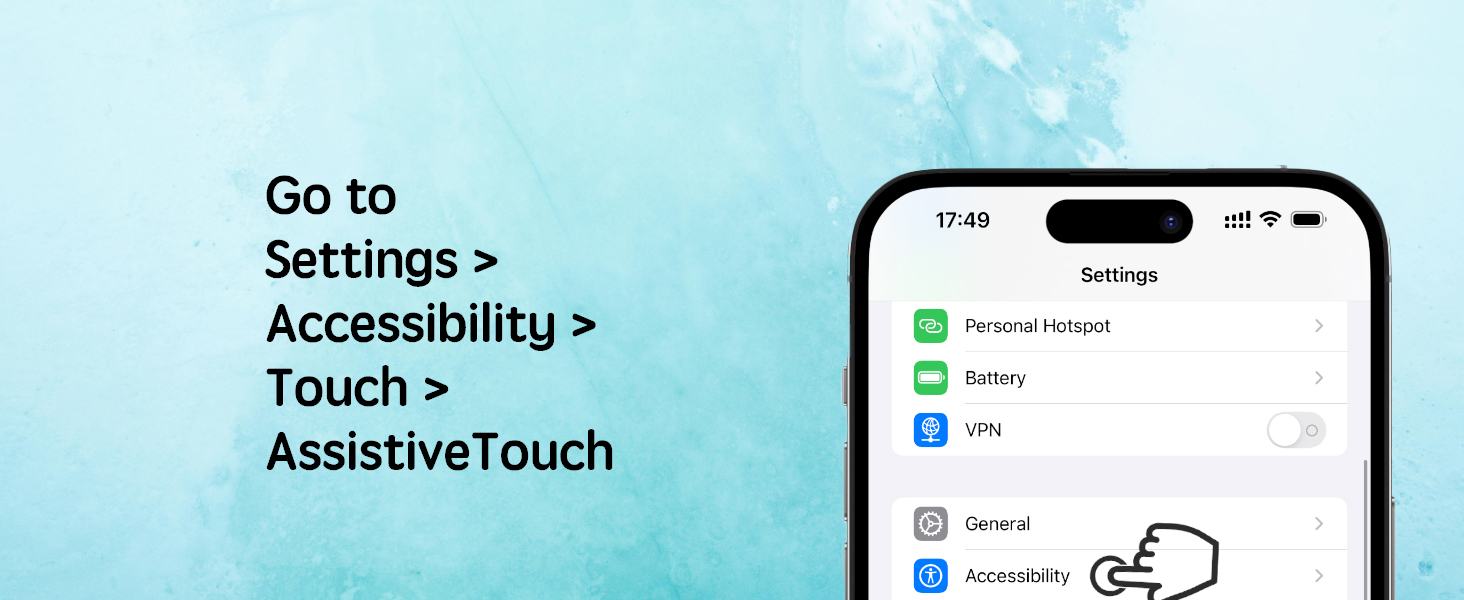
Go to Setting
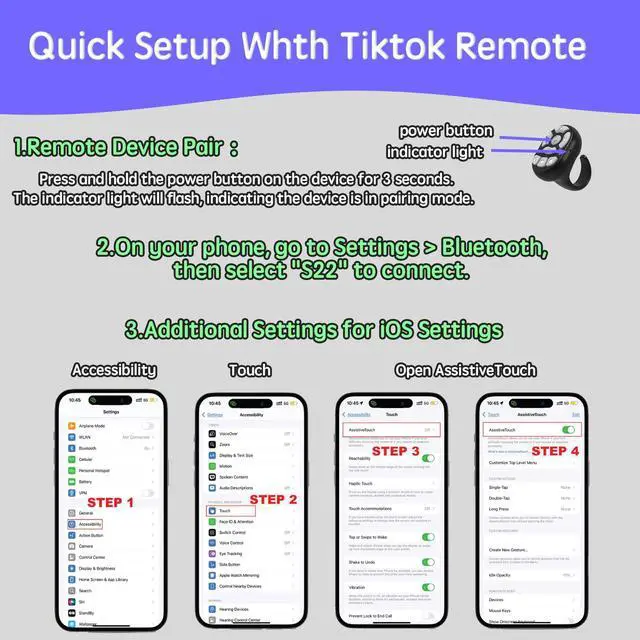
Go to Settings > Accessibility > Touch > AssistiveTouch, then turn on AssistiveTouch
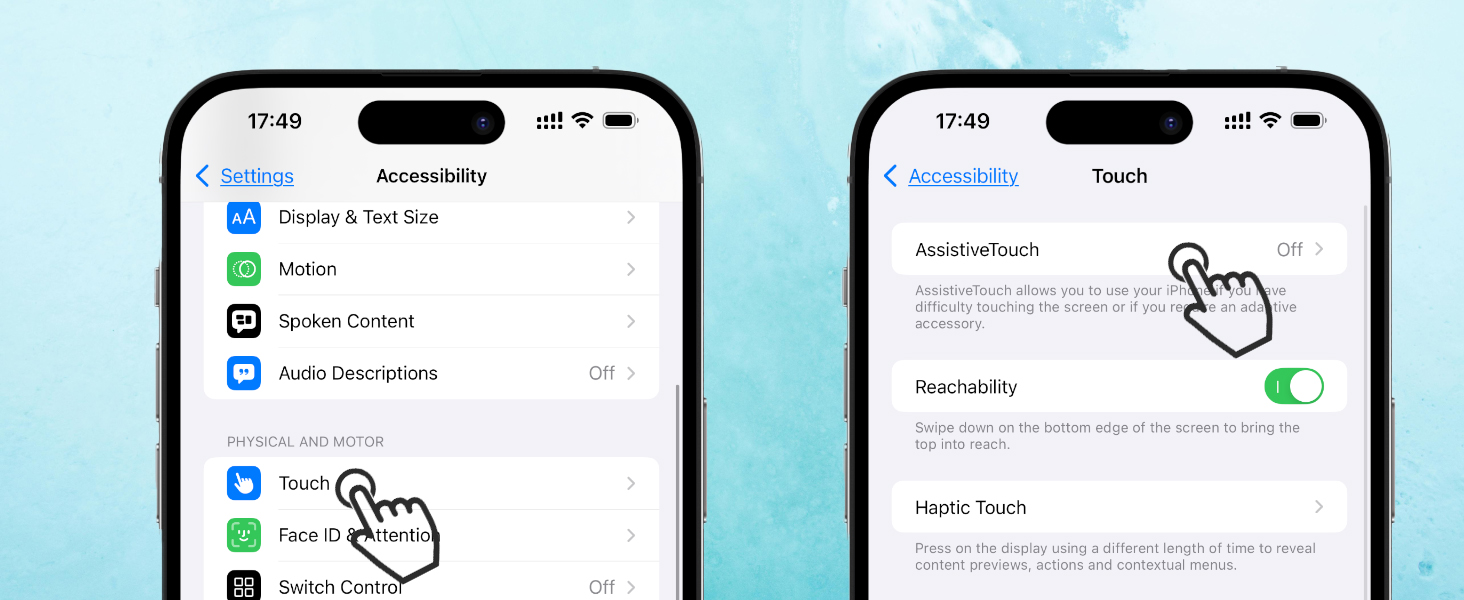
Go to Setting
Go to Settings > Accessibility > Touch > AssistiveTouch, then turn on AssistiveTouch
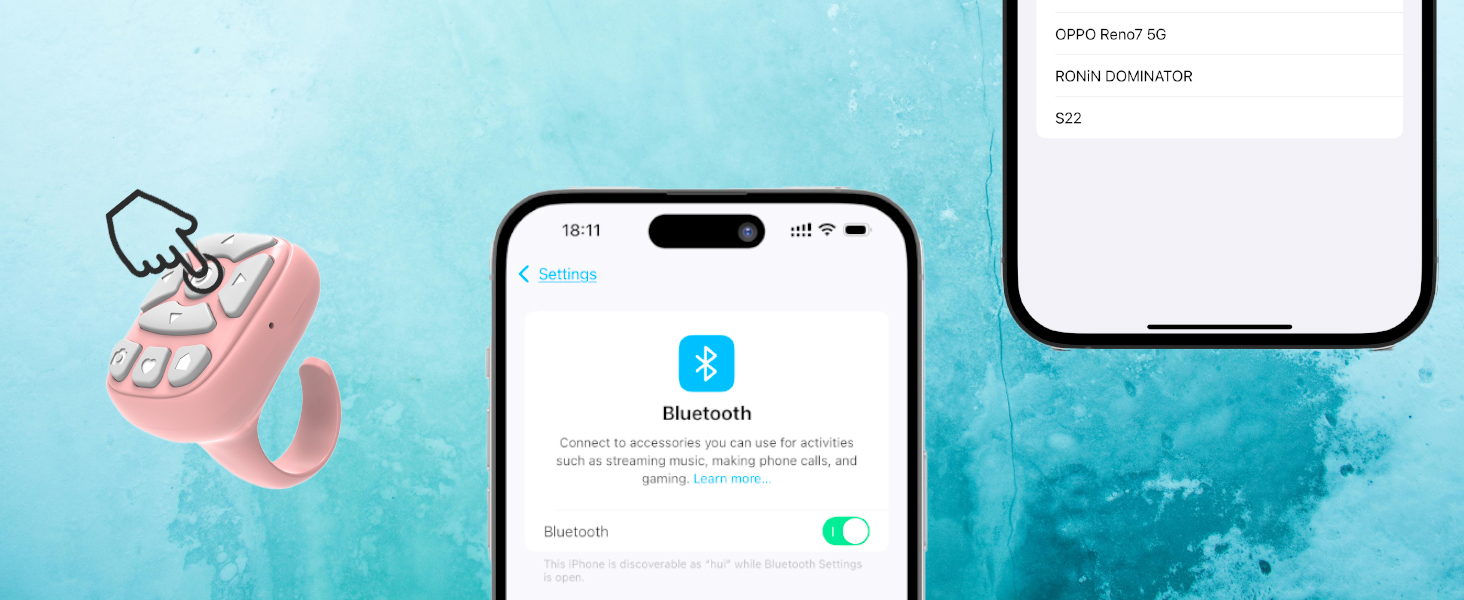
Connect Bluetooth
Press and hold the button for 3 seconds,the indicator flashes.
Open settings Bluetooth, and connect.
iOS User Settings : AssistiveTouch must be enabled.

Go to Settings > Bluetooth, Turn on S22
Android User Pairing
Go to Settings > Bluetooth on your Android phone and turn it on. Press and hold the S22 power button until the light flashes. In Bluetooth settings, tap Scan, select S22, and confirm pairing. Once connected, the status shows "Connected", and the device is ready to use.
In-Depth Daily Usage Experience
In-Depth Daily Usage Experience
Merchant Video? Scroll through TikTok hands-free with remote control!
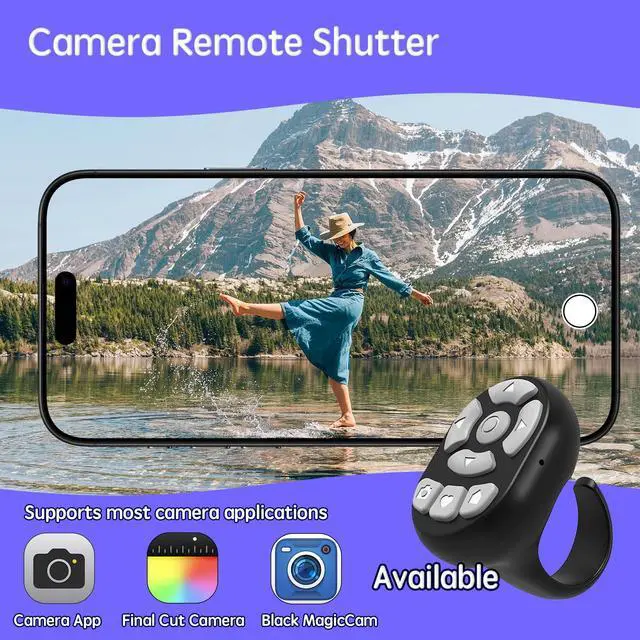
? Take photos remotely—perfect for selfies without touching your phone!
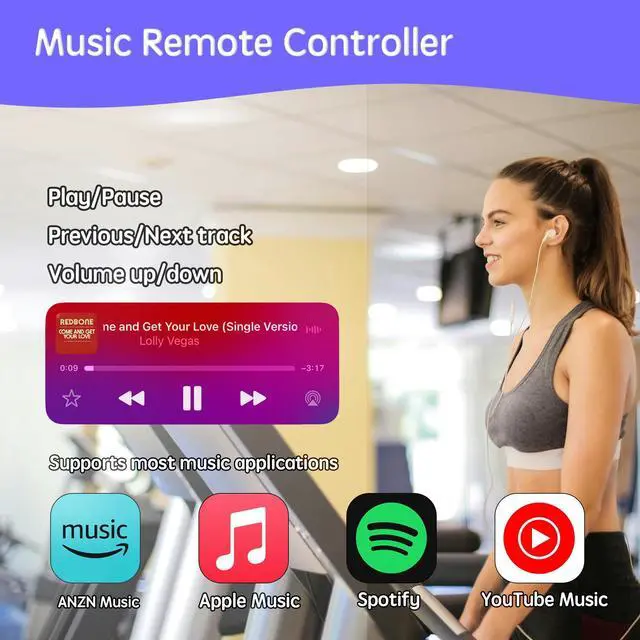
? Switch music tracks effortlessly with just a click!
Explore Every Brilliant Detail of the Product : S22

S22 Intuitive Control
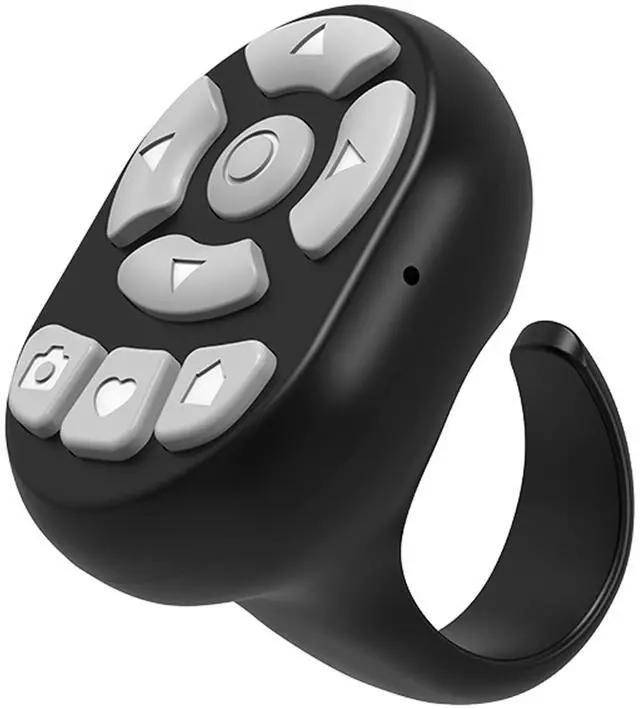
Directional keys for navigation, remote shutter for photos, and a “like” button for favorites—intuitive and seamless!

S22 Convenient Charging
Sleek side port, fast charging, always ready!

S22 LED Indicator
The side indicator light clearly shows Bluetooth and charging status, keeping you informed and in control at all times!

S22 Snug Fit, Effortless Wear
Lightweight and ring-like fit, ensuring natural comfort without restricting movement. Secure and ergonomic for all-day wear!
Explore Every Brilliant Detail of the Product : S29

S29 Intuitive Control
Directional keys for navigation, remote shutter for photos, and a “like” button for favorites—intuitive and seamless!

S29 Convenient Charging
Sleek side port, fast charging, always ready!

S29 LED Indicator
The side indicator light clearly shows Bluetooth and charging status, keeping you informed and in control at all times!

S29 Snug Fit, Effortless Wear
Lightweight and ring-like fit, ensuring natural comfort without restricting movement. Secure and ergonomic for all-day wear!
S22/S29 Technical Specifications


iOS User Settings : AssistiveTouch must be enabled.
User Siri
Use "Hey Siri" to say "Turn on AssistiveTouch"
Go to Setting
Go to Settings > Accessibility > Touch > AssistiveTouch, then turn on AssistiveTouch
Go to Setting
Go to Settings > Accessibility > Touch > AssistiveTouch, then turn on AssistiveTouch
Connect Bluetooth
Press and hold the button for 3 seconds,the indicator flashes.
Open settings Bluetooth, and connect.

Android User Pairing
Go to Settings > Bluetooth on your Android phone and turn it on. Press and hold the S22 power button until the light flashes. In Bluetooth settings, tap Scan, select S22, and confirm pairing. Once connected, the status shows "Connected", and the device is ready to use.
In-Depth Daily Usage Experience
In-Depth Daily Usage Experience
Merchant Video? Scroll through TikTok hands-free with remote control!
? Take photos remotely—perfect for selfies without touching your phone!
? Switch music tracks effortlessly with just a click!
Explore Every Brilliant Detail of the Product : S22
S22 Intuitive Control
Directional keys for navigation, remote shutter for photos, and a “like” button for favorites—intuitive and seamless!
S22 Convenient Charging
Sleek side port, fast charging, always ready!
S22 LED Indicator
The side indicator light clearly shows Bluetooth and charging status, keeping you informed and in control at all times!
S22 Snug Fit, Effortless Wear
Lightweight and ring-like fit, ensuring natural comfort without restricting movement. Secure and ergonomic for all-day wear!
Explore Every Brilliant Detail of the Product : S29
S29 Intuitive Control
Directional keys for navigation, remote shutter for photos, and a “like” button for favorites—intuitive and seamless!
S29 Convenient Charging
Sleek side port, fast charging, always ready!
S29 LED Indicator
The side indicator light clearly shows Bluetooth and charging status, keeping you informed and in control at all times!
S29 Snug Fit, Effortless Wear
Lightweight and ring-like fit, ensuring natural comfort without restricting movement. Secure and ergonomic for all-day wear!
S22/S29 Technical Specifications
| Bluetooth Version | 5.3 |
|---|---|
| Compatible Systems | Android 8.0+ / iOS 15.0+ |
| Charging Port | USB-C |
| Connection Range | 10-30 meters |
| Transmission Frequency | 2.4 - 2.4835 GHz |
| Operating Voltage | 3.9 - 4.2V |
| Battery Capacity | 55mAh |
| Working Time | 72 hours |