






Android, HarmonyOS, and Apple( iOS) systems are all supported. Compatible with iPhones, iPads, phones, and tablets.
Please note that it is NOT suitable for Kindle devices like Kindle Paperwhite, Kindle Oasis, etc.
Note: Press and hold the "volume +" or "volume -" for 2 seconds to take a photo or video.

- Designed with a phone holder, stable not only for phones but also for tablets vertically or horizontally.
- Comes with a charging case; Using time lasts for over 14 hours on a single charge and a total of 86 hours with a charging case. Fully charging the rechargeable case only takes 90 minutes.
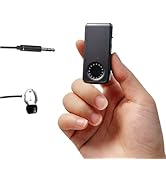
- Small size, buckle design, easy to wear, release hands, away from myopia, scrolling through short videos in winter without cold hands.
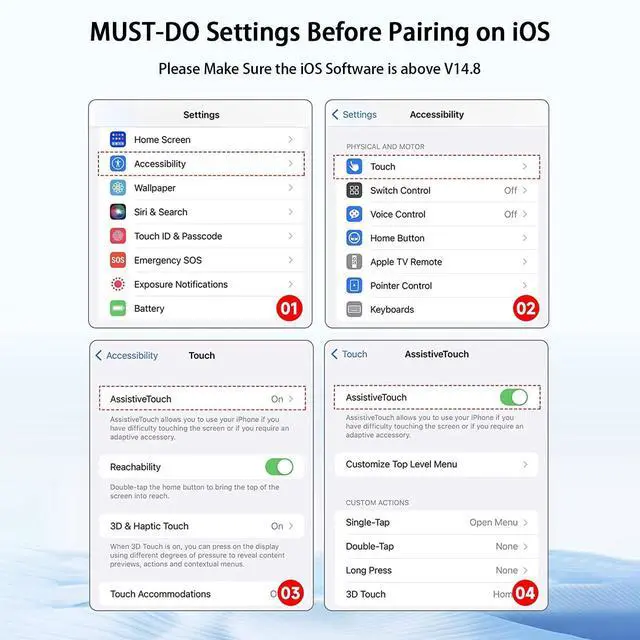
iOS devices need to open Settings>Accessibility>Touch>Turn on Assistive Touch before using.

- If your phone is iOS system, please make sure the iOS system is higher than 14.8 and you need to open the "Assistive Touch" according to the instructions above.
- If the previous settings have been completed, but the video still cannot slide up and down normally or can only be paused by pressing the button:
1. please turn off the AssistiveTouch and turn on again
2. after turn on again, short press the middle button of the ring once
3. then open the tiktok and it will be ok
- After Assistive Touch is turned on, 2 dots will appear, the large one can be dragged, and the small one cannot be dragged. When the video is not swiped, it will disappear after 30 seconds. Android and HarmonyOS phones do not have these two dots.
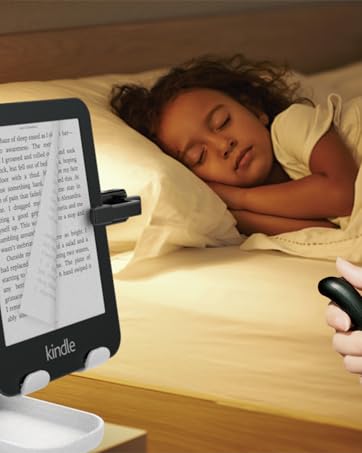
Kindle APP please turn off the "continuous scrolling" and double-click to turn the page.

Double-click "volume +" or "volume -" to turn left or right
NOT suitable for Kindle devices like Kindle Paperwhite, Kindle Oasis, etc.

2 working modes--Video / Music Mode
Long Press the up and down buttons at the same time.
The indicator will flash 3 times, which means successful.
Package Included
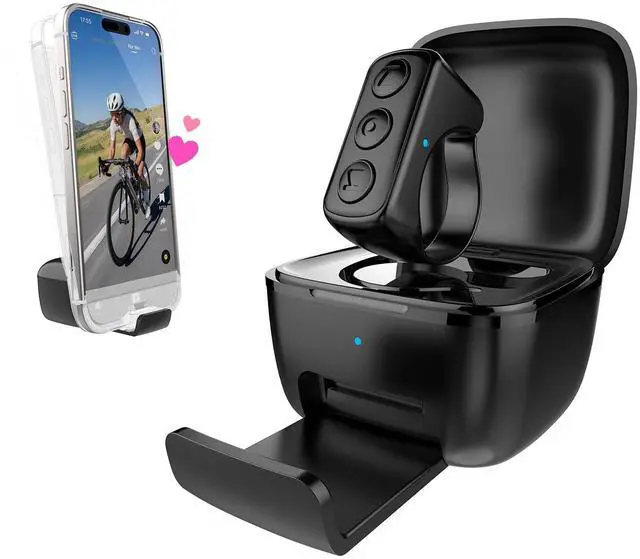
- Smart ring*1
- Charging case*1
- Type-C cable*1
- Instruction manual *1
Specifications:
- Bluetooth version: 5.0
- Support protocol: HID
- Charging interface: Type-C
- Charging voltage: DC 5V
- Chargrging Case Size:21mm*42mm*42mm (D*W*L)
- Ring Size:12mm*25mm*25mm (D*W*L)
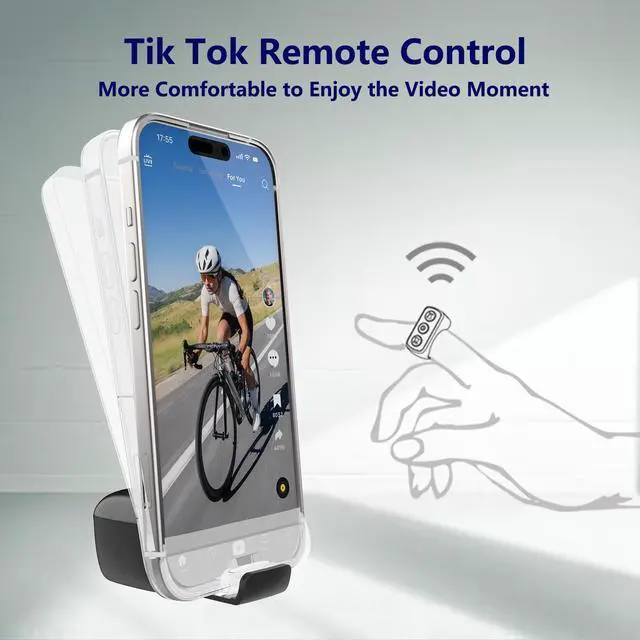
Wide Applications-Tiktok Remote Control/Camera Control/Music Control/Ebook APP Page Turning

- Remote control of short videos up and down, left and right, volume adjustment, pause, like, lock screen
- Remote selfie, video recording Note: Press and hold the "volume +" or "volume -" for 2 seconds to take a photo or video.
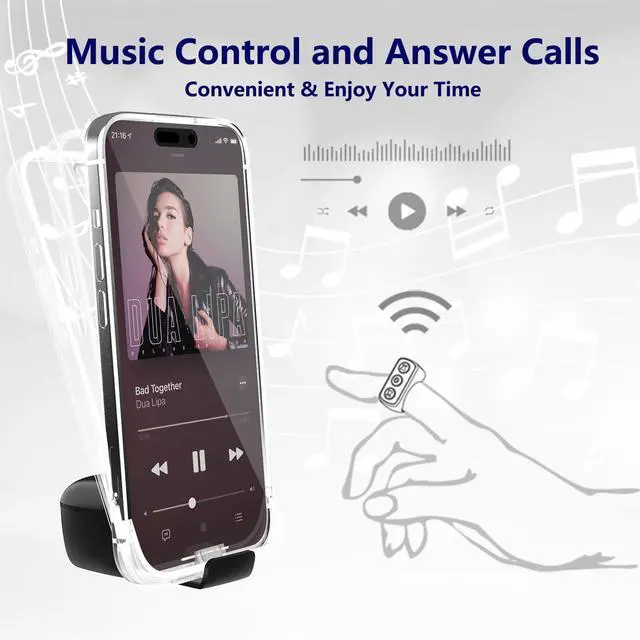
- Music control (pause, up and down) and answer/end calls function
- PPT page-turning, e-book (novel) page-turning







Android, HarmonyOS, and Apple( iOS) systems are all supported. Compatible with iPhones, iPads, phones, and tablets.
Please note that it is NOT suitable for Kindle devices like Kindle Paperwhite, Kindle Oasis, etc.
Note: Press and hold the "volume +" or "volume -" for 2 seconds to take a photo or video.
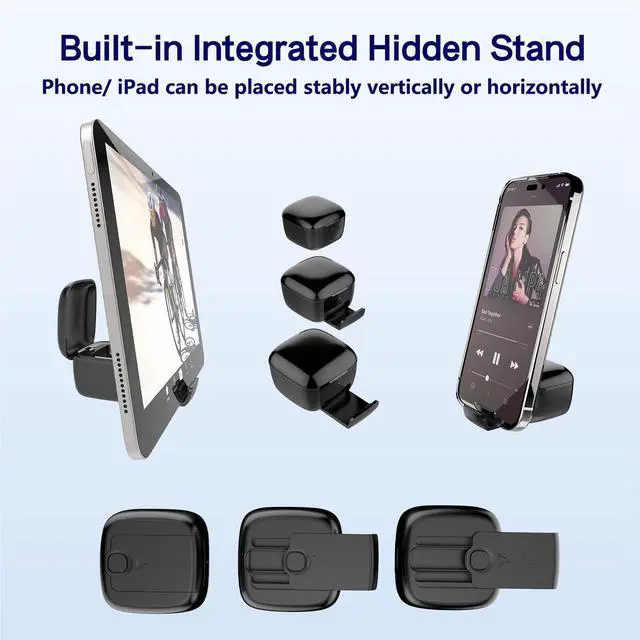
- Designed with a phone holder, stable not only for phones but also for tablets vertically or horizontally.
- Comes with a charging case; Using time lasts for over 14 hours on a single charge and a total of 86 hours with a charging case. Fully charging the rechargeable case only takes 90 minutes.
- Small size, buckle design, easy to wear, release hands, away from myopia, scrolling through short videos in winter without cold hands.
iOS devices need to open Settings>Accessibility>Touch>Turn on Assistive Touch before using.
- If your phone is iOS system, please make sure the iOS system is higher than 14.8 and you need to open the "Assistive Touch" according to the instructions above.
- If the previous settings have been completed, but the video still cannot slide up and down normally or can only be paused by pressing the button:
1. please turn off the AssistiveTouch and turn on again
2. after turn on again, short press the middle button of the ring once
3. then open the tiktok and it will be ok
- After Assistive Touch is turned on, 2 dots will appear, the large one can be dragged, and the small one cannot be dragged. When the video is not swiped, it will disappear after 30 seconds. Android and HarmonyOS phones do not have these two dots.
Kindle APP please turn off the "continuous scrolling" and double-click to turn the page.
Double-click "volume +" or "volume -" to turn left or right
NOT suitable for Kindle devices like Kindle Paperwhite, Kindle Oasis, etc.
2 working modes--Video / Music Mode
Long Press the up and down buttons at the same time.
The indicator will flash 3 times, which means successful.
Package Included
- Smart ring*1
- Charging case*1
- Type-C cable*1
- Instruction manual *1
Specifications:
- Bluetooth version: 5.0
- Support protocol: HID
- Charging interface: Type-C
- Charging voltage: DC 5V
- Chargrging Case Size:21mm*42mm*42mm (D*W*L)
- Ring Size:12mm*25mm*25mm (D*W*L)
Wide Applications-Tiktok Remote Control/Camera Control/Music Control/Ebook APP Page Turning
- Remote control of short videos up and down, left and right, volume adjustment, pause, like, lock screen
- Remote selfie, video recording Note: Press and hold the "volume +" or "volume -" for 2 seconds to take a photo or video.
- Music control (pause, up and down) and answer/end calls function
- PPT page-turning, e-book (novel) page-turning
Who Are We?
There are some like-minded people, who are on the way to striving for a better life.
At Xring, you will find products in fashion trendy style, functional and innovative.
Most Popular Products
Most Popular Products
