


• $19.99
  • Shipped by Zexinoujayoshop

    Price alert
    Shop it at NeweggBusiness.

    Meet Your Seller

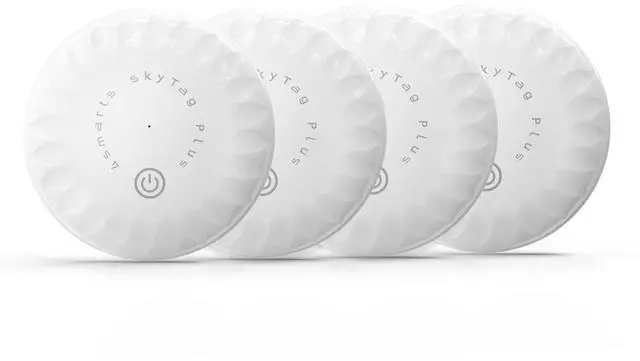
    Air Tracker Tags-4 Pack, Bluetooth Tracker Works with Apple Find My APP (iOS Only), Smart Air Tag Keys Finder and Item Locator for Keys, Bags, Luggage, Wallet, Replaceable Battery

    • The SkyTag Plus is ready to use right out of the box no need to remove any plastic film from the battery. Simply power on and connect through the Find My app. //Power On/Off Short-press the power icon button on the front face (centrally positioned, marked with the universal power symbol and slightly recessed to reduce accidental presses) once to turn on; a ring chime confirms pairing mode. Long-press the same button for 3 seconds to switch off; two beeps confirm shutdown.
    • Why SkyTag Plus A slimmer, lighter, and more versatile item tracker. Works with Apple Find My to help you locate your everyday essentials using your iPhone, iPad, or Mac. Designed for privacy. Built to last. Ready for travel, home, or wherever life goes.
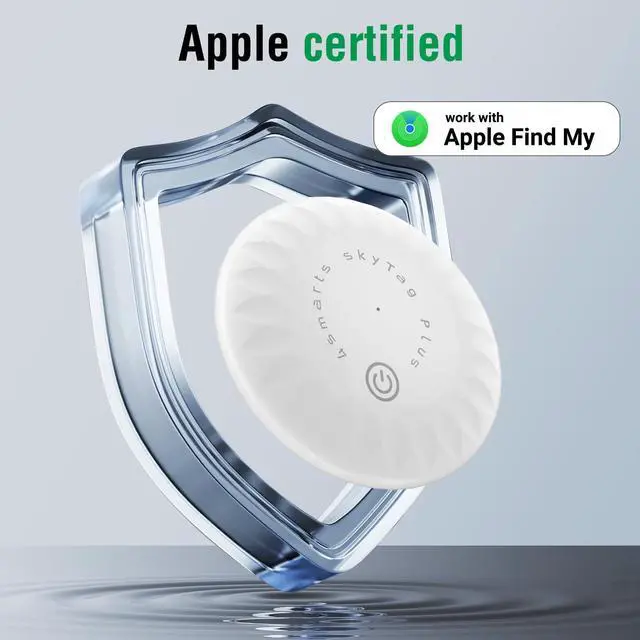
    • Works with Apple Find My Track your keys, wallet, or bag using the Apple Find My app already on your iPhone or iPad. No additional app or account needed. SkyTag Plus pairs easily and appears right alongside your Apple devices.*
    • Ultra-Light & Compact At just 7.1g and 3.2mm thin, SkyTag Plus is one of the lightest trackers available. Designed to fit comfortably in slim wallets, attach to key rings, or slide into bag compartmentswithout adding bulk.
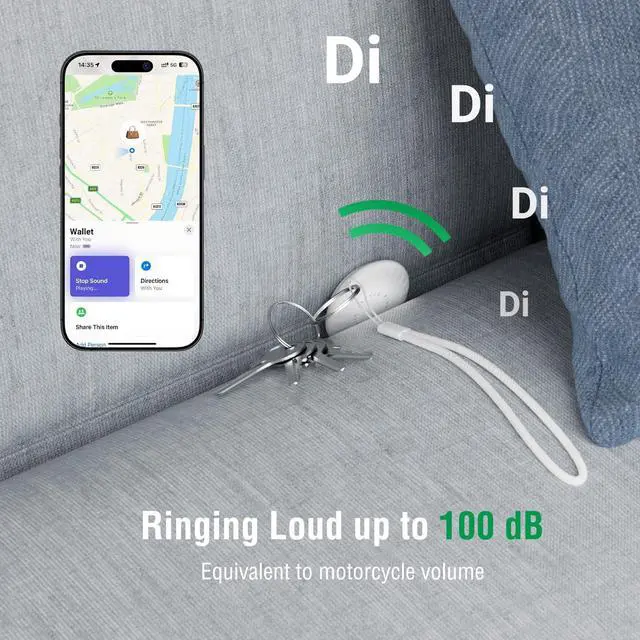
    • Ready to Ring When nearby, tap Play Sound in the Find My app to hear a built-in 100dB alert tone. Louder than most trackers, so you can find your items even in busy or noisy environments.
    +
    +
    Overview
    Specs
    Reviews
    avatar

    Any questions? Our AI beta will help you find out quickly.

    Image generated for ASIN B0F3GBG3YX

    Lightweight Tracking Solution

    Introducing the Ultra-Lightweight SkyTag Plus

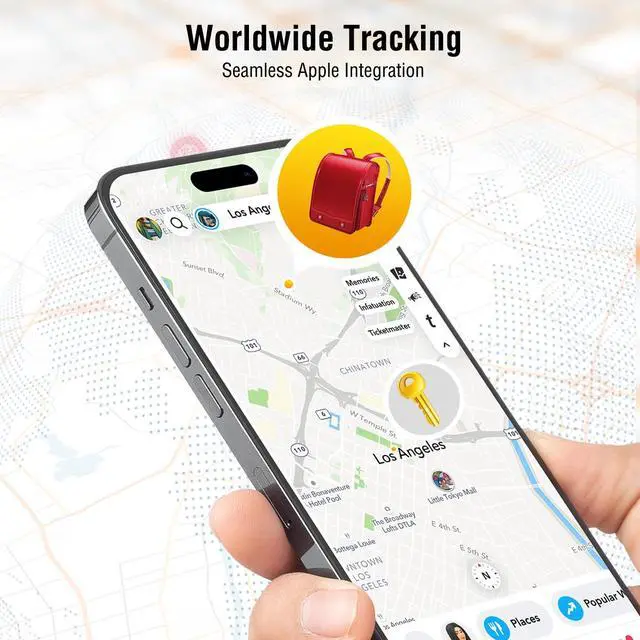
    Seamlessly integrate with Apple's Find My network to locate your essentials with precision. At just 7.1g, the SkyTag Plus is one of the lightest trackers available, designed for effortless tracking without added bulk.

    4smarts SkyTag Plus Apple Find My Tracker Bluetooth Locator Wallet/Key/Luggage Finder
    4smarts SkyTag Plus Apple Find My Tracker Bluetooth Locator Wallet/Key/Luggage Finder
    airtag 4 packs
    4smarts SkyTag Plus Apple Find My Tracker Bluetooth Locator Wallet/Key/Luggage Finder

    4smarts SkyTag Plus Q & A

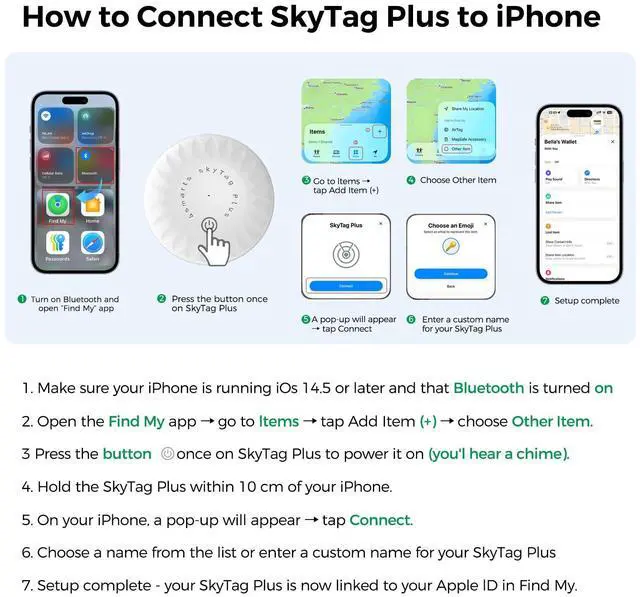
    How do I turn SkyTag Plus on? To switch on, short press the front button once. A startup chime will sound to confirm the device is powered and in pairing mode. This tone is important because it tells you Bluetooth is active and the tracker is ready to be detected by your iPhone. Without pressing the button, the unit will not appear in the Find My app, so always wait for the chime before pairing.
    How do I power off the device? To power down, press and hold the same button for about three seconds until you hear two quick beeps. This confirms the tracker is completely switched off. Turning it off when not needed can help extend the battery’s lifespan. If you don’t hear the double beep, the unit is still active, so try again until the shutdown signal is played clearly.
    How to connect with iPhone? Make sure your iPhone or iPad is running iOS 14.5 or later, and confirm Bluetooth is turned on. Open the Find My app ? go to Items ? tap Add Item ? choose Other Item. Then, power on the SkyTag Plus with a short button press and hold it close to your iPhone, within about 10 cm. When it appears on screen, tap Connect, assign a name, and finish setup.
    How do I reset SkyTag Plus? If the SkyTag Plus is not linked within ten minutes, it automatically stops Bluetooth to save power. To reset manually, press the button five times quickly, then hold it on the fifth press for five seconds. You’ll hear a confirmation sound followed by the startup tone. This indicates the device has been reset successfully and is ready for new pairing.
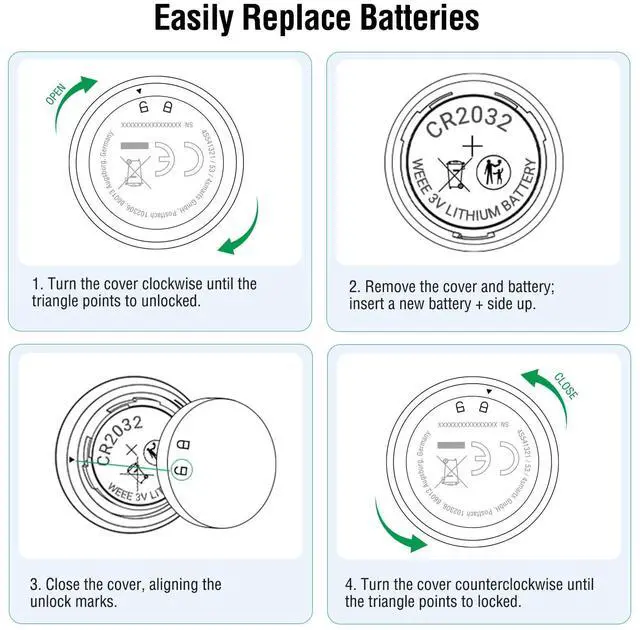
    How do I replace the battery? SkyTag Plus uses a CR2032 coin cell. To replace it, gently press and twist the latch to open the compartment. Insert the new battery with the positive (+) side facing up, then close firmly to ensure proper contact. The Find My app shows the remaining battery level, so you’ll know in advance when replacement is needed. Average life is up to 16 months.
    How can I locate nearby items? When an item is within Bluetooth range, open the Find My app and tap Play Sound. SkyTag Plus will emit a loud alert of up to 100 dB, making it easy to locate even in noisy or crowded areas. If the item is further away, you can check its last known position on the map. This dual function ensures you can find misplaced belongings quickly and reliably.
    How does Lost Mode work? In the Find My app, select your SkyTag Plus and enable Lost Mode. You’ll be asked to enter a phone number or message that will appear if someone finds your device. Once activated, you will receive a notification when the tracker is detected by any device on the Apple Find My network. This greatly increases the chances of recovering lost items.
    Is my data safe with SkyTag? Yes. SkyTag Plus uses Apple’s Find My network, which is fully encrypted and anonymous. Only the owner can see the location of their tracker, and no location history is stored on the device itself. Neither Apple nor 4smarts has access to your personal data or movement patterns. This ensures your privacy and prevents misuse, giving you full control.
    Image generated for ASIN B0F3GBG3YX
    Lightweight Tracking Solution

    Introducing the Ultra-Lightweight SkyTag Plus

    Seamlessly integrate with Apple's Find My network to locate your essentials with precision. At just 7.1g, the SkyTag Plus is one of the lightest trackers available, designed for effortless tracking without added bulk.

    4smarts SkyTag Plus Apple Find My Tracker Bluetooth Locator Wallet/Key/Luggage Finder
    4smarts SkyTag Plus Apple Find My Tracker Bluetooth Locator Wallet/Key/Luggage Finder
    airtag 4 packs
    4smarts SkyTag Plus Apple Find My Tracker Bluetooth Locator Wallet/Key/Luggage Finder

    4smarts SkyTag Plus Q & A

    How do I turn SkyTag Plus on? To switch on, short press the front button once. A startup chime will sound to confirm the device is powered and in pairing mode. This tone is important because it tells you Bluetooth is active and the tracker is ready to be detected by your iPhone. Without pressing the button, the unit will not appear in the Find My app, so always wait for the chime before pairing.
    How do I power off the device? To power down, press and hold the same button for about three seconds until you hear two quick beeps. This confirms the tracker is completely switched off. Turning it off when not needed can help extend the battery’s lifespan. If you don’t hear the double beep, the unit is still active, so try again until the shutdown signal is played clearly.
    How to connect with iPhone? Make sure your iPhone or iPad is running iOS 14.5 or later, and confirm Bluetooth is turned on. Open the Find My app ? go to Items ? tap Add Item ? choose Other Item. Then, power on the SkyTag Plus with a short button press and hold it close to your iPhone, within about 10 cm. When it appears on screen, tap Connect, assign a name, and finish setup.
    How do I reset SkyTag Plus? If the SkyTag Plus is not linked within ten minutes, it automatically stops Bluetooth to save power. To reset manually, press the button five times quickly, then hold it on the fifth press for five seconds. You’ll hear a confirmation sound followed by the startup tone. This indicates the device has been reset successfully and is ready for new pairing.
    How do I replace the battery? SkyTag Plus uses a CR2032 coin cell. To replace it, gently press and twist the latch to open the compartment. Insert the new battery with the positive (+) side facing up, then close firmly to ensure proper contact. The Find My app shows the remaining battery level, so you’ll know in advance when replacement is needed. Average life is up to 16 months.
    How can I locate nearby items? When an item is within Bluetooth range, open the Find My app and tap Play Sound. SkyTag Plus will emit a loud alert of up to 100 dB, making it easy to locate even in noisy or crowded areas. If the item is further away, you can check its last known position on the map. This dual function ensures you can find misplaced belongings quickly and reliably.
    How does Lost Mode work? In the Find My app, select your SkyTag Plus and enable Lost Mode. You’ll be asked to enter a phone number or message that will appear if someone finds your device. Once activated, you will receive a notification when the tracker is detected by any device on the Apple Find My network. This greatly increases the chances of recovering lost items.
    Is my data safe with SkyTag? Yes. SkyTag Plus uses Apple’s Find My network, which is fully encrypted and anonymous. Only the owner can see the location of their tracker, and no location history is stored on the device itself. Neither Apple nor 4smarts has access to your personal data or movement patterns. This ensures your privacy and prevents misuse, giving you full control.
    Air Tracker Tags-4 Pack, Bluetooth Tracker Works with Apple Find My APP (iOS Only), Smart Air Tag Keys Finder and Item Locator for Keys, Bags, Luggage, Wallet, Replaceable Battery

    Warranty & Returns

    Warranty, Returns, And Additional Information

    Warranty

    • Please contact the Seller directly for warranty information. Warranty information may also be found on the Manufacturer's website.
    • CONTACT

    Return Policies

    Manufacturer Contact Info

    LOADING...