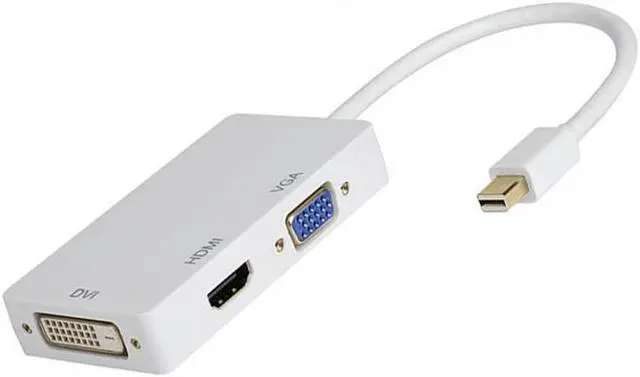
Dayspirit Mini DP DisplayPort Male to VGA HDMI DVI Adapter Converter Product Features:Support HDMI, DVI or VGA input port. You can connect the display to one of HDMI/DVI/VGA output ports (Only one of the 3 outputs could be used at a time, you can not use all of them simultaneously). Compatible: The adapter support HDMI, DVI or VGA input port, seamlessly connect Mac Book, Mac Book Pro or Mac Book Air with a Mini display port to high definition displays. Three different ports meet your different needs. Supports plug and play, and no external power needed. Compact and lightweight and portable: Space-saving design fits easily in your laptop carrying bag. HDMI/DVI/VGA output with the max resolution of 1920x1080p @60Hz, 225MHz/2.25Gbps per channel (6.75Gbps all channel), 12bit per channel (36bit all channel) deep color. Notice (This is very important): 1. You should assure that if your Mac has one of the following two kinds of port : Mini DisplayPort and Thunderbolt port. 2. Only one of the 3 outputs could be used at a time, you can not use all of them simultaneously. 3. For some compatible devices, it might take a few seconds for the video to display. 4. DO NOT connect other adapter/converter to this adapter for a second signal convert, we can't guarantee it works well. 5. No audio output via VGA! When connecting VGA display alone, please connect an audio cable for audio transmission. 6. Can only convert signal from Mini DisplayPort to HDMI/VGA/DVI. This is not a bi-directional cable. How to use it:This product with three output ports, and you can choose one of them to use at a time as you demand, the functions of the port as followings:DVI output, connect the DVI devices using a DVI cable.HDMI output, connect the HDMI devices using a HDMI cable.VGA output, connect the VGA devices using a VGA cable.The Mini Display Port needs to connect MacBook, MacBook Pro, or MacBook Air.