

Your Browsing History

Meet Your Seller

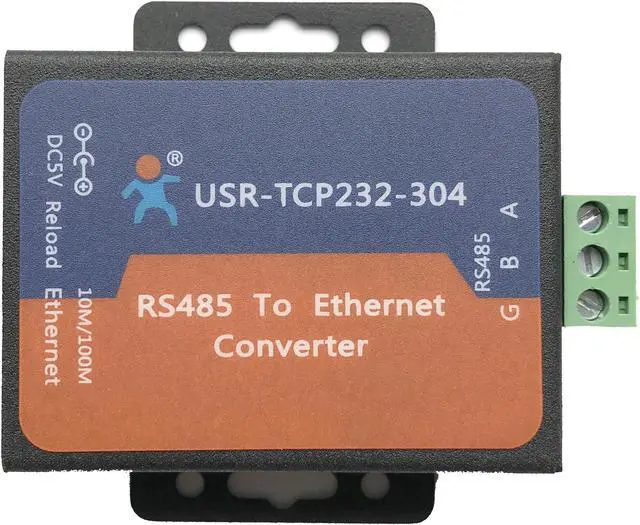
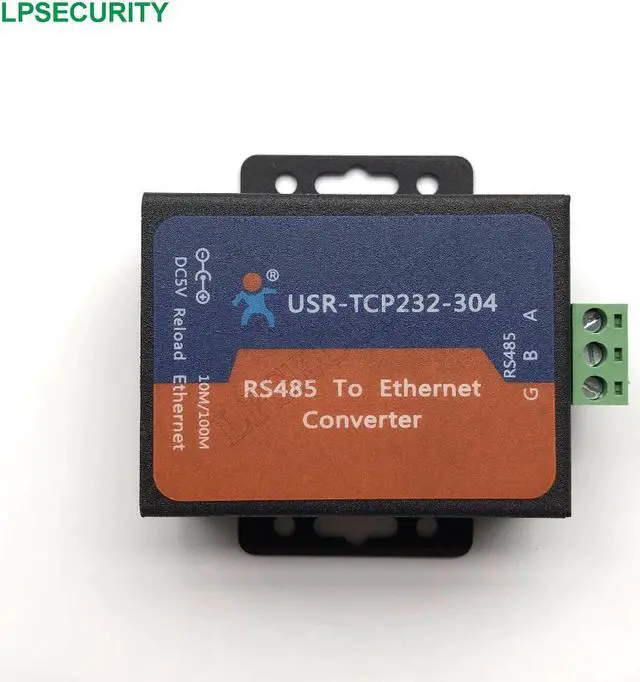
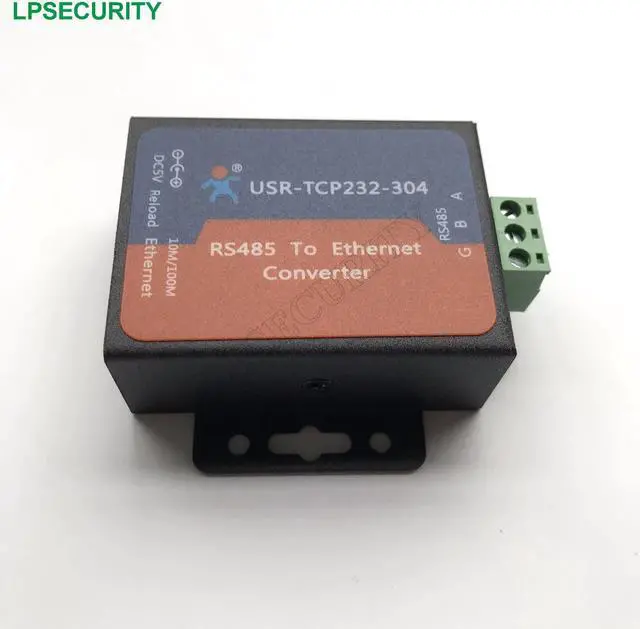
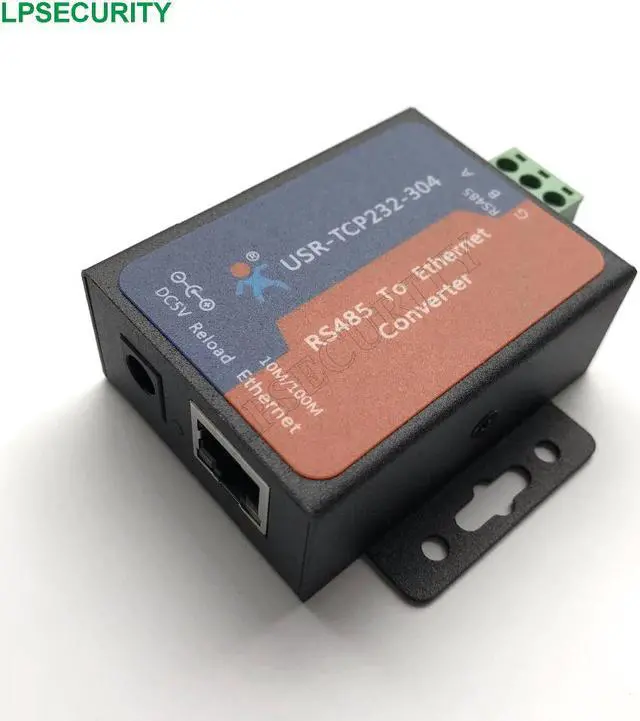


USR-TCP232-304 Serial RS485 to TCP/IP Ethernet Server Converter Module with Built-in Webpage DHCP/DNS Supported
Limited time offer, ends 09/19 By TERRA HAVEN
- USR-TCP232-304 Serial RS485 to TCP/IP Ethernet Server Converter Module with Built-in Webpage DHCP/DNS Supported
+
+
Overview
Specs
Reviews

Any questions? Our AI mode will help you find out quickly.
Try me now
Certification:NONE
Origin:CN(Origin)
Model Number:USR-TCP232-304
USR TCP232-304 is Serial RS485 to Ethernet/LAN Converter for bidirectional data transparent transmission. It is based on ARM processor and internally integrated with TCP/IP protocol.
Introduction of RS232 Ethernet Server
Built in Web Server/Webpage for configuration.
User can modify the webpage.
HTTP Client: send data as HTTP format automatically.
Support DHCP client: automatically obtain an IP address and query IP address.
DNS address can be modified.
User Defined MAC address.
Synchronous and adaptive serial port baud rate.
Registration packet: identified header can be added to packets to check connection status
Heartbeat packet: can be sent to serial or network periodic. To ensure connection is reliable, put an end to dead link.
The Max Client number can be modified,
from 1 to 16
.
Software:
1) Parameter configuration software.
2) Virtual serial port software(VCOM), Windows 2000 or higher (32 bit/64 bit)
Configuration method: ( Manual P39)
1) Setting Software configuration: please download Setup Software.
2) Web Server configuration: Please input IP: 192.168.07. Name and Password: admin
Factory Setting:
1) Hardware reset: Pull down Reload for 5 -15 seconds , then release it.
2) Software reset: Enter AT command mode, use AT command AT+RELD.
Firmware upgrade via network by Setup Software ( Manual P25)
Work Mode
Serial Device Server TCP232-304 can work as TCP Client, TCP Server, UDP Client,
UDP Server Mode.
1) In TCP Client Mode: Client connects Server automatically. User should configure the TCP Server’s IP address and Port.
2) In TCP Server Mode: The Max Client number can be modified from 1 to 16. By default, Client number is 4.
3) In UDP Client Mode: serial data will be sent to a fix IP address/port which you appointed.
4) In UDP Server Mode: serial data will be sent to last source IP/Port.
Application Field of RS485 Ethernet Converter
Industrial data transmission, industrial automation
security and protection monitoring, public security
Smart home, power control, environmental monitoring, intelligent agriculture
Door check on work attendance system,
POS system, rice selling system
Building automation system, power monitoring, self-service banking system, telecom machine room monitoring
Origin:CN(Origin)
Model Number:USR-TCP232-304
USR TCP232-304 is Serial RS485 to Ethernet/LAN Converter for bidirectional data transparent transmission. It is based on ARM processor and internally integrated with TCP/IP protocol.
Introduction of RS232 Ethernet Server
Built in Web Server/Webpage for configuration.
User can modify the webpage.
HTTP Client: send data as HTTP format automatically.
Support DHCP client: automatically obtain an IP address and query IP address.
DNS address can be modified.
User Defined MAC address.
Synchronous and adaptive serial port baud rate.
Registration packet: identified header can be added to packets to check connection status
Heartbeat packet: can be sent to serial or network periodic. To ensure connection is reliable, put an end to dead link.
The Max Client number can be modified,
from 1 to 16
.
Software:
1) Parameter configuration software.
2) Virtual serial port software(VCOM), Windows 2000 or higher (32 bit/64 bit)
Configuration method: ( Manual P39)
1) Setting Software configuration: please download Setup Software.
2) Web Server configuration: Please input IP: 192.168.07. Name and Password: admin
Factory Setting:
1) Hardware reset: Pull down Reload for 5 -15 seconds , then release it.
2) Software reset: Enter AT command mode, use AT command AT+RELD.
Firmware upgrade via network by Setup Software ( Manual P25)
Work Mode
Serial Device Server TCP232-304 can work as TCP Client, TCP Server, UDP Client,
UDP Server Mode.
1) In TCP Client Mode: Client connects Server automatically. User should configure the TCP Server’s IP address and Port.
2) In TCP Server Mode: The Max Client number can be modified from 1 to 16. By default, Client number is 4.
3) In UDP Client Mode: serial data will be sent to a fix IP address/port which you appointed.
4) In UDP Server Mode: serial data will be sent to last source IP/Port.
Application Field of RS485 Ethernet Converter
Industrial data transmission, industrial automation
security and protection monitoring, public security
Smart home, power control, environmental monitoring, intelligent agriculture
Door check on work attendance system,
POS system, rice selling system
Building automation system, power monitoring, self-service banking system, telecom machine room monitoring
Warranty & Returns
Warranty, Returns, And Additional Information
Warranty
- Please contact the Seller directly for warranty information. Warranty information may also be found on the Manufacturer's website.
- CONTACT
Return Policies
- Return for refund within: 30 days
- Return for replacement within: 30 days
- This item is covered by TERRA HAVEN Return Policy
Manufacturer Contact Info
- For a directory of all our manufacturers, please click below.
- Manufacturers Directory
LOADING...