Your Browsing History
Meet Your Seller
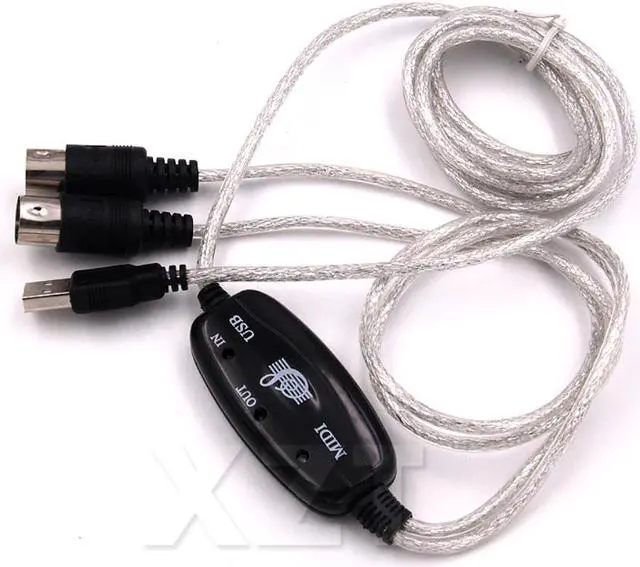
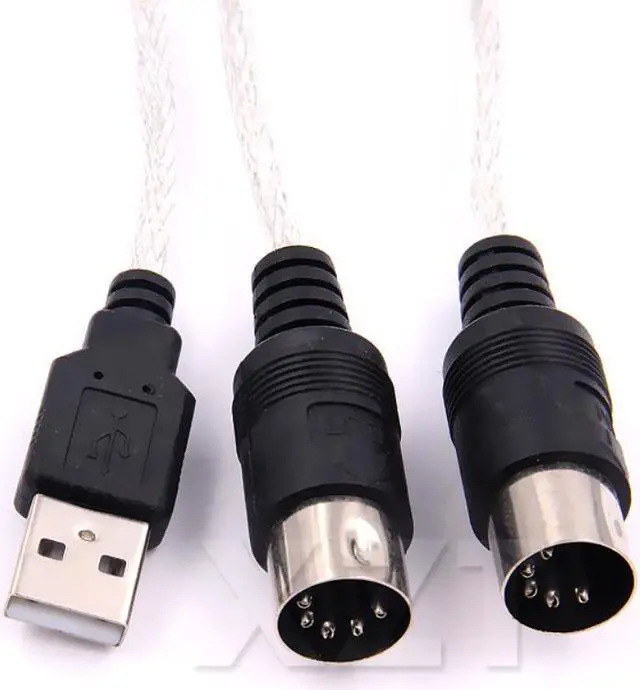
MIDI Cable to USB IN-OUT Converter Professional MIDI Interface Audio Music for Keyboard PC for Electric Piano Drum Adapter
Limited time offer, ends 08/31 By Rufei Tech
- MIDI Cable to USB IN-OUT Converter Professional MIDI Interface Audio Music for Keyboard PC for Electric Piano Drum Adapter
+
+
Overview
Specs
Reviews
Any questions? Our AI mode will help you find out quickly.
Try me now
Connector B:USB
Gender:Male-Female
Model Number:USB IN-OUT MIDI Interface Cable Converter
Origin:CN(Origin)
Type:Audio Line
Connector A:Oxyacid Copper
Bundle:Bundle 1
Packing:-
Package:No
Shielding:-
Feature:None
Application:Computer
Outer Diameter:-
Feature:
16 MIDI input channels and 16 MIDI output channels
LEDs indicate power in, MIDI in the signal and MIDI signal out
USB bus; Does not require external power
Supports for Windows XP, Windows 7
How to use:
Connect the "up" to the MIDI "OUT" jack of a MIDI keyboard
Cable (or MIDI device).
Connect the "OUT" to the MIDI "IN" socket of a MIDI keyboard
Cable (Of MIDI device).
Plug the USB cable into a USB port on the computer,
The red LED is lit to show the power supply.
Open up your music software program, such as Cubase,
Sonar, MIDI connections, ect
Set the music to MIDI in
And MIDI-out devices "USB Audio Device"
Your USB MIDI interface is now ready for use.
Included:
1 x USB electronic organ music line
Note:
Light shooting and different displays may cause the color of the item in the picture a little different from the real thing. The measurement allowed error is +/- 1-3cm.

Gender:Male-Female
Model Number:USB IN-OUT MIDI Interface Cable Converter
Origin:CN(Origin)
Type:Audio Line
Connector A:Oxyacid Copper
Bundle:Bundle 1
Packing:-
Package:No
Shielding:-
Feature:None
Application:Computer
Outer Diameter:-
Feature:
16 MIDI input channels and 16 MIDI output channels
LEDs indicate power in, MIDI in the signal and MIDI signal out
USB bus; Does not require external power
Supports for Windows XP, Windows 7
How to use:
Connect the "up" to the MIDI "OUT" jack of a MIDI keyboard
Cable (or MIDI device).
Connect the "OUT" to the MIDI "IN" socket of a MIDI keyboard
Cable (Of MIDI device).
Plug the USB cable into a USB port on the computer,
The red LED is lit to show the power supply.
Open up your music software program, such as Cubase,
Sonar, MIDI connections, ect
Set the music to MIDI in
And MIDI-out devices "USB Audio Device"
Your USB MIDI interface is now ready for use.
Included:
1 x USB electronic organ music line
Note:
Light shooting and different displays may cause the color of the item in the picture a little different from the real thing. The measurement allowed error is +/- 1-3cm.
Warranty & Returns
Warranty, Returns, And Additional Information
Warranty
- Please contact the Seller directly for warranty information. Warranty information may also be found on the Manufacturer's website.
- CONTACT
Return Policies
- Return for refund within: 30 days
- Return for replacement within: 30 days
- This item is covered by Rufei Tech Return Policy
Manufacturer Contact Info
- For a directory of all our manufacturers, please click below.
- Manufacturers Directory
LOADING...