Package:Yes
Place of Origin:Guangdong, China (Mainland)
is_customized:Yes
D
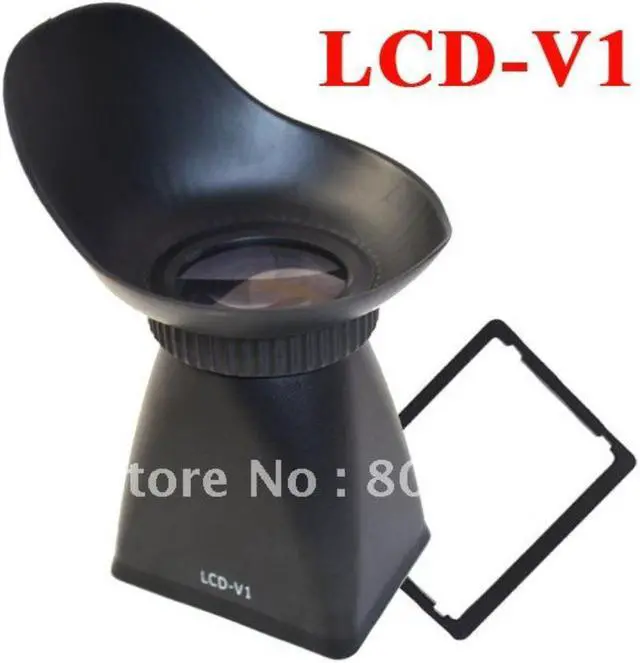
o you want to achieve more accurate focus and increase stability of handheld shooting? Then you will need this LCD Viewfinder Extender V1 for Canon 5DII 7D 500D.The Canon LCD Viewfinder Extender can be used by still photographers who either want to block out light while shooting in live view mode or to inspect pictures on the LCD display. 180 degrees flappable design allows instant left or right eye usage. This Canon Viewfinder turns your video enabled HDSLR LCD screen into a huge electronic viewfinder for precise image evaluation. Universal magnetic mounting interface allows rapid mounting and remove without any wear and tear.Now, remove the paper backing and carefully apply the frame onto the camera body while ensuring an even placement Canon 5DII 7D 500D viewfinder around the LCD.
Specifications:
Great accessory, very good for taking video
LCD Viewfinder turns your video enabled HDSLR LCD screen into a huge electronic viewfinder for precise image evaluation
180 degrees flappable design to the LCD Viewfinder allows instant left or right eye usage
Stabilizes camera when shooting video handheld
Spontaneously transform your video enabled DSLR into a discreet handheld video camera
Allows the use of LCD in bright daylight outdoors
Universal magnetic mounting interface allows rapid mounting and remove without any wear and tear
Flat mounting interface allows easy cleaning of the LCD screen
Compatible:
Canon 5DII 7D 500D
Details:
The Canon LCD Viewfinder Extender can be used by still photographers who either want to block out light while shooting in live view mode or to inspect pictures on the LCD display
This Canon Viewfinder turns your video enabled HDSLR LCD screen into a huge electronic viewfinder for precise image evaluation
Now, remove the paper backing and carefully apply the frame onto the camera body while ensuring an even placement Canon 5DII 7D 500D viewfinder around the LCD
How to Use a Viewfinder for Artwork?
A viewfinder can be a very useful tool for cropping any subject into a pleasing composition for creating painted artworks. Here is how to use a view finder to crop an image and how to use that image for a painting.
Instructions:
Stand back from your subject.
Place the viewfinder in front of you so that the viewfinder frames the subject.
Adjust the viewfinder so the the subject is cropped to a pleasing composition. This means eliminating elements that distract from the main subjects.
Sketch what you see in the viewfinder.
Use your sketch for your painting
Package Included:
1 x LCD Viewfinder Extender V1 for Canon 5DII 7D 500D


 Holiday Shipping Details & Extended Holiday Returns

