Your Browsing History
- Free 30-day Returns
$42.82
Ships from China.
Meet Your Seller
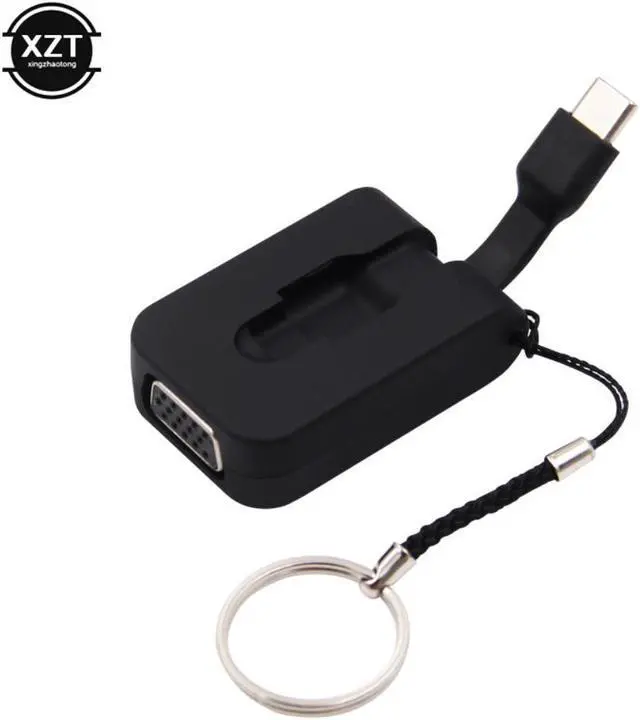
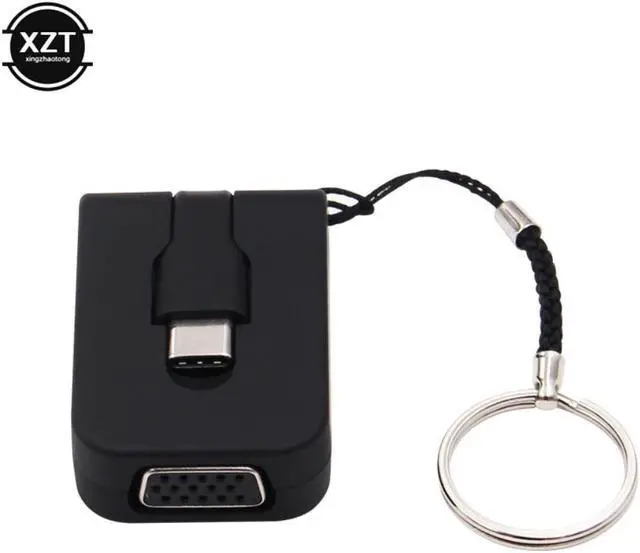
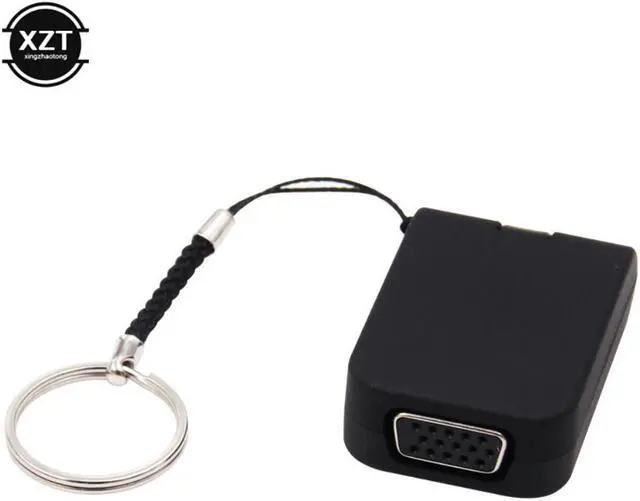
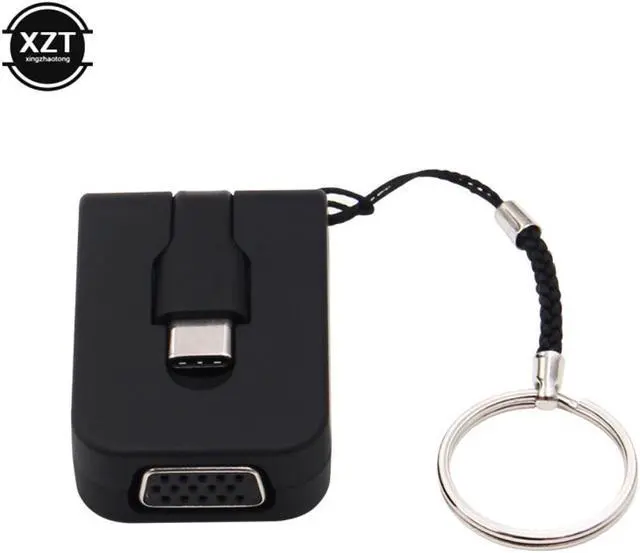
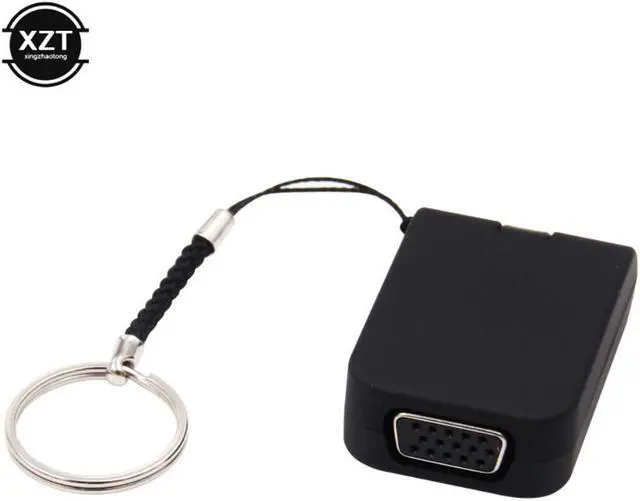
1080P USB 3.1 Type C to VGA Converter Male to Female USB-C to VGA Adapter Cable for Apple Macbook Chromebook Pixel Laptop
- 1080P USB 3.1 Type C to VGA Converter Male to Female USB-C to VGA Adapter Cable for Apple Macbook Chromebook Pixel Laptop
+
+
Overview
Specs
Reviews
Any questions? Our AI beta will help you find out quickly.
Try me now
Products Status:STOCK
Type:Cable Adapter
Package:No
Model Number:Type-C to VGA Converter
USE:FOR Television,Multimedia,Computer,Projector,Monitor
NO:XZT001739
1080P USB 3.1 Type C to VGA Converter Male to Female USB-C to VGA Adapter Cable for Apple Macbook Chromebook Pixel Laptop
Product Features:
Mirror or extend your FOR Macbook (or other type c supported devices) to the VGA-enabled for projector, TV, monitor or other VGA-compatible display. (No audio output via VGA! When connecting VGA display, please connect an audio cable for audio transmission.)
Super Mini: Super mini USB-C adapter with only about 47mm long folded size, high-end appearance with plastic housing, lightweight and portable, do not take up much space, it can be placed in your pocket.
Plug in and play, no need any software installation or configuration.
This adapter with no external drivers or power required, convenient use and carrying.
1080P Resolution: Support (1920x1080) 1080P@30Hz FHD transmission, backwards compatible with 720P, completely fulfill daily life usage.
Notice (This is very important):
1. This adapter is compatible with for laptop only, it will be not compatible with Smart Phones, Tablets or Tablet PCs.
2. Your laptop must support DisplayPort Alternate Mode (DP Alt Mode) via USB-C.
3. If the product doesn't work, please connect the adapter to your devices first, then restart your devices.
4. For some compatible devices, it might take a few seconds for the data to synchronize from computer with your monitor, please be patient.
5. DO NOT connect other adapter/converter to this USB-C to VGA adapter for a second signal convert, we can't guarantee it works well.
6. No audio output via VGA! When connecting VGA display, please connect an audio cable for audio transmission.
7. It's the USB-C to VGA instead of USB 2.0 or USB 3.0. The USB-C is based on USB 3.1 specification and cord is different with USB 2.0 and 3.0 .
8. Only convert signal from USB-C port to VGA, it is not a bi-directional converter.
9. A VGA cable is required.
10. If you are in wireless network zone, please switch to 5Ghz transmission signal if your router/Wi-Fi supports. 2.4Ghz signal may have conflict with the adapter.
Usage Method:
1. Plug the USB-C male interface of the adapter into the USB-C female interface of your for laptop/smartphone.
2. Attach a VGA cable to the VGA female interface of the adapter and into your monitor/TV/projector. Of course, a VGA cable (NOT included) is required.
Package includes:
1 x USB Type C to VGA Adapter

Type:Cable Adapter
Package:No
Model Number:Type-C to VGA Converter
USE:FOR Television,Multimedia,Computer,Projector,Monitor
NO:XZT001739
1080P USB 3.1 Type C to VGA Converter Male to Female USB-C to VGA Adapter Cable for Apple Macbook Chromebook Pixel Laptop
Product Features:
Mirror or extend your FOR Macbook (or other type c supported devices) to the VGA-enabled for projector, TV, monitor or other VGA-compatible display. (No audio output via VGA! When connecting VGA display, please connect an audio cable for audio transmission.)
Super Mini: Super mini USB-C adapter with only about 47mm long folded size, high-end appearance with plastic housing, lightweight and portable, do not take up much space, it can be placed in your pocket.
Plug in and play, no need any software installation or configuration.
This adapter with no external drivers or power required, convenient use and carrying.
1080P Resolution: Support (1920x1080) 1080P@30Hz FHD transmission, backwards compatible with 720P, completely fulfill daily life usage.
Notice (This is very important):
1. This adapter is compatible with for laptop only, it will be not compatible with Smart Phones, Tablets or Tablet PCs.
2. Your laptop must support DisplayPort Alternate Mode (DP Alt Mode) via USB-C.
3. If the product doesn't work, please connect the adapter to your devices first, then restart your devices.
4. For some compatible devices, it might take a few seconds for the data to synchronize from computer with your monitor, please be patient.
5. DO NOT connect other adapter/converter to this USB-C to VGA adapter for a second signal convert, we can't guarantee it works well.
6. No audio output via VGA! When connecting VGA display, please connect an audio cable for audio transmission.
7. It's the USB-C to VGA instead of USB 2.0 or USB 3.0. The USB-C is based on USB 3.1 specification and cord is different with USB 2.0 and 3.0 .
8. Only convert signal from USB-C port to VGA, it is not a bi-directional converter.
9. A VGA cable is required.
10. If you are in wireless network zone, please switch to 5Ghz transmission signal if your router/Wi-Fi supports. 2.4Ghz signal may have conflict with the adapter.
Usage Method:
1. Plug the USB-C male interface of the adapter into the USB-C female interface of your for laptop/smartphone.
2. Attach a VGA cable to the VGA female interface of the adapter and into your monitor/TV/projector. Of course, a VGA cable (NOT included) is required.
Package includes:
1 x USB Type C to VGA Adapter
Warranty & Returns
Warranty, Returns, And Additional Information
Warranty
- Please contact the Seller directly for warranty information. Warranty information may also be found on the Manufacturer's website.
- CONTACT
Return Policies
- Return for refund within: 30 days
- Return for replacement within: 30 days
- This item is covered by Shengkedianzi Return Policy
Manufacturer Contact Info
- For a directory of all our manufacturers, please click below.
- Manufacturers Directory
LOADING...