

Your Browsing History

- Free 30-day Returns
$395.49
Ships from Hong Kong.

Meet Your Seller

Sponsored Products
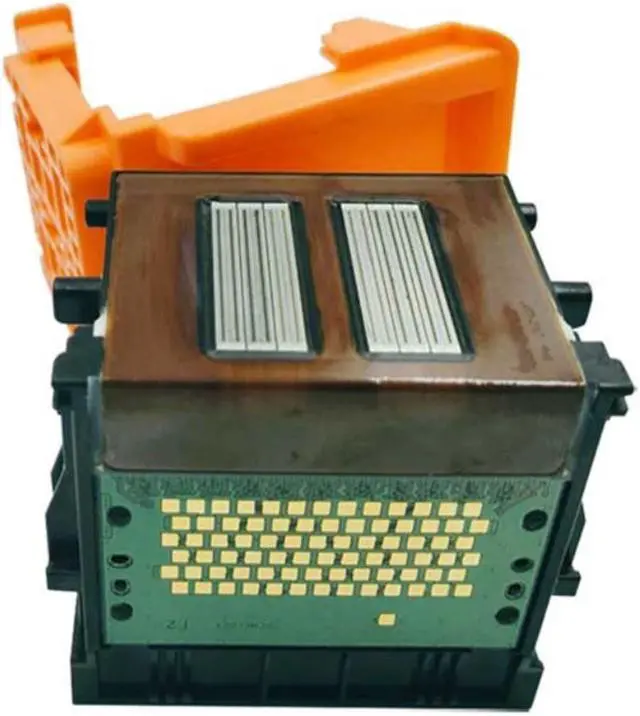
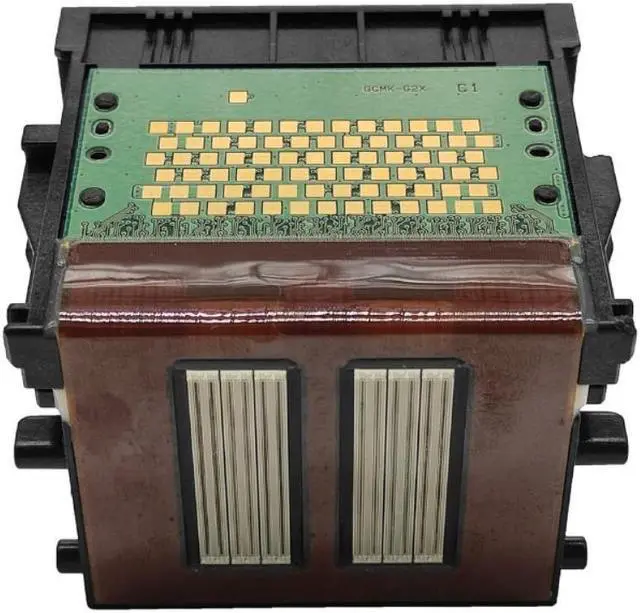
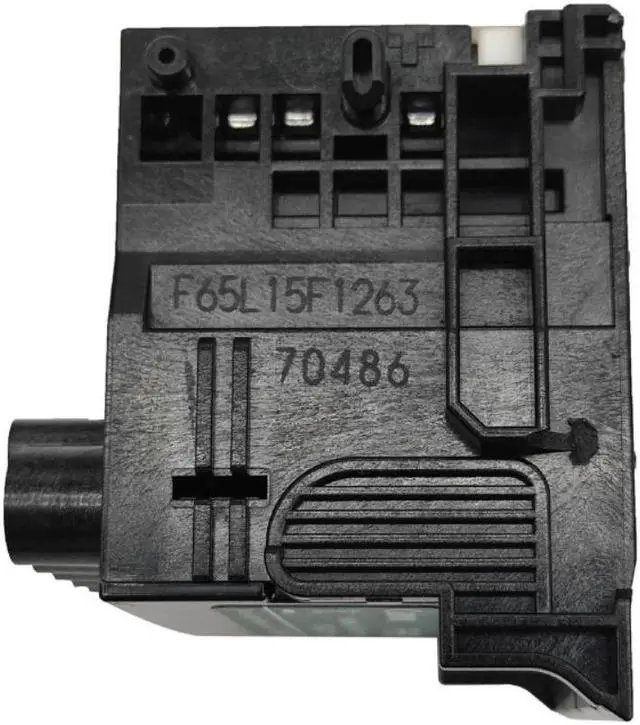
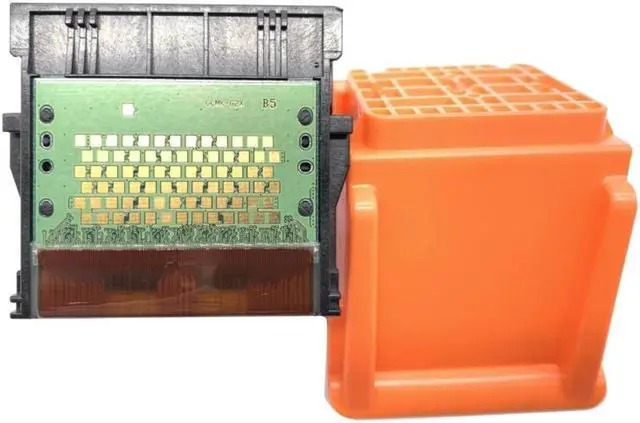


High Speed Printhead for CanonIPF6300 IPF6300S IPF6350 Printer Replacement Part
- High Speed Printhead for CanonIPF6300 IPF6300S IPF6350 Printer Replacement Part
+
+
Overview
Specs
Reviews

Any questions? Our AI mode will help you find out quickly.
Try me now
Origin:Mainland China
Type:Other
Features:
OOTDTY
and
Support black printing optional : This print for Head supports black printing function, meeting your daily needs of printing black and white or color images and documents.
Anti-damage:This print for Head comes with a protective , which can effectively prevent damage to the internal structure.
Strong compatibility:This print for Head is suitable for multiple models of for Canonprinters, such as CanonIPF6300 IPF6300S IPF6350 IPF6400 IPF6400S IPF6450 IPF6460 IPF8300 IPF9400S IPF9410 and so on.
High-quality material:Made of high-quality ABS material, this print for Head is lightweight, durable and stable.
Necessary accessory:As a necessary accessory for printers and scanners, this print for Head can provide you with good printing effect.
Specifications:
Type: Print for Head
Material: ABS
Item Color: Black + orange
Size: approx. 7x6.5x8cm/2.76x2.56x3.15in
Applicable Model:
for CanonIPF6300 IPF6300S IPF6350 IPF6400 IPF6400S
IPF6400SE IPF6410 IPF6410S IPF6410SE
IPF6450 IPF6460 IPF8300 IPF8300S IPF8310
IPF8310S IPF8400 IPF8400S IPF8400SE
IPF8410 IPF8410S IPF8410SE IPF9400
IPF9400S IPF9410 IPF9410S
Package Includes:
1 x IPF6300 Printer for Head
Note:
1. When installing the nozzle, you must remove the air hole seal according to the instructions, but do not remove other seals at will, otherwise the ink will leak;
2. Each for TIME a nozzle is installed, the print for Head should generally be cleaned 3-5 times (please wash the print for Head at least once);
3. When any print for Head has no ink or is not installed, even if there is ink in the other print heads, the photo machine will not work;
4. Once the nozzle is off, it is best not to remove it before replacing the nozzle;
5. Unless you want to replace the nozzle, do not open the nozzle protective clip (orange part), otherwise the nozzle may no longer be used;
6. Do not reach into the printer or for Touch the nozzle when the printer is working; first check whether the ink of a certain color in the ink cartridge has been used up.
Type:Other
Features:
OOTDTY
and
Support black printing optional : This print for Head supports black printing function, meeting your daily needs of printing black and white or color images and documents.
Anti-damage:This print for Head comes with a protective , which can effectively prevent damage to the internal structure.
Strong compatibility:This print for Head is suitable for multiple models of for Canonprinters, such as CanonIPF6300 IPF6300S IPF6350 IPF6400 IPF6400S IPF6450 IPF6460 IPF8300 IPF9400S IPF9410 and so on.
High-quality material:Made of high-quality ABS material, this print for Head is lightweight, durable and stable.
Necessary accessory:As a necessary accessory for printers and scanners, this print for Head can provide you with good printing effect.
Specifications:
Type: Print for Head
Material: ABS
Item Color: Black + orange
Size: approx. 7x6.5x8cm/2.76x2.56x3.15in
Applicable Model:
for CanonIPF6300 IPF6300S IPF6350 IPF6400 IPF6400S
IPF6400SE IPF6410 IPF6410S IPF6410SE
IPF6450 IPF6460 IPF8300 IPF8300S IPF8310
IPF8310S IPF8400 IPF8400S IPF8400SE
IPF8410 IPF8410S IPF8410SE IPF9400
IPF9400S IPF9410 IPF9410S
Package Includes:
1 x IPF6300 Printer for Head
Note:
1. When installing the nozzle, you must remove the air hole seal according to the instructions, but do not remove other seals at will, otherwise the ink will leak;
2. Each for TIME a nozzle is installed, the print for Head should generally be cleaned 3-5 times (please wash the print for Head at least once);
3. When any print for Head has no ink or is not installed, even if there is ink in the other print heads, the photo machine will not work;
4. Once the nozzle is off, it is best not to remove it before replacing the nozzle;
5. Unless you want to replace the nozzle, do not open the nozzle protective clip (orange part), otherwise the nozzle may no longer be used;
6. Do not reach into the printer or for Touch the nozzle when the printer is working; first check whether the ink of a certain color in the ink cartridge has been used up.
Warranty & Returns
Warranty, Returns, And Additional Information
Warranty
- Please contact the Seller directly for warranty information. Warranty information may also be found on the Manufacturer's website.
- CONTACT
Return Policies
- Return for refund within: 30 days
- Return for replacement within: 30 days
- This item is covered by haoyuzeshang Return Policy
Manufacturer Contact Info
- For a directory of all our manufacturers, please click below.
- Manufacturers Directory
LOADING...