

Your Browsing History
- Free 30-day Returns
$179.99
Ships from China.


Meet Your Seller

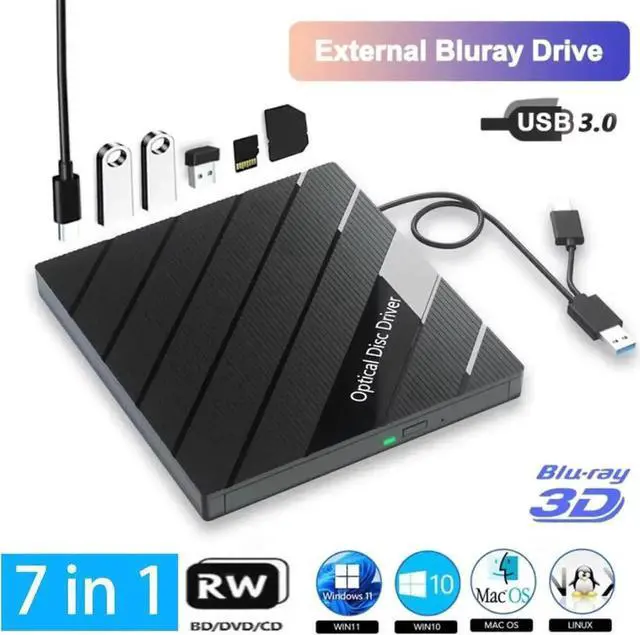
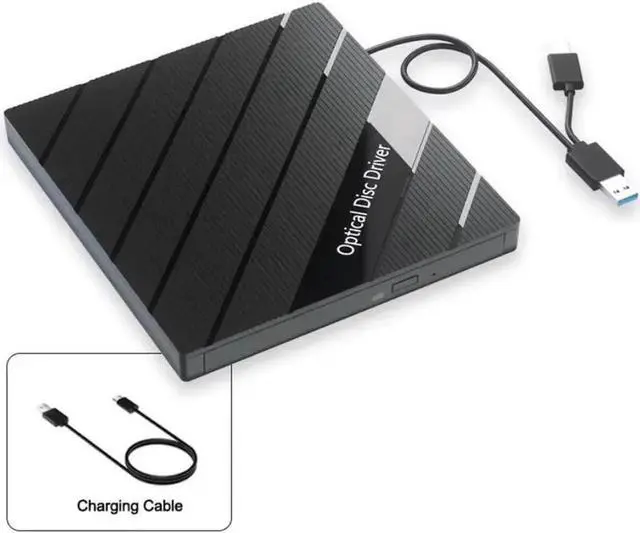
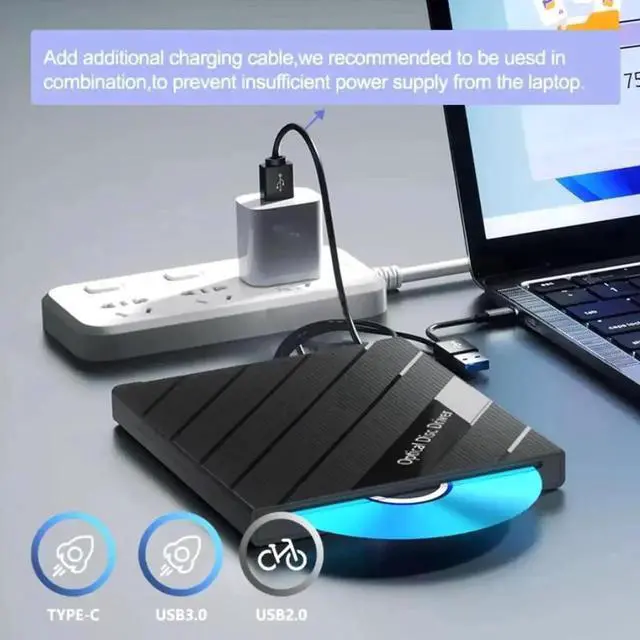


External Blu Ray Drive, Portable Bluray Player Writer Reader, CD Burner with USB 3.0 USB 2.0 Ports & SD Card, DVD & CD-ROM +/-RW, External Blu-Ray Drives for PC Laptop Desktop Windows Mac Linux
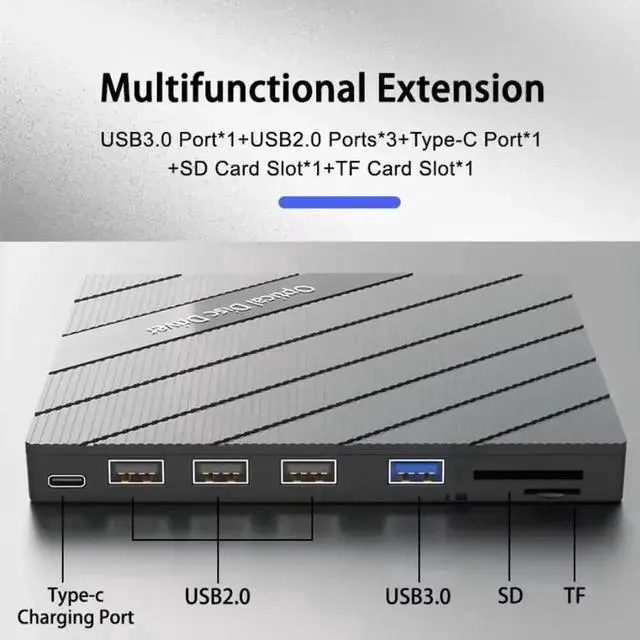
- [7 In 1 Blu Ray Drive] External blu-ray drives is not only a bluray CD and DVD reader, but also a bluray CD/DVD burner, writer, rewriter,recorder,ripper and many port hub(3 USB 2.0 & 1 USB 3.0 Ports, 1 Type-C Port and 2 TF/SD Card Slots)
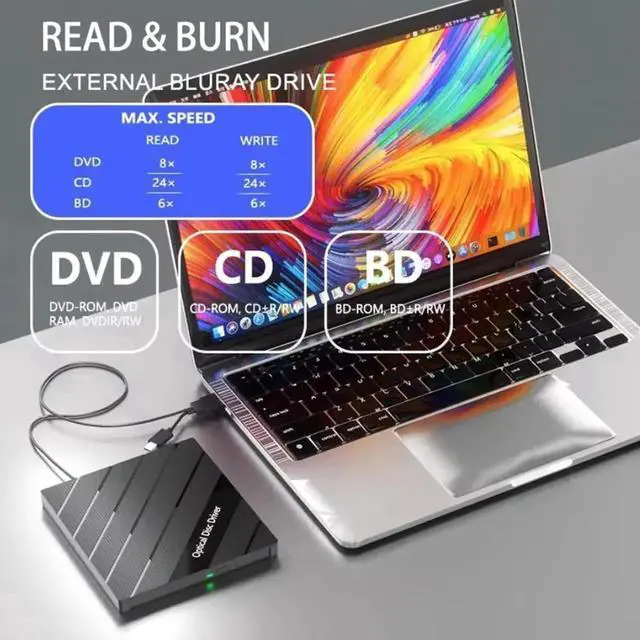
- [Support 100G Bluray Disc Read&Write] With the upgraded chip performance, the external blu ray drive has a larger storage capacity and a faster reading and recording speed. Blu-ray reading speeds are up to 6x, DVDs up to 8x, and CDs up to 24x.
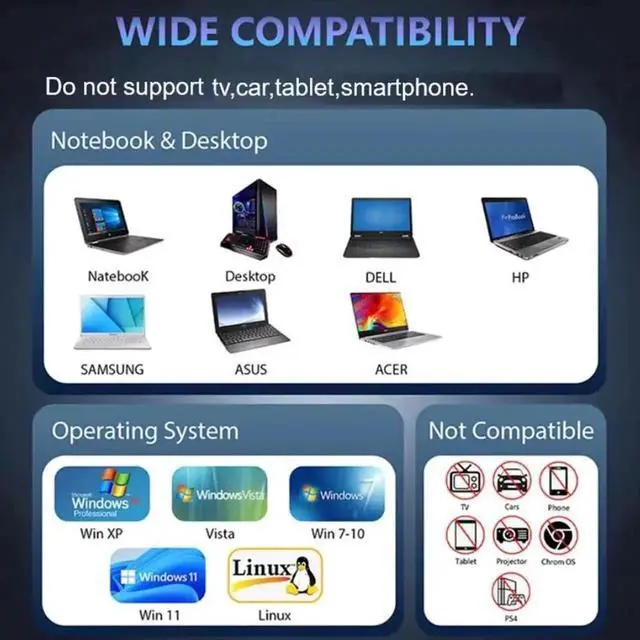
- [Wide Compatibility] This external blueray/dvd drive is compatible with Windows 11/10/8/7 and Mac OS. It supports 3D playback and offers near 4K quality clarity. *(Please note that it does not play 4K Ultra HD Discs).(Note:Can not work for iPad/ Tablet / Projector / TV/ Chrome OS/ Car/ Smart Phone,The Blu BD ray Drive does not play 4K Ultra HD Discs)
- [Easy to carry] Very light and thin, easy to carry and store, can be easily connected to a Type-C or USB 3.0 interface computer,high-speed data transmission.
+
+
Overview
Specs
Reviews

Any questions? Our AI beta will help you find out quickly.
Try me now
7 in 1 External Blu Ray CD DVD Drive
Support 100G Bluray Disc Read&Write:
With the upgraded chip performance, the external blu ray drive has a larger storage capacity and a faster reading and recording speed. Blu-ray reading speeds are up to 6x, DVDs up to 8x, and CDs up to 24x. Higher stability, faster reaction, stable performance and strong fault tolerance. Give users a better experience.
*(It is Not compatible for Chromebooks, BD recorders, tablet iPads, Surface tablets, TVs, projectors, smartphones, and cars. )
Multifunction:
This 7-in-1 external Blu-ray drive offers versatile features. It has 1 SD card slot, 1 TF card slot, 1 USB 3.0 ports and 3 USB 2.0 ports for data transfer or charging purposes. It supports reading BD/DVD/CD discs and writing BD/DVD/CD discs. You can easily copy music, movies, and data files from SD cards, TF cards, or through the USB/Type-C ports to your computer. You can also transfer files from a Blu-ray player to an SD card, USB hard drive, or USB flash drive.
*(Please note that the SD card and TF card cannot be used simultaneously; you can only choose one at a time. However, both of them can function simultaneously with the 2 USB ports. )
High-definition Video and Audio Recording:
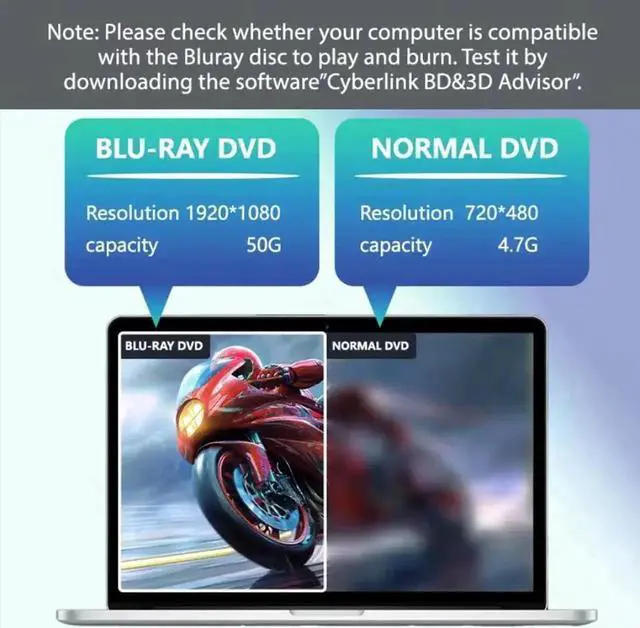
This external Blu-ray drive is easy to use and requires no external drivers. It can be powered by a single USB cable, and its body features an eject button for convenient disc loading. Simply press the eject button and insert the disc, then plug the external Blu-ray burner into your computer's USB interface. Ensure that the playback software on your computer supports the Blu-ray format. You can download the "Cyberlink BD&3D Advisor" tool to test compatibility. We recommend using professional Blu-ray software like PowerDVD and Macgo Blu-ray Player to enjoy this product
*(Please note that Blu-ray player software is not included).
Wide Compatibility:
This external blueray/dvd drive is compatible with Laptop/MacBook Pro/MacBook Air/PC running Windows 11/10/8/7 and Mac OS. It supports 3D playback and offers near 4K quality clarity
* (Please note that it does not play 4K Ultra HD Discs).
About Blu-ray software:
This external Blu-ray DVD reader needs to download the Blu-ray player software itself before it can read Blu-ray DVD. Some software Windows and MAC OS are not compatible, please make sure Blu-ray playback software is compatible with your computer system.
(Recommendations are as follows
Warranty & Returns
Warranty, Returns, And Additional Information
Warranty
- Please contact the Seller directly for warranty information. Warranty information may also be found on the Manufacturer's website.
- CONTACT
Return Policies
- Return for refund within: 30 days
- Return for replacement within: 30 days
- This item is covered by YuXuan Technology Return Policy
Manufacturer Contact Info
- For a directory of all our manufacturers, please click below.
- Manufacturers Directory
LOADING...