




 here!
I’m your shopping assistant for PC builds, upgrades, and everything tech.
Got questions? Ask away!
Start a conversation
here!
I’m your shopping assistant for PC builds, upgrades, and everything tech.
Got questions? Ask away!
Start a conversation



Any questions? Ask CelesteSM will help you find out quickly.
My laptop has a USB-C port. Will this work?
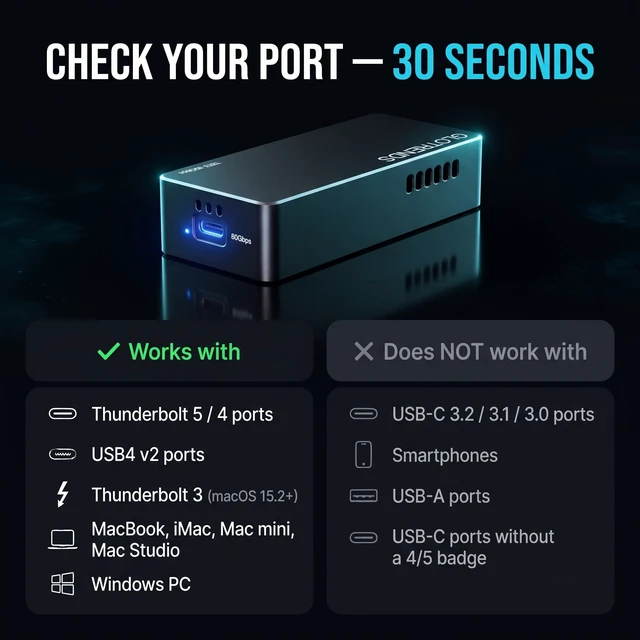
Only if it's a Thunderbolt 5/4/3 or USB4 port — a plain USB-C 3.2/3.1/3.0 port will not work. Check for the lightning icon or a "4"/"5" badge; if you only see the USB trident, consider our EM6002/EM6003 instead.
Can I use it with my iPhone or Android phone?
No. Smartphones are not supported — this is a computer-only device.
Why do I only get ~3,800 MB/s instead of 7,000 MB/s?
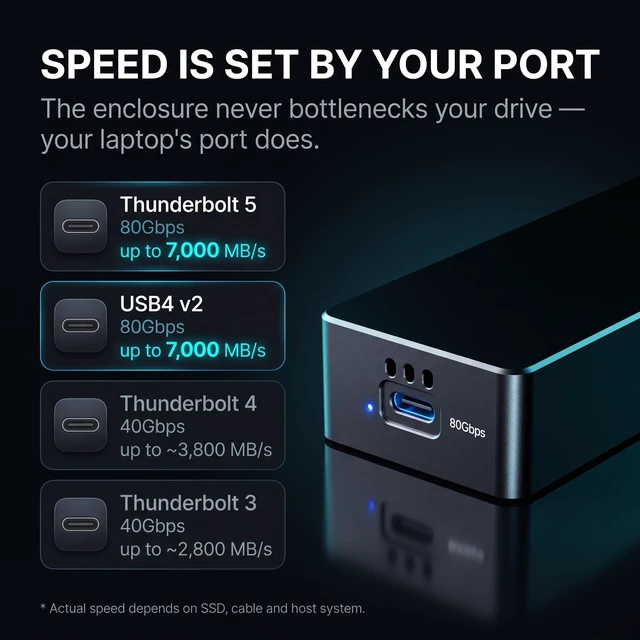
7,000 MB/s needs a Thunderbolt 5/USB4 v2 host and a Gen5 SSD. On TB4 the link is 40Gbps, so ~3,800 MB/s is the correct maximum — the port sets the speed, not a defect.
Do I need to install a driver?
No, it's plug and play on Windows, macOS and Linux. Just format the SSD on first use.
Is the enclosure hot to the touch?
The aluminum shell will feel warm during long transfers — that's heat leaving the SSD. If it's too hot to touch, check the thermal pad seating and vent airflow.
 EM6001 |  EM6002 |  EM6003 |
|---|---|---|
Supported Host Protocols Thunderbolt 5/4/3, USB4 | Supported Host Protocols Thunderbolt 5/4/3, USB4, USB 3.2 Gen2 (10Gbps)/3.0/2.0 | Supported Host Protocols Thunderbolt 5/4/3, USB4, USB 3.2 Gen2x2 (20Gbps), Gen2 (10Gbps)/3.0/2.0 |
Controller Intel JHL9480 B2 (2025 stepping) | Controller Intel JHL9480 B2 (2025 stepping) + JMS583 USB bridge | Controller Intel JHL9480 B2 (2025 stepping) + ASMedia ASM2364 USB bridge |


GLOTRENDS specializes in developing high-performance PCIe adapters and riser cables for computer engineers and DIY enthusiasts.
The products mainly include 2 series: PCIe adapters (M.2 SSD Adapter, SATA Card, WiFi/Ethernet Card, USB Card, etc) and PCIe 5.0/4.0/3.0 extension cables.
The goal of GLOTRENDS is to provide quality-assured and cost-effective products to customers worldwide. Customized production is welcome.







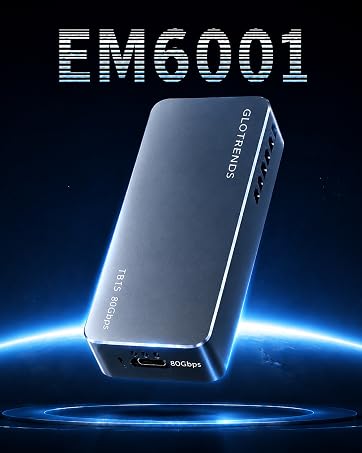
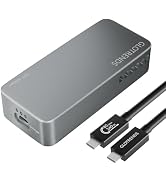
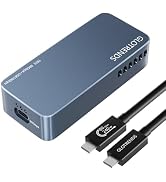
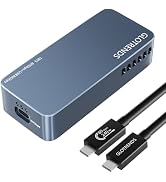
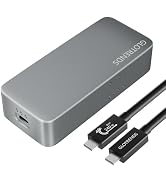

| Host Interface | USB-C (USB Type-C), 80Gbps |
|---|---|
| Supported Host Protocols | Thunderbolt 5, Thunderbolt 4, Thunderbolt 3 (macOS 15.2+ only), USB4 |
| Not Compatible With | USB-C 3.2 / 3.1 / 3.0 ports, USB-A, smartphones |
| Controller | Intel JHL9480 B2 (2025 stepping) |
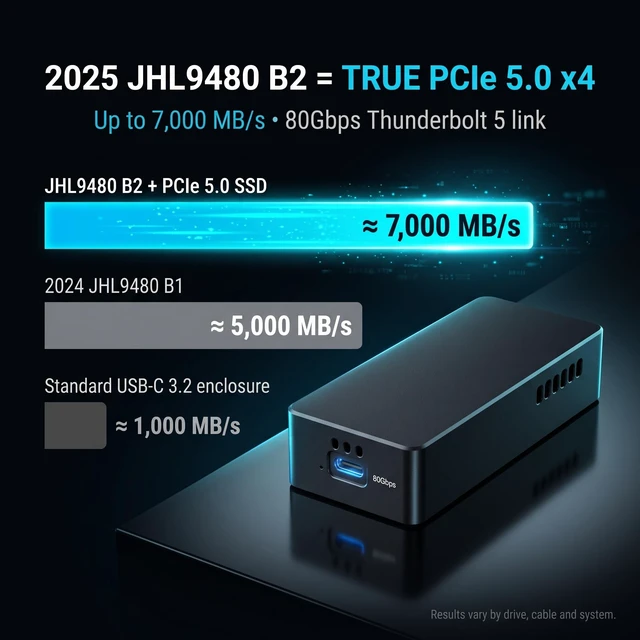
| PCIe Link | PCIe 5.0 x4 over Thunderbolt |
| Max Sequential Read | Up to 7,000 MB/s (Thunderbolt 5 host, Gen5 SSD) |
| Max Sequential Write | Up to 6,500 MB/s (Gen5 SSD) |
| Thunderbolt 4 Speed | Up to ~3,800 MB/s |
| Thunderbolt 3 Speed | Up to ~2,800 MB/s |
| SSD Support | M.2 2280 NVMe (M-key), PCIe 5.0 / 4.0 / 3.0 |
| Max Capacity | 8TB |
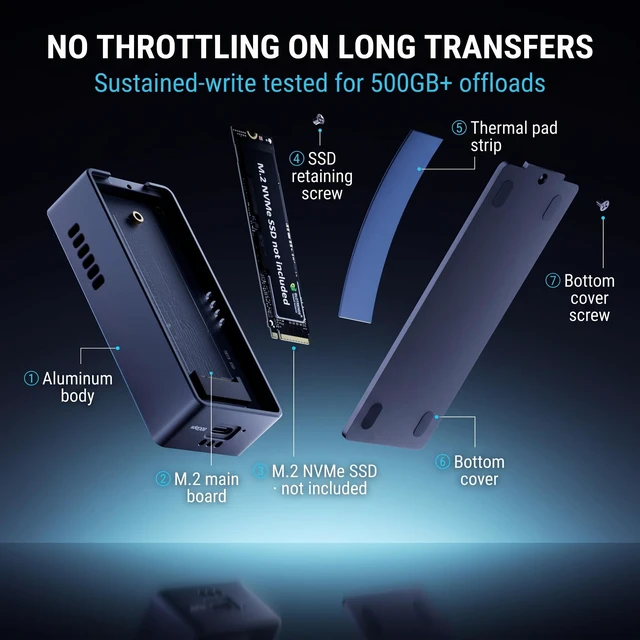
| Cooling | Built-in PWM fan (activates 40–60°C, auto speed) + aluminum housing + thermal pad |
| Operating Systems | Windows 10/11, macOS 12+ (TB3 requires macOS 15.2+), Linux, ChromeOS |
| Plug & Play | Yes — no drivers required |
| Power | Bus-powered via USB-C (no external power) |
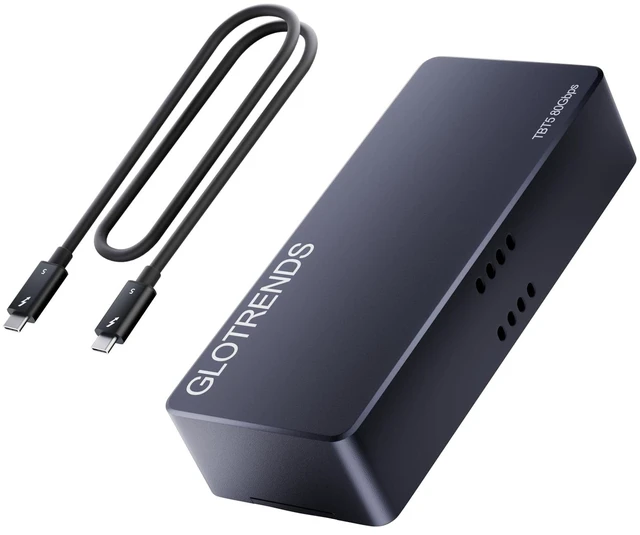
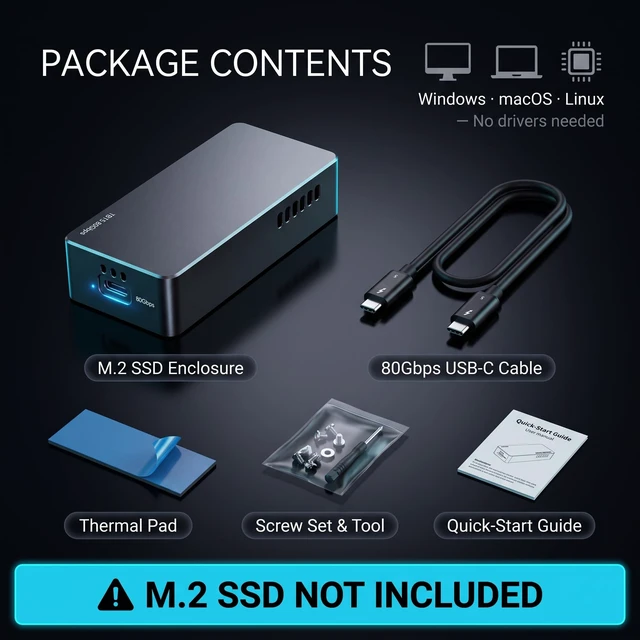
| Cable Included | 80Gbps USB-C to USB-C, 0.5m (20 inch) |


My laptop has a USB-C port. Will this work?
Only if it's a Thunderbolt 5/4/3 or USB4 port — a plain USB-C 3.2/3.1/3.0 port will not work. Check for the lightning icon or a "4"/"5" badge; if you only see the USB trident, consider our EM6002/EM6003 instead.
Can I use it with my iPhone or Android phone?
No. Smartphones are not supported — this is a computer-only device.
Why do I only get ~3,800 MB/s instead of 7,000 MB/s?
7,000 MB/s needs a Thunderbolt 5/USB4 v2 host and a Gen5 SSD. On TB4 the link is 40Gbps, so ~3,800 MB/s is the correct maximum — the port sets the speed, not a defect.
Do I need to install a driver?
No, it's plug and play on Windows, macOS and Linux. Just format the SSD on first use.
Is the enclosure hot to the touch?
The aluminum shell will feel warm during long transfers — that's heat leaving the SSD. If it's too hot to touch, check the thermal pad seating and vent airflow.
GLOTRENDS specializes in developing high-performance PCIe adapters and riser cables for computer engineers and DIY enthusiasts.
The products mainly include 2 series: PCIe adapters (M.2 SSD Adapter, SATA Card, WiFi/Ethernet Card, USB Card, etc) and PCIe 5.0/4.0/3.0 extension cables.
The goal of GLOTRENDS is to provide quality-assured and cost-effective products to customers worldwide. Customized production is welcome.


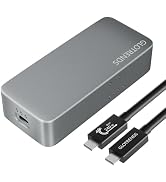

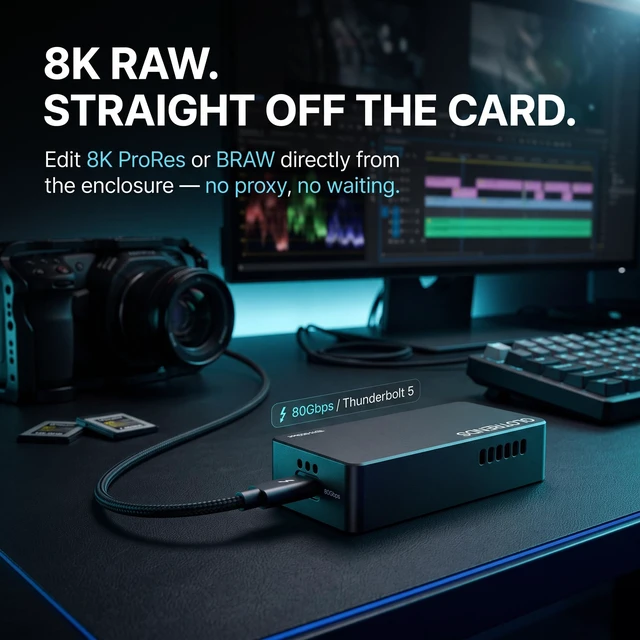
GLOTRENDS Thunderbolt 5 NVMe SSD Enclosure - Built on the 2025 JHL9480 B2 Controller Check your port first (30 seconds, saves a return). This is a PCIe-based Thunderbolt/USB4 enclosure. It works with Thunderbolt 5, Thunderbolt 4, Thunderbolt 3 (macOS 15.2+) and USB4 ports. It does not work with ordinary USB-C 3.2 / 3.1 / 3.0 ports, and it does not support smartphones (iPhone or Android) - not for phone storage expansion, photo backup or video recording. If your port shows only a USB trident symbol with no lightning or "4"/"5" badge, this product is not for that port. The B2 chip is the reason to buy. Many Thunderbolt 5 enclosures still ship with the 2024 JHL9480 B1 controller, which provides only a PCIe 4.0 x4 link - put a Gen5 SSD in one and it may not be recognized, may drop to Gen4 speed, or may throttle unpredictably. Our enclosure uses Intel's 2025-updated JHL9480 B2, with a real PCIe Gen5 x4 link. Every Gen5 SSD is fully recognized and runs at native Gen5 speed. The difference is not on the spec sheet; it's what happens the moment you plug in a Gen5 drive. 80Gbps, proven by real workloads. Thunderbolt 5 delivers a symmetric 80Gbps link and up to 7,000MB/s sequential reads. Offload a 256GB camera card in minutes, edit 8K ProRes straight off the drive, or boot a full macOS or Windows install from it. Built for the Mac desk - and USB4 PCs. Tested with MacBook, iMac, Mac mini and Mac Studio, plus Thunderbolt 4/4 and USB4 devices on Windows and iPad Pro. Compatible operating systems: Windows, macOS and Linux. Thunderbolt and the Thunderbolt logo are trademarks of Intel Corporation in the U.S. and/or other countries. MacBook, iMac, Mac mini, Mac Studio are trademarks of Apple Inc. All other trademarks are the property of their respective owners. GLOTRENDS is not affiliated with, endorsed by, or sponsored by Intel or Apple.
| Hardware Interface | Thunderbolt |
| Brand | GLOTRENDS |
| Color | Space Gray |
| Hardware Platform | MacBook, iMac, Mac mini, Mac Studio and USB4 PCs |
| Material | Aluminum |
| Memory Storage Capacity | 8 TB |
| Compatible Devices | Desktop, Laptop, Macbook, Macbook Pro, Personal Computer, iPad Pro |
| Supported Devices Quantity | 1 |
| Data Transfer Rate | 80 gigabits_per_second |
| Connectivity Technology | THUNDERBOLT 5/4/3/USB4 |
| Enclosure Material | Aluminum |
| Number of Items | 1 |
| Item Highlight | New 2025 JHL9480 B2, true PCIe 5.0 x4, 80Gbps, Mac & USB4 only, no USB-C 3.2/phones |
| Manufacturer | glotrends |
| Built-In Media | 1 x 80Gbps TB5 M.2 Enclosure, 1 x 80Gbps USB C Cable, 1 x Screw Set, 1 x Thermal Pad |
| Model Number | EM6001 |
| Mfr Part Number | EM6001 |
| Warranty Description | 30 Day Warranty Against Manufacturer Defects |


