• $6.99
  • Free 30-day Returns
  • Ships from China.
    Price alert
    Shop it at NeweggBusiness.

    Vszerda Dedicated Aluminum Alloy Heatsink Kit for Raspberry Pi Module 4 | for 55x40x5mm Passive Cooling, Notched for Antenna Section, zero noise, no fan, no power draw

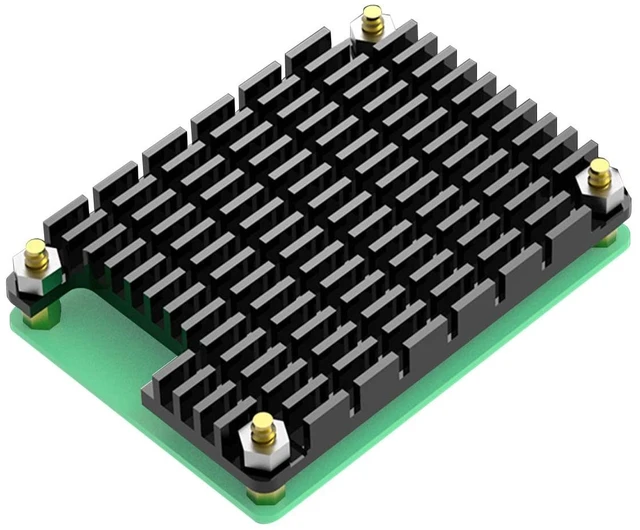
    • DEDICATED FOR CM4 ONLY: This aluminum alloy heatsink is engineered specifically for the Raspberry Pi Compute Module 4 (CM4) matching the CM4 board size and mounting holes exactly for a precise, wobble-free fit. Note: heatsink only, CM4 module and carrier/IO board are not included.
    • NOTCHED FOR THE ANTENNA: Precision-cut relief above the antenna section leaves full clearance for the CM4 external antenna no interference with WiFi/BT signal, no need to desolder or relocate anything when you add the heatsink.
    • REAL THERMAL HEADROOM: Solid aluminum alloy pulls heat off the BCM2711 to stop thermal throttling during sustained loads passive convection cooling with zero noise, no fan, no power draw, nothing to fail in 24/7 industrial or NAS enclosures.
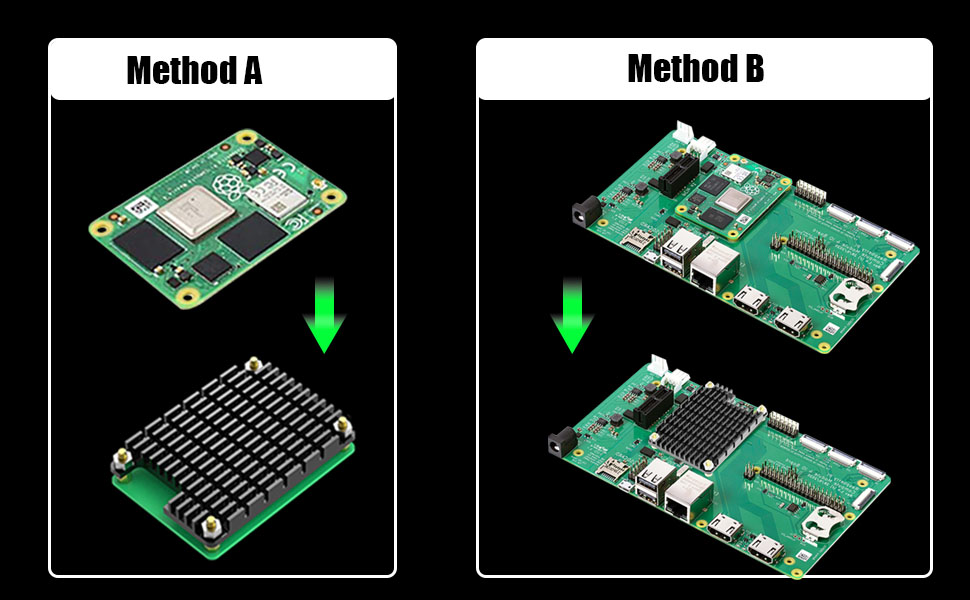
    • TWO WAYS TO MOUNT: Method A bond the heatsink directly onto the CM4 module with the pre-cut thermal tape. Method B mount the CM4 + heatsink as one unit onto your IO board using the included standoffs. Both are covered step-by-step in our A+ images.
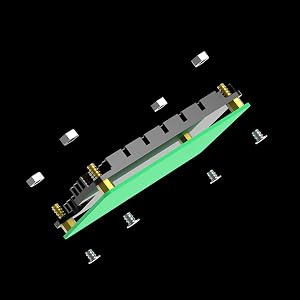
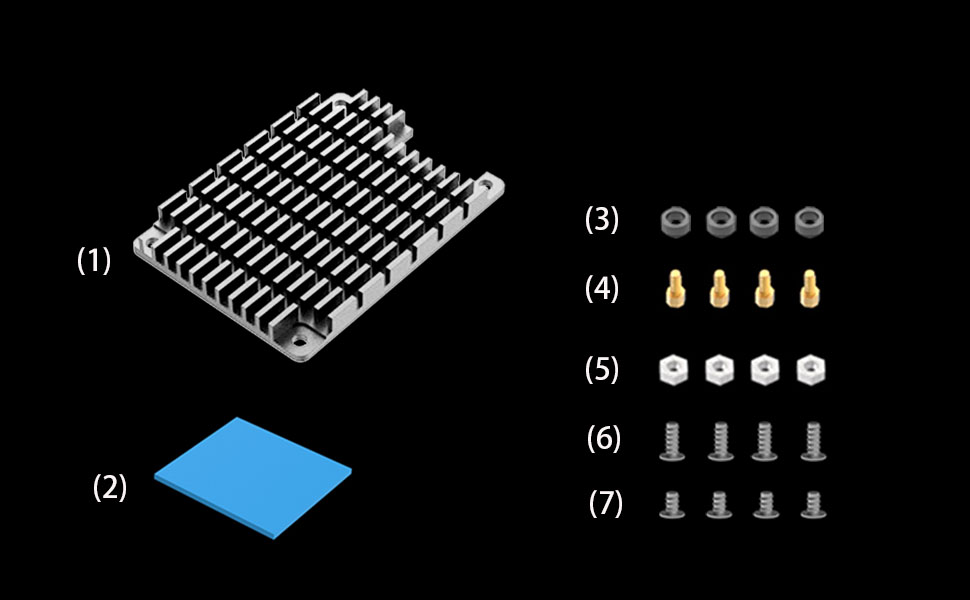
    • EVERYTHING IN THE BOX: 1× aluminum heatsink (55×40×5 mm / 2.17×1.57×0.20 in, 14 g), 1× thermal tape, 4× standoffs, 4× nuts, 4× rubber gaskets, 4× M2.5 long screws, 4× M2.5 short screws and 1× screwdriver installs in about 5 minutes with no drilling.
    +
    +
    Overview
    Specs
    Reviews

    Any questions? Ask CelesteSM will help you find out quickly.

    glotrends
    CM4 heatsink

    The aluminum alloy heat sink is only suitable for CM4 (Raspberry Pi Compute Module 4)

    2 installation methods:

    • Method A: Attach this heatsink to the CM4 motherboard
    • Method B: this heatsink with CM4 motherboard as a unit to attach to IO board

    CM4 Heatsink

    Method A Step 1

    • Attach thermal tape to main chip

    https://m.media-amazon.com/images/S/aplus-media-library-service-media/89376429-d2da-49d8-9e92-bd084cfcede8.__CR0,0,1500,1500_PT0_SX300_V1___.jpg

    Step 1

    https://m.media-amazon.com/images/S/aplus-media-library-service-media/498fd878-8e2f-4562-bab5-3bfcf938801a.__CR0,0,1500,1500_PT0_SX300_V1___.jpg

    Step 2

    https://m.media-amazon.com/images/S/aplus-media-library-service-media/a961921d-c129-42e0-9cee-81abcee26c1b.__CR0,0,1500,1500_PT0_SX300_V1___.jpg

    Step 3

    CM4 Heatsink

    Method B Step 1

    • Attach thermal tape to main chip

    https://m.media-amazon.com/images/S/aplus-media-library-service-media/89376429-d2da-49d8-9e92-bd084cfcede8.__CR0,0,1500,1500_PT0_SX300_V1___.jpg

    Step 1

    https://m.media-amazon.com/images/S/aplus-media-library-service-media/1d0e7dcb-2ade-4d09-a4bb-d2126ef7bac2.__CR0,0,1500,1500_PT0_SX300_V1___.jpg

    Step 2

    https://m.media-amazon.com/images/S/aplus-media-library-service-media/331ee71f-af65-422c-bec0-2fcdef55f655.__CR0,0,1500,1500_PT0_SX300_V1___.jpg

    Step 3

    https://m.media-amazon.com/images/S/aplus-media-library-service-media/bbc43321-31bd-4f3d-8c68-f936be185cbf.__CR0,0,1500,1500_PT0_SX300_V1___.jpg

    Step 4

    CM4 Heatsink

    Package Including:

    1. CM4 Heatsink
    2. Thermal Tape
    3. 4 x Rubber Gasket
    4. 4 x Standoff
    5. 4 x Nut
    6. 4 x 2.5M Long Screw
    7. 4 x 2.5M Short Screw

    https://m.media-amazon.com/images/S/aplus-media-library-service-media/94292364-2d08-4785-a3a7-17dac6ed5111.__CR0,0,900,1800_PT0_SX150_V1___.jpg
    M.2 Heatsink
    https://m.media-amazon.com/images/S/aplus-media-library-service-media/d8fa3f0b-419d-46e8-b6a0-b564491356aa.__CR0,0,900,1800_PT0_SX150_V1___.jpg
    M.2 Heatsink
    https://m.media-amazon.com/images/S/aplus-media-library-service-media/be962f79-6a67-47ae-935e-5a366171b9f9.__CR0,0,900,1800_PT0_SX150_V1___.jpg
    M.2 Heatsink
    https://m.media-amazon.com/images/S/aplus-media-library-service-media/16164825-6330-442a-bdd9-ae5a6e68976c.__CR0,0,900,1800_PT0_SX150_V1___.jpg
    CM4 Heatsink
    https://m.media-amazon.com/images/S/aplus-media-library-service-media/1eac4942-9b62-4a0d-a7d2-40470ebcaac5.__CR0,0,900,1800_PT0_SX150_V1___.jpg
    Thermal Pad
    Customer Reviews —————
    Price —————
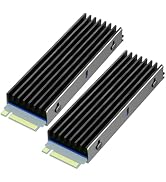
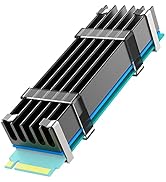
    Fit for PS5/Desktop PC Desktop PC PS5/Desktop PC CM4 M.2 SSD
    Cooling Effect 5°C- 20°C 10°C- 30°C 10°C- 30°C 5°C- 20°C no data
    Aluminum Body 2.76x0.87x0.12inch 2.76x0.87x0.4inch 2.76x0.87x0.24inch 4.4x1.6x0.2 inch no data
    glotrends
    CM4 heatsink

    The aluminum alloy heat sink is only suitable for CM4 (Raspberry Pi Compute Module 4)

    2 installation methods:

    • Method A: Attach this heatsink to the CM4 motherboard
    • Method B: this heatsink with CM4 motherboard as a unit to attach to IO board

    CM4 Heatsink

    Method A Step 1

    • Attach thermal tape to main chip

    CM4 Heatsink

    Method A Step 2

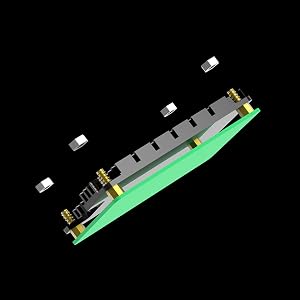
    • Fix the nuts and standoffs to the heatsink

    CM4 Heatsink

    Method A Step 3

    • Fix the heatsink to CM4 with short 2.5M screws from back side of CM4

    CM4 Heatsink

    Method B Step 1

    • Attach thermal tape to main chip

    CM4 Heatsink

    Method B Step 2

    • Fix the nuts and standoffs to the heatsink

    CM4 Heatsink

    Method B Step 3

    • Put the gaskets on the right positions of IO board

    CM4 Heatsink

    Method B Step 4

    • Attach the heatsink to IO board
    • Fix with 2.5M long screws from IO board back side

    CM4 Heatsink

    Package Including:

    1. CM4 Heatsink
    2. Thermal Tape
    3. 4 x Rubber Gasket
    4. 4 x Standoff
    5. 4 x Nut
    6. 4 x 2.5M Long Screw
    7. 4 x 2.5M Short Screw

    https://m.media-amazon.com/images/S/aplus-media-library-service-media/94292364-2d08-4785-a3a7-17dac6ed5111.__CR0,0,900,1800_PT0_SX150_V1___.jpg
    M.2 Heatsink
    https://m.media-amazon.com/images/S/aplus-media-library-service-media/d8fa3f0b-419d-46e8-b6a0-b564491356aa.__CR0,0,900,1800_PT0_SX150_V1___.jpg
    M.2 Heatsink
    https://m.media-amazon.com/images/S/aplus-media-library-service-media/be962f79-6a67-47ae-935e-5a366171b9f9.__CR0,0,900,1800_PT0_SX150_V1___.jpg
    M.2 Heatsink
    https://m.media-amazon.com/images/S/aplus-media-library-service-media/16164825-6330-442a-bdd9-ae5a6e68976c.__CR0,0,900,1800_PT0_SX150_V1___.jpg
    CM4 Heatsink
    https://m.media-amazon.com/images/S/aplus-media-library-service-media/1eac4942-9b62-4a0d-a7d2-40470ebcaac5.__CR0,0,900,1800_PT0_SX150_V1___.jpg
    Thermal Pad
    Customer Reviews —————
    Price —————
    Fit for PS5/Desktop PC Desktop PC PS5/Desktop PC CM4 M.2 SSD
    Cooling Effect 5°C- 20°C 10°C- 30°C 10°C- 30°C 5°C- 20°C no data
    Aluminum Body 2.76x0.87x0.12inch 2.76x0.87x0.4inch 2.76x0.87x0.24inch 4.4x1.6x0.2 inch no data

    Aluminum Heatsink Kits for CM4 Motherboard (Raspberry Pi Compute Module)


    Product information

    Brand GLOTRENDS
    Cooler Heatsink Material Aluminum
    Product Dimensions 2.17"L x 1.57"W x 0.2"H
    Cooler Heatsink Compatibility Raspberry Pi Compute Module 4
    Item Weight 14.2 g
    Brand Name GLOTRENDS
    Unit Count 1 Count
    Manufacturer glotrends
    Number of Packs 1
    Number of Items 1
    Item Highlight for 55x40x5mm Passive Cooling, Notched for Antenna Section, zero noise, no fan, no power draw
    Part Number CM4 Heatsink
    Item Dimensions L x W x H 2.17"L x 1.57"W x 0.2"H
    Mounting Type Chassis Mount

    Warranty & Returns

    Warranty, Returns, And Additional Information

    Warranty

    • Please contact the Seller directly for warranty information. Warranty information may also be found on the Manufacturer's website.
    • CONTACT

    Return Policies

    Manufacturer Contact Info

    LOADING...