Your Browsing History
Meet Your Seller
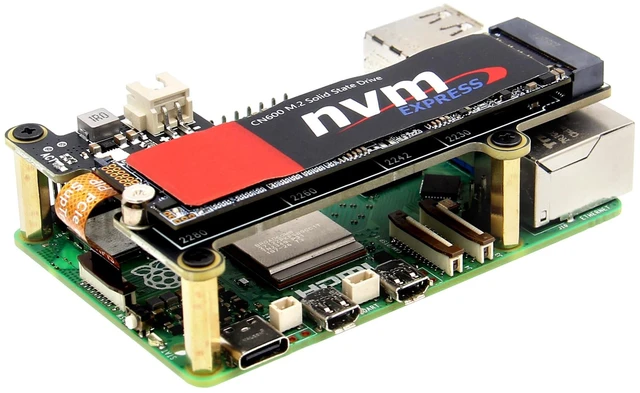
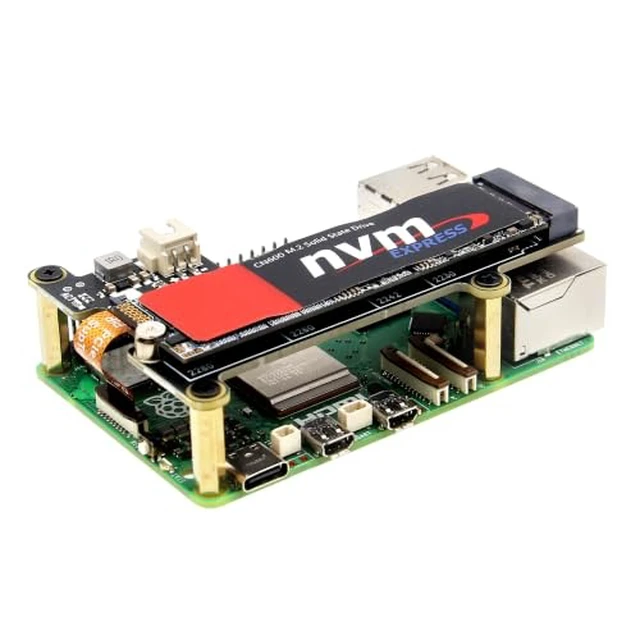
Geekworm X1001 PCIe to M.2 HAT Key-M NVMe SSD PIP Board for Raspberry Pi 5
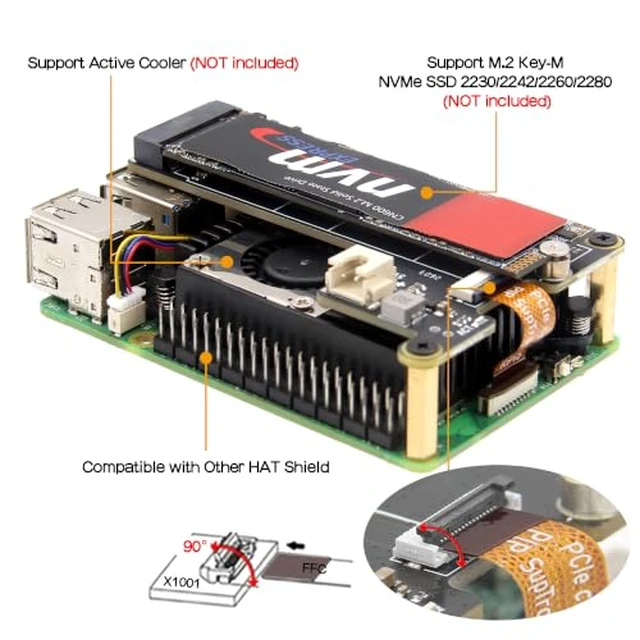
- Compatibility: Pi 5 PCIe M.2 HAT only compatible with Raspberry Pi 5 2GB/4GB/8GB/16GB SBC (NOT include Raspberry Pi 5), NVMe base for Raspberry Pi 5, Model: X1001, the matching case is P579
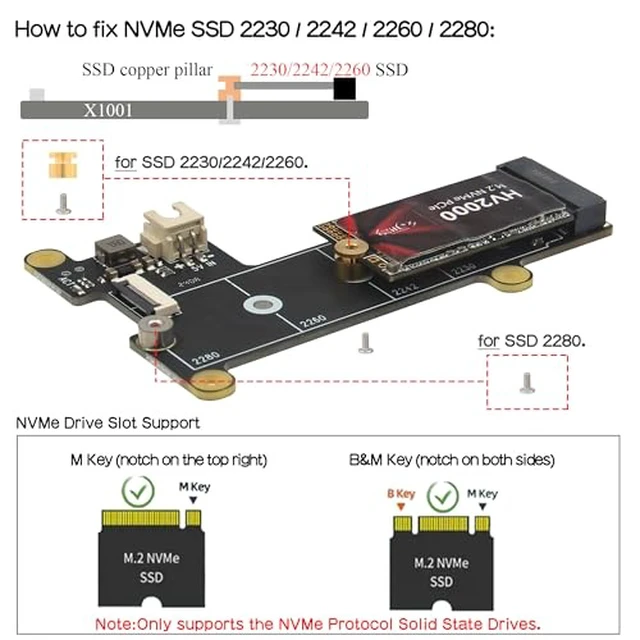
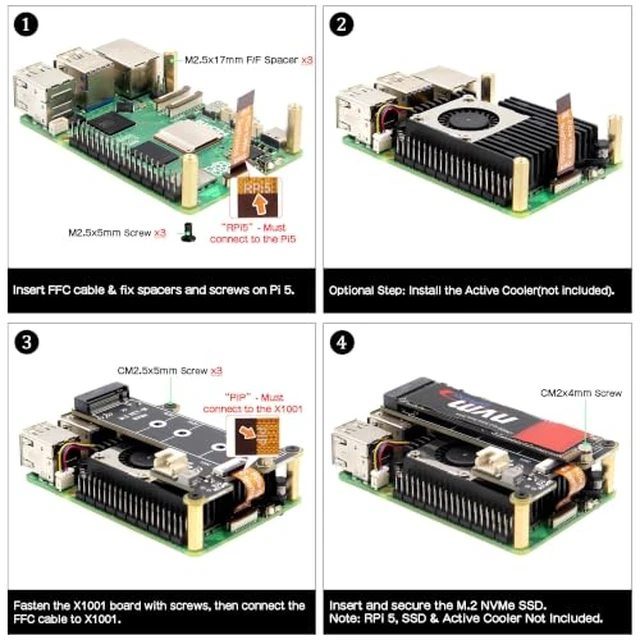
- M2 Key-M NVMe SSD Supported: Support M.2 KEY-M NVMe SSD 2230/2242/2260/2280 length installation; Comes with SSD copper pillar for 2230/2242/2260 SSD installation
- User Manual and FAQ: Google Geekworm WiKi and search X1001 and its FAQ; Refer to the FAQ to do troubleshoot step by step if can't boot/recognize from NVMe SSD
- Designed as a basic PCIe expansion board for the Raspberry Pi 5, the X1001 features limited standalone hardware functionality and requires proper OS configuration, stable FFC cable connection, and compatibility between firmware and SSDs for reliable operation.
- Power Supply Requirements: The X1001 is powered directly through the PCIe FFC ribbon cable. For stable operation, use the Raspberry Pi 5 PD 27W USB-C Power Supply (5.1V/5A). Note: Standard phone chargers may not pr
+
+
Overview
Specs
Reviews
Any questions? Ask CelesteSM will help you find out quickly.
Try me now
From the brand Geekworm Founded in 2013, Geekworm is dedicated to the development and design of Raspberry Pi accessories. Geekworm helps Makers around the world focus on creativity and inspirationby providing innovative. RPi5 PCIe to NVMe Adapter Visit the Store Raspberry Pi 5 UPS KVM Over IP For Raspberry Pi 4 Power Adapter Geekworm Heatsink Raspberry Pi Case Product description
What is the maximum supported NVMe SSD capacity for the X1001? The X1001 hardware has no limit on NVME SSD capacity, which is dependent on the Raspberry Pi OS. Can they support Gen3 PCIe speeds or only Gen2? All PIP boards (e. g., X1001, X1002, X1003) just extend the Raspberry Pi 5's PCIe interface. PCIe Gen 3 support depends on both the Raspberry Pi 5 and the chip on the PIP board. Models such as X1004, X1011, and X1005 do not support Gen 3 speed. Why is the SSD recognized but not bootable?
A: The method of flashing OS to NVME SSD may be problematic.
B: The SSD used may be incompatible. Please replace it with other brand SSD. What power supply is required for X1001? The X1001 is powered directly through the PCIe FFC ribbon cable. For stable operation, use the Raspberry Pi 5 PD 27W USB-C Power Supply ( 5.1V /5A).
Note: Standard phone chargers will not provide sufficient power for NVMe SSDs. Previous page Next page
Specifications
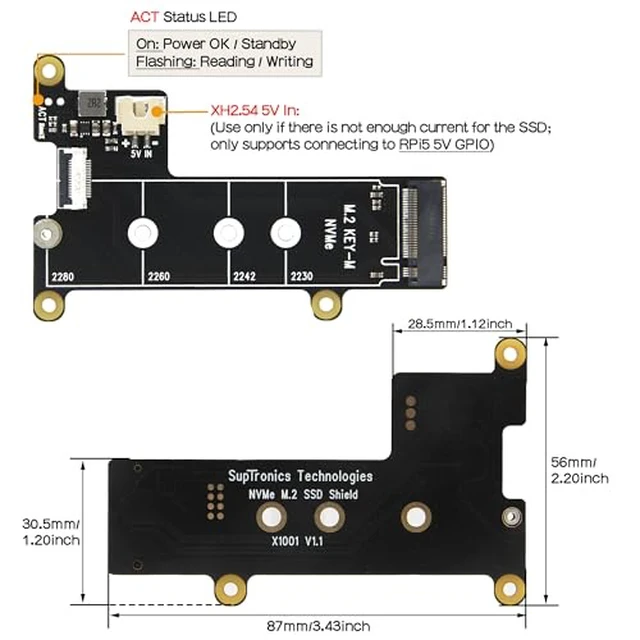
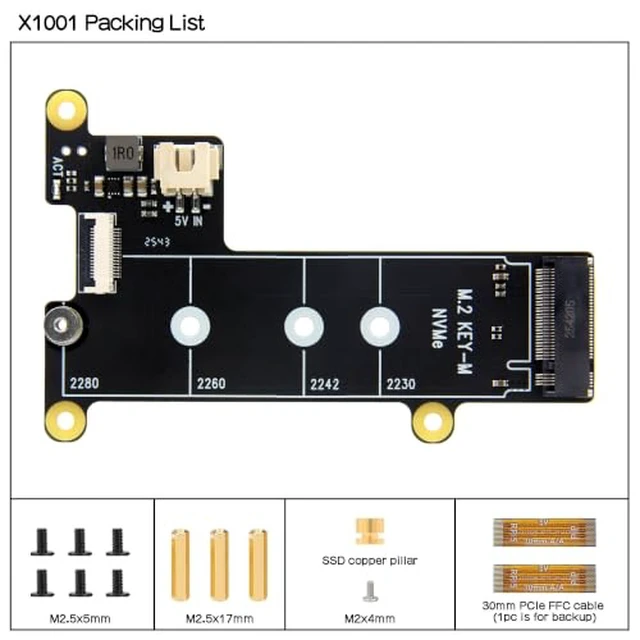
Model X1001 Compatible With for Raspberry Pi 5 2GB/4GB/8GB/16GB PCIe Connector 1x 16-pin pitch 0.5 mm SSD Connector 1x M. 2 KEY-M 67P M. 2 Key-M NVMe SSD Supported Single 2230/2242/2260/2280 PCB Size 87 mm x 56 mm Power Supply 5Vdc +/-5% power via FFC, converted to 3.3V max 3.5A to power the SSD Packing List 1 x X1001 V 1.1 NVMe SSD Shield; 1 x PCIe FFC cable (30mm length); 3 x M 2.5 x17mm F/F Spacers; 6 x M 2.5 x5mm Screws; 1 x M2x4mm Screw Why can't my Raspberry Pi 5 detect or boot from the NVMe SSD? After several major version updates, the bootloader has basically solved the firmware issue, so the remaining is the OS configuration and SSD compatibility issues.What is the maximum supported NVMe SSD capacity for the X1001? The X1001 hardware has no limit on NVME SSD capacity, which is dependent on the Raspberry Pi OS. Can they support Gen3 PCIe speeds or only Gen2? All PIP boards (e. g., X1001, X1002, X1003) just extend the Raspberry Pi 5's PCIe interface. PCIe Gen 3 support depends on both the Raspberry Pi 5 and the chip on the PIP board. Models such as X1004, X1011, and X1005 do not support Gen 3 speed. Why is the SSD recognized but not bootable?
A: The method of flashing OS to NVME SSD may be problematic.
B: The SSD used may be incompatible. Please replace it with other brand SSD. What power supply is required for X1001? The X1001 is powered directly through the PCIe FFC ribbon cable. For stable operation, use the Raspberry Pi 5 PD 27W USB-C Power Supply ( 5.1V /5A).
Note: Standard phone chargers will not provide sufficient power for NVMe SSDs. Previous page Next page
Warranty & Returns
Warranty, Returns, And Additional Information
Warranty
- Please contact the Seller directly for warranty information. Warranty information may also be found on the Manufacturer's website.
- CONTACT
Return Policies
- Return for refund within: 30 days
- Return for replacement within: 30 days
- This item is covered by SpringEssence Store Return Policy
Manufacturer Contact Info
- For a directory of all our manufacturers, please click below.
- Manufacturers Directory
LOADING...