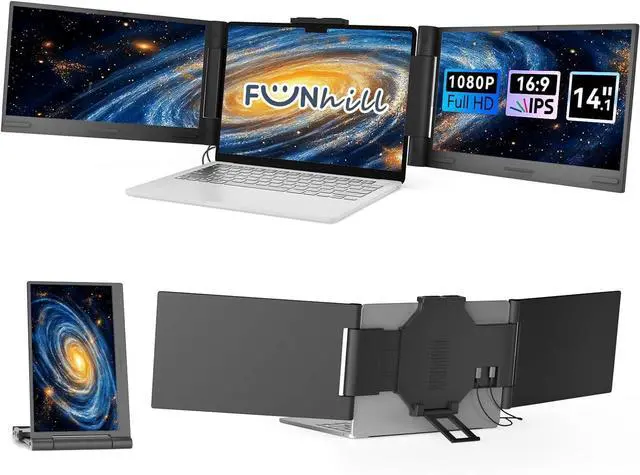
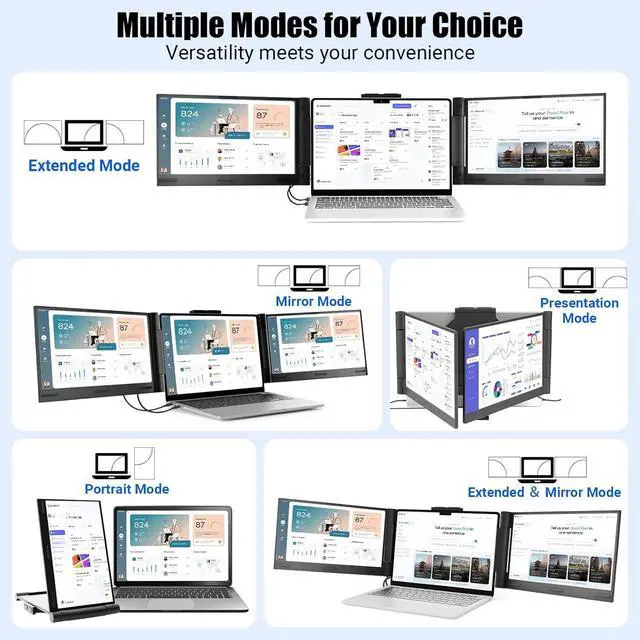
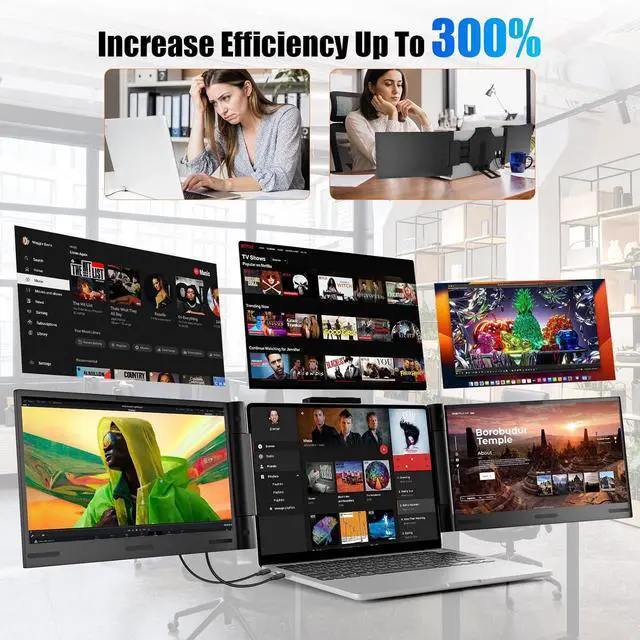
Boost 300% Efficiency- Funhill laptop screen extender can instantly expand your laptop to triple screens - view spreadsheets, design tools, and chats simultaneously. Say goodbye to the hassle of constantly switching back and forth on a single display continuously. Portable screen for laptop can switch between extended/duplicate/portrait modes to minimize tab-switching fatigue. Funhill triple monitor provides the perfect solution for laptop users for multi-screen synchronization and split-screen display.
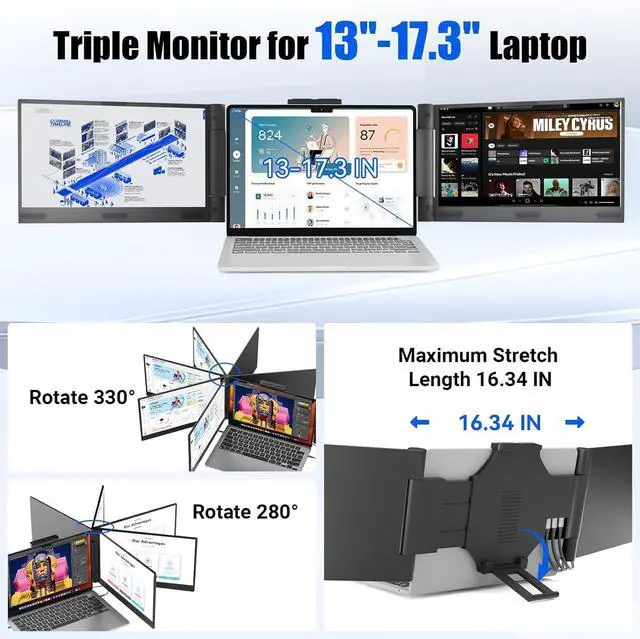
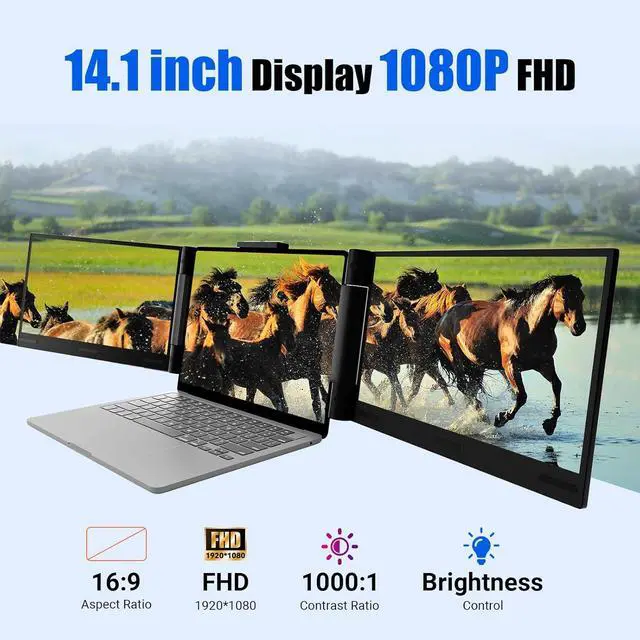
1080P IPS FHD Monitor Extender- Funhill laptop monitor extender equips a 14" FHD IPS screen paired with 1920x1080 resolution, 16:9 aspect ration, 60Hz refresh rate for superior image clarity. Enjoy a wide viewing angle and rich, vibrant colors. The triple laptop screen can rotate 0-330° (Left), 0-280°(Right), allowing you to customize the viewing experience according to your preferences. Adjust brightness via screen extender portable side buttons.
+
+
Overview
Specs
Reviews
Any questions? Our AI beta will help you find out quickly.
Try me now
Boost 300% Efficiency- Funhill laptop screen extender can instantly expand your laptop to triple screens - view spreadsheets, design tools, and chats simultaneously. Say goodbye to the hassle of constantly switching back and forth on a single display continuously. Portable screen for laptop can switch between extended/duplicate/portrait modes to minimize tab-switching fatigue. Funhill triple monitor provides the perfect solution for laptop users for multi-screen synchronization and split-screen display.
1080P IPS FHD Monitor Extender- Funhill laptop monitor extender equips a 14" FHD IPS screen paired with 1920x1080 resolution, 16:9 aspect ration, 60Hz refresh rate for superior image clarity. Enjoy a wide viewing angle and rich, vibrant colors. The triple laptop screen can rotate 0-330° (Left), 0-280°(Right), allowing you to customize the viewing experience according to your preferences. Adjust brightness via screen extender portable side buttons.
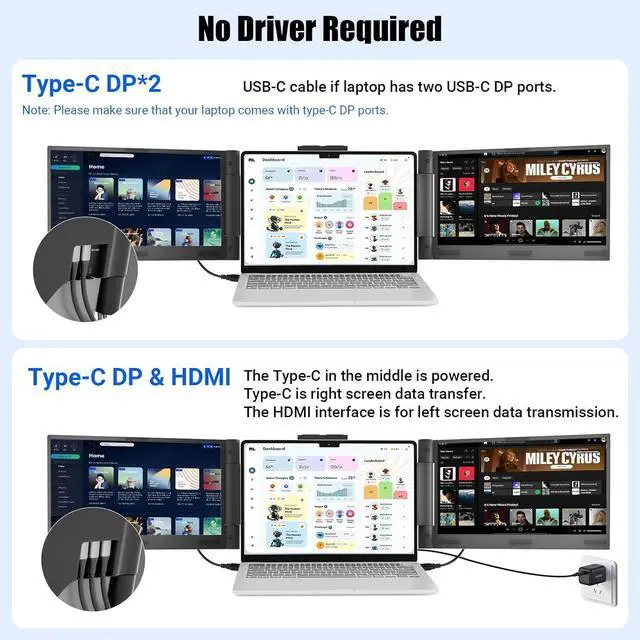
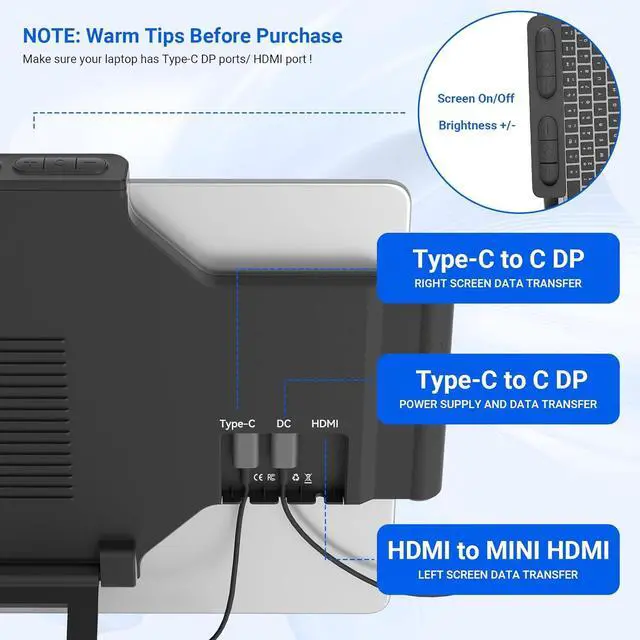
Plug & Play Without Driver- You just need to connect the portable monitor for laptop via USB-C DP, HDMI directly without any additional driver download. Funhill multiple screens includes all the necessary cables (2* Dual USB-C cable, 1* HDMI to Mini-HDMI cable, 1*DC Charger). : Make sure your laptops support * USB-C () or * USB-C ()+* HDMI port. : If one screen displays "No Signal," it means the laptop output power is insufficient, requiring extra power for laptop extender. : when use the HDMI cable, please connect one extra dual USB-C cable to the same screen extender to power supply.
Widely Compatible & Portable- portable laptop monitor for 13-17.3" laptop support a wide range of devices and operating systems, including Intel, Android, Windows, Mac, Chrome, Linux, Type-C/A phones, PS4, Switch, and so on. Funhill 14 inch laptop monitor extender is created to folded compactly for easy storage in a computer bag(not included). Note: The phones need to support video output. : Please ensure that your laptop's C-port supports () function.
Reliable Service Support- Rest assured with a 1-year support on our laptop screen extender. If you notice missing accessories or have inquiries about connectivity, feel free to contact us, and we are here to provide a prompt solution within 24 hours. : Please ensure that your laptop has at least one USB-C (), Otherwise, the right screen may not function properly. : Two USB-C DP ports for connection, but the monitor extension for laptop no respond. This may be due to the laptop version being too low to support the screen extender. Please use HDMI+C ports to connect and connect the external power supply
: Close the left screen first, then the right oneotherwise, the screen may get damaged. Do not force the monitor to retract; stretch it slightly before retracting.
Learn more about the Detailed Specifications
Additional Information
First Listed on Newegg
March 19, 2026
There are no reviews yet.
Do you own this product?
Warranty & Returns
Warranty, Returns, And Additional Information
Warranty
Please contact the Seller directly for warranty information. Warranty information may also be found on the Manufacturer's website.