- Free 30-day Returns
Meet Your Seller
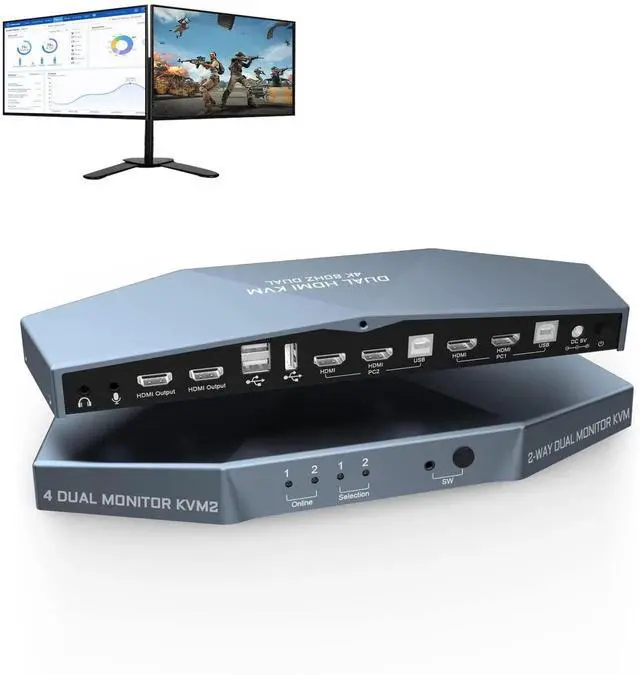
WISDUM 2 PCs Dual Monitor KVM Switch 4K@60Hz, Support HDCP 2.2, HDMI+HDMI 4x2 Dual Monitor KVM Switch for 2 PCs and 2 Monitors
Limited time offer, ends 07/26 By VoltSync
- [Dual Monitor KVM Switch HDMI 2 Port]2 PCs dual monitor HDMI 2.0 KVM switch, using only 1 set of keyboard, mouse and 2 monitors to control 2 computers, support display one computers main and extended desktop. NOTEIt requires each computer has 2 HDMI video output interfaces and support extended display,otherwise this dual monitor hdmi kvm switch can not be realized dual monitor extended display.
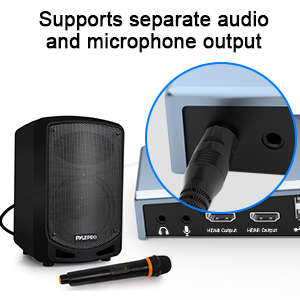
- [KVM Switch 2 Monitors 2 computers with 3 USB2.0 Port]2 port dual monitor kvm switch supports connecting your USB 2.0 port device such as Mouse/Keyboard/Scanner/USB driver/3D Printer/Monitor Camera. Also supports separate audio and microphone output.
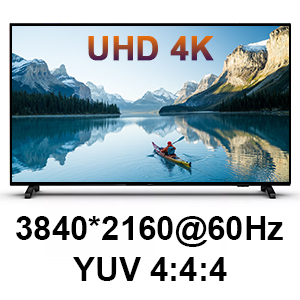
- [4K 60Hz Resolution & Smart EDID]The HDMI+HDMI dual monitor KVM switch supports max resolution up to 3840*2160@60Hz. Automatically adapt to EDID/HDCP, which can keep PCs always having correct display information.
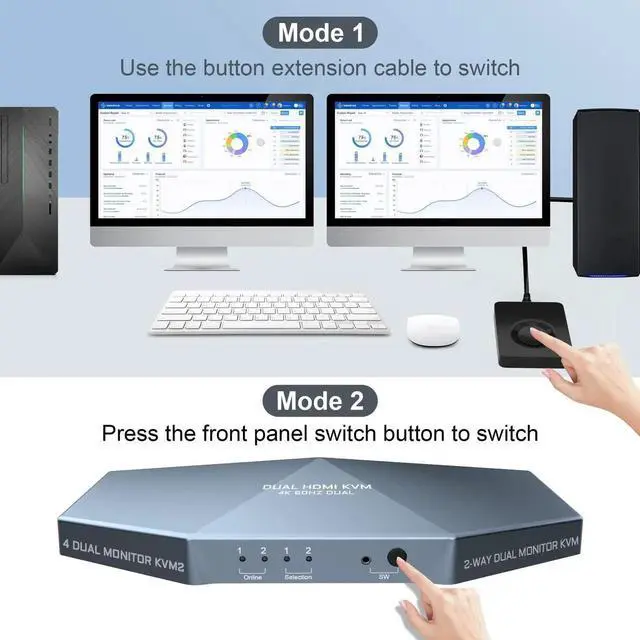
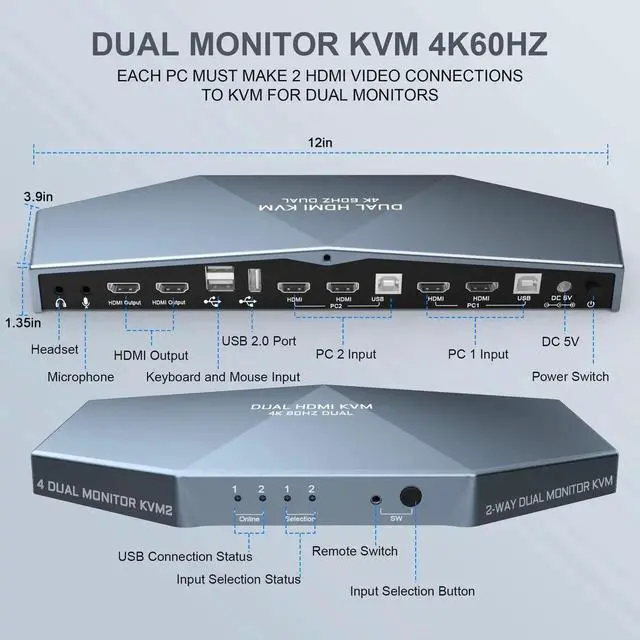
- [Support Two Ways to Control]Dual monitor KVM switch HDMI 2 Port support front panel switch buttons and external remote control switch button to control this dual monitor KVM.
- [Excellent after-sales service]Heavy weight high-end anti interference metal design to ensure sturdiness. It is our responsibility to ensure that every user has a great product experience and shopping experience. Therefore, if you encounter any problems during the use of this product, please do not hesitate to contact. Buy now and see the difference!
Any questions? Our AI beta will help you find out quickly.
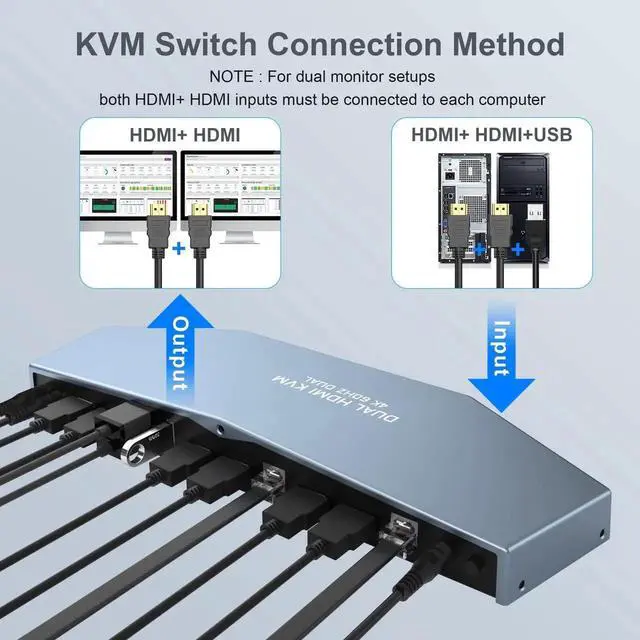
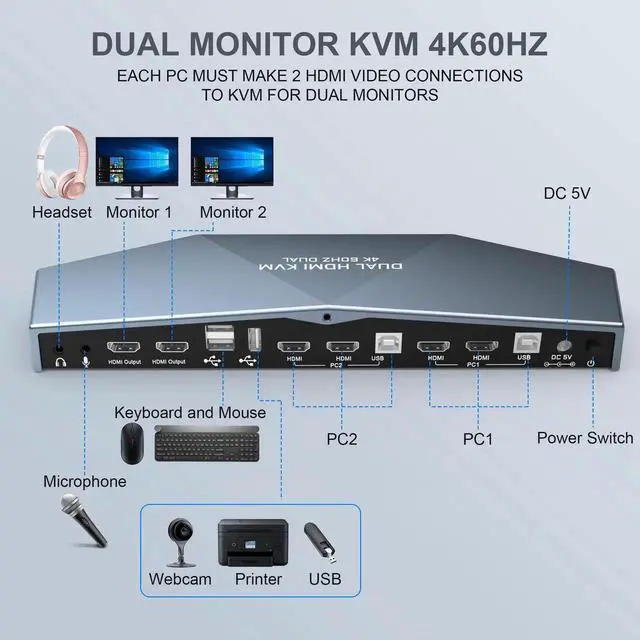
EACH PC MUST MAKE 2 VIDEO CONNECTIONS FOR DUAL MONITORS
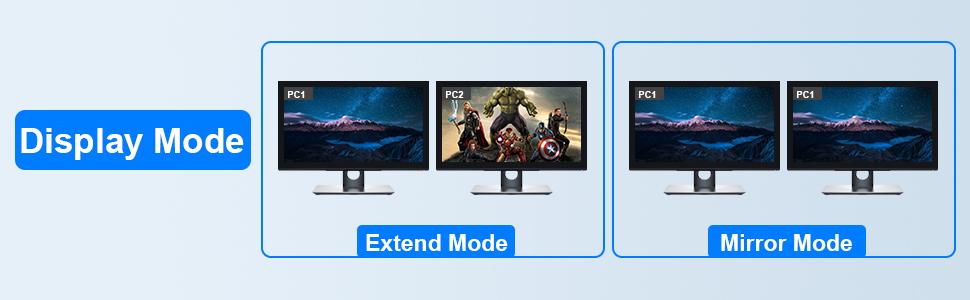
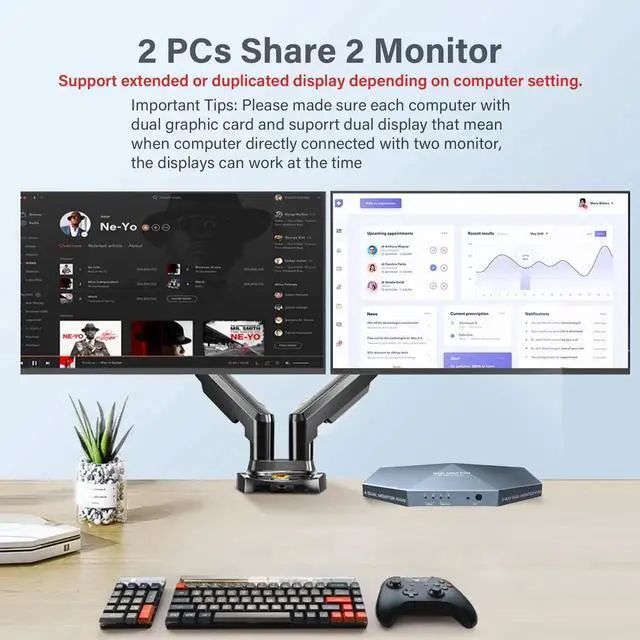
- This 2 computer KVM switch allows you to share one set of keyboard, two video monitors, and mouse with two PCs.
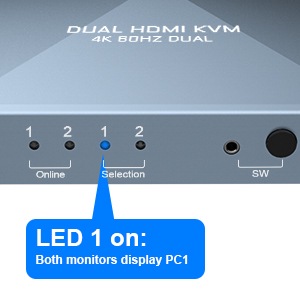
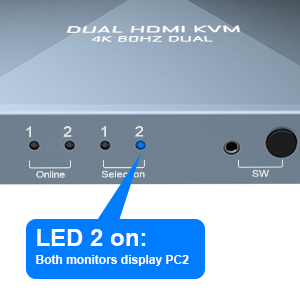
- Dual monitors output support extended and mirrored display. The dual monitor displays are from a same input source selected, it does not support computer 1 on monitor A, computer 2 on monitor B.
- Support front panel switch buttons and external remote control switch button to control this Dual Monitor HDMI KVM switch.
- Support wired or wireless keyboard and mouse. Allow you to quickly switch to the mode you need anytime and anywhere during the work, improve your work efficiency.
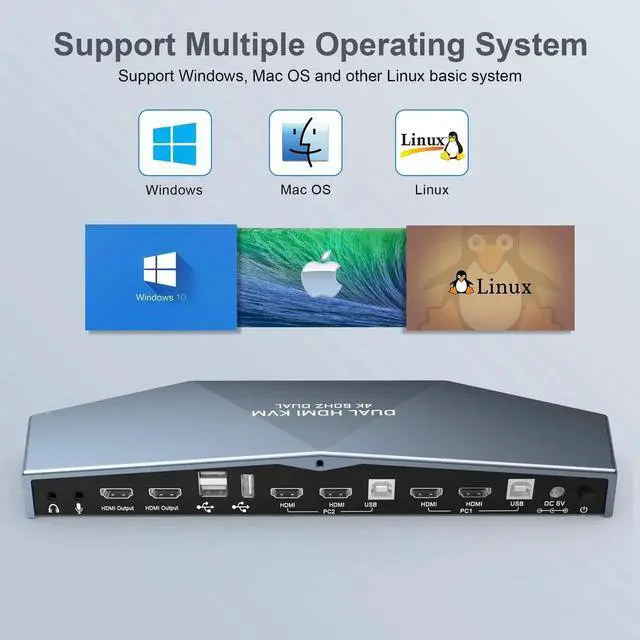
- Does not require software or drivers and works with Windows, MacOS, Linux, etc.
- With extra 3 USB 2.0 port , by using USB 2.0 hub ports on the KVM, you even can attach USB drive, printer, barcode scanner or other USB devices to the KVM.
- HDMI 2.0 supports 4K (3840 x 2160 @ 60hz) resolution. downward compatible. If monitor is not displaying properly, try reduce resolution.
- Automatically adapt to EDID/HDCP, which can keep PCs always having correct display information.
- Supports separate audio and microphone output.

- Use HDMI cable and USB-B cable to connect the computerand PC1 and PC2 realizes two-in and two-out connection.
- Use DC 5V 2A auxiliary power to connect the switch and turn on the power switch.
- Use the 2 HDMI cables to connect 2 monitors and the 2 HDMI output interface of the switcher.
- Use the switch button to switch the input computer.
What's in the Package:
- Dual Monitor KVM Switch X1
- USB-B to USB-A Cables X2
- DC Cables X1
- Remote control cable X1
- User Manual X 1

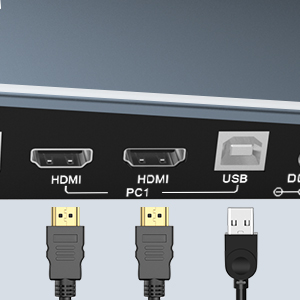
- Each computer must connect 2 HDMI cable and 1 USB A / B cable to ensure keyboard, mouse and monitor to work correctly.
- The 2 HDMI port is used to connect the second video output of the same computer, so that the monitor can display correctly (extended display)


Ultra HD 4K Brings you Better Definition and Clarity, Makes Images that Look Life-like, this KVM Switch is equipped with top grade image sensor
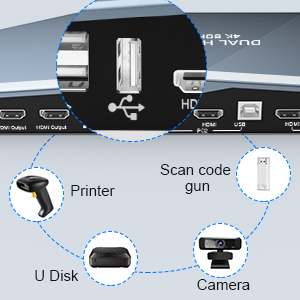
Supports Connecting your USB 2.0 port device such as Mouse/Keyboard/Scanner/USB driver/3D Printer/Monitor Camera.
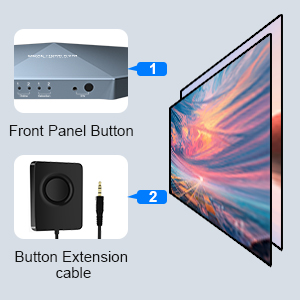

- Front panel buttons
- Button Extension Cable
- Not Support hotkey switching

- This 2 Port Dual Monitor KVM Switch does NOT support hotkey switching.
- Use powered USB hub to expand the USB2.0 port if multiple connections are needed.
- Most of the reasons why only onevideo output works is because of incorrect connection. Please make sure eachcomputer have 2 HDMI cables connect to the KVM.
- If dual Monitor KVM Switch is normal working, then thereis a sudden failure, please unplug all the cables and plug again.
- Please feel free to contect us when encountering problems during the usage. We will provid you guidance and assistance as soon as we receive your message.
2 Port Dual Monitor KVM Switch (HDMI + HDMI) Port 4K@60Hz
EACH PC MUST MAKE 2 VIDEO CONNECTIONS FOR DUAL MONITORS
1. This 2 computer KVM switch allows you to share one set of keyboard, two video monitors, and mouse with two PCs.
2. Dual monitors output support extended and mirrored display. The dual monitor displays are from a same input source selected, it does not support computer 1 on monitor A, computer 2 on monitor B.
3. Support front panel switch buttons and external remote control switch button to control this Dual Monitor HDMI KVM switch.
4. Support wired or wireless keyboard and mouse. Allow you to quickly switch to the mode you need anytime and anywhere during the work, improve your work efficiency.
5. Does not require software or drivers and works with Windows, MacOS, Linux, etc.
6. With extra 3 USB 2.0 port , by using USB 2.0 hub ports on the KVM, you even can attach USB drive, printer, barcode scanner or other USB devices to the KVM.
7. HDMI 2.0 supports 4K (3840 x 2160 @ 60hz) resolution. downward compatible. If monitor is not displaying properly, try reduce resolution.
8. Automatically adapt to EDID/HDCP, which can keep PCs always having correct display information.
9. Supports separate audio and microphone output.
Connection steps:
1) Use HDMI cable and USB-B cable to connect the computerand PC1 and PC2 realizes two-in and two-out connection.
2) Use DC 5V 2A auxiliary power to connect the switch and turn on the power switch.
3) Use the 2 HDMI cables to connect 2 monitors and the 2 HDMI output interface of the switcher.
4) Use the switch button to switch the input computer.
What's in the Package
Dual Monitor KVM Switch X1 USB-B to USB-A Cables X2
DC Cables X4
Remote control cable X1
User Manual X 1
| Operation Mode | Automatically |
| Current Rating | 2 Amps |
| Operating Voltage | 5 Volts |
| Connector Type | Plug In |
| Brand | Arkidyn Plus |
| Circuit Type | 2-way |
| Mounting Type | Plug-In Mount |
| Actuator Type | Usbswitch |
| International Protection Rating | IP54 |
| Controller Type | Push Button |
| Package Dimensions | 13.78 x 6.14 x 1.81 inches; 1 Pounds |
| Date First Available | February 22, 2022 |
| Manufacturer | Arkidyn Plus |
Warranty & Returns
Warranty, Returns, And Additional Information
Warranty
- Please contact the Seller directly for warranty information. Warranty information may also be found on the Manufacturer's website.
- CONTACT
Return Policies
- Return for refund within: 30 days
- Return for replacement within: 30 days
- This item is covered by VoltSync Return Policy
Manufacturer Contact Info
- For a directory of all our manufacturers, please click below.
- Manufacturers Directory