

Your Browsing History
- Free 30-day Returns
$38.99
Ships from China.

Meet Your Seller

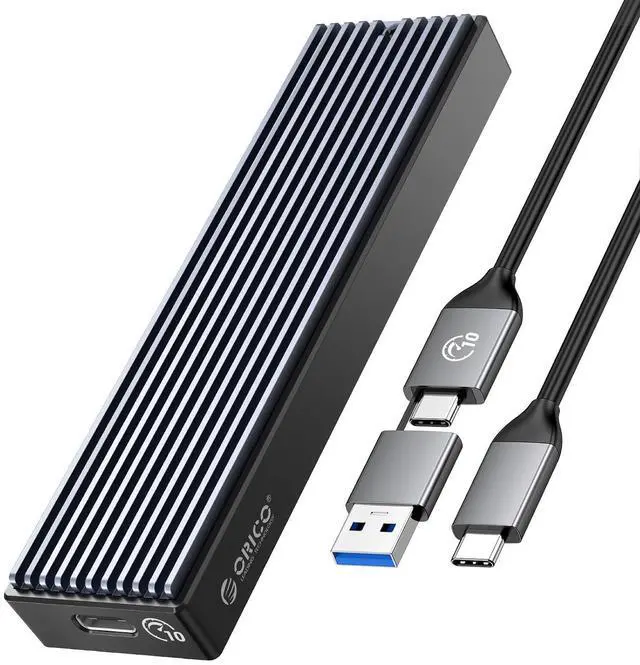


M.2 NVMe SSD Enclosure, USB 3.1 Gen 2 (10 Gbps) PCIe External Adapter NVMe Case for 2230/2242/2260/2280 M.2 SSD up to 8TB, UASP Supported - M2PV
Limited time offer, ends 09/13 By Nexus3C
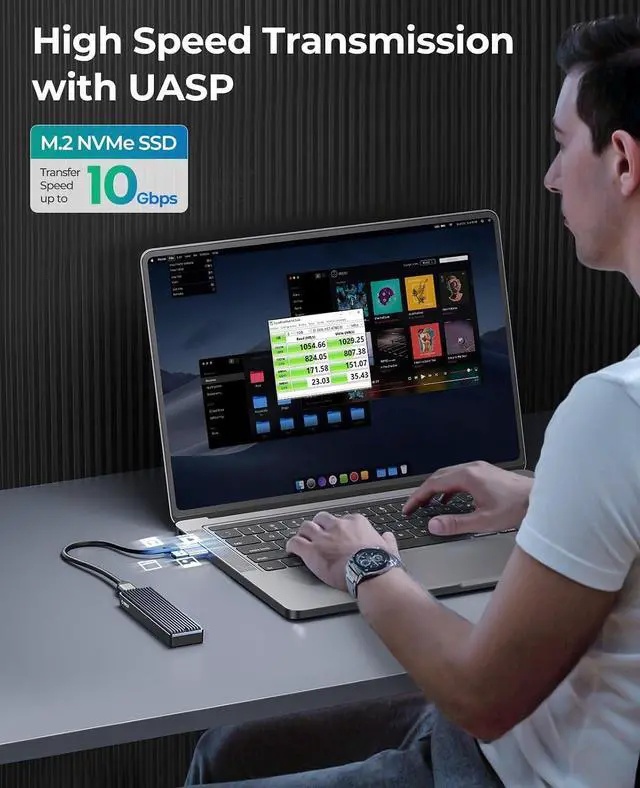
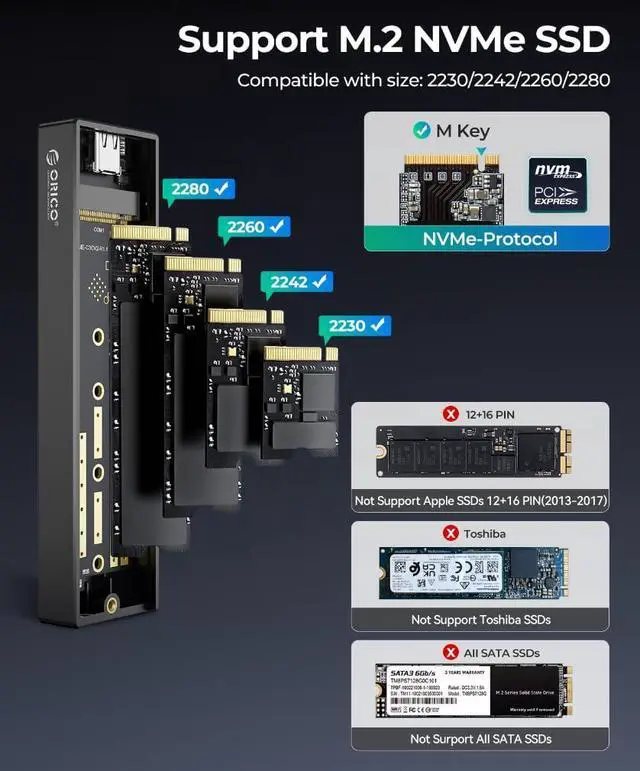
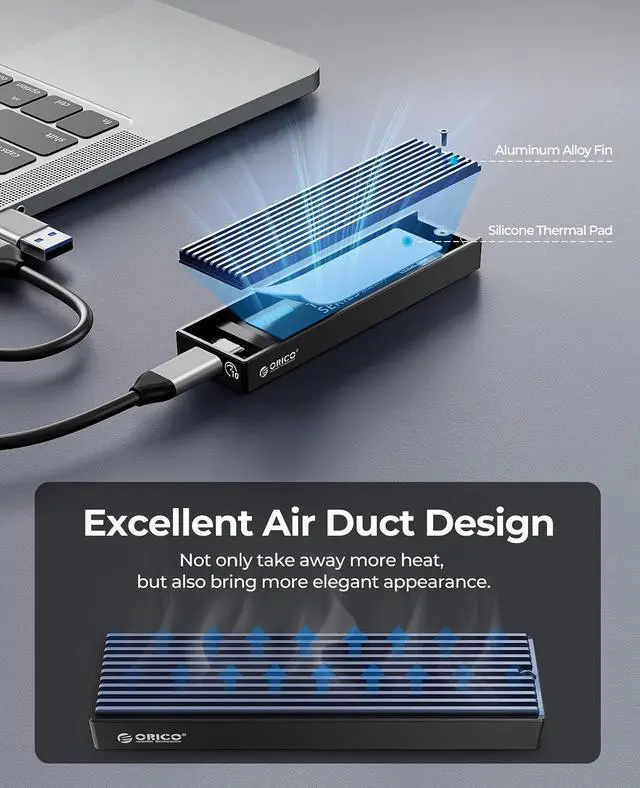
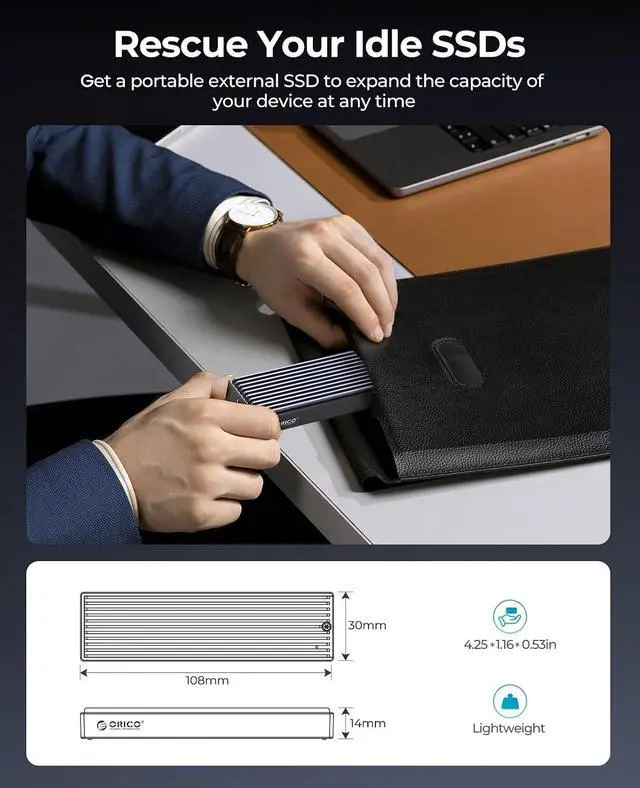
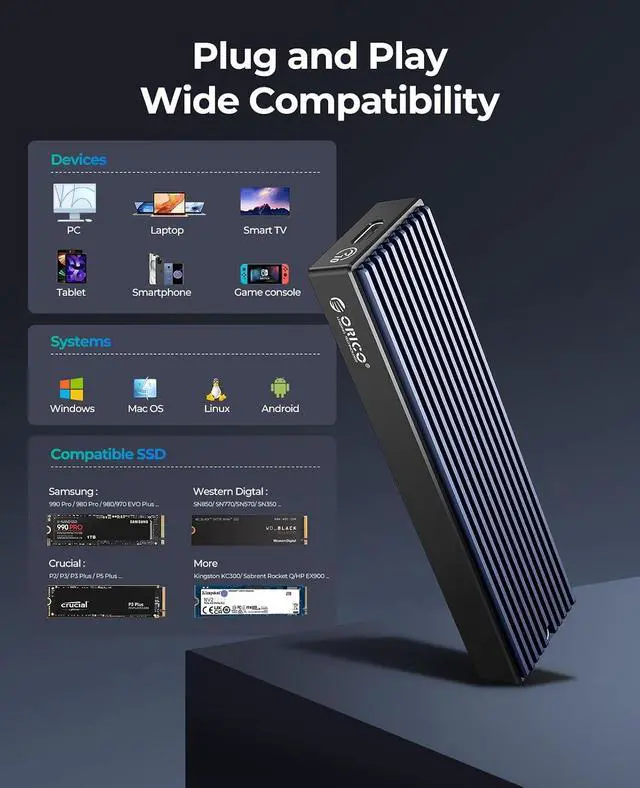
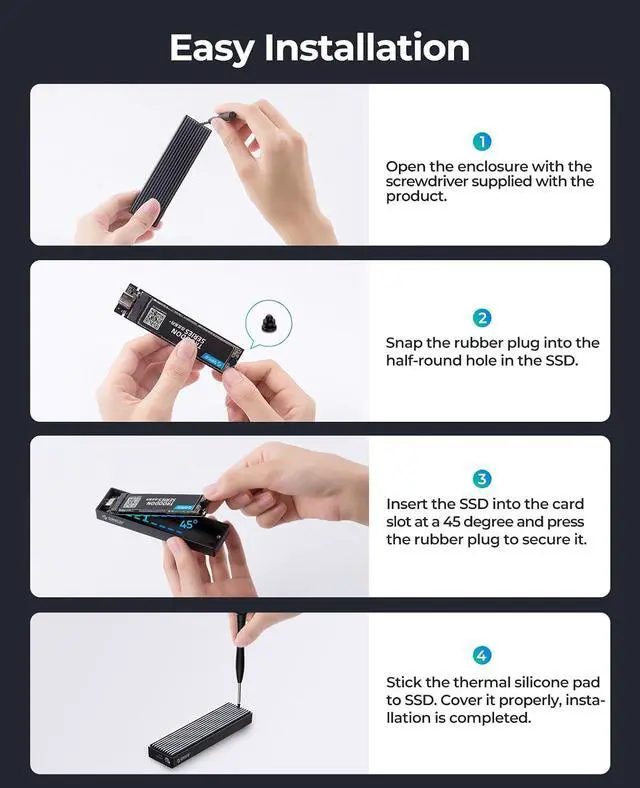
- 10 Gbps HIGH SPEED: ORICO M.2 NVMe SSD external case adopts Realtek RTL 9210 control chip and latest USB 3.1 Gen 2 Type-C interface. Support UASP acceleration protocol and support theoretical data transmission speed of up to 10Gbps. When using high-performance NVMe media, the read/write performance can exceed 900 Mbytes/sec. Included USB-C to USB-C and USB-C to USB-A cables, works with USB-C/USB-A hosts.; ONLY SUITABLE FOR PCIe NVMe M.2 SSD: ORICO M.2 to USB enclosure only for NVMe M-Key M.2 SSD (PCIe-based) up to 8 TB, applicable to sizes 2230 / 2242 / 2260 / 2280 SSDs, ORICO PCIe NVMe case does not support M.2 SATA based SSDs, M.2 PCIe AHCI SSDs, and any SSD from Mac.; SUPPORT MULTIPLE OPERATING SYSTEMS: ORICO M.2 enclosure is engineered with USB 3.1 Type c interface, support hot-shippable, Plug and Play, No Driver required. Supports Window / Mac / Linux. This external hard disk box is suitable for connecting computers, Smartphones, laptops, PS4, and other devices. Please note, all new solid-state drives must be formatted before use.; DESIGNED FOR CARRYING AROUND: This ORICO external case is made of aluminum top and plastic bottom, which ensures portability and good heat dissipation effect. 108 mm * 29.5 mm * 13.5 mm portable size is very convenient for carrying. You can put your M.2 NVMe hard drive in this enclosure and equip it with Windows or macOS systems, as an external drive. Note:Please use the provided screwdriver to align vertically with the screw, apply slight do
+
+
Overview
Specs
Reviews

Any questions? Our AI mode will help you find out quickly.
Try me now
Product description
Remember: It will NOT
Compatible with: SATA SSDs (B+M Key) or Apple Proprietary SSDs Only with NVMe SSDs Compatible SSDs Superior Heat Dissipation Support SSDs up to 8TB Upgraded Cable Auto Sleep USB 3.1 Gen 2 Video editors C to C & C to A Cable Wide compatibility Why is my drive not recognized by macOS or Windows when using the M. 2 enclosure? If your drive is not recognized by mac OS or Windows when using the M. 2 SSD enclosure, please
check the following: New
SSD formatting required: A brand-new SSD must be initialized and formatted before it can be recognized by the operating system. Use Disk Management on Windows or Disk Utility on macOS to perform this process.
File system compatibility: Ensure your drive is formatted with a file system supported by the target operating system:
Windows: NTFS or exFAT is recommended / macOS: APFS or HFS+ is recommended Drives with unsupported file systems may not appear in the operating system. M.
2 SSD Protocol compatibility: This enclosure supports only NVMe SSDs. Ensure that your drive is an NVMe SSD, as the enclosure will not work with SATA-based M. 2 SSDs.
UPGRADED CABLE DESIGN: To provide ultimate convenience, this NVMe enclosure now may come with an ALL-NEW 2-in1 data cable (USB-C to C + USB-C to A) instead of two separate cables. You will receive one of them randomly, both support high-speed data transfer and charging If the drive remains unrecognized after these steps, our support team is ready to help you get the drive working.
Remember: It will NOT
Compatible with: SATA SSDs (B+M Key) or Apple Proprietary SSDs Only with NVMe SSDs Compatible SSDs Superior Heat Dissipation Support SSDs up to 8TB Upgraded Cable Auto Sleep USB 3.1 Gen 2 Video editors C to C & C to A Cable Wide compatibility Why is my drive not recognized by macOS or Windows when using the M. 2 enclosure? If your drive is not recognized by mac OS or Windows when using the M. 2 SSD enclosure, please
check the following: New
SSD formatting required: A brand-new SSD must be initialized and formatted before it can be recognized by the operating system. Use Disk Management on Windows or Disk Utility on macOS to perform this process.
File system compatibility: Ensure your drive is formatted with a file system supported by the target operating system:
Windows: NTFS or exFAT is recommended / macOS: APFS or HFS+ is recommended Drives with unsupported file systems may not appear in the operating system. M.
2 SSD Protocol compatibility: This enclosure supports only NVMe SSDs. Ensure that your drive is an NVMe SSD, as the enclosure will not work with SATA-based M. 2 SSDs.
UPGRADED CABLE DESIGN: To provide ultimate convenience, this NVMe enclosure now may come with an ALL-NEW 2-in1 data cable (USB-C to C + USB-C to A) instead of two separate cables. You will receive one of them randomly, both support high-speed data transfer and charging If the drive remains unrecognized after these steps, our support team is ready to help you get the drive working.
Warranty & Returns
Warranty, Returns, And Additional Information
Warranty
- Please contact the Seller directly for warranty information. Warranty information may also be found on the Manufacturer's website.
- CONTACT
Return Policies
- Return for refund within: 30 days
- Return for replacement within: non-replaceable
- This item is covered by Nexus3C Return Policy
Manufacturer Contact Info
- For a directory of all our manufacturers, please click below.
- Manufacturers Directory
LOADING...