Your Browsing History
- Free 30-day Returns
$40.26
Meet Your Seller
Visit PISKEKAT Store
FOLLOW
Charging Dock for Nintendo Switch & OLED Model Joycons - Charger Station for up to 7 Joycon Controllers
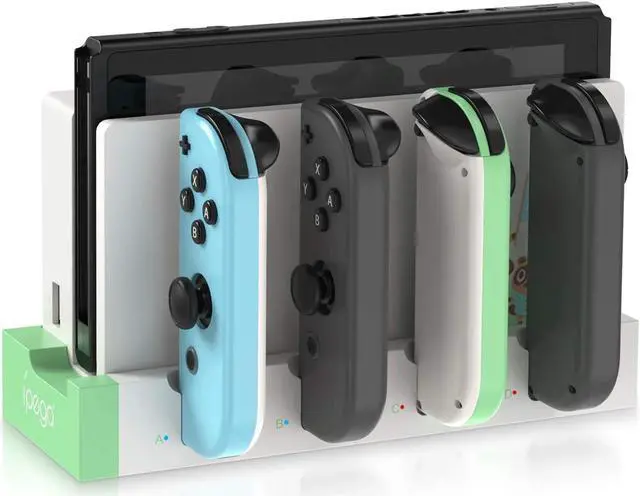
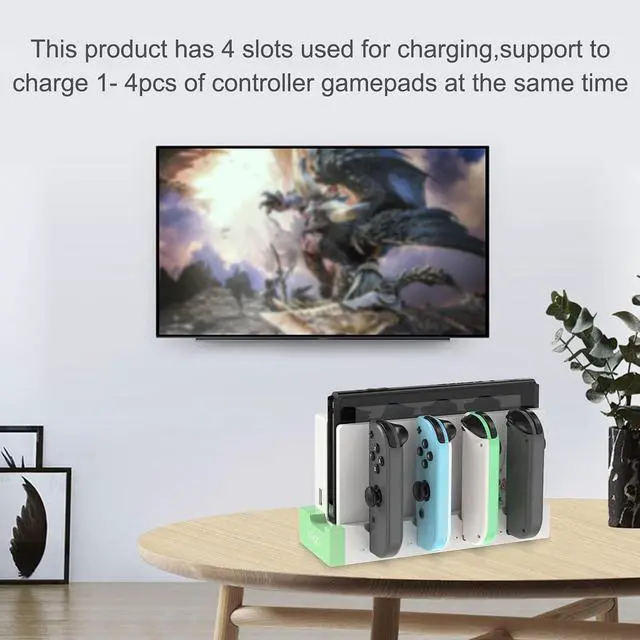
- Charging Dock for Nintendo Switch & OLED Model Joycons: This charger is matched with the original switch dock, charging for Joy con. Available to charge 1-4pcs controllers at the same time so that it will help you save time and increase efficiency.
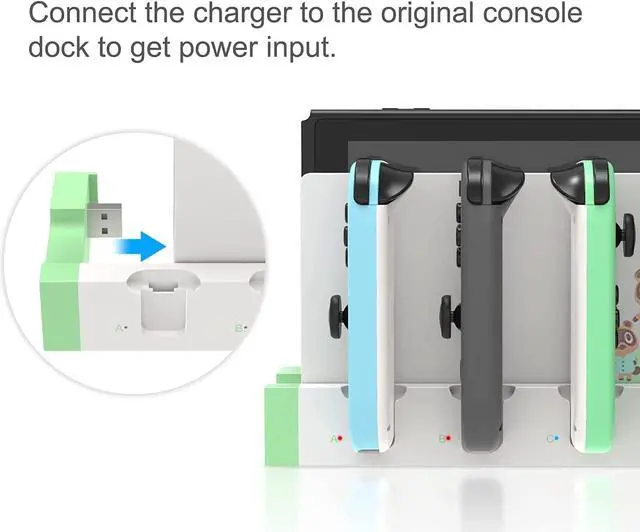
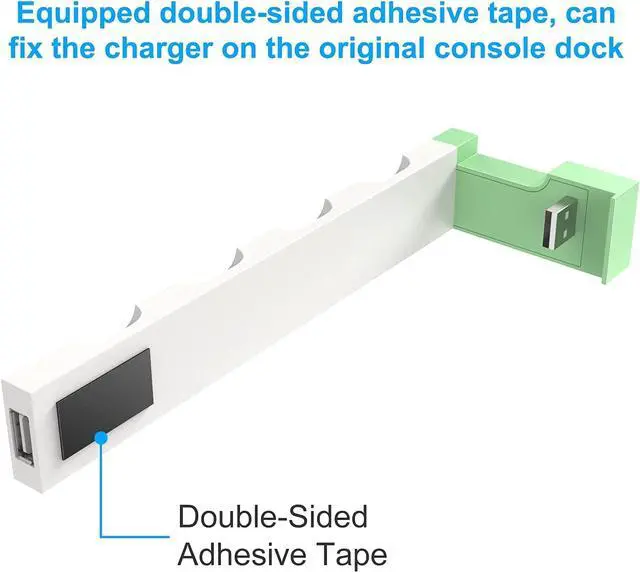
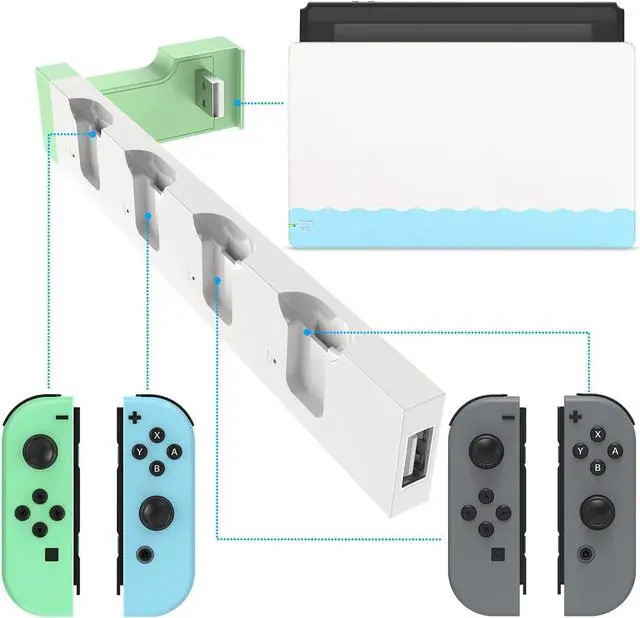
- Easy to Use: Just connect the charger to the original console dock to get power input, and then plug your switch joycons into the charging station. NOTE: No extra cord needed. It has a USB plug built into the side, just plug into your Switch's docking station and use the power from there. Integrated design, simple and does not occupy space.
- Security Protection: The charger dock for joycon built-in protection chip is with perfect over-charge, over-voltage, over-Current, over circuit protection functions, more safe and reliable. Low standby power consumption, electricity-saving, and environment-friendly.
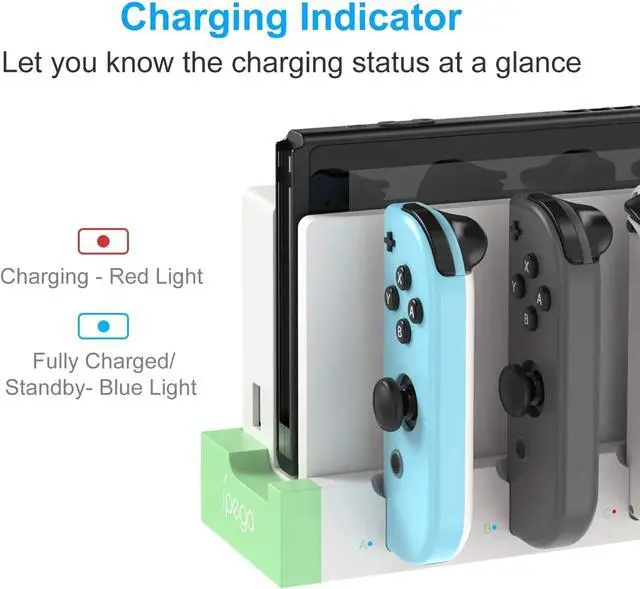
- LED Indicators: There are individual LED indicators for Joy Con, which allows the charging status at a glance. Plug in
+
+
Overview
Specs
Reviews
Any questions? Our AI beta will help you find out quickly.
Try me now
Charging Dock for Nintendo Switch & OLED Model Joycons: This charger is matched with the original switch dock, charging for Joy con. Available to charge 1-4pcs controllers at the same time so that it will help you save time and increase efficiency.
Easy to Use: Just connect the charger to the original console dock to get power input, and then plug your switch joycons into the charging station.
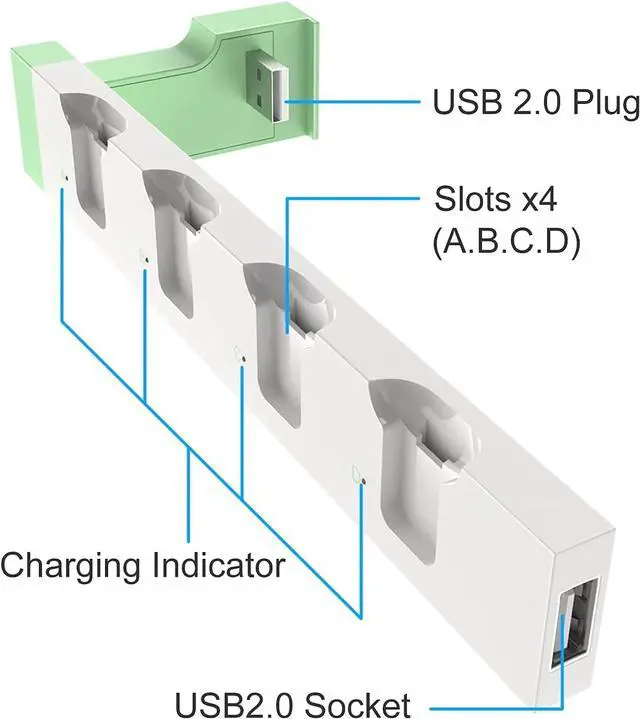
NOTE: No extra cord needed. It has a USB plug built into the side, just plug into your Switch' s docking station and use the power from there. Integrated design, simple and does not occupy space.
Security Protection: The charger dock for joycon built-in protection chip is with perfect over-charge, over-voltage, over-Current, over circuit protection functions, more safe and reliable. Low standby power consumption, electricity-saving, and environment-friendly.
LED Indicators: There are individual LED indicators for Joy Con, which allows the charging status at a glance. Plug in each slot for Joycon, the corresonding indicator icons turn red when charging, and they will turn blue when fully charged/standby.
Keep Organized for Joycons: This charger stand keeps organized for joycons and does not take up a huge amount of space. The charging station is such a great display for Nintendo Switch Joycon! It is a perfect gift for Nintendo Switch gamer.

Easy to Use: Just connect the charger to the original console dock to get power input, and then plug your switch joycons into the charging station.
NOTE: No extra cord needed. It has a USB plug built into the side, just plug into your Switch' s docking station and use the power from there. Integrated design, simple and does not occupy space.
Security Protection: The charger dock for joycon built-in protection chip is with perfect over-charge, over-voltage, over-Current, over circuit protection functions, more safe and reliable. Low standby power consumption, electricity-saving, and environment-friendly.
LED Indicators: There are individual LED indicators for Joy Con, which allows the charging status at a glance. Plug in each slot for Joycon, the corresonding indicator icons turn red when charging, and they will turn blue when fully charged/standby.
Keep Organized for Joycons: This charger stand keeps organized for joycons and does not take up a huge amount of space. The charging station is such a great display for Nintendo Switch Joycon! It is a perfect gift for Nintendo Switch gamer.
Warranty & Returns
Warranty, Returns, And Additional Information
Warranty
- Please contact the Seller directly for warranty information. Warranty information may also be found on the Manufacturer's website.
- CONTACT
Return Policies
- Return for refund within: 30 days
- Return for replacement within: 30 days
- This item is covered by PISKEKAT Return Policy
Manufacturer Contact Info
- For a directory of all our manufacturers, please click below.
- Manufacturers Directory
LOADING...