Your Browsing History
- Free 30-day Returns
$116.89
Meet Your Seller
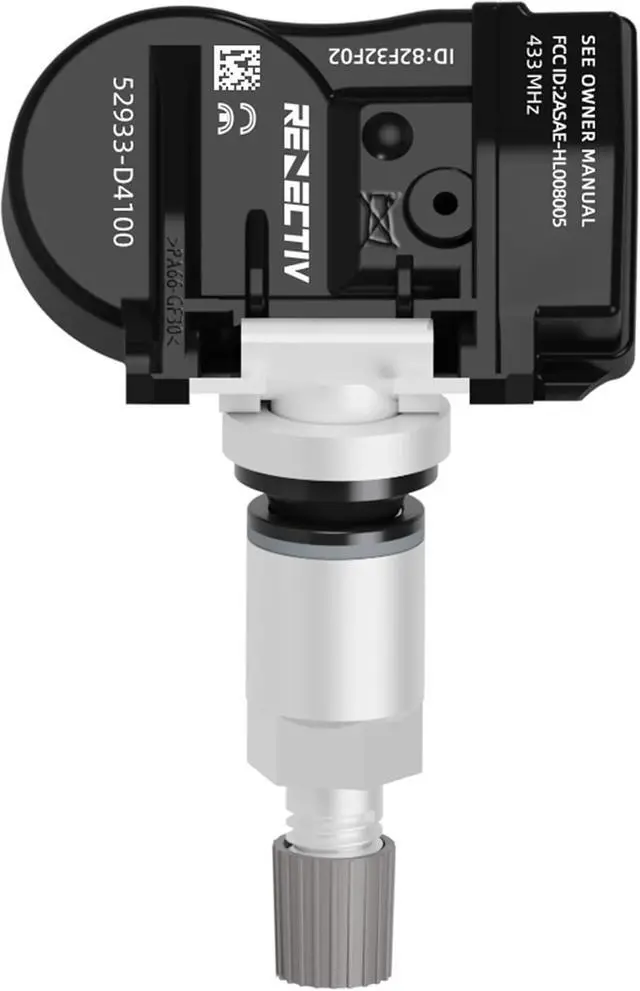
TPMS Sensor,433MHz Tire Pressure Monitoring Sensor fit for Kia Hyundai Replace#52933-D4100 52933-D9100(4PCS)
- Pre-programmed TPMS SensorThe Tire Pressure Sensor is 100% new and come pre-programmed specifically for your make/model/year of vehicle,just activate them with TPMS scan tool. The specific operation is as follows Step 1: Select Check Sensor in TPMS scan tool. Step 2-4: Select vehicle brand,model and year. Step 5: Select tire location then push button to trigger . Step 6: Wake up sensor successfully and display sensor information on screen.
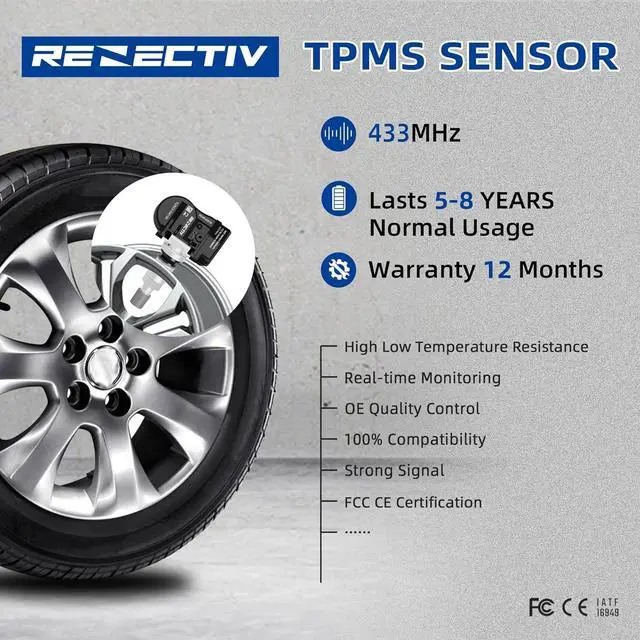
- High QUALITYThe battery can be used normally for more than 5 years, the pressure reading can reach 110 PSI or higher, and the temperature can reach -40~125,same as OE quality
+
+
Overview
Specs
Reviews
Any questions? Our AI beta will help you find out quickly.
Try me now
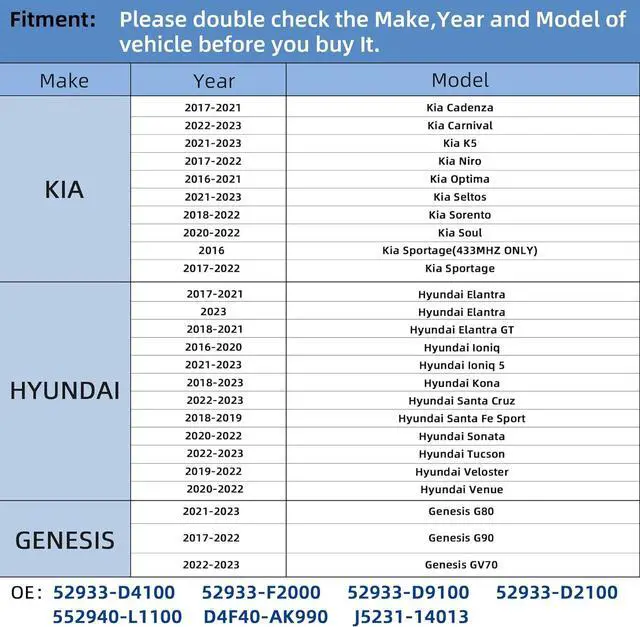
APPLICATIONCompatible for 2017-2022 Sedan Genesis G90 / 2017-2022 Hyundai Elantra, 2018-2021 Hyundai Elantra GT, 2016-2021 Hyundai Loniq, 2018-2021 Hyundai Kona, 2017-2019 Hyundai Santa Fe Sport, 2020-2022 Hyundai Sonata, 2019-2021 Hyundai Veloster, 2020-2022 Hyundai Venue / 2017-2021 Kia Cadenza, 2022 Kia Carnival, 2021-2022 Kia K5, 2017-2021 Kia Niro, 2017-2021 Kia Optima, 2021-2022 Kia Seltos, 2018-2022 Kia Sorento, 2020-2021 Kia Soul, 2016-2021 Kia Sportage
REPLACE PART NUMBER52933D2100, 52933F2000, 52940L1100, 52933D4100, 52933D9100
GOOD SERVICEOne year warranty. Our commitment to you is total and we want you to always be 100% satisfied by the quality and efficiency of our service.
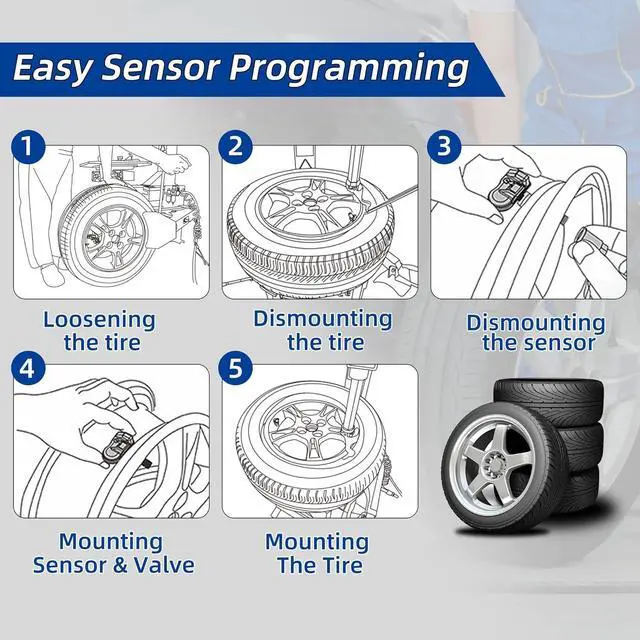
REMOVAL OF THE TPMS SENSOR:
1. Remove the screw that attaches the sensor to the valve stem and remove the sensor.
2. Using a standard tire valve stem tool, pull the valve stem through the hole and discard it. Use a rubber mallet or a block of wood to avoid damage to the rim.
Installation of TPMS Sensor
1. Insert the new sensor through the valve stem hole making sure the flat side of the sensor is toward the rim.
2. Using a standard valve stem tool pull the stem straight through the hole until the valve stem is fully seated. To avoid damage to the sensor and the rim, use a rubber mallet or block of wood placed between the rim and the tool to make sure the valve is pulled straight.
HOW TO RELEARN THE TPMS SENSOR:
Need a tire pressure activation TPMS tool [ATEQ(VT41. VT46. VT56), AUTEL(TS408. TS508) etc. ]
OBDII RELEARN
OBDII connector is required
1. Confirm TPMS sensors are properly installed
2. Adjust tire pressures to placard value
3. Activate TPMS Tool on left front tire sidewall next to the valve stem
4. Repear for RF/RR/LR tires
5. Apply OBD connector to DLC
6. Turn ignition to ON
7. Press OK on TPMS Tool to transfer data to ECU
8. Disconnect OBD connector from DLC
9. Turn ignition to OFF then ON
10. Drive for up tp 20 minutes

REPLACE PART NUMBER52933D2100, 52933F2000, 52940L1100, 52933D4100, 52933D9100
GOOD SERVICEOne year warranty. Our commitment to you is total and we want you to always be 100% satisfied by the quality and efficiency of our service.
REMOVAL OF THE TPMS SENSOR:
1. Remove the screw that attaches the sensor to the valve stem and remove the sensor.
2. Using a standard tire valve stem tool, pull the valve stem through the hole and discard it. Use a rubber mallet or a block of wood to avoid damage to the rim.
Installation of TPMS Sensor
1. Insert the new sensor through the valve stem hole making sure the flat side of the sensor is toward the rim.
2. Using a standard valve stem tool pull the stem straight through the hole until the valve stem is fully seated. To avoid damage to the sensor and the rim, use a rubber mallet or block of wood placed between the rim and the tool to make sure the valve is pulled straight.
HOW TO RELEARN THE TPMS SENSOR:
Need a tire pressure activation TPMS tool [ATEQ(VT41. VT46. VT56), AUTEL(TS408. TS508) etc. ]
OBDII RELEARN
OBDII connector is required
1. Confirm TPMS sensors are properly installed
2. Adjust tire pressures to placard value
3. Activate TPMS Tool on left front tire sidewall next to the valve stem
4. Repear for RF/RR/LR tires
5. Apply OBD connector to DLC
6. Turn ignition to ON
7. Press OK on TPMS Tool to transfer data to ECU
8. Disconnect OBD connector from DLC
9. Turn ignition to OFF then ON
10. Drive for up tp 20 minutes
Warranty & Returns
Warranty, Returns, And Additional Information
Warranty
- Please contact the Seller directly for warranty information. Warranty information may also be found on the Manufacturer's website.
- CONTACT
Return Policies
- Return for refund within: 30 days
- Return for replacement within: 30 days
- This item is covered by Halo Electronics Return Policy
Manufacturer Contact Info
- For a directory of all our manufacturers, please click below.
- Manufacturers Directory
LOADING...