Your Browsing History
Best Sellers
- $92.76
- + FREE SHIPPING
Meet Your Seller
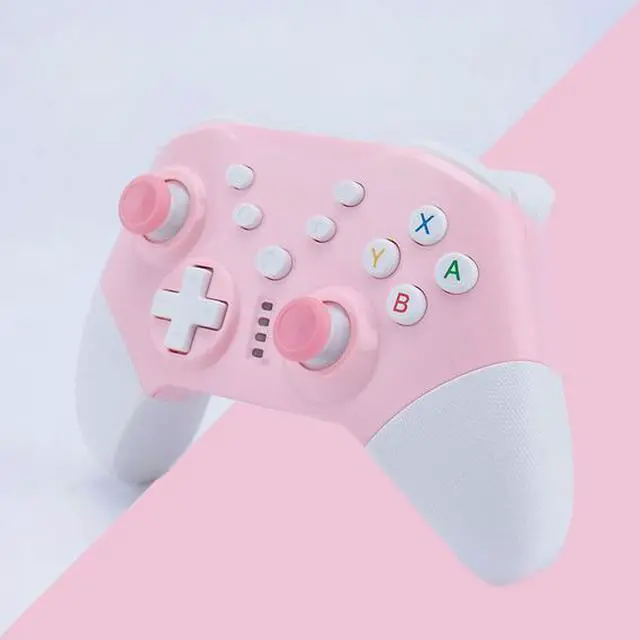
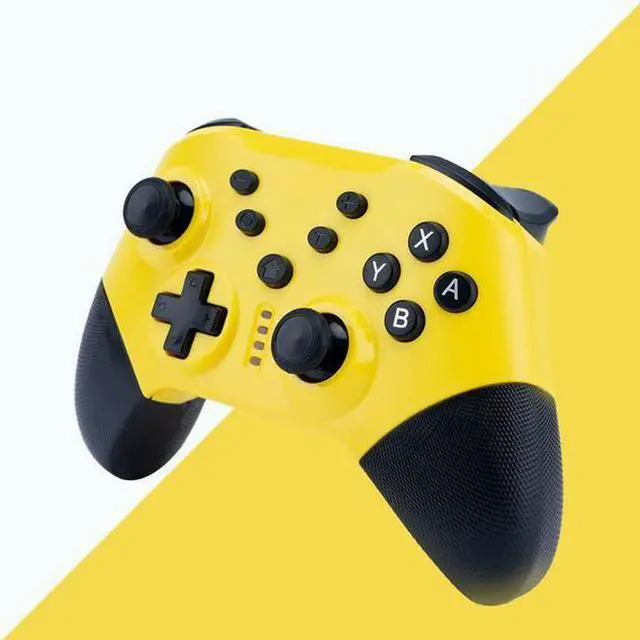
NS20 switch pro handle Pink and yellow combination with vibration to wake up switch host Support PC PC handle with 2.4G receiver
- NS-20 Private mode gamepad - Suitable for switch /pc /ps3 / Android mobile phone
- * Available in 5 colors
- * Dual motor dual vibration, one click to wake up the Switch host
- * With 6-axis gyroscope
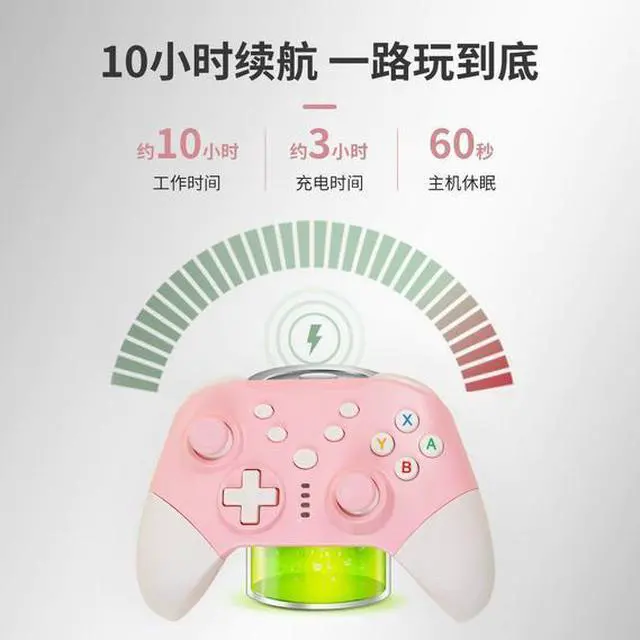
- * One-click continuous transmission, 10 hours long battery life
- * Suitable for multi-platform, NS host /pc /PS3 host
- Connection description
- 1.Switch host wireless connection
- A Connect the handle to the host for the first time:
- Start the Switch host, and then on the main menu interface of the main page, click "Controller" -- "Change grip/sequence" -- Long press the controller home button for 2-3 seconds, the LED light changes from slow blinking to fast blinking, the controller successfully connects to the NS host, and the LED is on.
- B Wake up handle to connect back to the host:
- NS When the host is in hibernation state, press the home key to connect to the host and the host wakes up.

+
+
Overview
Specs
Reviews
Any questions? Our AI beta will help you find out quickly.
Try me now
NS-20 Private mode gamepad - Suitable for switch /pc /ps3 / Android mobile phone
* Available in 5 colors
* Dual motor dual vibration, one click to wake up the Switch host
* With 6-axis gyroscope
* One-click continuous transmission, 10 hours long battery life
* Suitable for multi-platform, NS host /pc /PS3 host
Connection description
1. Switch host wireless connection
A Connect the handle to the host for the first time:
Start the Switch host, and then on the main menu interface of the main page, click "Controller" -- "Change grip/sequence" -- Long press the controller home button for 2-3 seconds, the LED light changes from slow blinking to fast blinking, the controller successfully connects to the NS host, and the LED is on.
B Wake up handle to connect back to the host:
NS When the host is in hibernation state, press the home key to connect to the host and the host wakes up.
* Available in 5 colors
* Dual motor dual vibration, one click to wake up the Switch host
* With 6-axis gyroscope
* One-click continuous transmission, 10 hours long battery life
* Suitable for multi-platform, NS host /pc /PS3 host
Connection description
1. Switch host wireless connection
A Connect the handle to the host for the first time:
Start the Switch host, and then on the main menu interface of the main page, click "Controller" -- "Change grip/sequence" -- Long press the controller home button for 2-3 seconds, the LED light changes from slow blinking to fast blinking, the controller successfully connects to the NS host, and the LED is on.
B Wake up handle to connect back to the host:
NS When the host is in hibernation state, press the home key to connect to the host and the host wakes up.
Warranty & Returns
Warranty, Returns, And Additional Information
Warranty
- Please contact the Seller directly for warranty information. Warranty information may also be found on the Manufacturer's website.
- CONTACT
Return Policies
- Return for refund within: 30 days
- Return for replacement within: non-replaceable
- This item is covered by Zyngear Return Policy
Manufacturer Contact Info
- For a directory of all our manufacturers, please click below.
- Manufacturers Directory
LOADING...
LOADING...