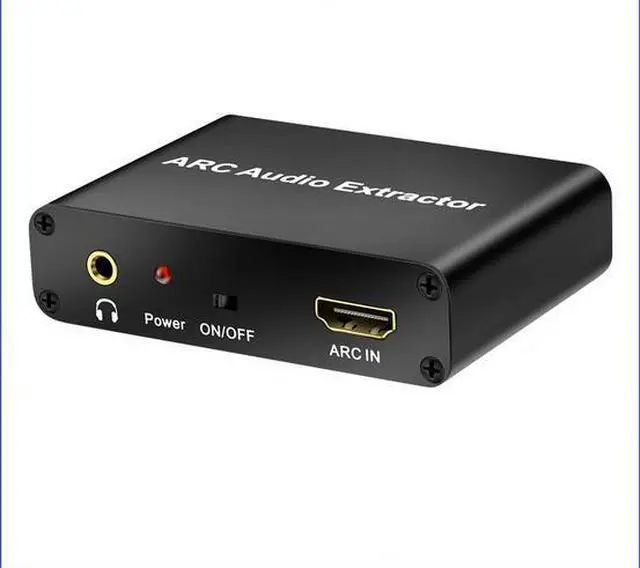
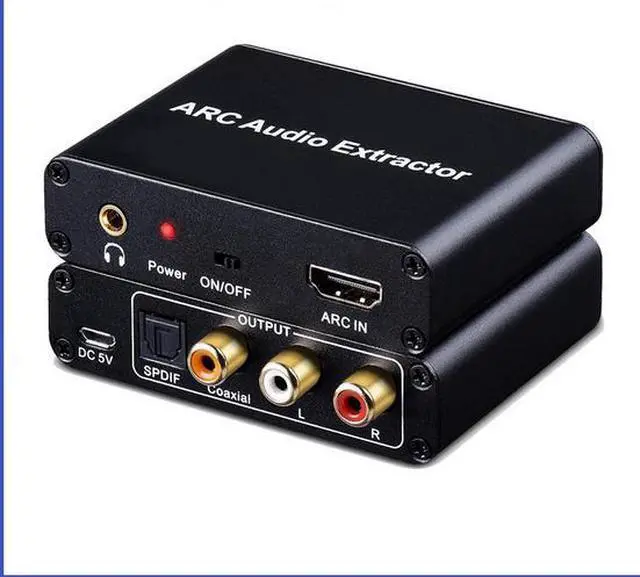
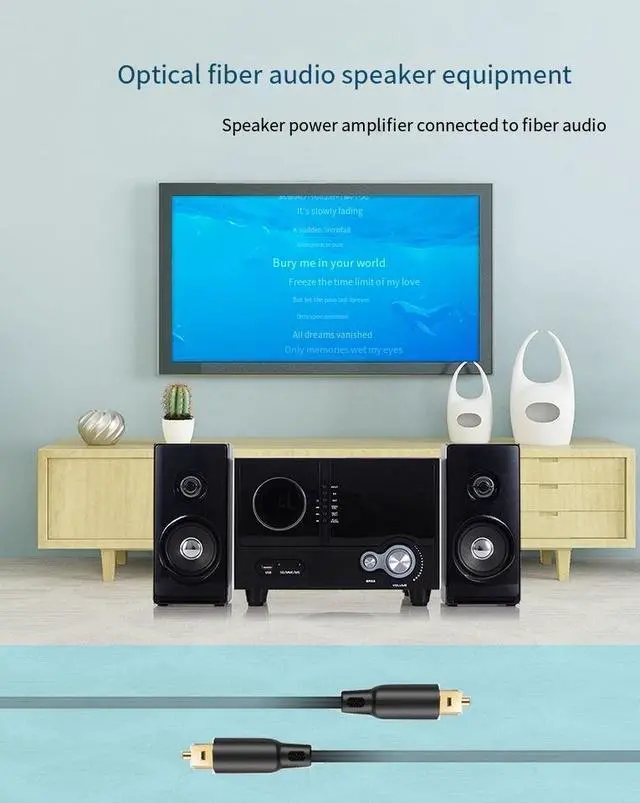
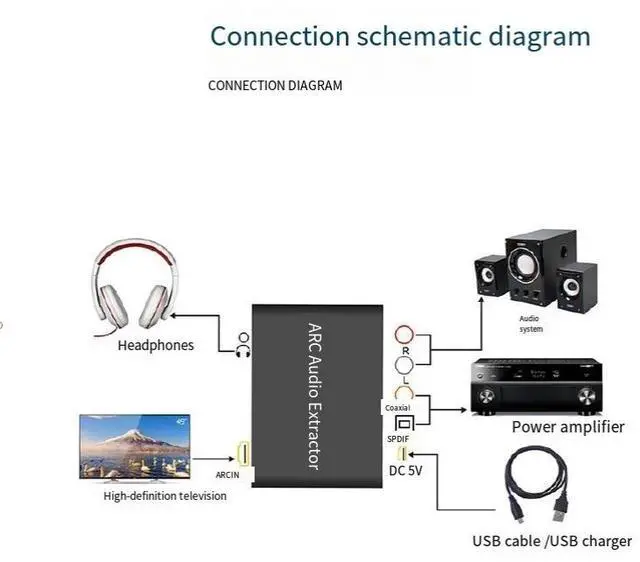
This HDMI audio return adapter can transfer the sound from a TV that supports ARC function back to the adapter's optical fiber, coaxial, and 3.5 mm headphone jack through the HDMI/ARC interface, and output it simultaneously. It perfectly solves the problem that TVS without audio output interfaces cannot be connected to the audio system.
Product Features:
1. Support optical fiber output
2. Support coaxial output
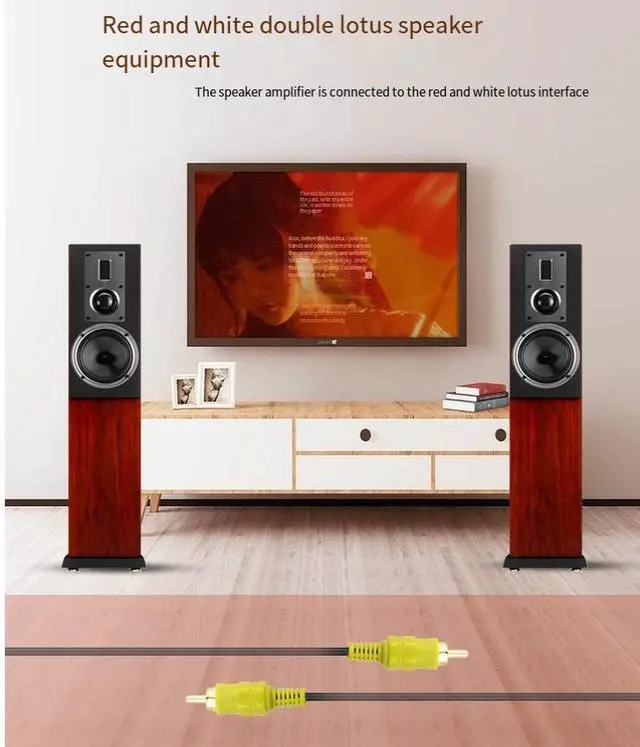
3. Support RCA stereo output
4. Supports 3.5 mm stereo headphone jack output
The 5.3. 5mm stereo headphone jack is equipped with a high-performance audio amplifier
6. Support noise reduction function for power on and off
7. Support the automatic mute function when there is no signal
8. Supports the transmission of an audio sampling rate of 192KHz
9. The optical fiber coaxial interface supports 5.1 -channel transmission
Product parameters:
Shell material...... Aluminum alloy
Color...... black
The power supply interface...... Micro USB
Maximum working current...... 65mA
The power adapter specification... AC 100V-240V 50/60HZ, DC 5V/1A
Working environment temperature...... - 10 ~ + 55
Storage temperature...... - 20 ~ + 60
Working humidity...... 10-90%RH (no condensation)
Storage humidity...... 5-95%RH (no condensation)
Shell size...... 81.5 * 58.5 * 21.5 (mm)
The weight...... 88 grams
Physical interface intent:
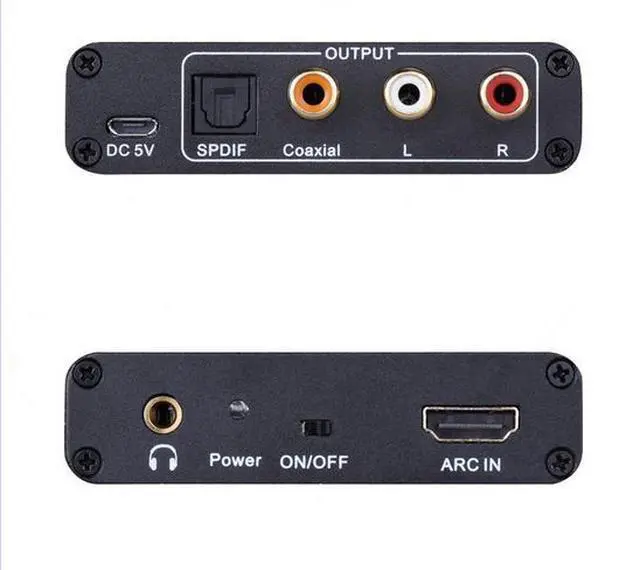
R: Right channel output interface
L: Left channel output interface
Coaxial: Coaxial digital audio output interface, which is connected to audio amplification devices when in use
SPDIF: Optical fiber digital audio output interface, connected to audio amplification equipment when in use
DC 5V: 5V power interface
: 3.5 mm stereo output interface
Power: Power indicator light, lights up when powered on
ON/OFF: ARC function switch (not power switch)
ARC IN: HDMI/ARC input interface, connected to the HDMI/ARC interface of the television when in use
Connection and Operation
Connect the HDMI port of the adapter to the HDMI/ARC interface of the TV via an HDMI cable.
Note: An HDMI interface that does not support the ARC function cannot output audio normally
2. Connect to the power amplifier system using optical fiber cables, coaxial cables or RCA cables and 3.5 mm audio cables.
3. Finally, connect the DC head of the power adapter to the DC input terminal of the distributor, and then insert the adapter plug into the power socket.
4. Switch the adapter switch to the ON position.
Notes:
Please use it correctly and maintain it properly to ensure the product's performance and normal operation.
Keep away from damp, high-temperature, dusty, corrosive and oxidizing gas environments to avoid damage.
2. All components should be protected from strong vibration, collision, knocking or dropping to prevent damage.
3. Do not touch the power adapter plug of this machine with wet hands.
When unplugging the adapter from the power socket, please hold the plug and do not pull the power cord.
5. Please turn off the power when the machine is not in use. (If it is not used for a long time, please unplug the power adapter. )
6. Do not open the machine cover and do not touch any components inside the machine.
7. Only power adapters provided by the manufacturer or approved by the manufacturer must be used.