• $96.88
  • Free 30-day Returns
  • Volume Discounts Available
    • $96.28 ea.
    • $95.48 ea.
    Ships from China.
    Price alert
    Shop it at NeweggBusiness.

    Meet Your Seller

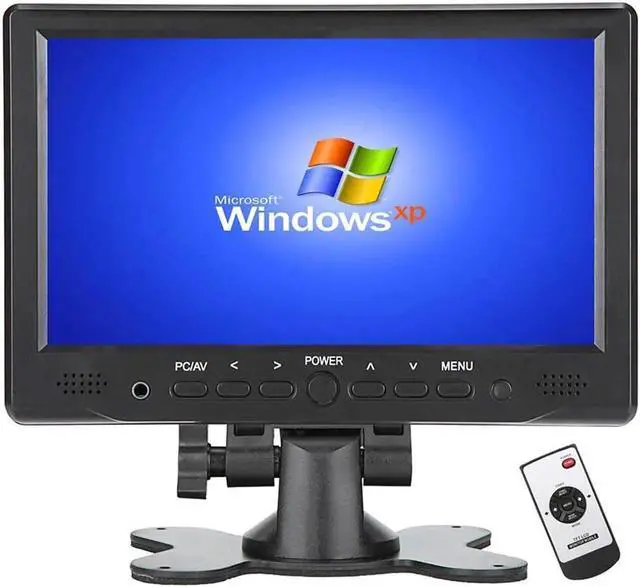
    7 inch Mini Monitor Small HDMI Monitor Portable HD 1080P VGA Monitor LCD Screen for PC/Mac Mini/TV/Raspberry PI/Camera/Gaming;IPS 1024X600 Pixels 178 Full Viewing w/Speaker Earphone Jack

    Limited time offer, ends 04/19 By ElectroWorks JV

    • We are direct manufacturer , you buy the product with good value without extra middle cost ; if you are looking for bigger size screen , check our store for the 10.1 inch Screen;
    • 7 inch TFT LCD HDMI VGA Monitor with super high definition IPS Screen 1024*600 resolution ;
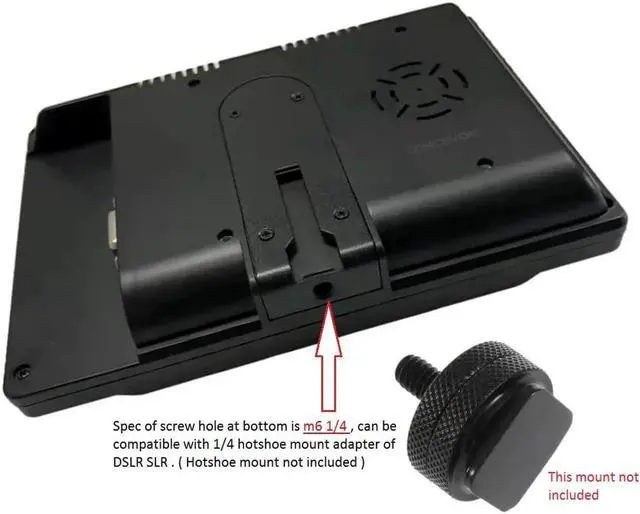
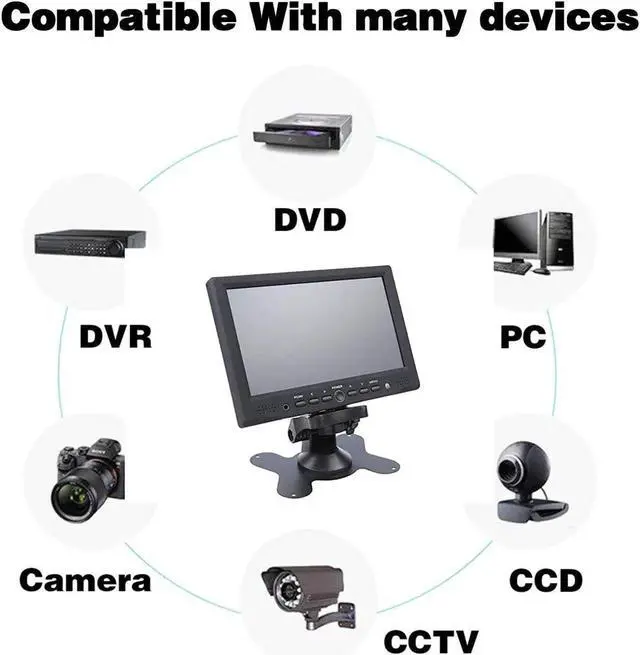
    • Customer can apply this monitor into those secenarios : Security monitor for a CCTV Camera system ; DSLR field camera monitor ( compatible with 1/4 hotshoe mount adapter ) ; Secondary monitor for personal Computer ; Mornitor for Raspberry pi ; TV monitor with a ROKU in kitchen ; Secondary visual monitor in recording studio
    • More application : Can also work as portable server screen ;Small Screen work with video game consoles , such as X-BOX,PS4, NS ; Monitor for a back-up camera on vehicle or RV or as car /pipeline inspection tool
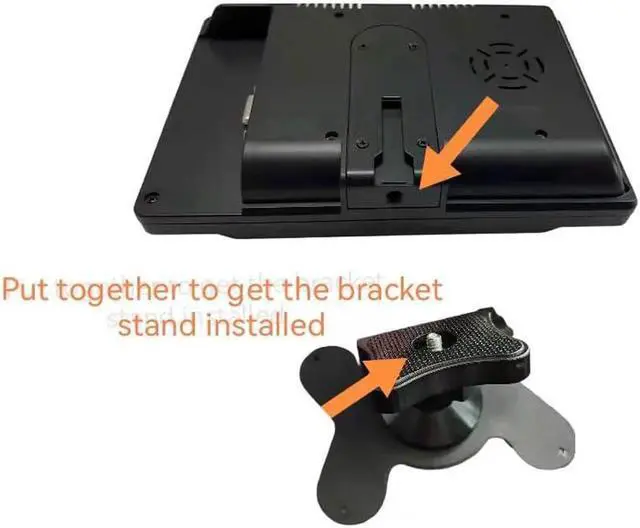
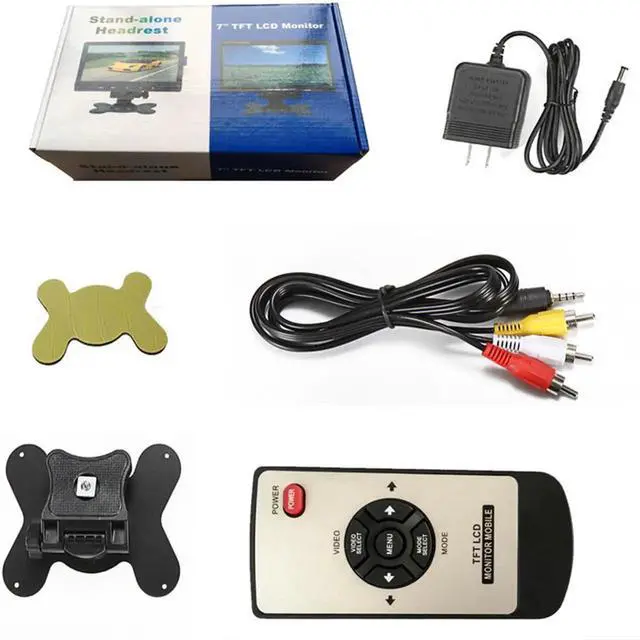
    • Package include: 1xTFT LCD Monito ;1x AV Cable, 1X DC12V AC Adapter, 1X Remote Control, 1X Bracket, 1X User Manual, 1xSticker
    +
    +
    Overview
    Specs
    Reviews
    avatar

    Any questions? Our AI beta will help you find out quickly.

    Tips for Push Buttons:

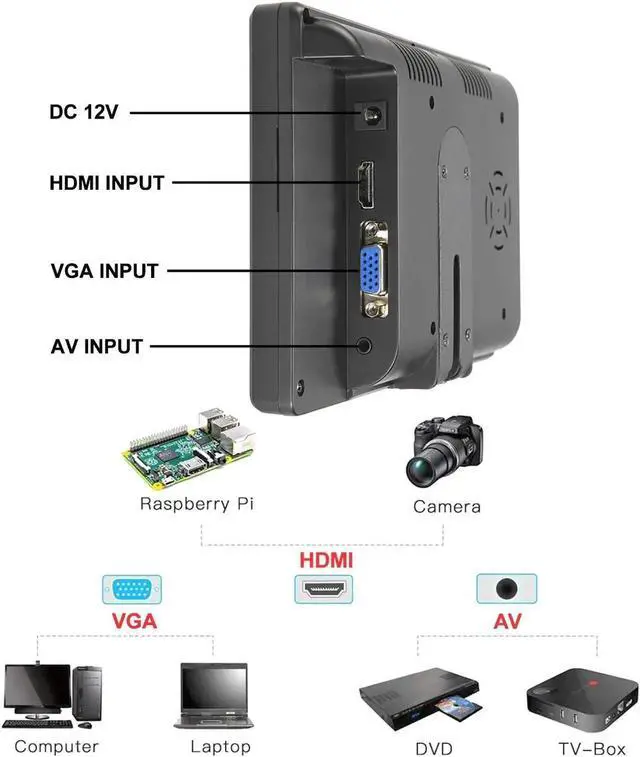
    1. Press [PC/AV] to select display mode, you get PC( VGA ) /HDMI/AV1/AV2 options seperately ,.

    apply PC mode if VGA cable ; HDMI mode if HDMI cable , etc

    2. Go to [Menu] for screen brightness related adjustment

    If no signal, please follow below steps :

    1 .Check if select correct display mode at PC/AV button

    2 . Settings on laptop/computer :

    a). Window system ,Please click [Window+P] to select [Mirror Mode] ,[extend Mode] or [Second Screen Only]

    b). IOS system, Please set as: preferences - > monitor- >arrangememt- > mirror ;

    set resolution: Finder- >system- >preferences- >displays- >resolution

    Applications Scenarios

    1. ØHook up to Google Chromecast / Amazon Fire Tv
    2. Ø- Monitor a Mac Mini Server
    3. Ø- Security monitor for a CCTV Camera System
    4. Ø- Secondary visual monitor in recording studio
    5. Ø- Monitor for small hobby computers such as the Raspberry Pi
    6. Ø- Monitor for personal computers / Laptop
    7. Ø-Using as a TV with a roku in kitchen
    8. Ø- Monitor for a back-up camera on a vehicle or RV; work great with magnetic CD mount in car.
    9. Ø-Monitor for car/pipeline inspection tool
    10. Ø- Monitor for an entertainment system on a small rig, such as car, RV, truck cab, boat, where the viewer will be close to the screen

    Tips for Push Buttons :


    1. Press PC/AV to select display mode, you get PC( VGA ) /HDMI/AV1/AV2 options seperately ,.

    apply PC mode if VGA cable ; HDMI mode if HDMI cable , etc


    2. Go to Menu for screen brightness related adjustment


    If no signal, please follow below steps :

    1 .Check if select correct display mode at PC/AV button

    2 . Settings on laptop/computer :

    a). Window system ,Please clickWindow+Pto selectMirror Mode ,extend Modeor "Second Screen Only"

    b). IOS system, Please set as: preferences?monitor?arrangememt?mirror ;


    set resolution: Finder?system?preferences?displays?resolution


    Specification:

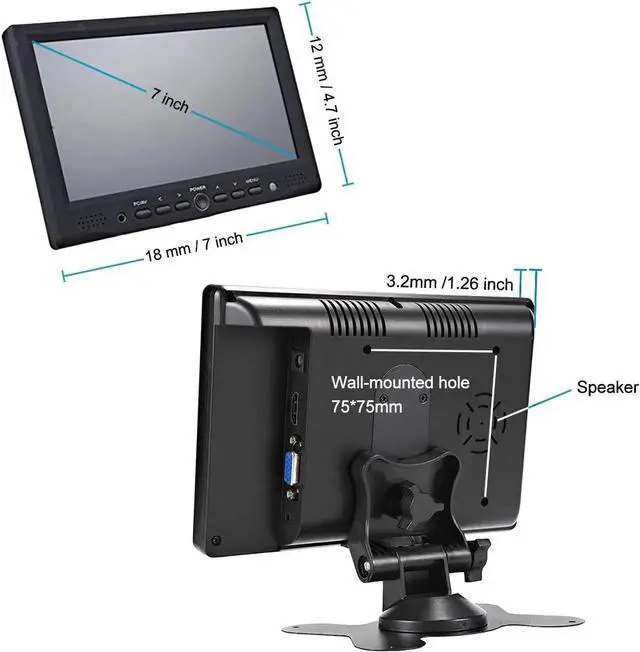
    Panel Size: 7 inch TFT LCD

    Screen Resolution: IPS 1024*600

    Compatible OS: Windows 95,98, NT4,2000, Windows 7,10, XP

    Display Ratio: 16:9

    Color system: PAL 4.43, NTSC 3.57

    Input Voltage: DC 12V +/-10%


    Package include:

    1xTFT LCD Monitor ,

    1x AV Cable,

    1X DC12V AC Adapter,

    1X Remote Control,

    1X Bracket,

    1X User Manual,

    1xSticker

    Warranty & Returns

    Warranty, Returns, And Additional Information

    Warranty

    • Please contact the Seller directly for warranty information. Warranty information may also be found on the Manufacturer's website.
    • CONTACT

    Return Policies

    Manufacturer Contact Info

    LOADING...